7 Ways to Use AI in Social Media Analysis
Explore 7 practical ways to use AI in social media analysis — from competitive benchmarking to trend forecasting and more.
AI can help social teams analyze content, trends, audiences, competitors, and reports faster, but only when the workflow starts with a clear question and ends with human review. If your team is still stitching together spreadsheets, screenshots, and scattered dashboard exports, AI can turn that mess into a faster, more reliable analysis process.
The value is simple: less manual cleanup, quicker pattern detection, and clearer reporting. The risk is just as simple: weak inputs still create weak outputs.
So, without further ado, let me show you how to use AI in social media analysis and ace your performance reporting.
Key takeaways
-
AI transforms social media analysis by processing large datasets faster than humans, helping teams uncover patterns, trends, and insights more efficiently while still requiring human judgment for decision-making.
-
The most effective AI-powered social media analysis starts with a clear business question, uses relevant data, generates specific outputs, validates findings, and turns insights into actionable decisions.
-
AI can enhance social media analysis through automated content categorization, sentiment analysis, trend forecasting, competitor benchmarking, audience segmentation, hashtag and format analysis, and reporting automation
How can AI change the way you approach social media analysis?
AI can change the classical social media analysis process through its ability to process more data, more quickly, than a human team can. That makes it especially useful for repetitive work like tagging posts, summarizing comments, comparing competitors, and drafting reports.
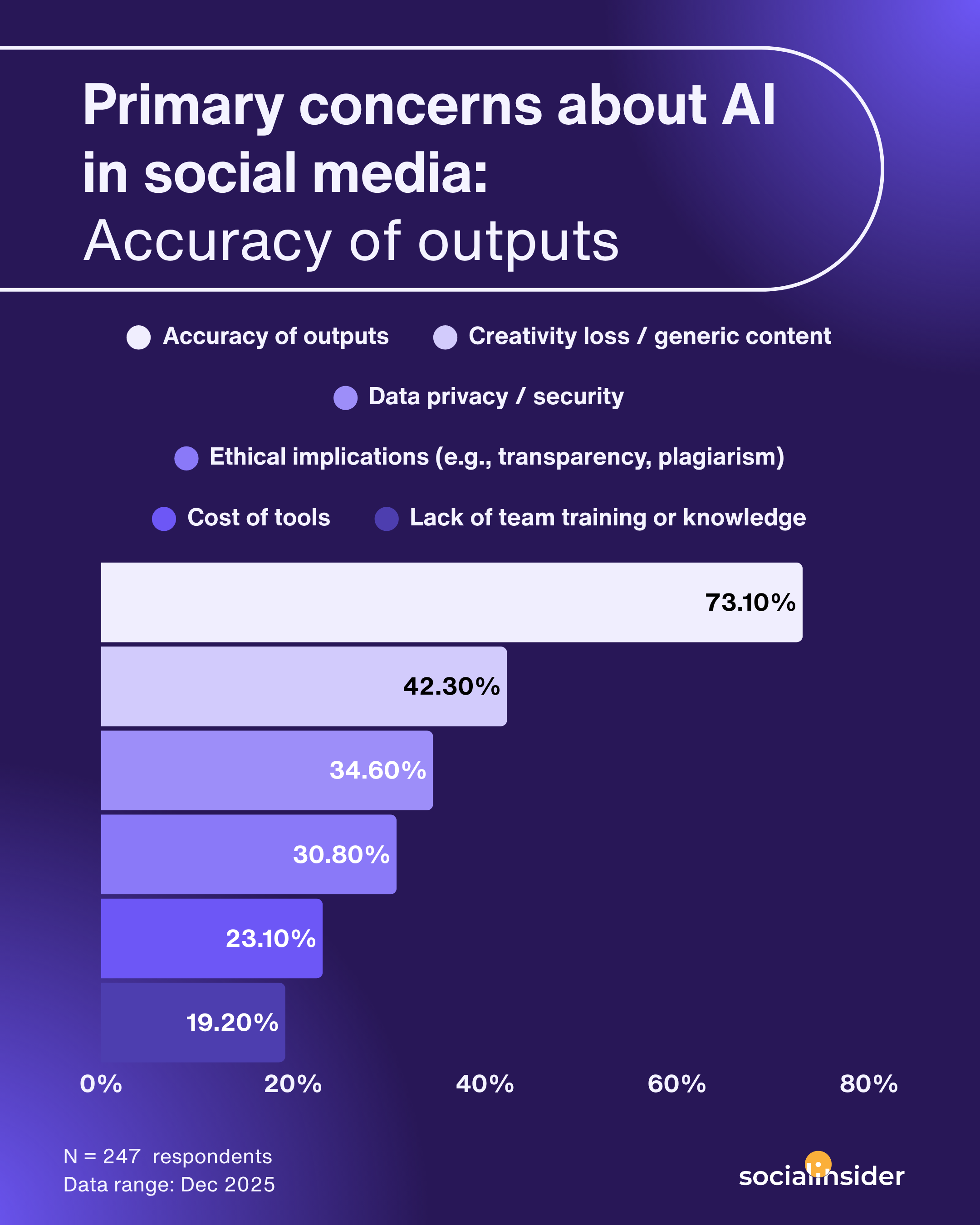
However, there's no denying that a human still needs to decide what questions matter, whether the data makes sense, and what action to take next. According to Socialinsider’s AI usage report, 73% out of 247 respondents said accuracy of output was their biggest concern, which is exactly why human review still belongs in every workflow.
If you’re new to the topic, start with our overview of AI social media analytics.
How to use AI in a social media analysis?
AI works best when the process is structured. Start with a question, feed it clean data, ask for a specific output, check the result against known performance, and then turn the insight into an action.
Define the question first
The first step is not choosing a tool. It is choosing the question.
A useful AI workflow starts with a business problem like:
- Which content pillar drives the best engagement?
- Why did sentiment change after a campaign launch?
- Which competitor is winning on format mix?
- What should we show in the next leadership update?
If the question is vague, the output will be vague. A prompt like “analyze my social channels” usually creates generic commentary. A prompt like “compare carousel performance against video posts over the last 90 days” gives the AI assistant something measurable.
Pull the right data
AI is only as strong as the data you give it. Use exports, benchmark views, audience metrics, post-level data, and comment samples that match the question you are asking.
For trend work, use several months of data, not one busy week. For competitor work, include the same time range across brands. For reporting, include the numbers leadership already recognizes.
Ask for a specific output
A strong prompt tells the AI exactly what to do. Ask for:
- a summary,
- a table,
- a comparison,
- a list of outliers,
- or a plain-English explanation.
This is where conversational AI becomes useful. Instead of forcing you to dig through tabs, a conversational interface lets you ask follow-up questions like, “Which format has the highest engagement rate?” or “What changed after the campaign launched?”
And by the way, this can easily be done through Socialinsider's MCP, which, once connected to your AI Assistent, can create customizable analysis using your live Socialinsider data.
sValidate the result
Never treat the first answer as final. Compare the AI output against native analytics, historical patterns, and any numbers you already trust.
If a tool says a post was a breakout hit, check reach, engagement rate, saves, or views before you report it.
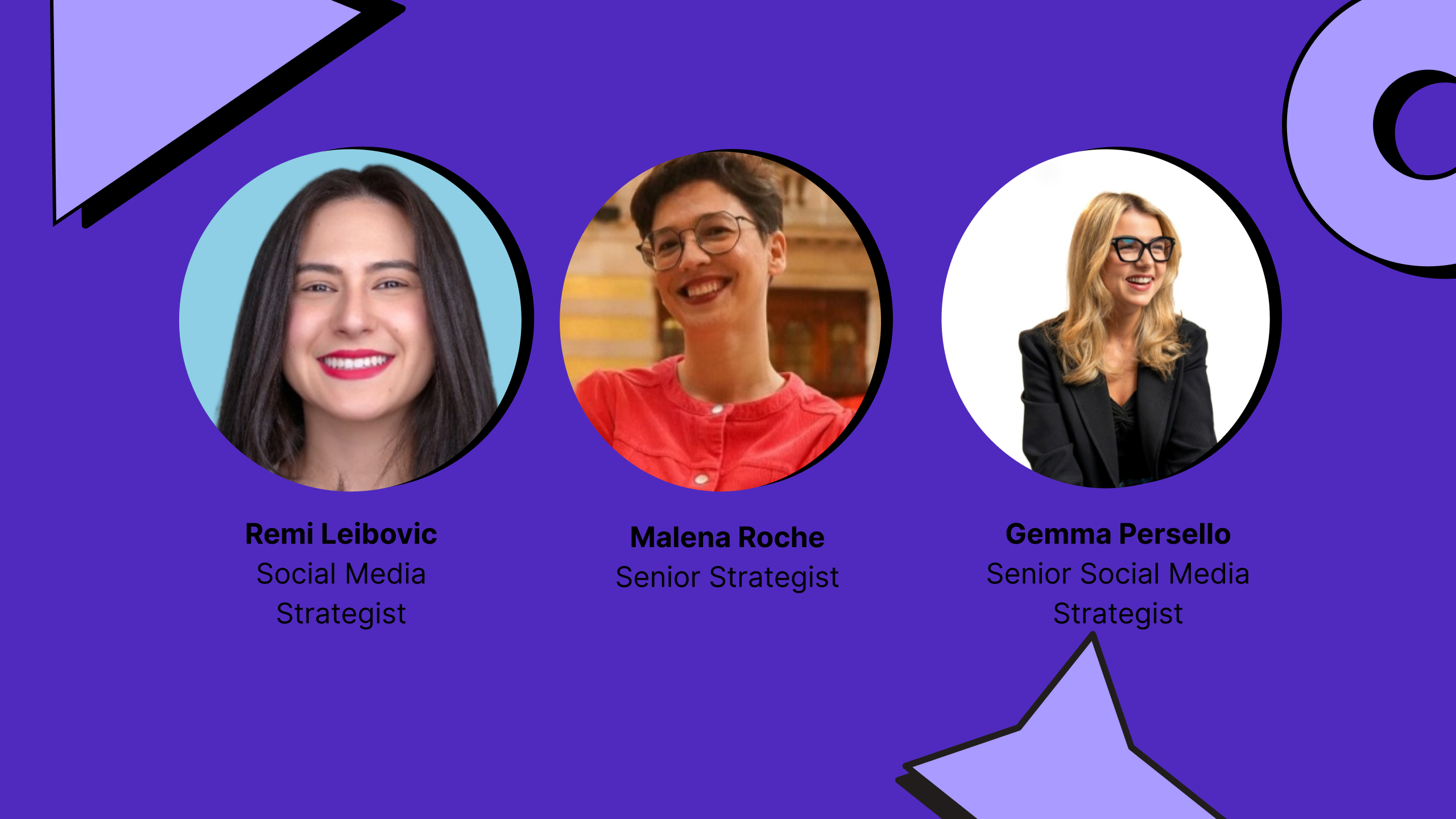
Malena Roche, senior strategy and insights consultant at Battenhall also said:
I’d say don’t fully trust AI. Always second-guess it, question the outputs, and dig deeper. Because that’s how it learns. The more you challenge it and refine its use, the better and more accurate it becomes over time.
Turn the insight into a decision
The last step is where AI becomes useful to the team. Every analysis should end with a decision:
- Post more of a winning format,
- Cut a weak content pillar,
- Test a new audience segment,
- Or change the reporting story for leadership.
That final action is the difference between AI as a time saver and AI as a strategy tool.
7 ways to use AI in social media analysis
AI is most useful when it supports a specific analysis job. The seven use cases below cover the workflows most social teams need to move faster without losing clarity.
#1. Automated content categorization and pillar analysis
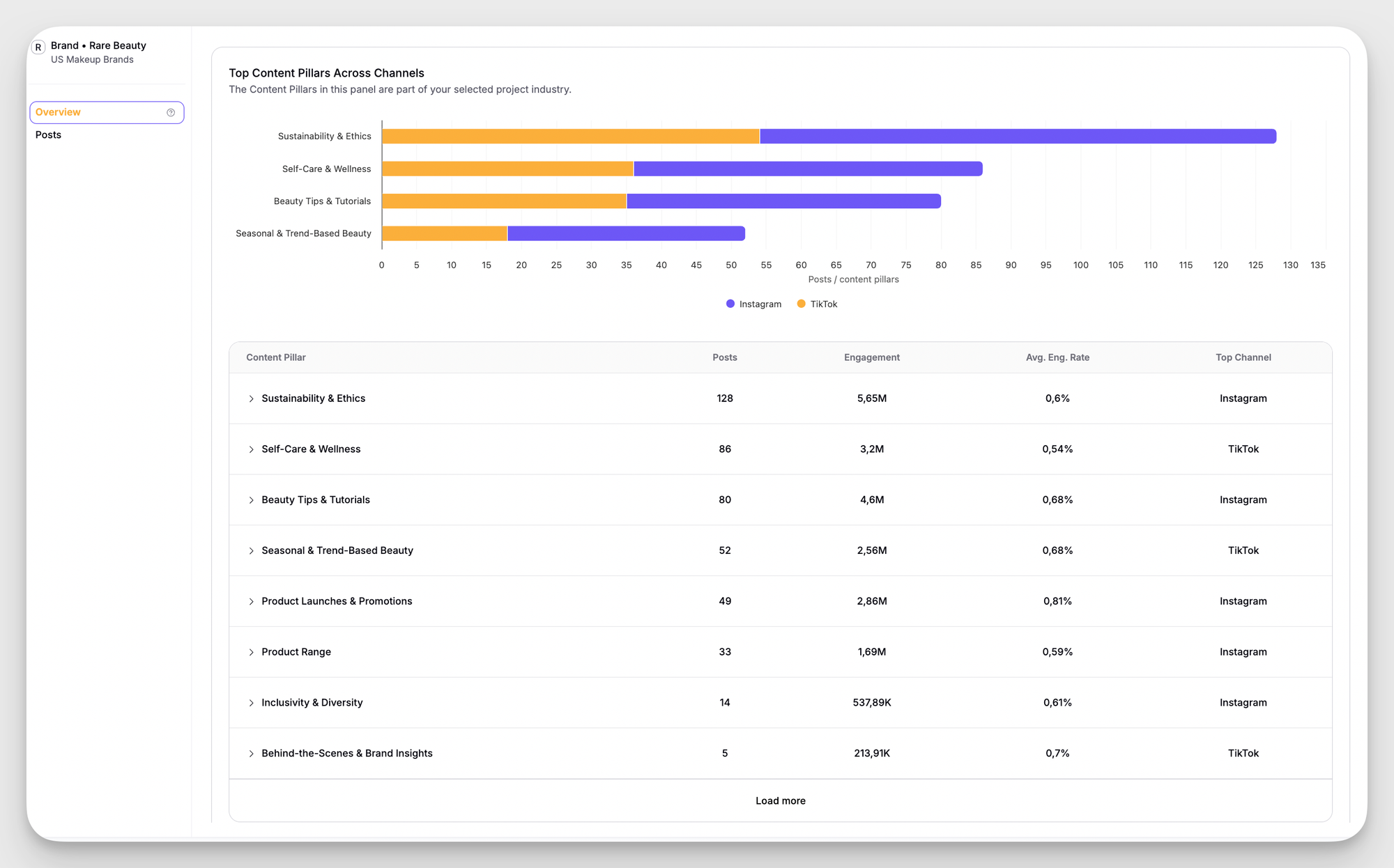
Automated content categorization helps you group posts into themes so you can see what your content mix actually looks like. That makes it easier to compare education, product, behind-the-scenes, and campaign content without tagging every post by hand.
This is where AI can save the most time. In Socialinsider, the AI-based content pillar analysis automatically groups posts into themes, then shows which pillars drive the strongest performance. That means a social team can move from guesswork to a clearer publishing decision.
#2. Sentiment analysis at scale
Sentiment analysis helps you understand whether conversation around a brand, campaign, or topic is positive, negative, or mixed.
At scale, AI can scan thousands of comments or mentions faster than manual coding. That matters when a launch, a crisis, or a viral post creates more conversation than a human team can read in one sitting.
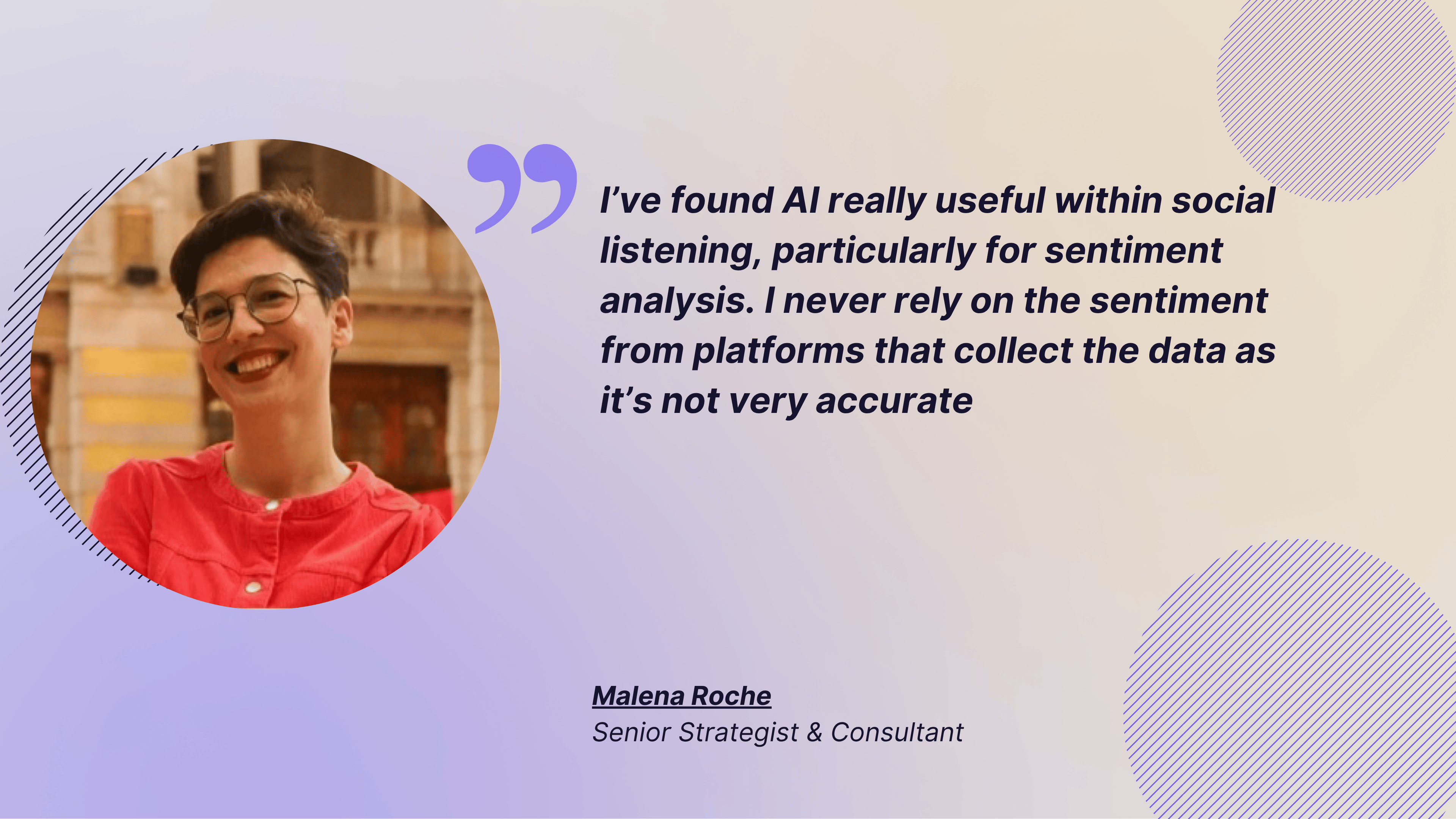
Malena Roche, senior strategy and insights consultant at Battenhall mentioned the same:
I’ve found AI really useful within social listening, particularly for sentiment analysis. I never rely on the sentiment from platforms that collect the data as it’s not very accurate. Previously, I’d export a sample to Excel, randomize and code it manually, then use that as the sentiment. Now I can download the data, feed it to ChatGPT, and have it code for me. What’s great is that it can do aspect-based sentiment analysis.
The best way to use sentiment is to compare it against the trigger. Did the launch post create excitement? Did the customer complaint create friction? Did a format change shift the reaction? Those questions make sentiment useful.
The caution is context blindness. AI can miss sarcasm, slang, and cultural nuance, so it should flag patterns, not replace judgment.
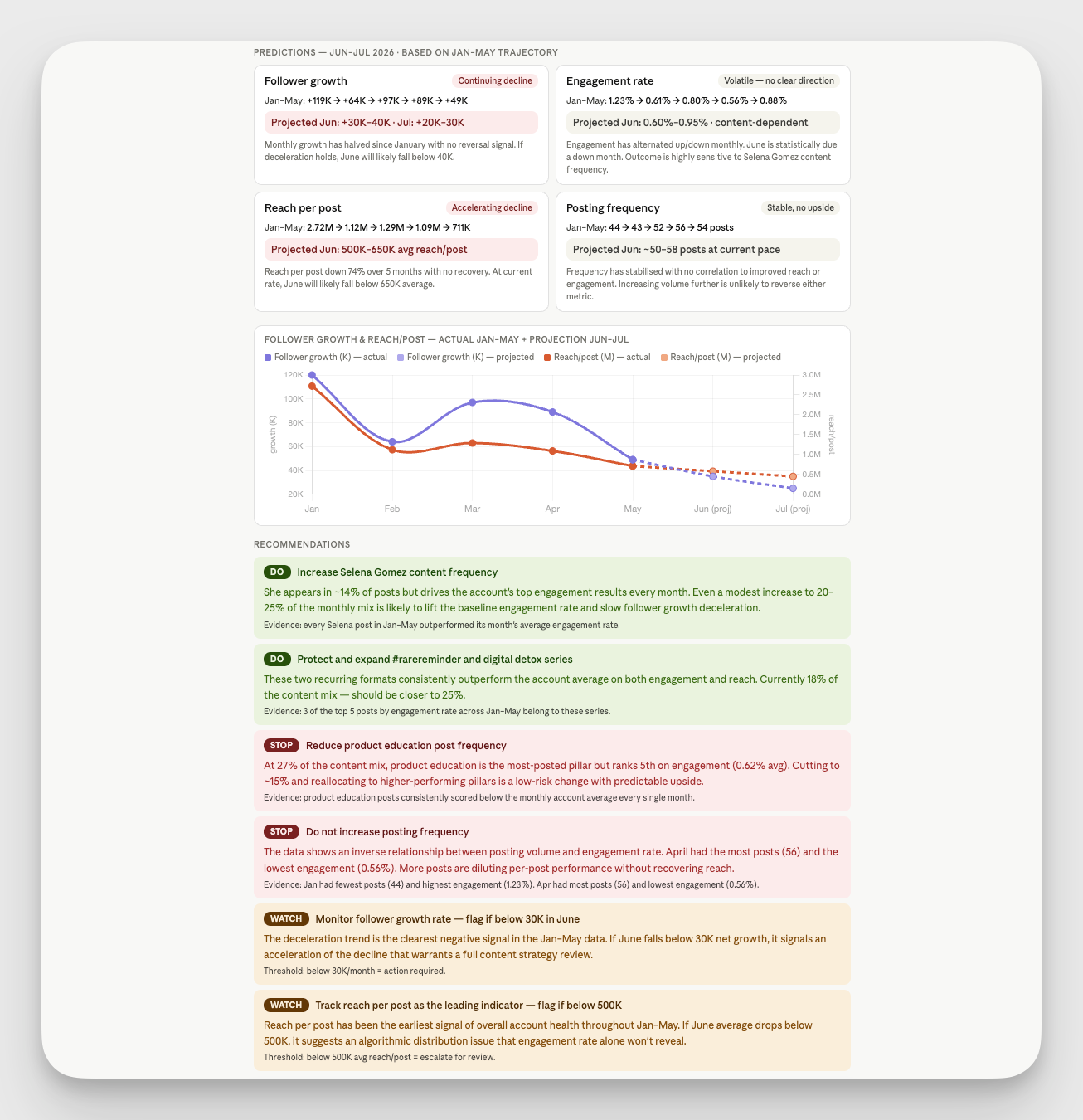
#3. Trend forecasting from your own data
Trend forecasting helps you spot signals before they become obvious. Instead of chasing every trend out there, social teams should use their own post history to see which formats, topics, and hooks are gaining momentum.
Internal data tells you what your audience already responds to, which is more useful than a broad internet trend with no relevance to your channel.
#4. Competitor benchmarking without spreadsheets
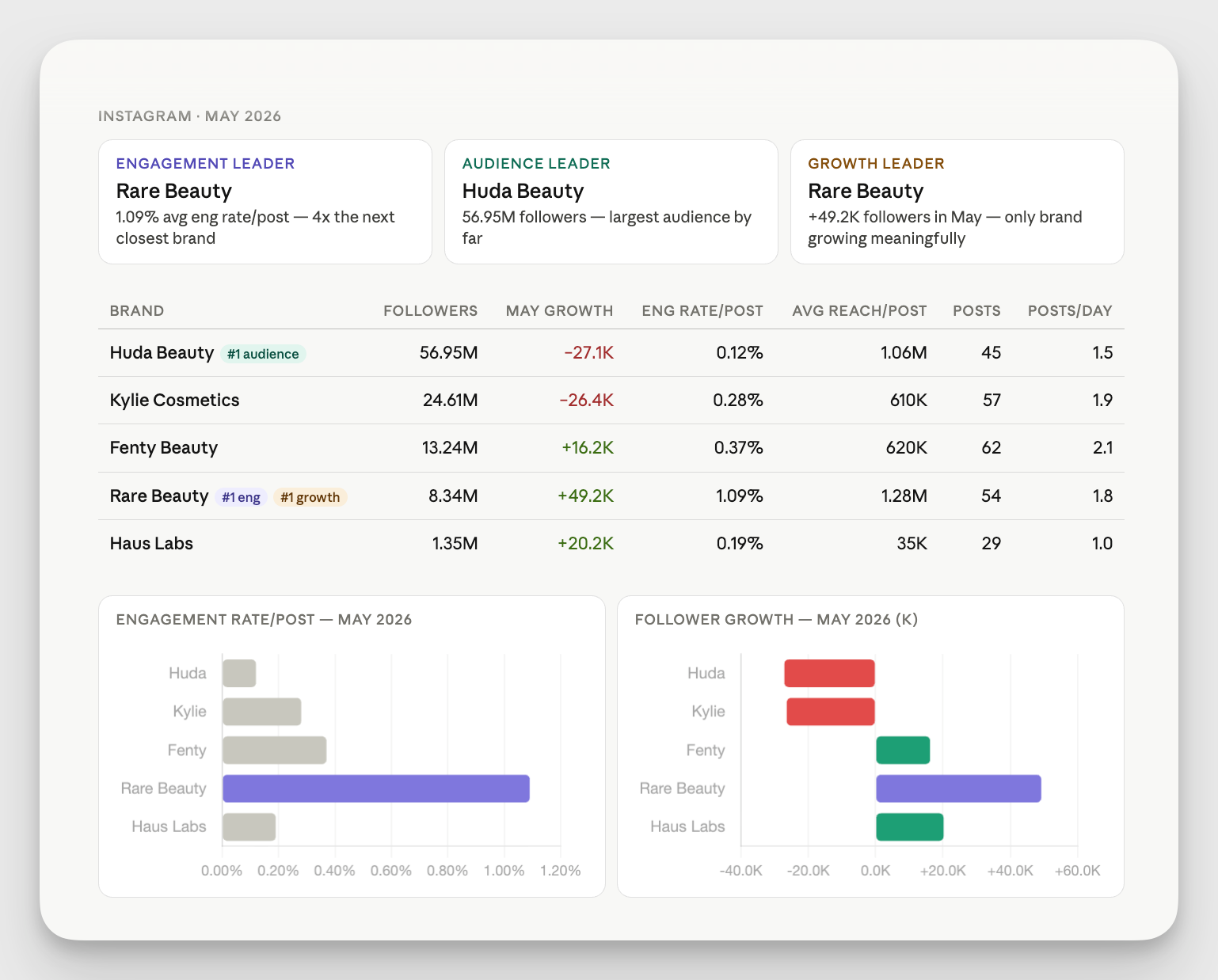
Competitor benchmarking is where AI becomes especially helpful for social media benchmarking. Instead of comparing screenshots manually, AI can pull the numbers into one place and surface what matters most.
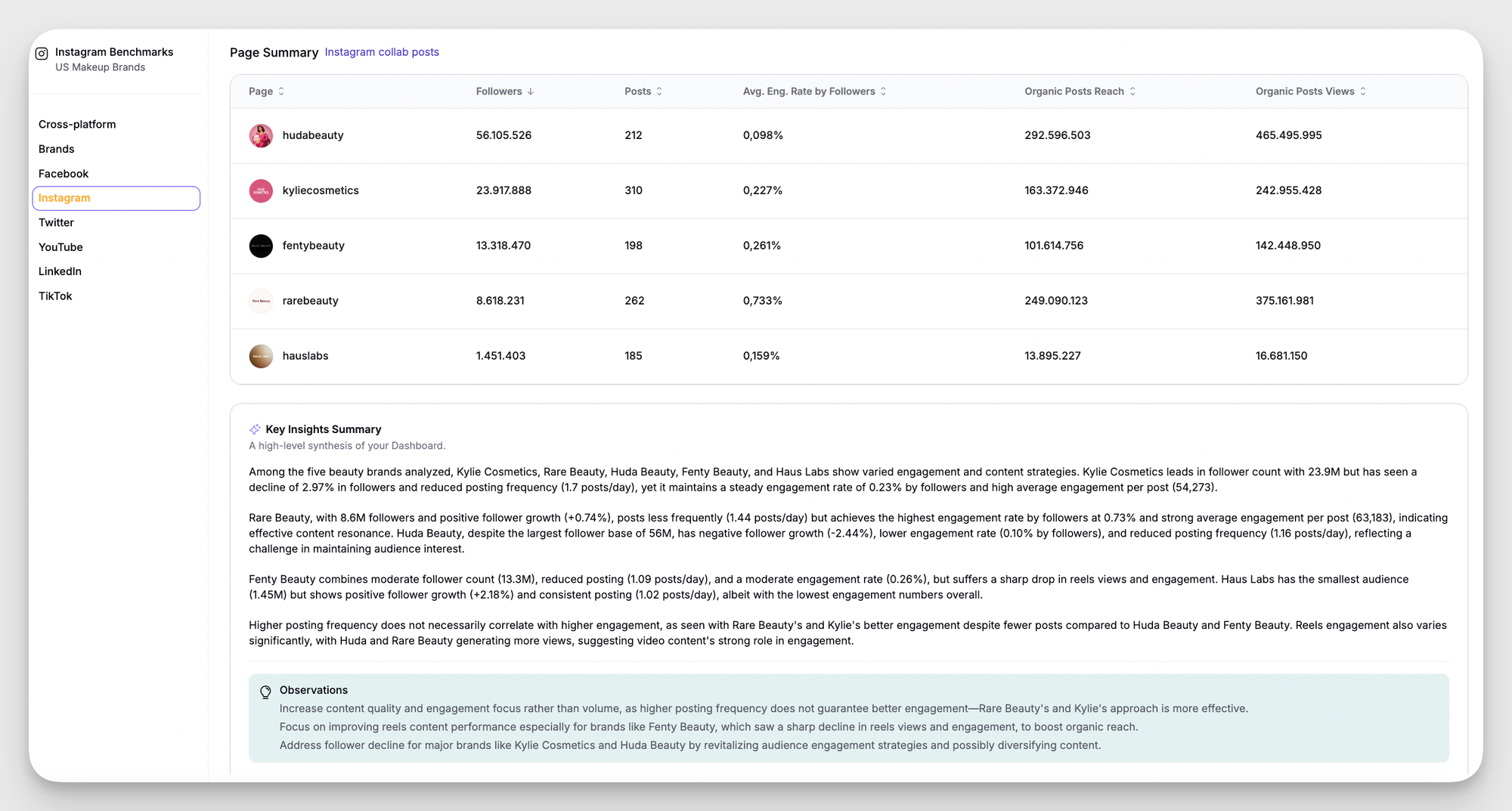
Compare engagement rate, post frequency, follower growth, content pillars, top posts, and format mix. Then ask the AI assistant what changed, not just who is bigger.
#5. Audience Behavior Segmentation
Audience segmentation helps you group followers or engaged users by behavior, interests, or platform activity. That matters because not every audience segment wants the same content or reacts in the same way.
AI can surface patterns such as:
- Which audience group saves educational posts,
- Which segment comments most often,
- Which segment prefers video,
- And which topics are most likely to drive clicks.
#6. Hashtag and format performance analysis
Hashtag and format analysis tells you which content mechanics help your posts travel further. AI is useful here because it can compare formats and surface the combinations that repeatedly work.
You can look at:
- Carousel versus video performance,
- Static post versus reel performance,
- Hashtag sets that recur in top posts,
- And format changes across campaigns.
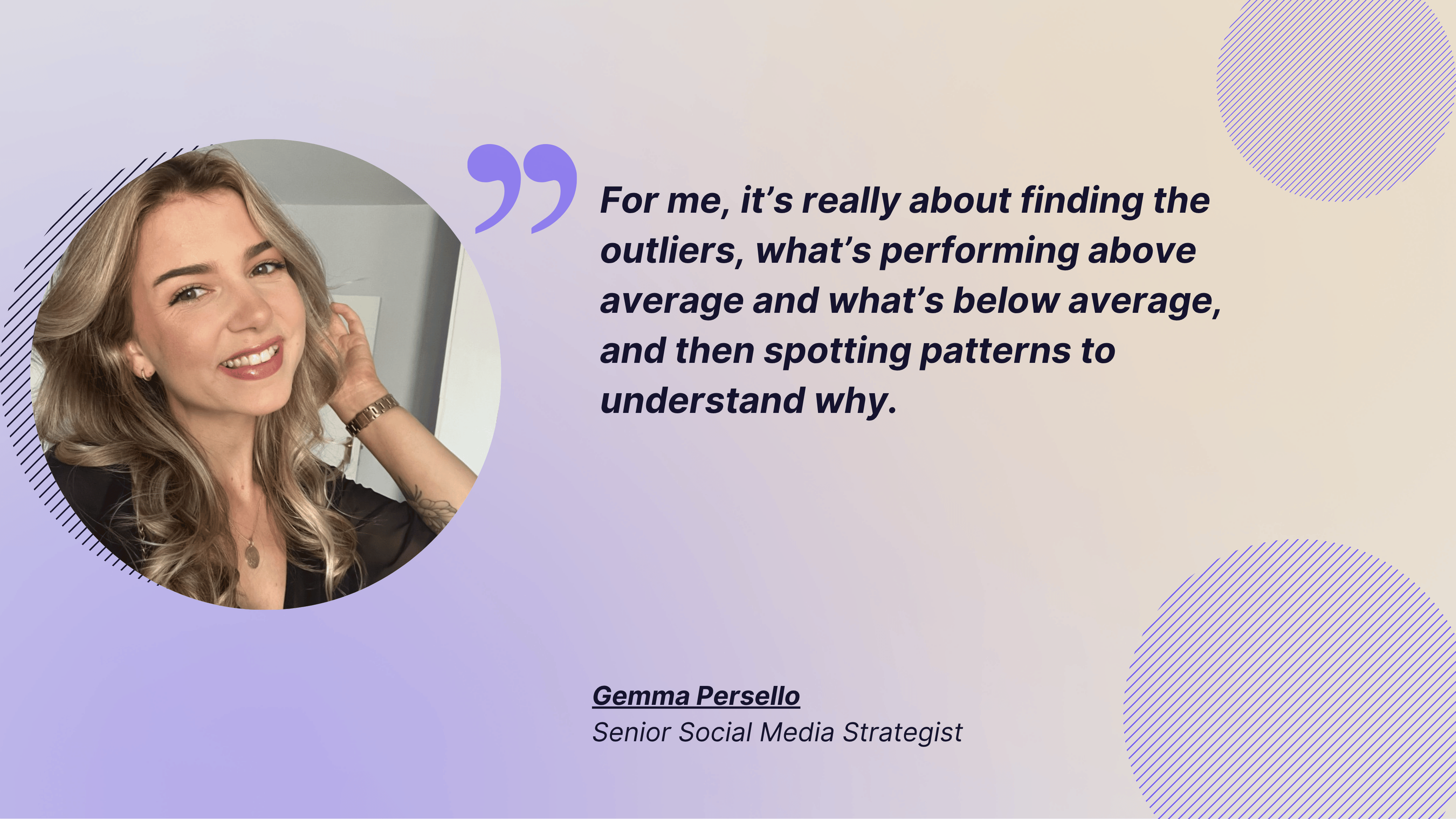
Gemma Persello, senior social media strategist at Magnetic Creative, came up with an interesting perspective:
For me, it’s really about finding the outliers, what’s performing above average and what’s below average, and then spotting patterns to understand why. Sometimes a post might go viral because it tapped into a meme or trend we didn’t plan for. Other times, we might notice over several months that recipe videos on Instagram consistently perform best.
So it’s about identifying both short-term spikes and long-term trends that we can replicate for success. What excites me is how AI can take this further: automatically monitoring performance, spotting those spikes in real time, and even sending alerts when benchmarks are hit or exceeded. That way, we spend less time manually reviewing and more time acting on insights.
If a brand is seeing stronger results from video on Instagram, the team can then test format changes and compare the new results against Reels views behavior over time.
The caution is to avoid making hashtag analysis more important than the content itself. AI should help you see pattern combinations, not distract you with vanity tactics.
#7. Reporting automation and executive summaries
Reporting automation is where AI gives teams back time. It can turn raw metrics into a short, readable summary that explains what happened, why it mattered, and what should happen next.
That is useful for weekly updates, monthly reviews, and board reporting.
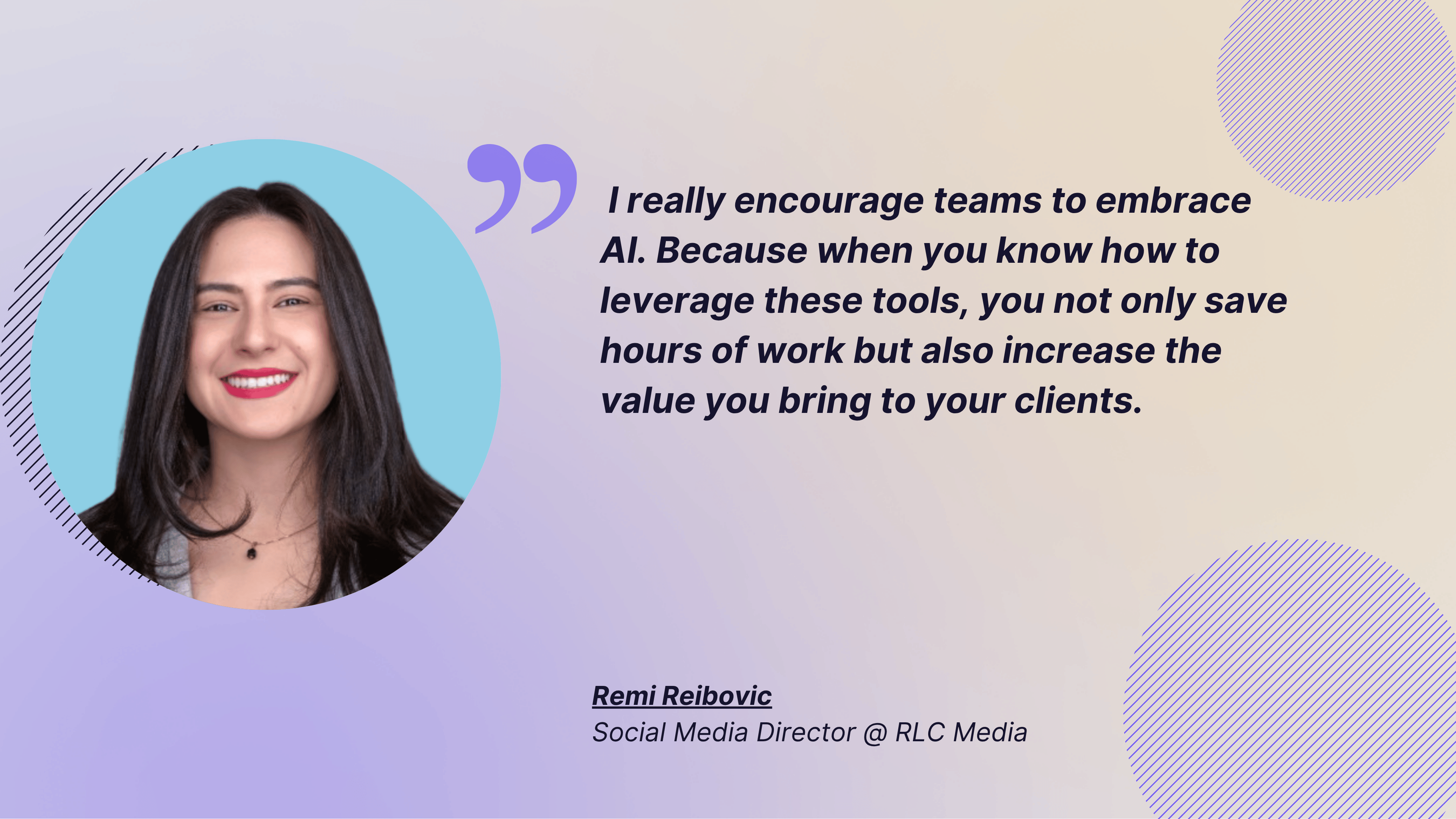
For example, Remi Leibovic, fractional social media director at RCL Media LLC said:
We have seen AI being a real game changer for time savings. Tools like Otter AI help with meeting summaries, while Canva, Filmora, and Opus AI cut down content editing times dramatically.
With so many clients needing Reels, flashy content, and educational pieces, these tools allow us to deliver faster without compromising quality. I really encourage teams to embrace AI. Because when you know how to leverage these tools, you not only save hours of work but also increase the value you bring to your clients.
When a team needs a clean leadership update, a short AI-generated summary can point to the outlier posts, the biggest wins, and the next action.
The caution is not to let AI write the final narrative unchecked.
Final Thoughts
AI is most useful in social media analysis when it makes the workflow faster, clearer, and easier to trust. The best results come from one clean process: ask a specific question, use the right data, validate the output, and then turn the insight into a decision.
If you are just getting started, do not try to automate everything at once. Pick one workflow, test AI against known data, and make sure the output holds up before you scale it across reporting, benchmarking, or audience analysis.
When that discipline is in place, AI becomes a practical support layer for the social team.
FAQs about using AI in social media analysis
How do you use AI for social media trend detection?
Compare your last 30 days with a three- to six-month baseline, ask AI to rank which formats and topics grew fastest, then check whether the same shift is happening across competitors. Confirm each signal against the actual posts before you plan around it.
How can I use AI to get social media insights?
Start with one specific question, give AI clean post-level data for your profiles and your competitors, and ask for a concrete output such as a comparison table or a list of outliers. Validate the answer against numbers you trust, then turn it into one decision.
Can AI segment my social media audience?
Yes. AI can group engaged users by behavior, such as who saves educational posts, who comments most or who prefers video, so you can tailor content to each segment instead of your audience average.
Is AI sentiment analysis accurate?
It’s fast and good at spotting patterns across thousands of comments, but it can miss sarcasm, slang and cultural context. Use it to flag shifts, then read a sample of comments yourself before reporting a conclusion.

Elena Cucu
As Content & SEO Manager at Socialinsider, Elena Cucu helps social media leaders make sense of the numbers behind their performance. Featured in TechCrunch, TNW, and ReadWrite.

Know what your competitors do — before your manager asks
Get instant social benchmarks & reports without manual work.