4 Best Brand Analytics Tools: Categories, Features, and How to Choose
Brand analytics tools make it easier to monitor performance, benchmark competitors, and grow your brand. Explore top picks.
Successful marketing is always a two-way street: brands market, audience reacts, brands adjust, repeat.
Brand analytics tools help you track your brand performance and ensure you’re included in that feedback loop that shapes a stronger strategy. Brand analytics cover a lot of ground, from social media performance to media monitoring to direct audience research, and not every tool does every job well.
In this guide, I've broken down the main categories of brand analytics tools, what each one is best at, and how to pick the right fit for your team. Let's get into it.
Key takeaways
- Brand analytics tools centralize and automate the collection of brand performance data, helping teams transform complex metrics into actionable insights faster and more accurately.
- The most important metrics to track are brand awareness and reach, sentiment and share of voice, engagement and audience demographics, and competitive benchmarks that provide context for performance.
- The four core categories are social media analytics, social listening and monitoring, survey-based brand tracking, and media monitoring/PR intelligence tools, each addressing a different aspect of brand performance.
- Choose a tool by clearly defining your use case, validating data accuracy, assessing integrations with your existing stack, and ensuring the capabilities justify both current and future costs.
Brand analytics platforms are platforms that help you measure, monitor, and analyze your brand's performance data across multiple channels in one place. There are tools to track practically anything: from social media engagement and audience sentiment to competitive positioning and share of voice.
Marketing has always been data-driven, but the volume of data involved today makes manual tracking a losing game. It gets time-consuming fast, introduces errors, and often means you're sitting on useful information you never act on.
Brand analytics tools automate data collection and number-crunching and organize insights in a way that's easier to read and use.
Whether you're tracking daily content performance, running a competitive analysis, or trying to understand how your audience feels about your brand, the right tool helps you turn raw data into action points.
Key metrics to look for when choosing your brand analytics tool
The features of a brand analytics tool that matter most depend entirely on what problem you're trying to solve. While all-in-one brand analytics platforms exist, they tend to come with a premium price tag, and they rarely do everything equally well.
My take: stay open to building a small stack. Some things combine well without losing quality, like social media scheduling and inbox management. Others, like social listening or deep competitive benchmarking, benefit from a dedicated tool built specifically for that job.
That said, a solid brand analytics tool should cover these basics at a minimum:
- Brand awareness and reach. These metrics show how far your brand message travels and how many people it lands with. Tracking reach over time helps you understand whether your visibility is growing or plateauing.
- Brand sentiment and share of voice. Sentiment tells you the emotional tone behind conversations about your brand. Share of voice shows how much of the total conversation in your space belongs to you compared to competitors.
- Engagement rate and audience demographics. Engagement rate reflects how actively your audience interacts with your content, not just how many people see it. Demographics add context to that interaction, showing who your audience is and what angles can resonate with them better.
- Competitive benchmarks. Performance data without context is hard to evaluate. Competitive benchmarks let you compare your brand's key metrics against similar accounts or industry averages, so you know whether your numbers are strong or just okay.
Main brand analytics tools categories you should look into
Brand analytics tools are built to support different parts of your marketing pipeline — from content performance to audience research to PR monitoring.
Each category solves a different problem, so the right mix depends on where your biggest gaps are. Here's what's out there:
Social media analytics tools
Social media analytics platforms pull your performance data from multiple channels into one dashboard.
Instead of logging into each platform separately, you get a consolidated view of your engagement, reach, impressions, follower growth, and content performance. This is often paired with AI-generated summaries, trend insights, and reporting features that save a significant amount of time.
Social media analytics tools are the one category I'd recommend exploring as soon as you have any budget and are past the very early stage of your social media marketing. The return on that investment shows up quickly.
My tool recommendation: Socialinsider
Socialinsider focuses on social media analytics and competitor analysis. It's built for brands that need to back their work with solid data and benchmarks.
The tool tracks performance across platforms, analyzes what competitors are doing, and turns all of that into insights worth presenting to stakeholders.
Socialinsider’s primary focus is competitor analytics and data, which makes it a dedicated tool that does the job extremely well as a part of the social media marketing stack.
Key features:
- Cross-platform performance view. You can look at your brand’s and your competitors’ performance as a whole or break it down by individual channel. Both views are useful depending on whether you're doing a strategic review or troubleshooting a specific platform.
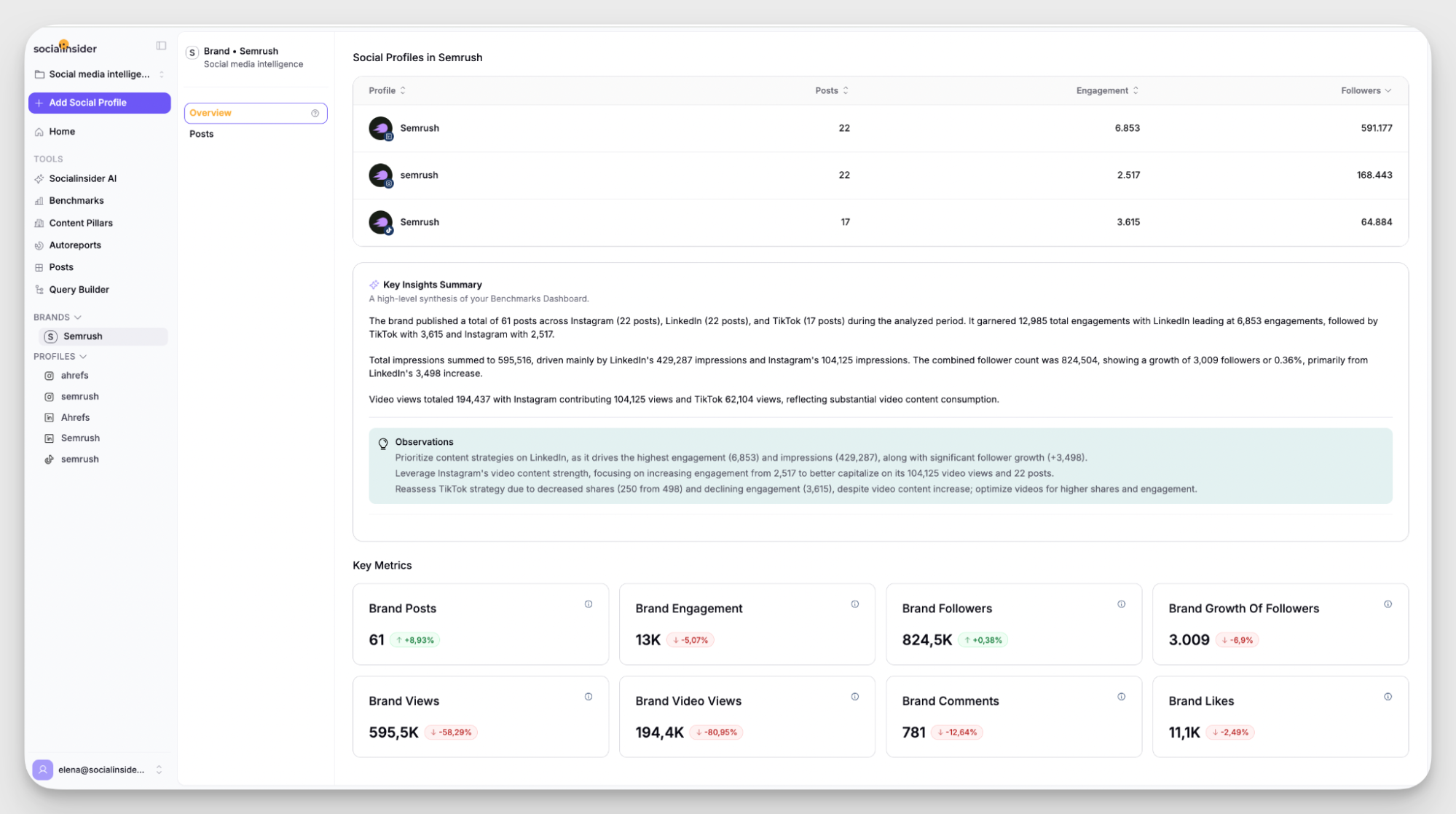
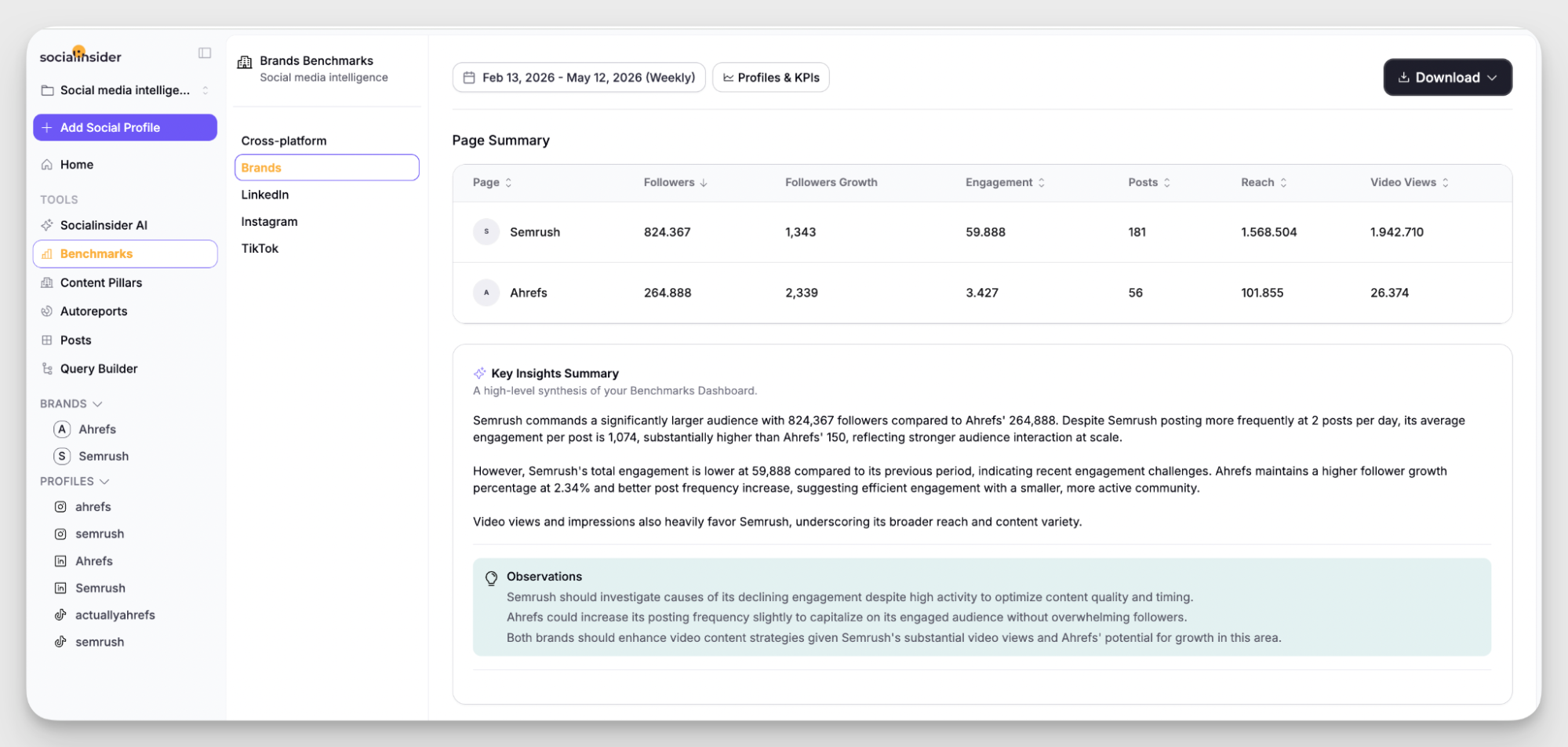
- Multi-level competitive benchmarking. You can benchmark performance at the channel level, cross-channel, or full brand level. This flexibility helps answer specific questions about both channel-by-channel performance and overall competitor positioning.
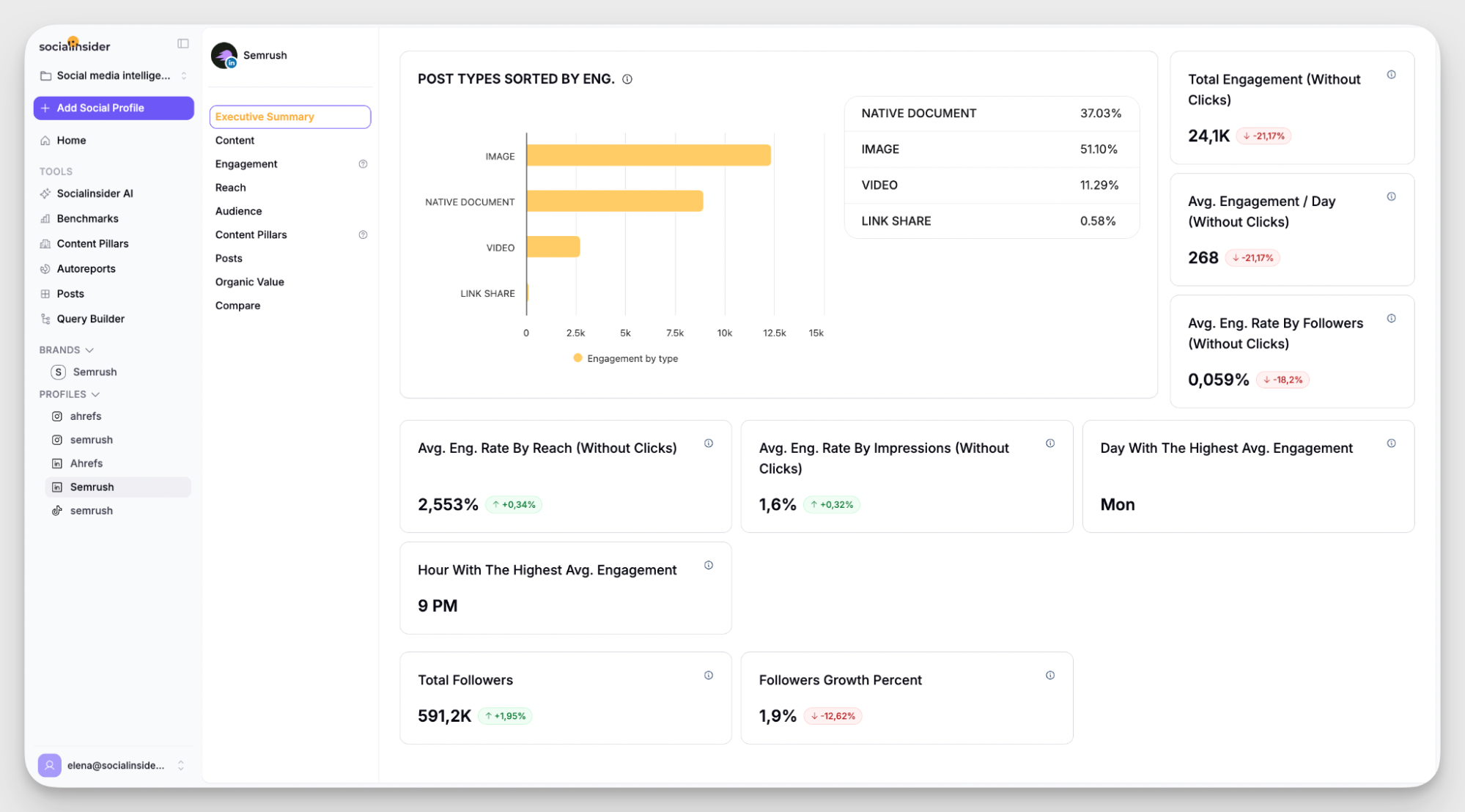
- Analytics for LinkedIn and TikTok. Beyond the usual Instagram and Facebook coverage, Socialinsider goes deep on LinkedIn and TikTok — two platforms that are often underserved by analytics tools despite being central to many brand strategies right now.
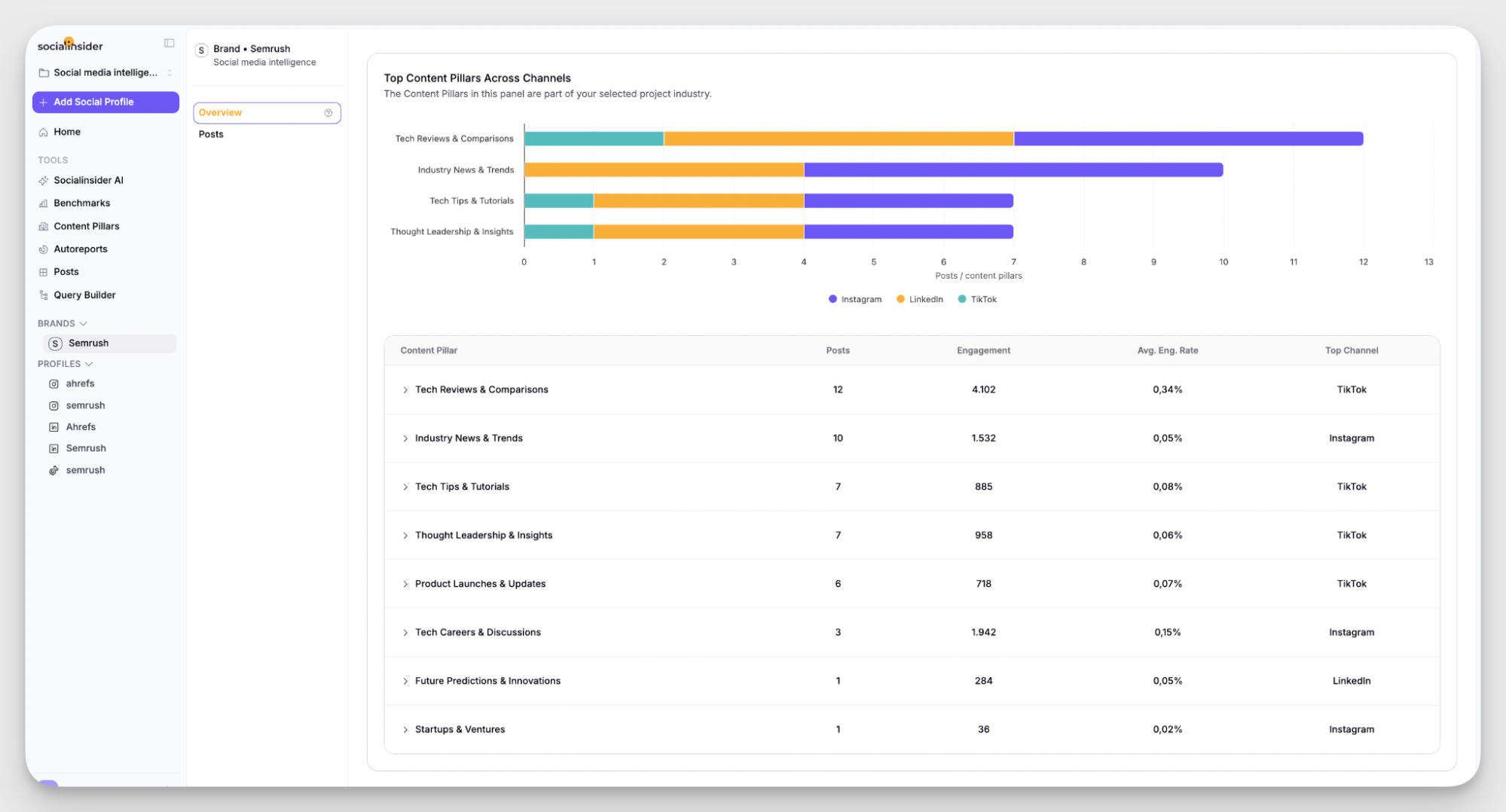
- AI-based content pillar analysis. Socialinsider uses AI to identify the top-performing content pillars in your industry, including what's working for your competitors. It's a good way to spot rising patterns before they become obvious to everyone else or identify gaps in your own content strategy.
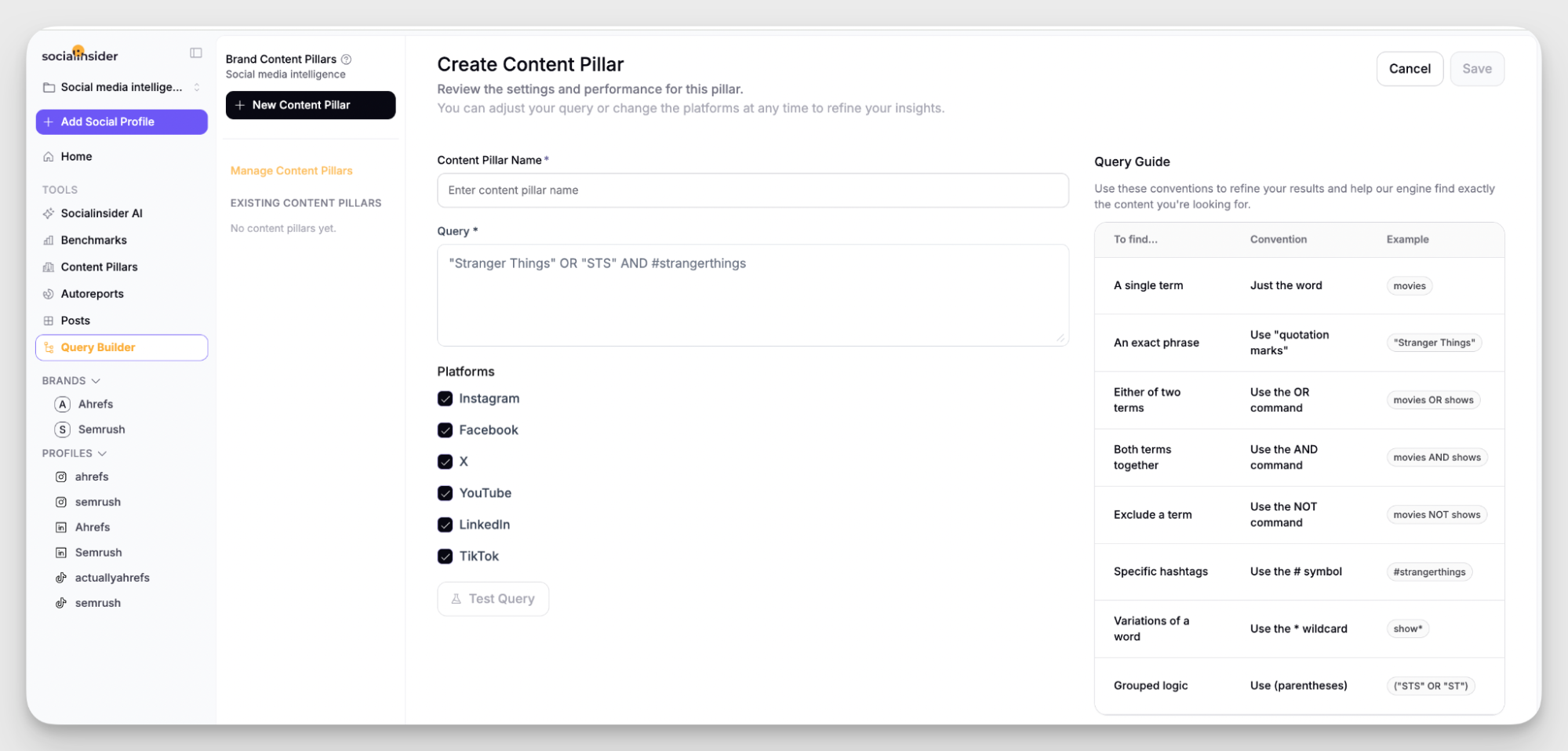
- Query builder for custom content categories. On top of the AI-generated content pillars, you can build your own using keywords, hashtags, phrases, or topics to categorize and tag content. This means you're tracking the content themes and campaigns that matter to your specific strategy.
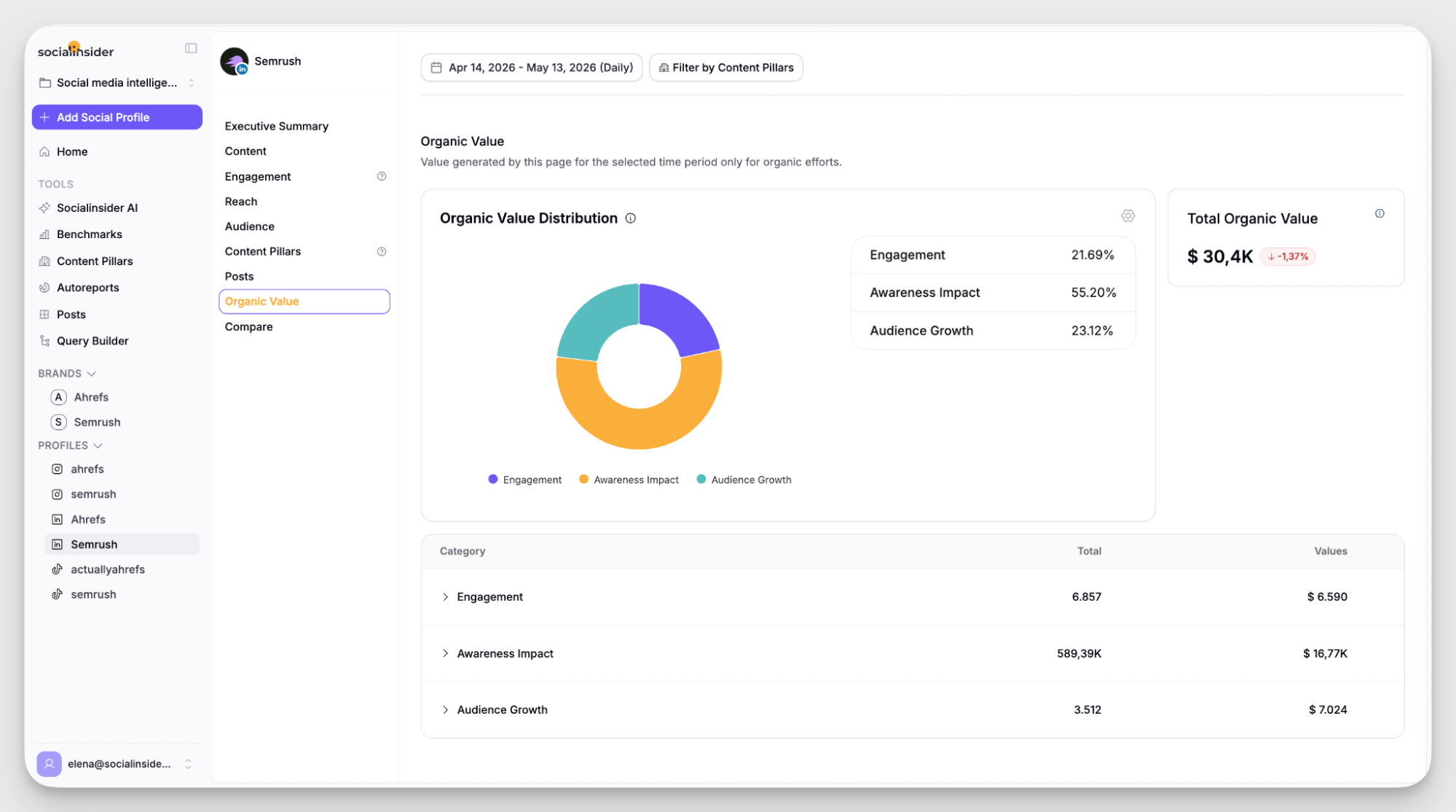
- Organic Value. This metric estimates how much you'd need to spend in paid ads to get the same results you're generating organically. It's one of my favorite features for stakeholder reporting — it puts a clear number on work that's otherwise hard to quantify and helps translate the social media value into money.
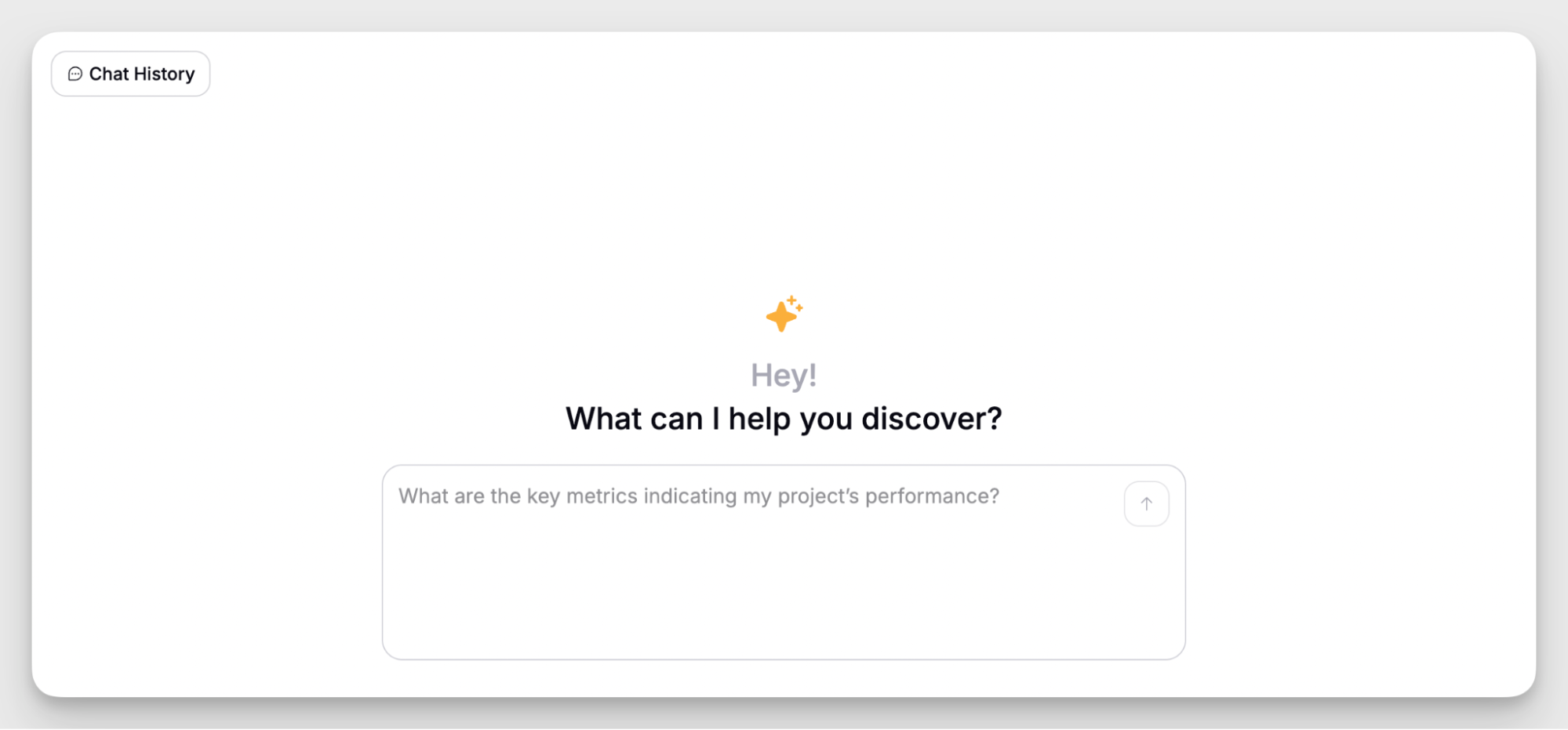
- Socialinsider AI assistant. The AI Assistant is a conversational AI layer that lets you ask questions directly about your data and get instant answers, benchmarks, and summaries. Useful when you need a quick read on performance without digging through dashboards.
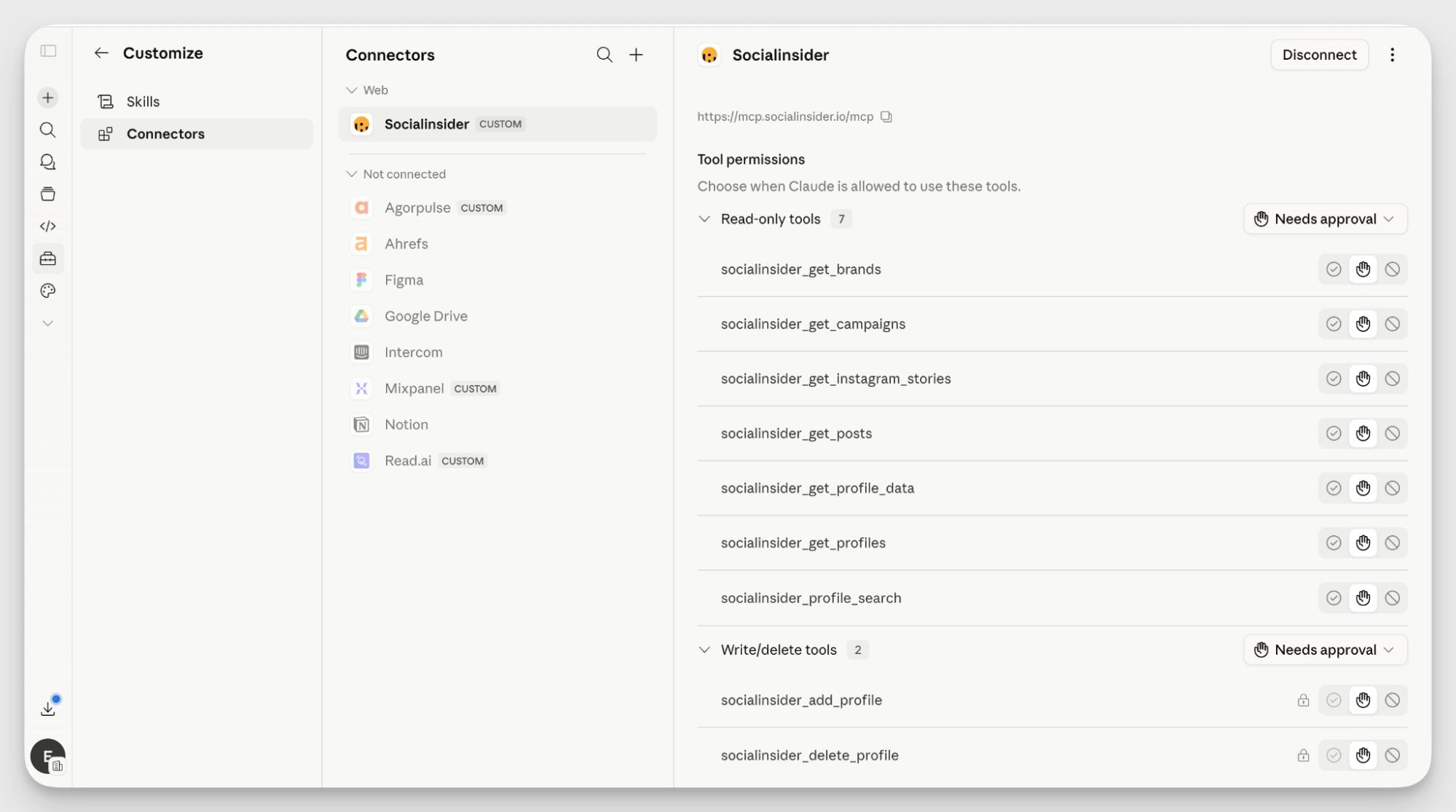
- Integrations with Data Studio and Claude. Socialinsider connects with Data Studio (f/k/a Looker Studio) for custom dashboard building, and with AI Assistans, through its MCP, for deeper AI-driven analysis. The Claude integration, for example is especially helpful if you're combining Socialinsider data with data from other tools for a broader comparison than the built-in AI assistant covers on its own.
- Automated reports. You can generate, export, and schedule automated reports to land directly in your stakeholders' inboxes at whatever cadence you need. It removes the manual reporting cycle from your plate without sacrificing the quality of what gets delivered.
Reviews
- “I really enjoy using Socialinsider for competitive monitoring. The platform provides detailed and insightful data about my competitors, which helps me make informed decisions.” — Elene Fanchulidze, Marketing Manager, Silknet.
- “+++ Socialinsider for making it so easy to quickly pull stats on auto-tagged posts.” — Bryce Betts, Sr. Director of Digital Content, LVCVA
- “The social media benchmarks reports guide my daily work.” — Carlos Pereira, Brand Marketing Manager, Super Company.
Pricing
Socialinsider plans start at $82/month. There is a 14-day free trial with no credit card required.
Social listening and monitoring tools
The conversation about your brand doesn't live in your comment section alone. People talk about products, share experiences, and form opinions all over the internet, often without tagging you once. Social listening and monitoring tools help you catch all of that, even when no one's directly addressing you.
This matters more than most brands realize. If you've ever wondered how some brands always manage to show up in casual but relevant conversations, social listening is usually the answer.
Think of how the Stanley Cup materialized in the comments of that one customer or how Duolingo built a whole personality out of native internet culture. That kind of presence comes from constant monitoring and searching for the opportunity to tune in.
This category of tools lets you weave your brand into conversations you weren't directly invited to join and do it in a way that feels natural. It's what makes the difference between reacting to what's already on fire and spotting an opportunity (or a crisis) before it picks up momentum.
My tool recommendation: Talkwalker
Talkwalker specializes in social listening and media monitoring with a focus on helping brands manage their reputation and get ahead of potential crises.
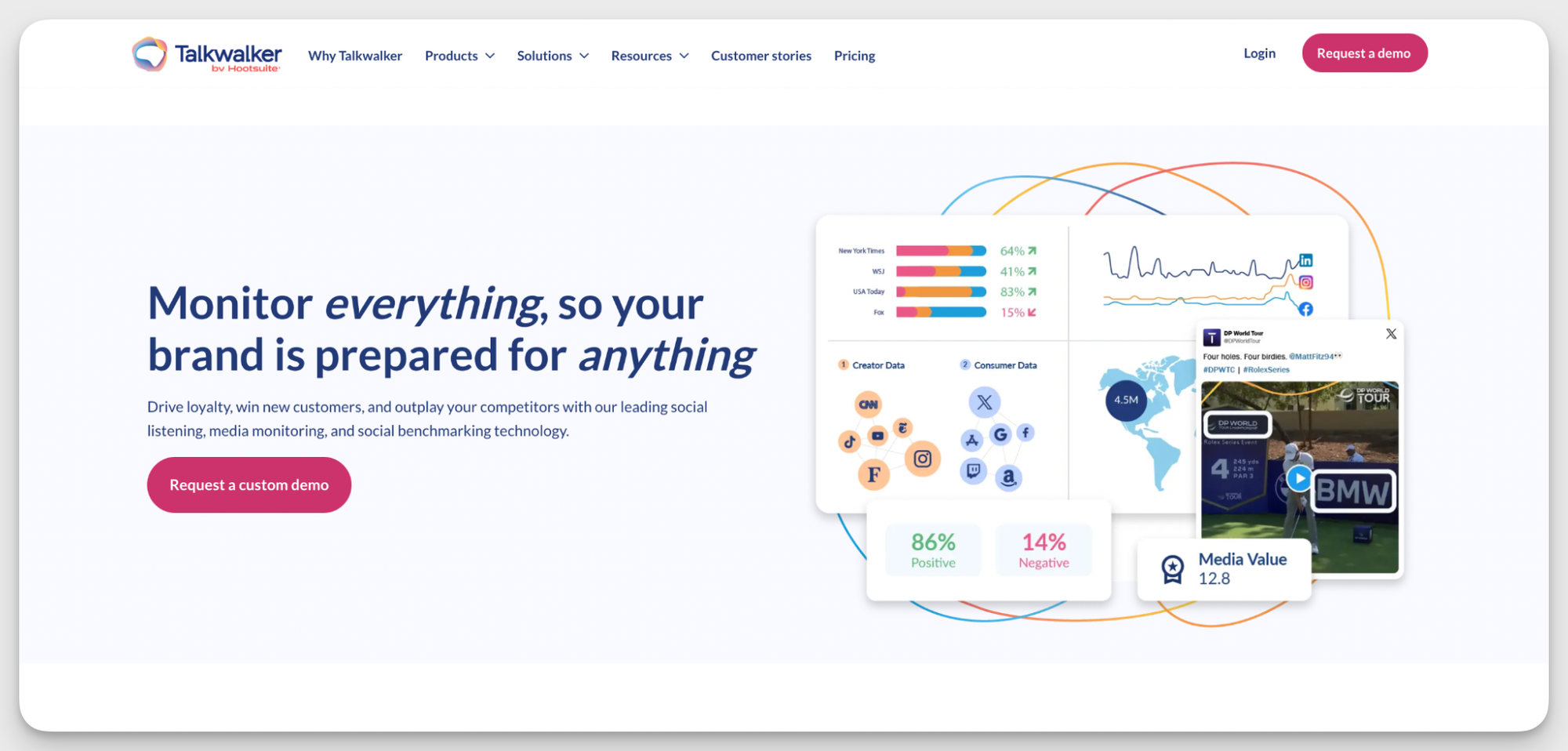
This is one of those tools you can easily bundle with other capabilities. Talkwalker is part of Hootsuite, so you can get social listening and social media scheduling in one slightly more expensive package — a practical combination if you want both in one place.
Key features
- Social listening. Talkwalker covers a wide range of social platforms and data sources, capturing conversations around your brand, competitors, and industry topics. The coverage is broad enough to give you a genuinely useful picture of what's being said and where.
- Visual and audio listening. Talkwalker can pick up references to your brand across images, videos, and podcasts, including logo detection in visual content.
- Yeti AI Agent. Talkwalker's AI layer independently scans your data to find trends, flag issues, and deliver strategic tips without waiting for you to go looking. It's less of a dashboard feature and more of a proactive intelligence partner.
- Social sentiment benchmarking. You can compare your brand's sentiment against competitors and industry standards. This is helpful for understanding where you stand and how people perceive your brand compared to others.
- Audience insights. Talkwalker analyzes consumer data to surface unmet needs and emerging interests within your audience. This goes beyond performance tracking and can feed directly into product development or campaign planning.
Reviews
- “I find Talkwalker by Hootsuite super easy to use. I really love the cluster analysis and how it can synthesize key themes in a huge data set.” (G2)
- “Talkwalker helps our brand monitor trending topics and mentions across the web. Our social media team is able to quickly and seamlessly pull reports, look at dashboards, and keep informed.” (G2)
- “Talkwalker is not the easiest product to set up or manage at the start. It takes time to get comfortable, learn the system, and sort through the volume of information.” (G2)
Price
Talkwalker is part of Hootsuite. The pricing is custom, os reach out to the team for a demo and quote.
Survey-based brand tracking tools
Survey-based brand tracking tools work differently compared to social listening or content performance tools.
Social listening and analytics give you ongoing signals from the market: what people are saying, how they're engaging, and how sentiment shifts over time. Survey-based brand tools help you go directly to your audience and ask them about your brand, products, or customer journey.
This is a somewhat slower process by nature. Brand tracking surveys differ in length and format, and the results take time to collect and analyze. But what you get in return is a deeper slice of perception that's harder to extract from likes and mentions alone.
When you want to understand not just what people are doing but what they think and feel about your brand, surveys give you that frankness.
My tool recommendation: Qualtrics
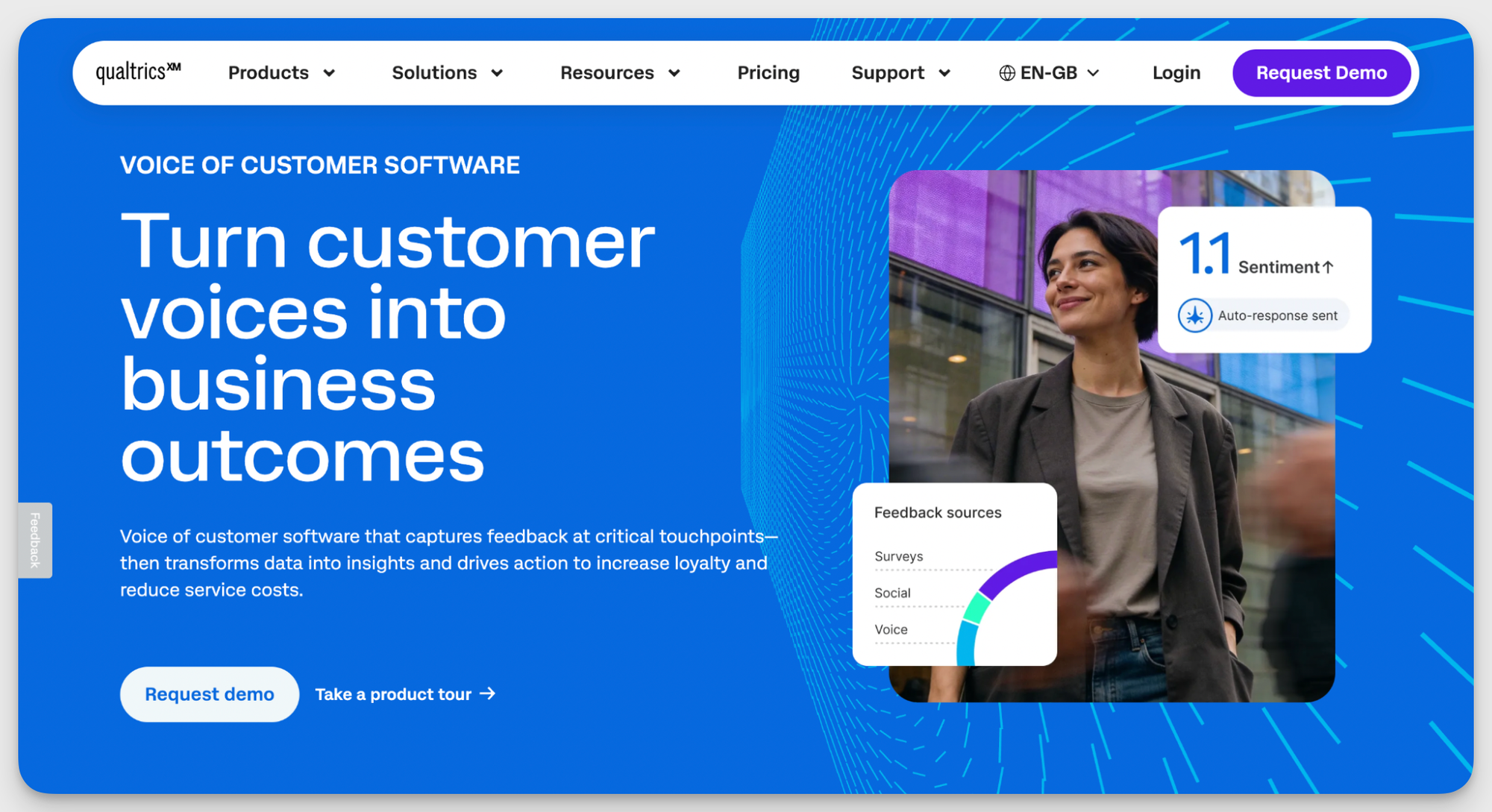
Qualtrics XM is a feedback and experience management platform that centralizes data from surveys, digital interactions, and customer service touchpoints. It gives brands a unified system to track customer sentiment, monitor market trends, and respond to feedback at scale.
Key features
- Customer experience tracking. Qualtrics captures Voice of the Customer data across all channels, helping brands understand what drives loyalty, where satisfaction is slipping, and what's causing churn. It's a structured way to stay connected to how customers experience your brand day-to-day.
- Market and audience understanding. Built specifically for survey-based research, this feature lets you track how your brand is perceived in the market and follow shifts in audience sentiment over time. The data is grounded in direct human input, which makes it particularly useful for strategic brand decisions.
- Product and innovation research. Before committing to a new feature, pricing model, or product concept, Qualtrics lets you test it with real market feedback. It's a way to reduce guesswork before you're already in production.
- Intelligent automation. Qualtrics uses automation tools like Experience Agents to automate recommendations and responses, flag high-friction issues, and route complex cases to the right teams. It keeps feedback loops moving without requiring manual triage at every step.
- Predictive insights. The platform applies automated text analytics to unstructured feedback, pulling out recurring themes and sentiment patterns. Instead of reading through thousands of open-ended responses, you get a clear direction from the data.
Reviews
- “Qualtrics is relatively easy to use once surveys and data collection have been set up. Surveys can be adapted, edited, and paused as needed.” (G2)
- “What stands out is the flexibility in how the data can be analyzed and communicated. Whether through heat maps, text analytics, ot other visualizations, Qualtrics makes it easier to translate feedback into a clear, compelling story that drives action.” (G2)
- “The platform can feel complex for new users, particularly those who only need basic survey functionality. There is a learning curve due to the breadth of features and configuration options.” (G2)
Pricing
Qualtrics has three suites: Customer Experience, Employee Experience, and Strategy and Research. All three have custom plans, so book a demo to get a quote and build the ideal tool combination.
Media monitoring & PR tools
Social media is only part of the picture. Brands also need to know what traditional and digital media outlets are saying about them. That’s where PR and media monitoring tools come in.
Media monitoring and PR tools give your brand a clear view of how many outlets are covering you, what angle they're taking, and what kind of credibility or audience each one brings.
Most tools in this space include metrics like reach, share of voice, and unique visitors per month (UVM) for each outlet, so you can evaluate not just how often you're mentioned, but how much visibility each mention drives.
Such tools help you analyze how successful your latest press release was, or catch unwanted articles and start working on your containment plan before they turn into a PR nightmare.
My tool recommendation: Meltwater
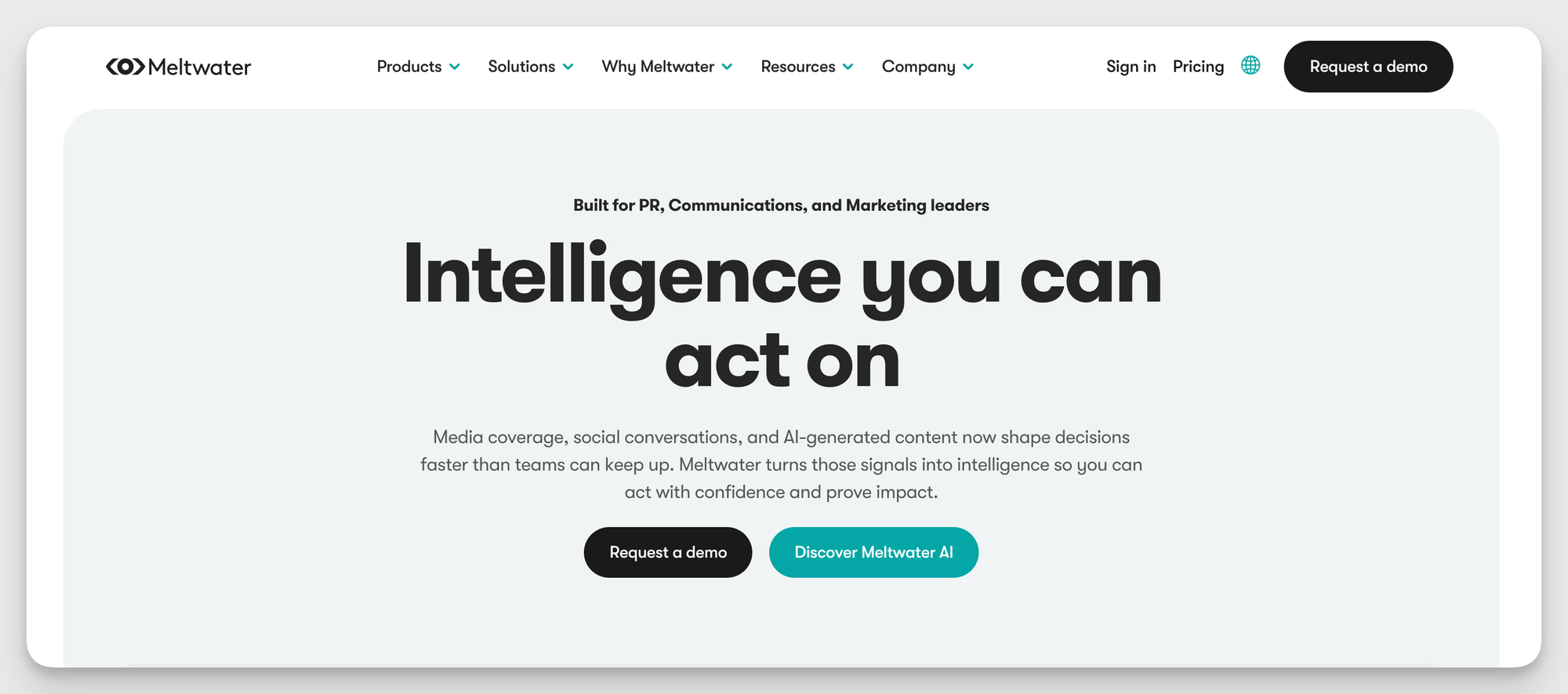
Meltwater is an intelligence platform built for PR, communications, and marketing leaders. It processes over 1.3 billion documents daily, pulling in media coverage, social conversations, and AI-generated content to give teams a unified view of how their brand is showing up in the world.
It also includes real-time alerts and a journalist database with outreach tools to help you build media relationships and get your story to the right people.
Key features
- Media intelligence and real-time tracking. Meltwater tracks global media coverage as it happens, highlighting potential risks and narrative shifts before they escalate. This is especially handy for PR teams that need to stay ahead of a developing story.
- Share of voice and competitive intelligence. Meltwater lets you compare your media presence against competitors over specific time periods, giving you a concrete picture of where your brand stands in the broader industry conversation.
- PR reporting and executive dashboards. Automated dashboards and AI insights translate complex media data into reports that are ready to present to leadership.
- AI visibility tracking. Meltwater helps communications teams gain insight into how AI platforms and large language models portray their brand and provides tools to monitor and influence how they show up in AI-driven search and content.
Reviews
- “I like how it brings together media monitoring along with social listening in one place. Real-time insights and dashboards are another advantage.” (G2)
- “I like Meltwater because it allows me to look across brands at sentiment analysis. It's very user-friendly, and I can easily look up articles.” (G2)
- “The interface feels clunky with a steep learning curve, and the media tracking data occasionally misses key regional sources.” (G2)
Pricing
Meltwater has four paid plans with different feature sets. All are custom-priced, so reach out for the demo and a quote.
How to choose the right brand analytics tool for your brand?
My personal recommendation: always schedule a demo or run a trial on any tool you're seriously considering. There are always features that work brilliantly for one team and feel completely wrong for another, and no amount of review-reading will tell you whether a tool fits your specific workflow until you've actually used it.
That said, going into trial mode on every tool on the market isn't practical either. Do some preliminary research first and narrow your list down to the options that meet your basic criteria. Here's what to check:
Define your use case
All-in-one tools are expensive and often contain more than you actually need, so start by getting specific about what problem you're trying to solve.
Do you need performance analytics above everything else, or is social listening, tracking mentions, and jumping into relevant conversations your priority?
Match the tool to the actual gap in your workflow so you can really get the most out of it.
Maybe you already have a scheduling tool that covers basic insights well enough, but you're missing sentiment analysis. In that case, a dedicated social listening or PR monitoring tool makes more sense than a full platform overhaul.
If your main gap is content analysis and AI-driven insights, focus on dedicated analytics tools rather than spreading your budget across survey-based intelligence features you won't use for months.
Evaluate data accuracy
This is where the trial period earns its keep. For social media performance tools, cross-check the data against native platform analytics to make sure the numbers don't diverge significantly.
Keep in mind, though, that some difference is expected: third-party tools pull data through APIs, which comes with limitations. But the margin should be reasonable and consistent. If the numbers feel off in a way that would affect your reporting, that's a red flag worth taking seriously.
For social listening tools, accuracy is harder to measure precisely, but you can still get a good read during a trial. Pay attention to how well the sentiment analysis holds up without heavy manual correction. If you're constantly overriding the tool's classifications, the underlying model probably isn't a strong fit for your brand's context.
Assess integration functionalities
Check whether the brand analytics tool connects with the rest of your marketing stack. Integrations with platforms like Data Studio, Claude, or your CRM can make a significant difference in how useful the data becomes day to day.
That said, be honest about what your workflow really needs before letting integration capabilities drive your decision.
Map out how the data needs to flow through your team first, then evaluate whether the tool supports that path.
Weight pricing vs capabilities
Don't chase the longest feature list. Focus on whether the tool covers your critical needs at a price that fits your budget. The right balance is all your must-have features at a cost you can sustain.
Pay close attention to how scaling works. How much does it cost to move up a tier, add a platform, or bring on a new team member? The entry price is rarely the full picture, and understanding what the tool will cost you six or twelve months from now is just as important as what it costs today.
Final thoughts
Brand analytics tools are here to support different parts of your marketing workflow and help you make data-backed decisions on every step of the customer journey.
Take your time in choosing the right one. The correct tool will complement your specific pipeline, automate time-consuming parts, and give you clarity instead of cluttering your dashboards.

Kseniia Volodina
With a background in journalism, Kseniia Volodina writes about social media analytics, audience research, and competitive data for teams that want strategy, not guesswork.

Know what your competitors do — before your manager asks
Get instant social benchmarks & reports without manual work.