Breaking Down Instagram Carousel: How To Use Carousels In Your Content Strategy
Discover how to elevate your Instagram strategy with Instagram carousel posts — engaging, versatile, and perfect for storytelling.


Have you ever scrolled through Instagram and found yourself pausing—really pausing—on a post that you could swipe through? That’s the subtle superpower of the instagram carousel post.
As someone who’s spent years watching content trends come and go, I can tell you: carousels on Instagram have quietly become one of the most effective ways for brands (and everyday people) to share more, tell richer stories, and spark genuine engagement.
If you’re curious what type of carousel posts really work—and how to measure their impact so you can do more of what works best—you’ll find practical answers and some real brand inspiration right here. Let’s dig deeper into how you can make instagram carousels your secret weapon for connection and results.
Key takeaways
-
How do Instagram carousels perform compared to other content types? Instagram carousels consistently outperform images and Reels in both reach and saves, making them the top choice for brands aiming to deliver lasting value and engagement.
-
What are some high-performing Instagram carousel content types? Step-by-step tutorials, transformations, infographics, product showcases, storytelling, expert tips, behind-the-scenes moments, and user-generated roundups are proven to boost engagement and audience connection in carousel posts.
-
How to track Instagram carousels' performance? Use analytics dashboards like Socialinsider to compare performance by post type, spotlight your top-performing carousels, and quickly uncover what resonates most with your audience.
How do Instagram carousels perform compared to other content types?
Within an Instagram carousel, you can bundle up to 20 images or videos in a single swipeable gallery, which makes it a great post format for when you want to infuse storytelling into your social media identity. Whether you want to take your followers behind the scenes, show a step-by-step tutorial, or just tell a bigger story, an Instagram carousel is a great way to do it.
And all this praise does not come only from an Instagram carousel post format fan, but it’s also backed up by data.
Let’s start with reach.
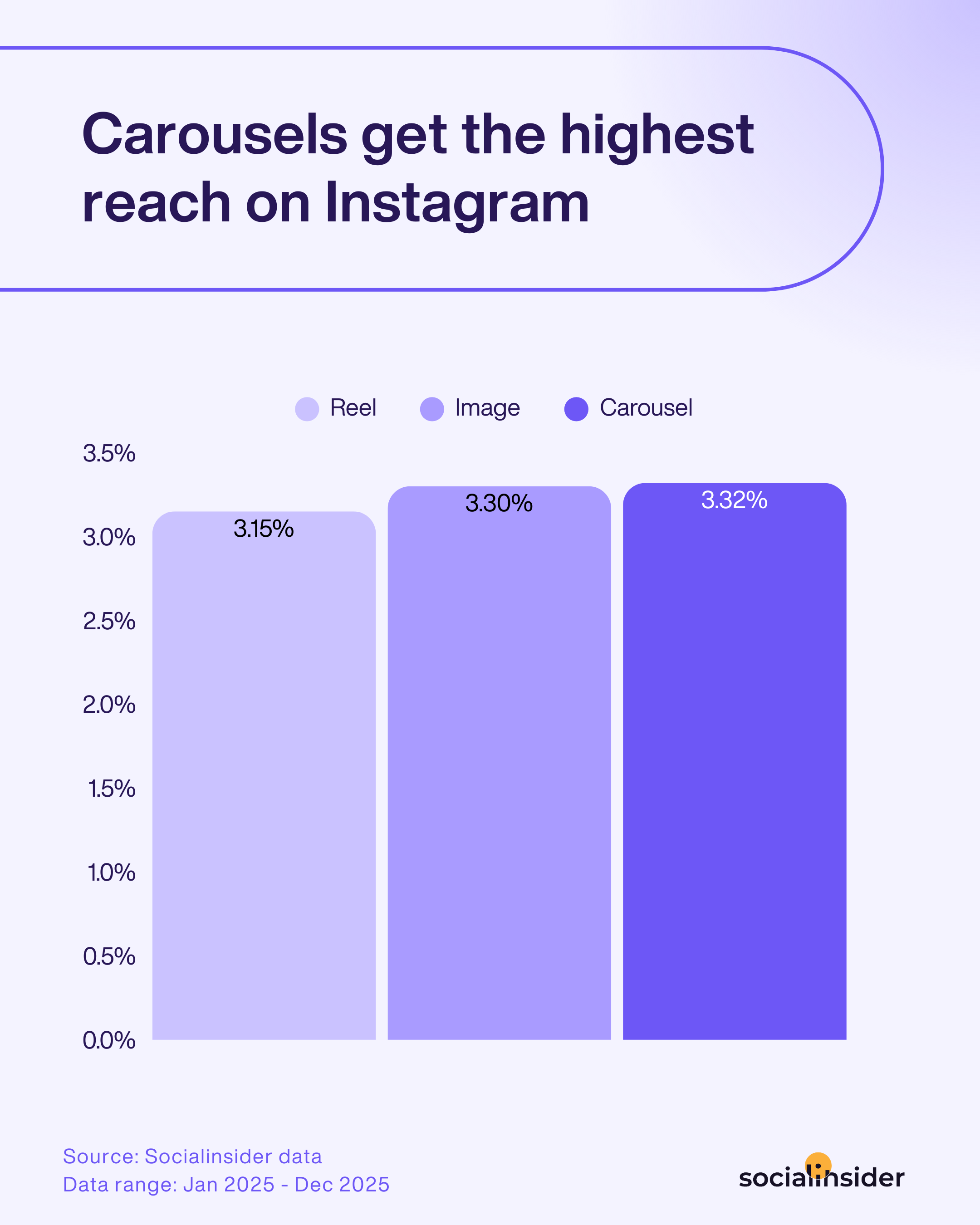
From the latest Socialinsider reach statistics, carousels pull in a reach rate of 3.32%. By comparison, standard image posts average about 3.30%, and even Reels only get around 3.15%. It might not sound huge on paper, but that extra push really adds up if you want to get your story in front of as many people as possible.
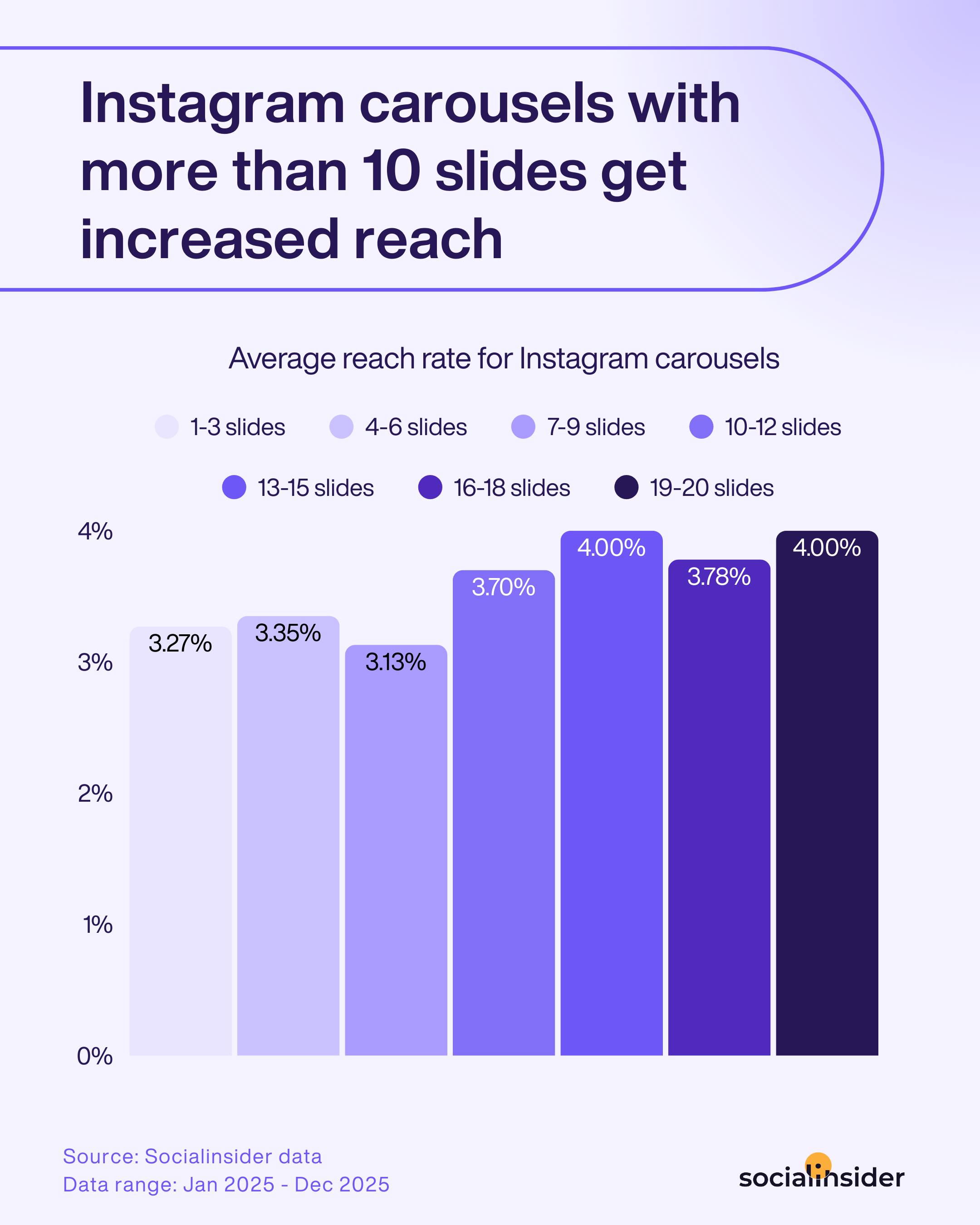
And that's not all. Here's more of the latest data for you. According to Socialinsider's data, Instagram carousels with more than 10 slides get increased reach.
Now, let's talk engagement.
It’s one thing to love the creative freedom of a carousel on Instagram, but the real reason I always recommend them comes down to cold, hard data. Carousels aren’t just about variety—they’re about sparking increased interest and reactions and starting genuine conversations.
Let’s break it down with the numbers:
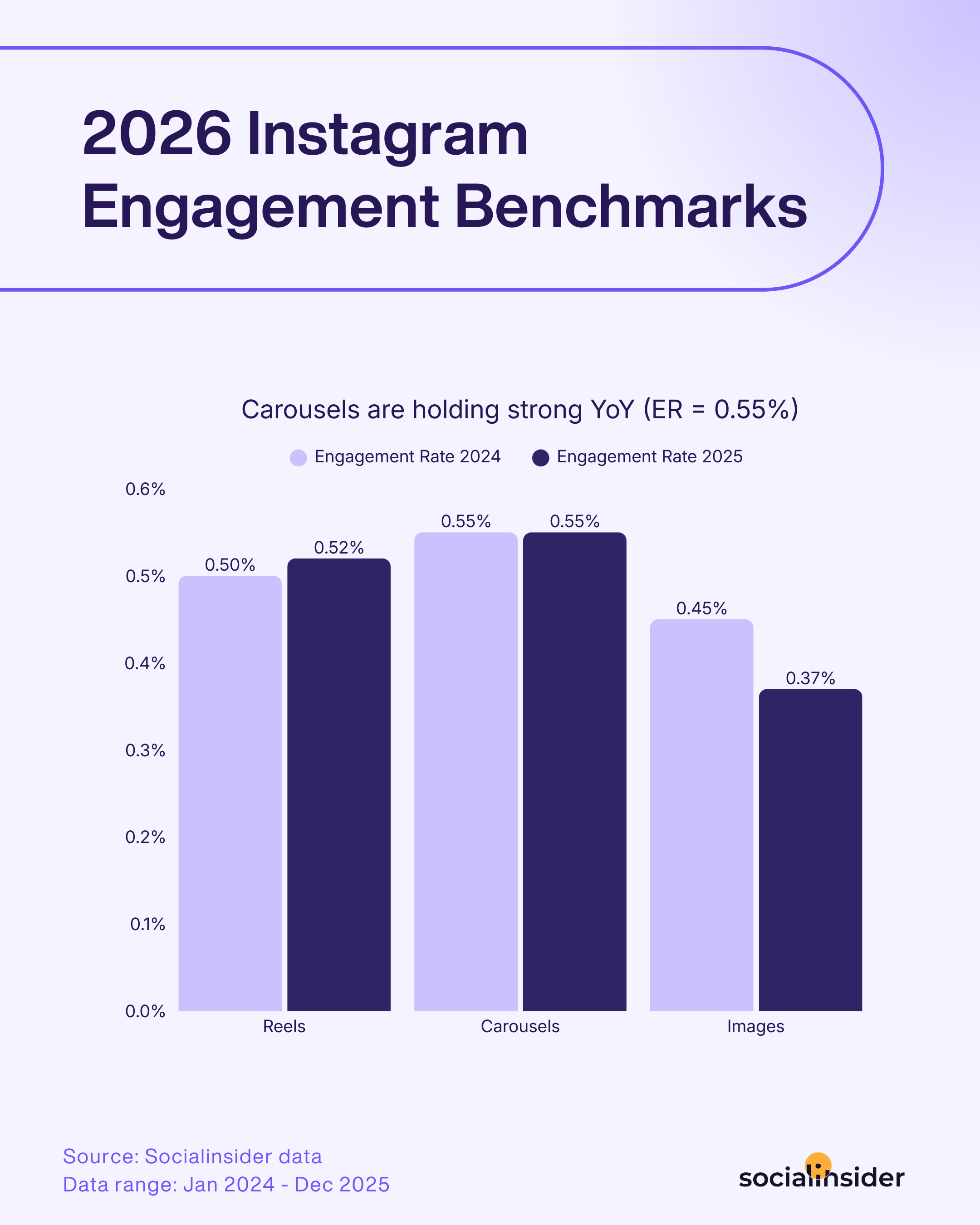
- According to Socialinsider’s Instagram benchmarks report, carousel posts on Instagram deliver the highest engagement rate out of all content types. In our most recent dataset, the average engagement rate for carousel posts was 0.55%—slightly edging out Reels (0.52%) and images (0.37%)
- Socialinsider’s latest Instagram benchmarks report also reveals that carousel posts outperform other formats not just in reach and engagement rate but also in the number of saves they generate.
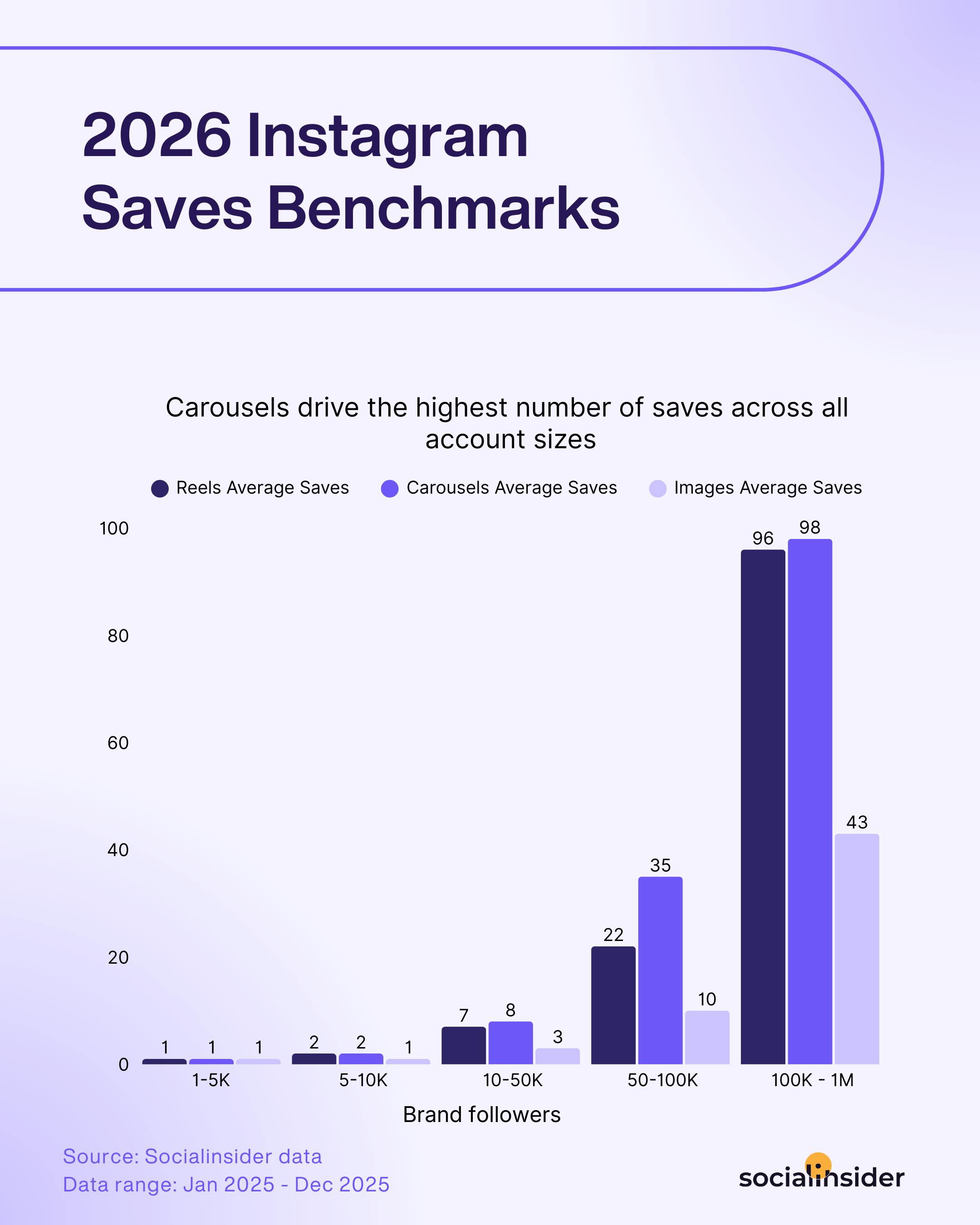
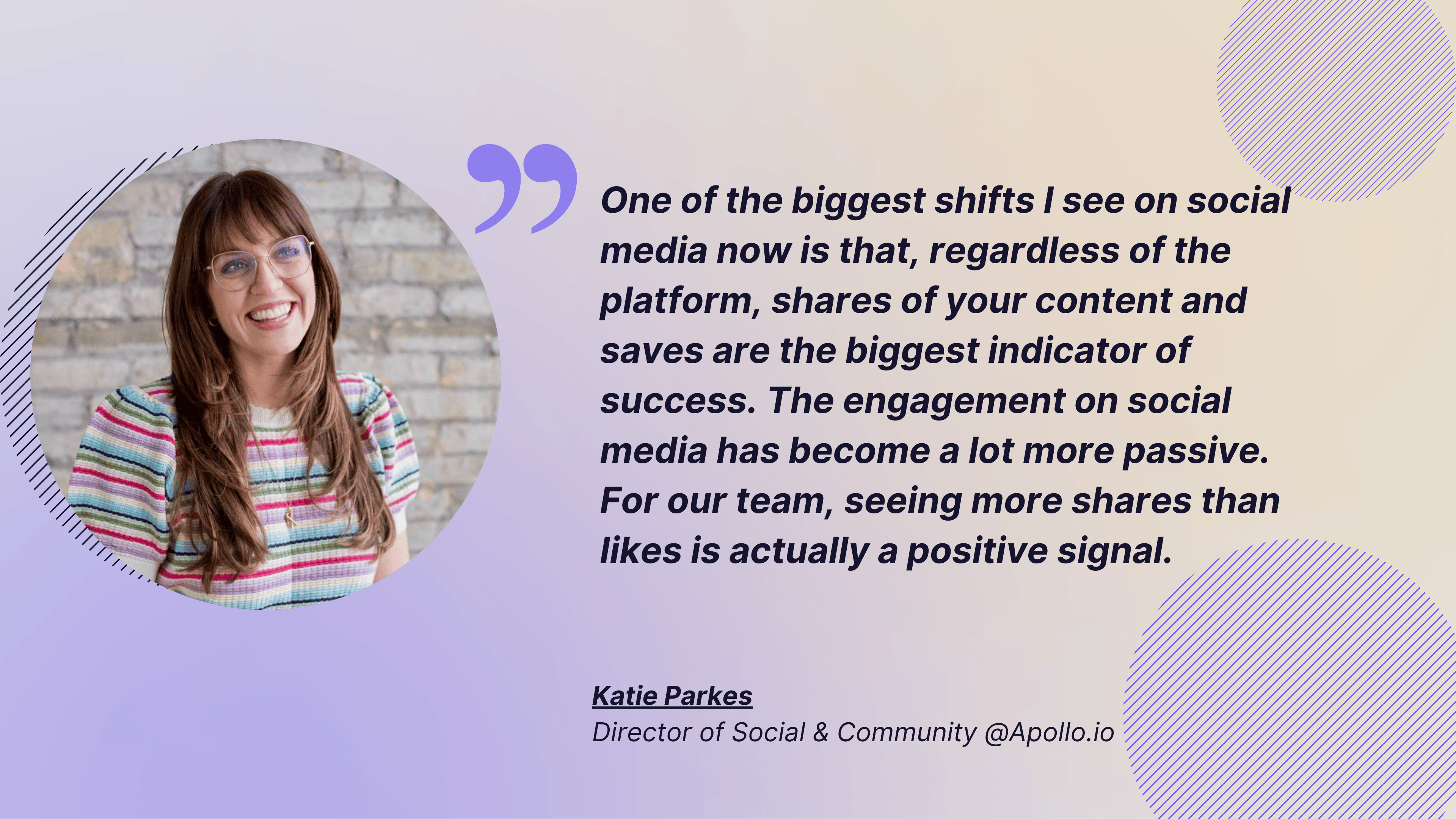
Why does this matter? Saves are the ultimate sign that your content is valuable, memorable, and truly useful—especially as engagement on Instagram increasingly becomes more passive. While people might scroll quickly or leave a like, a save means they want to revisit your post later, which is a real indicator that you’re delivering value to your audience that they don’t want to lose.
What are some high-performing Instagram carousel content types?
Instagram carousels aren’t just about packing more photos into a post—they’re about creating richer, more interactive experiences. Whenever I see brands using carousel posts on Instagram, the best ones always have a clear purpose: to teach, inspire, or bring their followers closer to the brand. Here are eight top-performing carousel ideas—each illustrated with how a well-known brand makes it their own:
Step-by-step tutorials (with examples)
People crave clarity. By breaking a process into clear, visual steps—like “how to achieve a natural makeup look” or “ways to style one pair of jeans”—you make learning digestible and actionable. Each slide nurtures anticipation (“what’s the next step?”), encouraging swipes all the way to the end. Bonus: followers are more likely to save tutorial carousels to try later!
Brand example: Adobe regularly uses carousels to showcase “how-to” mini-tutorials—such as quick editing tricks in Photoshop or Lightroom. Each slide covers one step in the workflow, with visuals, tool icons, and results, making design or photo techniques accessible for beginners and pros alike.

Before/after transformations (product/service results)
Few things spark curiosity like a dramatic before-and-after reveal. Carousels give you space to show the full journey, not just the final result—whether it’s a home makeover, a fitness change, or a creative project. Each stage can come with commentary, tips, or insights, making the transformation feel relatable (and inspiring followers to imagine their own change)
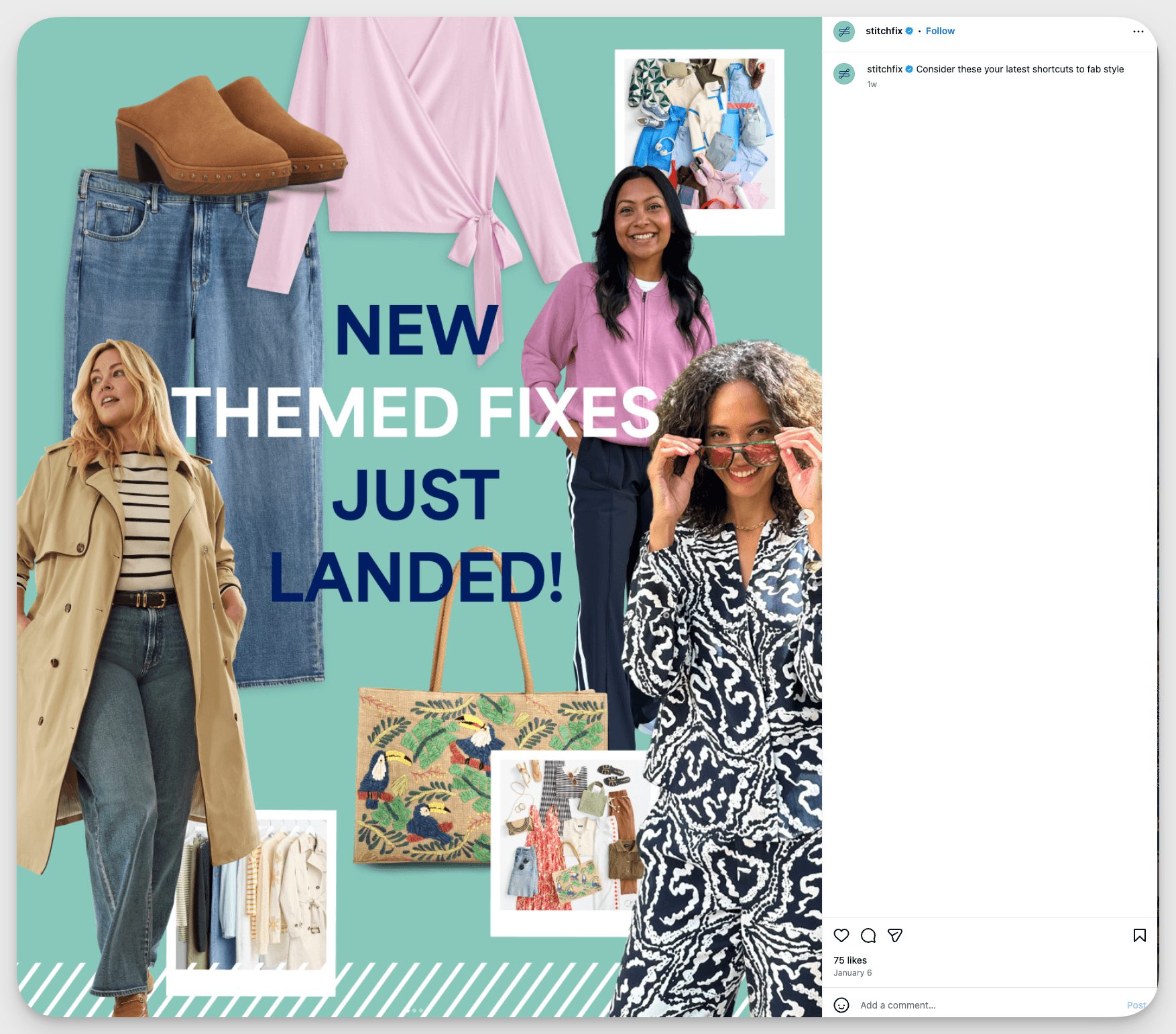
Brand example: Using instagram carousels, Stitch Fix shares real client journeys: often revealing a “before” look, with a casual selfie or everyday outfit and as you swipe through the carousel post, you see the dramatic “after” result—new styles, hand-picked pieces, and confident new looks styled by Stitch Fix experts.
Data visualization & infographics (breaking down complex stats)
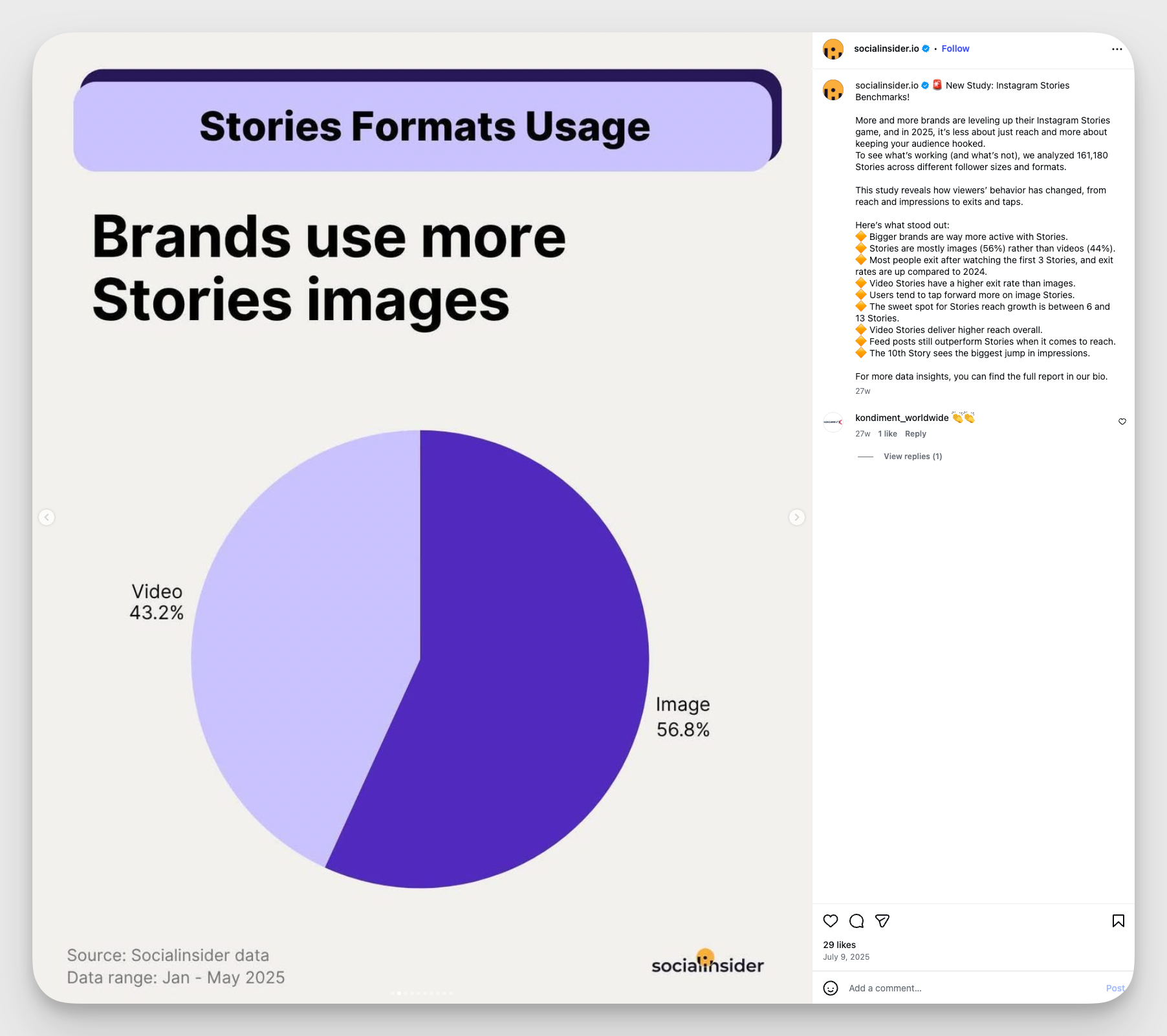
People love data—when it’s easy to understand. Carousels let you break down complex stats into simple, bite-sized visuals, one idea per slide. This keeps information from overwhelming the viewer and makes even big concepts “swipe-friendly.” These posts are perfect for showing research, results, or industry trends in a way that’s educational and shareable.
Brand example: At Socialinsider, we regularly transform dense reports and data into swipeable carousels that anyone can understand. By condensing complex findings into bite-sized infographics and quick takeaways, our carousels make research instantly useful for marketers.
Product showcases (multiple angles/features)
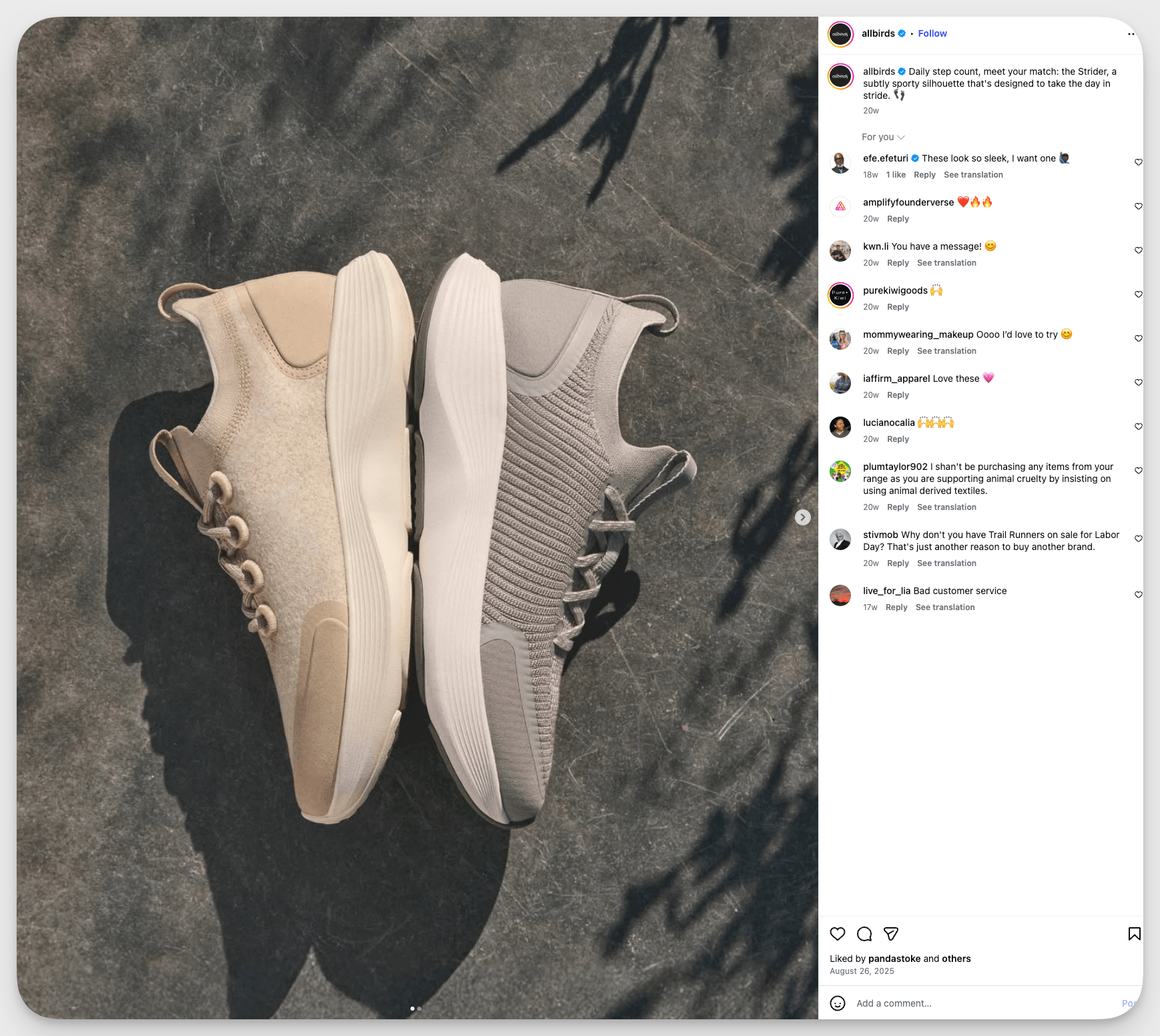
Carousels allow you to sell the “whole” product experience, not just a single angle. Show multiple uses, alternate colors, close-up details, or different lifestyles. Each slide answers a potential customer’s question (“How does it fit?” “What does it look like up close?”), making it easier for them to picture themselves using—or owning—your product.
Brand example: Allbirds often posts carousels showing their sneakers from different angles, highlighting materials, colorways, and eco-friendly features—helping customers get a full sense of what they’re buying before clicking through.
Storytelling sequences (brand narratives)
A single image can hint at a story, but a carousel on Instagram delivers the journey. Use slides to introduce characters, unveil plot points, or walk through brand milestones. Arranged like a photo essay or comic strip, your story feels immersive—bringing your audience emotionally closer, slide by slide.
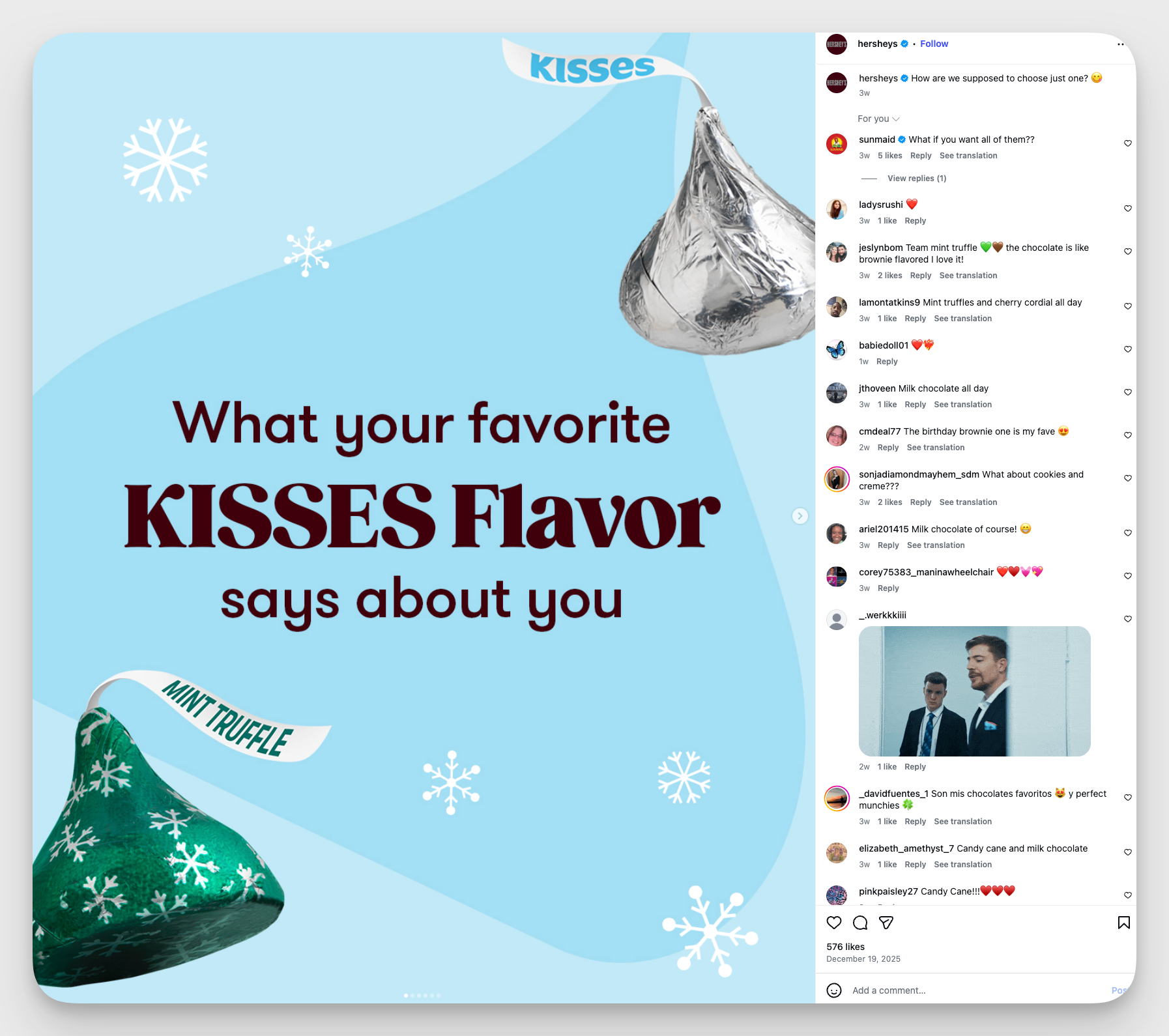
Brand example: Hershey’s uses carousels to tell the story behind classic products. Take the example below, where the brand assigns different consumer personalities to different chocolate sorts.
Listicles & tips (educational content)
Everyone wants quick wins! Packing “5 ways to boost your mood” or “Top 10 travel hacks” into a carousel gets your audience to engage with multiple slides, each packed with value. Because the tips are visually organized, it’s easy for followers to screenshot, save, or share their favorites.
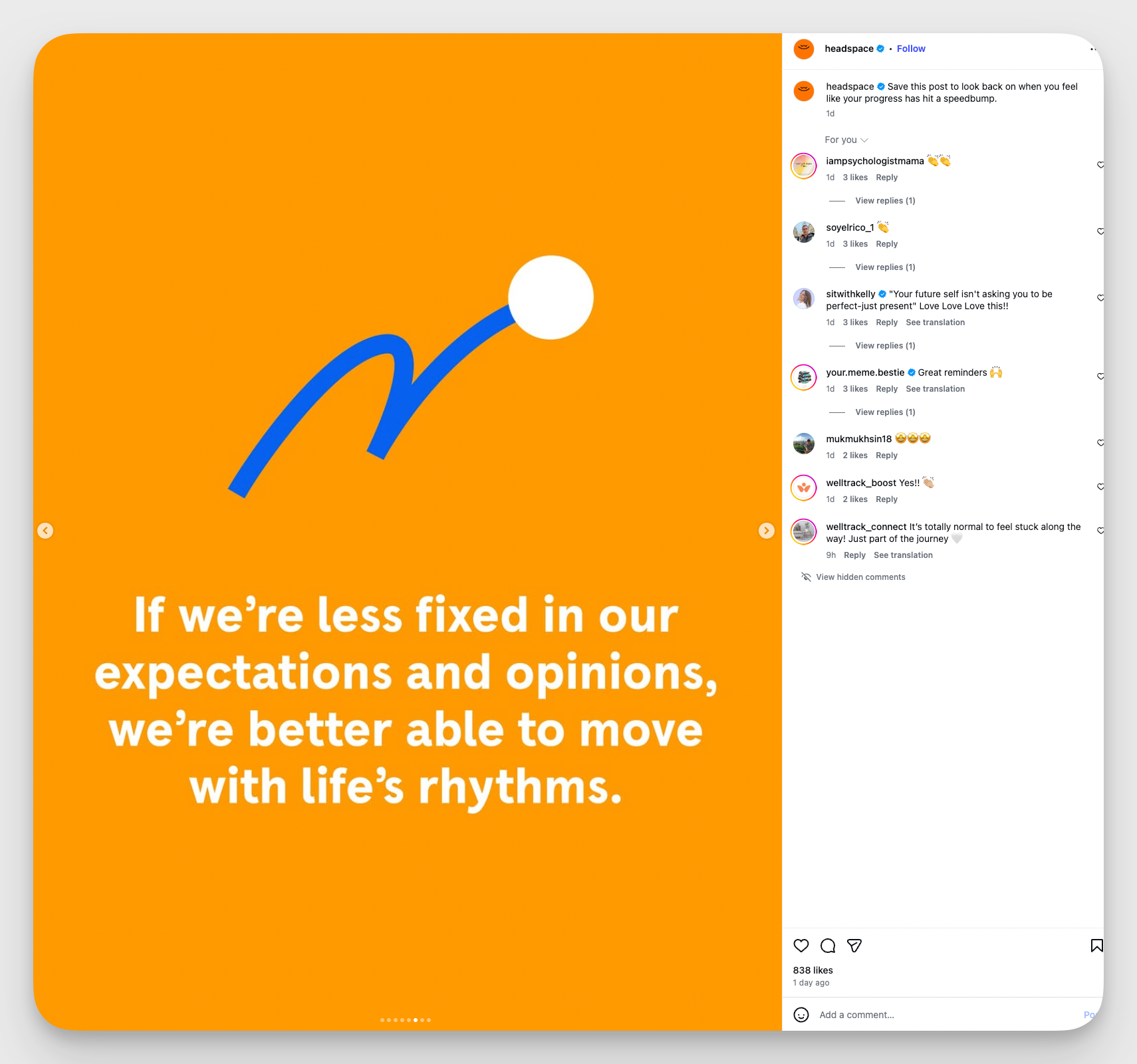
Brand example: Headspace uses carousels for wellness content like “how to avoid feeling stuck on the way towards your goals,” with each slide explaining a simple, actionable tip.
Behind-the-scenes (process/culture content)
Authenticity builds connection. A behind-the-scenes carousel lifts the curtain so followers feel included—whether it’s your creative process, event prep, or team culture. Each slide reveals something new, showing your brand’s human side and inviting your audience into your world.
Brand example: Nike takes followers into the design studio, sharing carousels of mood boards, prototypes, and the hands-on process behind their latest sneakers.
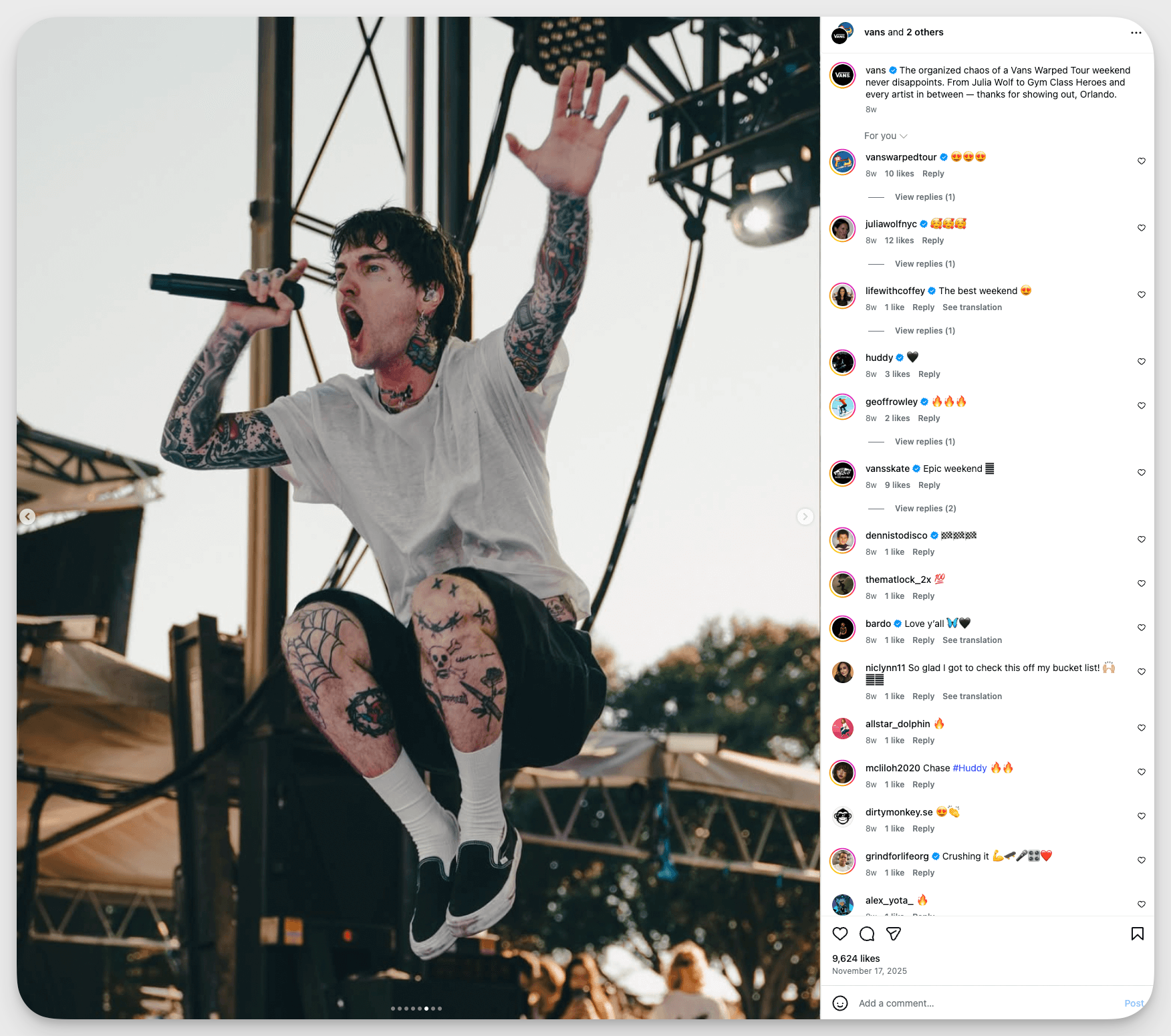
Brand example: Vans invites followers behind the curtain at events like the Vans US Open or skate shoe releases, sharing photos of the design process, team brainstorms, or in-action athlete shots in carousels.
User-generated content compilations (social proof)
Social proof is powerful. Carousel posts featuring photos, videos, or testimonials from real customers create trust and a sense of community. By showcasing user-generated content, you celebrate your audience, encourage more participation, and show prospective customers the “real-life” value of your brand.
Brand example: Warby Parker often posts carousels packed with customer selfies and testimonials, showing how people are styling the brand’s eyewear in the real world.

How to track Instagram carousels' performance?
If you’re posting carousels on Instagram, you’ll want to know how they perform, and also why they work—or sometimes, why they don’t quite land. Right?
Well, that’s where smart analytics come in.
Let me quickly show you how I use Socialinsider to dig into Instagram carousel performance and get insightful takeaways from it.
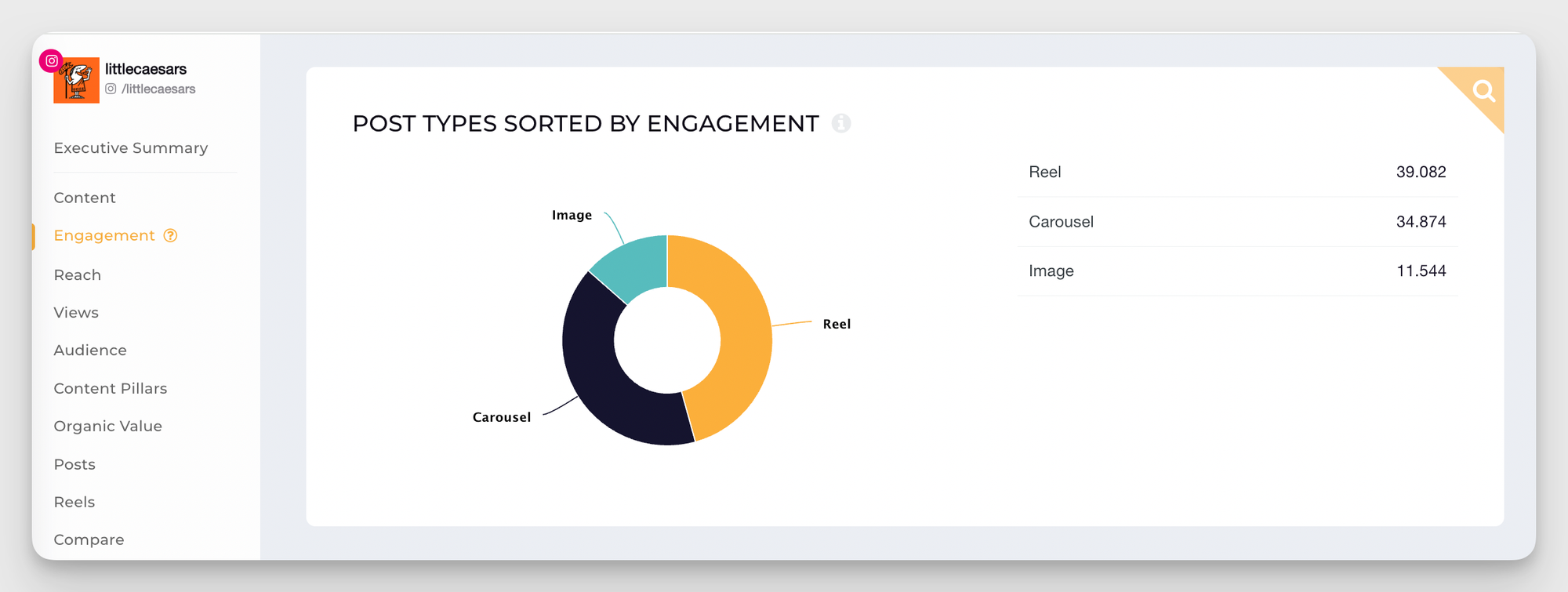
One of my favorite Socialinsider features is the “performance by post type” dashboard. With just a glance, you can line up every content format—single images, Reels, and carousel posts on Instagram—and see which ones are pulling in the most engagement, reach, and interaction. No more guesswork: the numbers tell you exactly how your carousels stack up.
As a data geek, of course, I don't stop here. Usually, my next step is analyzing which of my carousels gets the most interest from my audience.
And how do I do what, you might wonder? Well, with Socialinsider’s Top Posts feature. Within this dashboard view, I can sort and spotlight my very best instagram carousels.
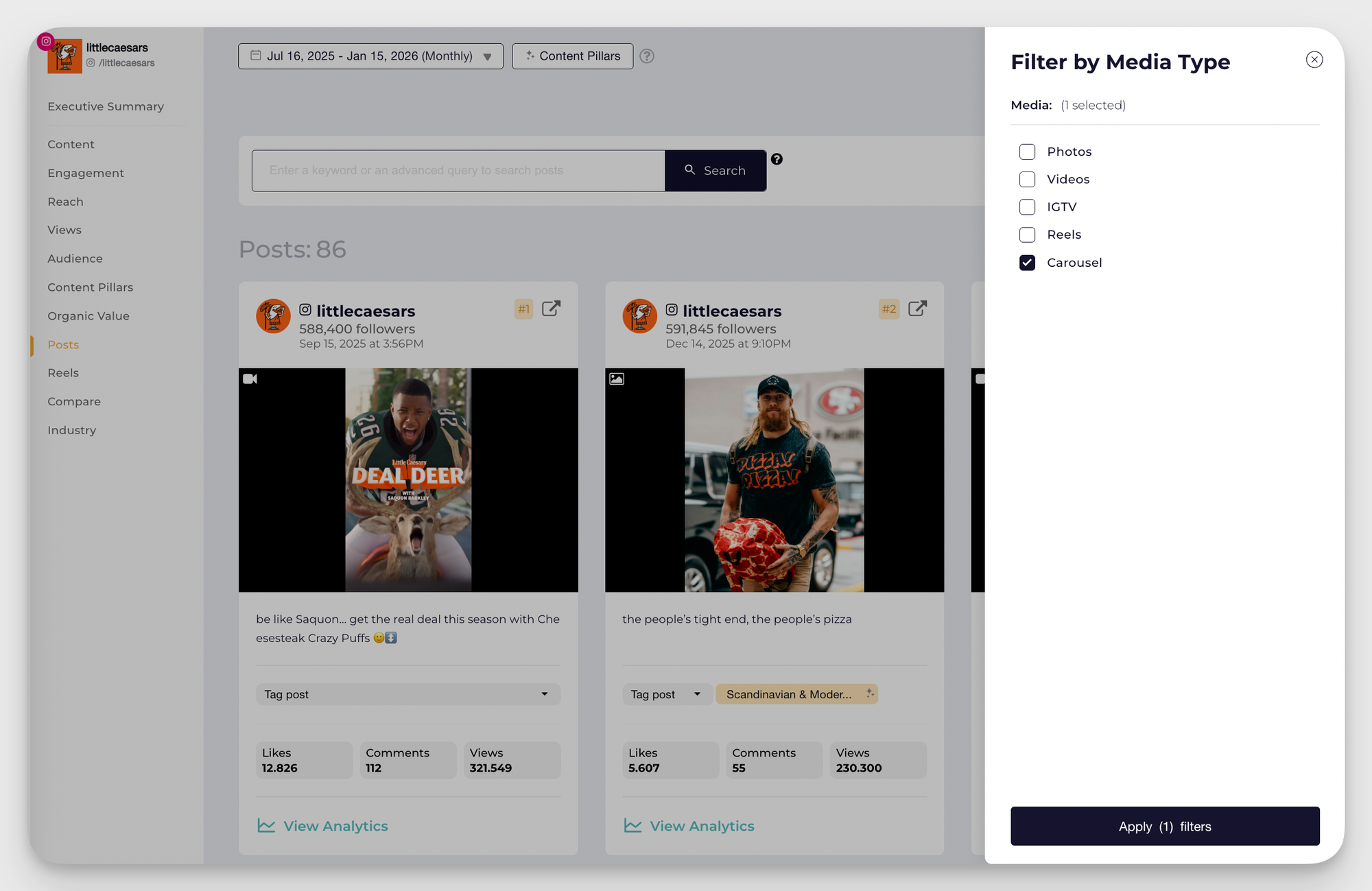
I love scrolling through this list to notice patterns—did a certain topic get more saves? Were step-by-step tutorials shared more than before/after posts? These real insights help me double down on what resonates and refine my content strategy with less trial and error.
With these capabilities, you’re not just tracking likes and comments—you’re uncovering the story behind your most successful carousel posts on Instagram. You’ll see which themes, visuals, or formats spark engagement, giving you a playbook for future posts. It’s not just about numbers on a dashboard—it’s about discovering your audience’s preferences and meeting them where they’re most engaged.
Final thoughts
At the end of the day, instagram carousels aren’t just a trend—they’re a storytelling powerhouse. From captivating product reveals to step-by-step guides and inspiring transformations, carousel posts let you pack more value (and fun) into every post.
But here’s the real magic: with the right tools—like Socialinsider’s analytics—you’re not just guessing what works. You’ll be able to see the patterns, understand what your audience loves most, and keep refining your strategy for even better results.
Elena Cucu
As Content & SEO Manager at Socialinsider, Elena Cucu helps social media leaders make sense of the numbers behind their performance. Featured in TechCrunch, TNW, and ReadWrite.

Know what your competitors do — before your manager asks
Get instant social benchmarks & reports without manual work.