12 Top Social Media Automation Tools For Workflow Simplification
Discover the best social media automation tools to streamline your marketing efforts, save time, and boost engagement across all platforms.


If you’re here, you already know the benefits of automating social media tasks. More time, better analytics, and more ideas to tinker with.
No wonder, then, according to a recent survey, 50% of marketers use automation for social media.
The real question is: which tools are actually worth your time? You don’t need to lose weeks testing everything under the sun. Because I spent nearly a week reading reviews, trying out tools, and mapping which tool shines for which use case.
Here are my top social media automation tools, complete with my hands-on experience, pros, cons, and pricing details.
Key takeaways
-
Socialinsider – best if your priority is automated, trustworthy social media analysis and competitor benchmarking rather than post scheduling.
-
CampaignSwift – best for agencies that want AI agents chasing approvals, escalating stalled reviews and pushing cleared content live, rather than a person doing it.
-
Buffer – ideal for teams that want simple, reliable cross-platform scheduling without unnecessary complexity.
-
Tidio – small and medium businesses as well as ecommerce brands that want to automate customer support.
-
Later – a strong choice for visual-first brands that need intuitive feed planning and organized content workflows.
-
Sprout Social – built for larger teams that need enterprise-grade automation, advanced inbox management, and scalable collaboration.
-
Metricool – perfect for marketers who want to manage paid and organic content together with unified analytics in one dashboard.
-
Sendible – best suited for agencies and client-facing teams that want reporting and approvals fully automated.
-
Zoho Social – a great fit if AI-assisted content creation and tight integration with CRM and marketing tools matter most.
-
SocialPilot – designed for bulk planners who need fast CSV uploads, evergreen queues, and efficient mass scheduling.
-
Revealbot – the go-to option for performance marketers who want rule-based automation to optimize paid ads at scale.
-
IFTTT – best for highly customized, no-code automations that connect social media with hundreds of other apps and workflows.
What should you consider when searching for a social media automation tool?
I tested every tool in this guide, combed through G2 and Reddit threads, and analyzed real customer feedback to understand what actually matters when choosing a social media automation platform.
Here are the criteria that consistently surfaced in the search for social automation.
- Platform coverage and data accuracy: Choose a tool that supports all the key platforms you have a presence on and provides reliable data you can trust for reporting.
- Ease of use and overall experience: I looked for dashboards that feel intuitive from day one so the team can onboard quickly and navigate without friction.
- Automation and reporting capabilities: Pick tools that automate routine tasks, schedule reports, and categorize content so you can focus on strategy instead of manual work.
- Pricing and scalability: Make sure the pricing stays predictable as you add profiles, data history, or teammates, without hidden restrictions.
- Integration and workflow compatibility: I prefer tools that plug seamlessly into existing workflows, offering smooth exports and easy integration with planning or analytics tools.
Top social media automation tools in the market
Before we cover each one in detail, here’s a quick rundown of what each social marketing automation tool brings to the table.
#1. Socialinsider — best for automated content and competitor analysis
Looking to automate social media analysis for your company or competitors? Socialinsider’s in-depth analytics features make it easy to monitor every channel, benchmark against rivals, and automate the reports you’d otherwise build manually.
All you need to do is create an account, add your and competitor’s profiles to it and let the tool work its magic.
My favorite part is how I get an Executive Summary for any account for a certain time period. It makes analysis quick and easy.
Let’s look at all the detailed automation features our platform offers.
Key features:
- Cross-channel analysis: Analyze your social media strategy as a whole and see which platforms work the best for you.
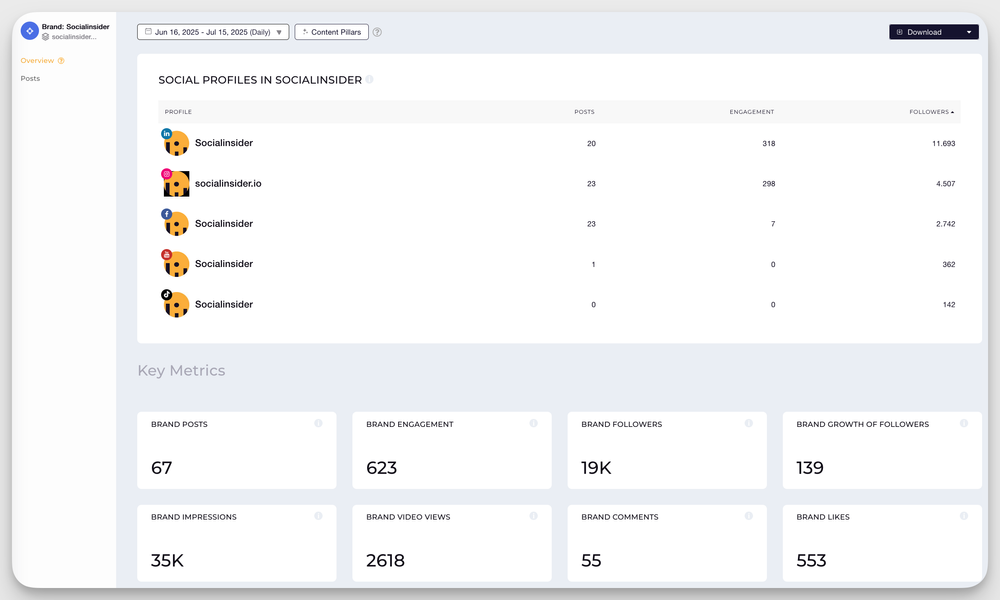
- Competitor benchmarking: Get a side-by-side comparison of your performance against competitors on various metrics like growth rate, engagement, posting frequency, etc.
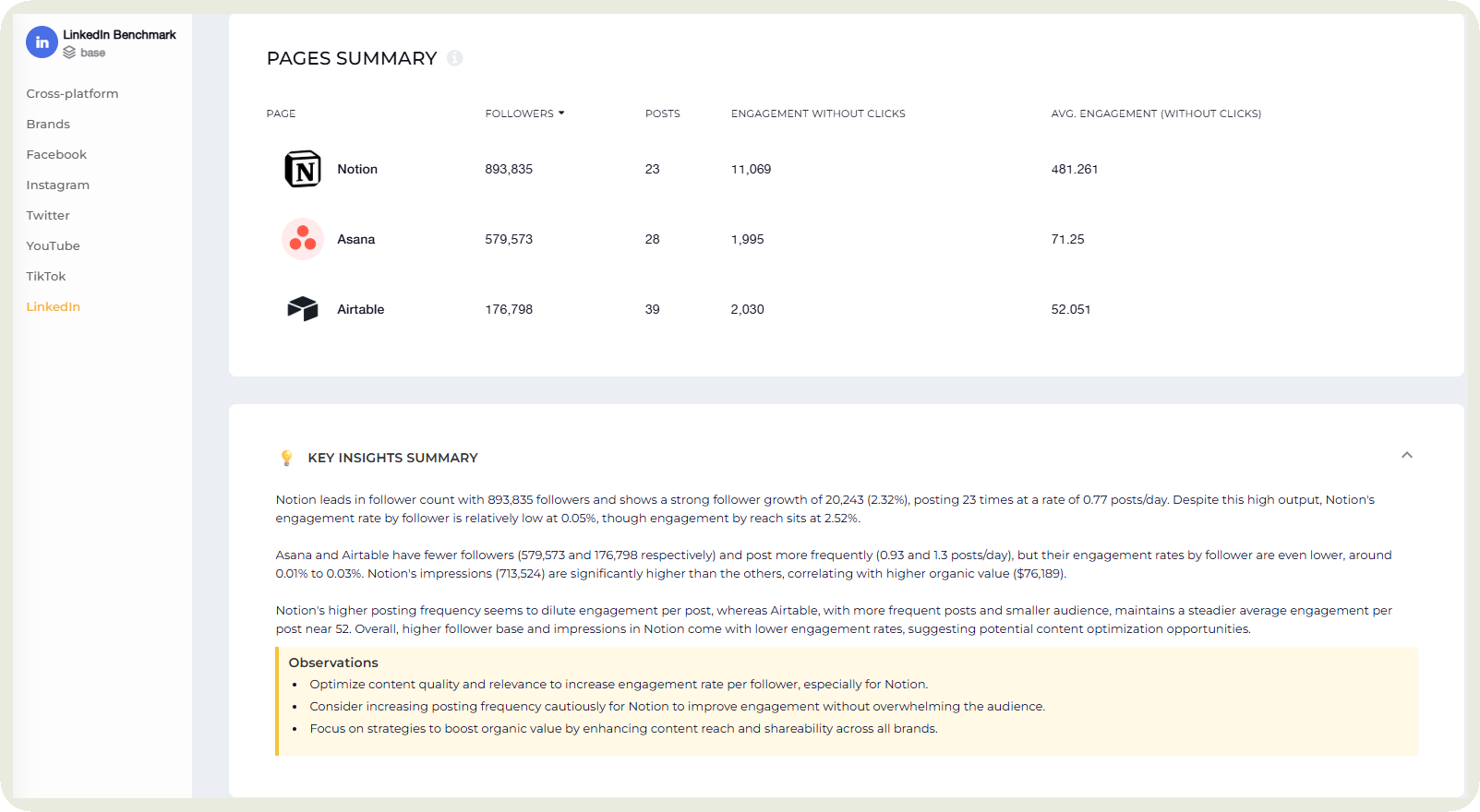
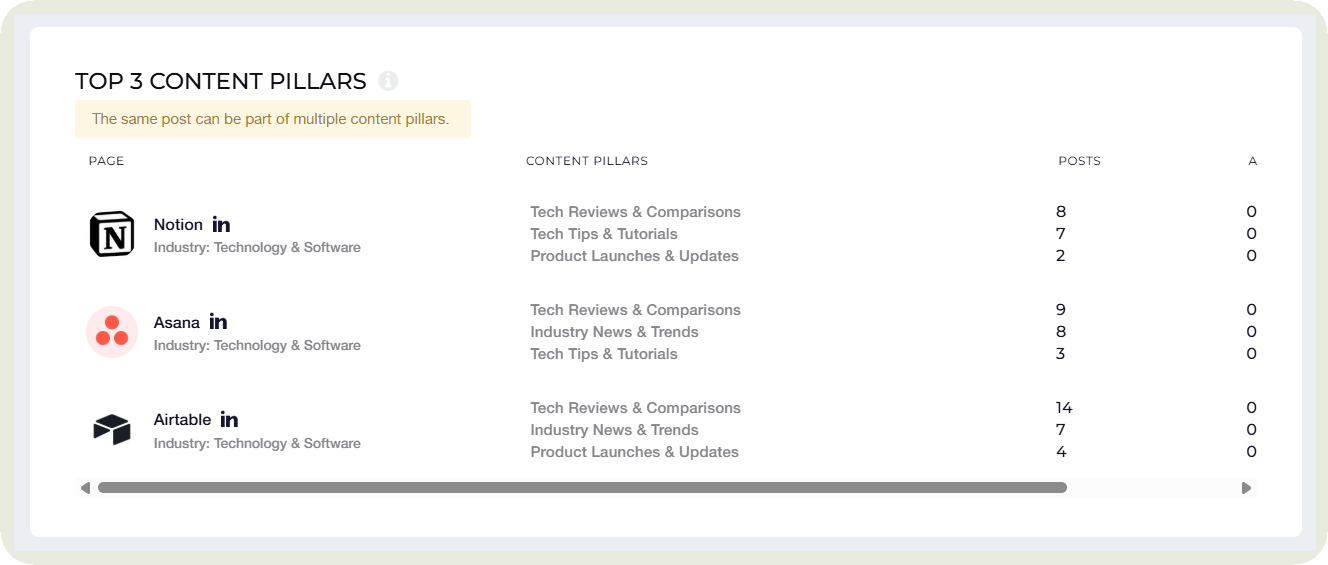
You can even run a content pillar analysis for all your competitors and see if there are any opportunities or gaps you can capitalize on.
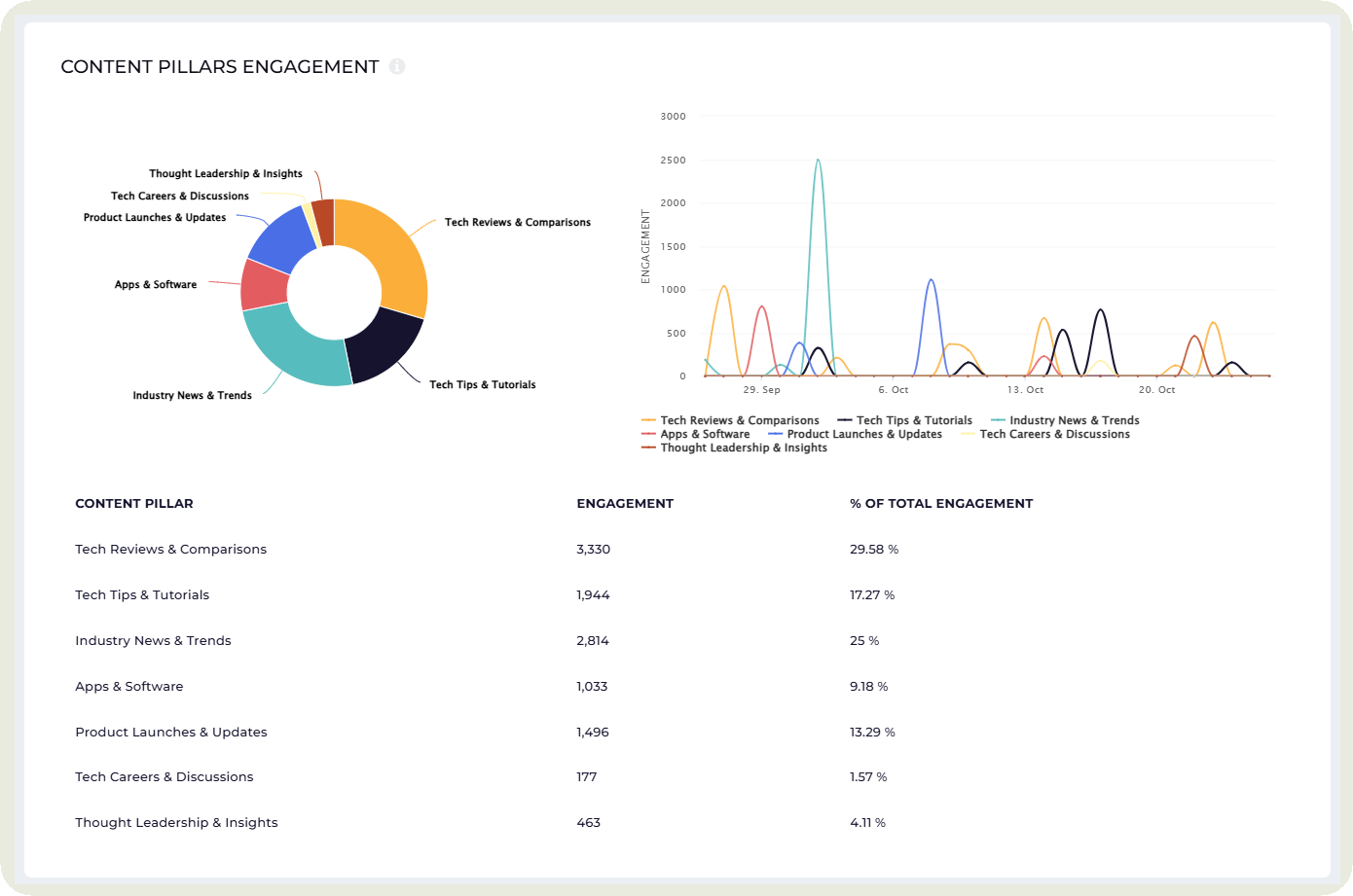
- Automated content pillar analysis: Find the pillars performing best for your social channels. Automatically get the engagement each pillar generates for your profile.
- Automated campaign performance analysis: Label posts that belong to a certain campaign and see the engagement data and views for the entire campaign.
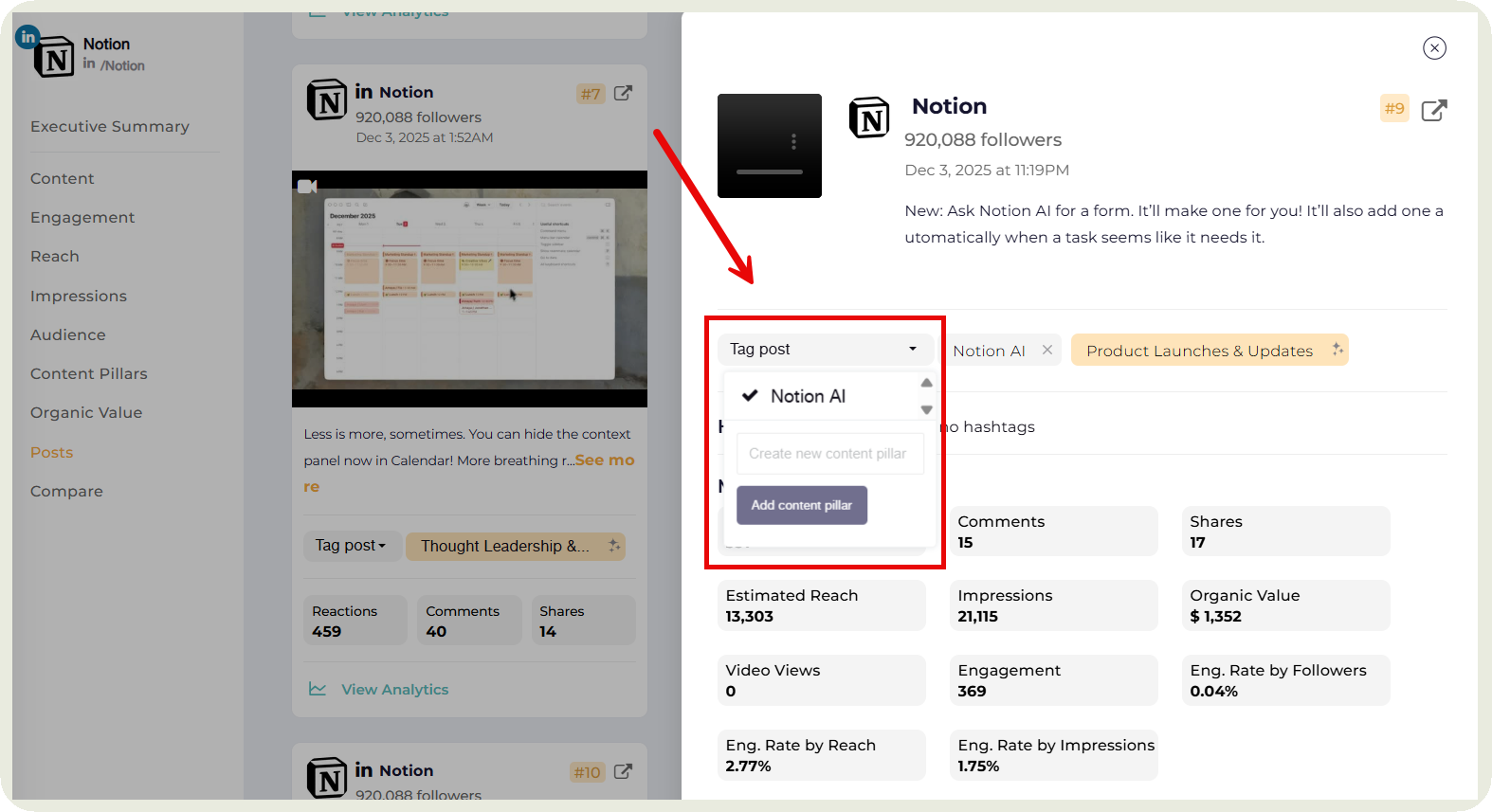
- Automated reporting: Schedule autoreports that gets delivered to your inbox on specific periods. Share the social media reports with your clients easily.
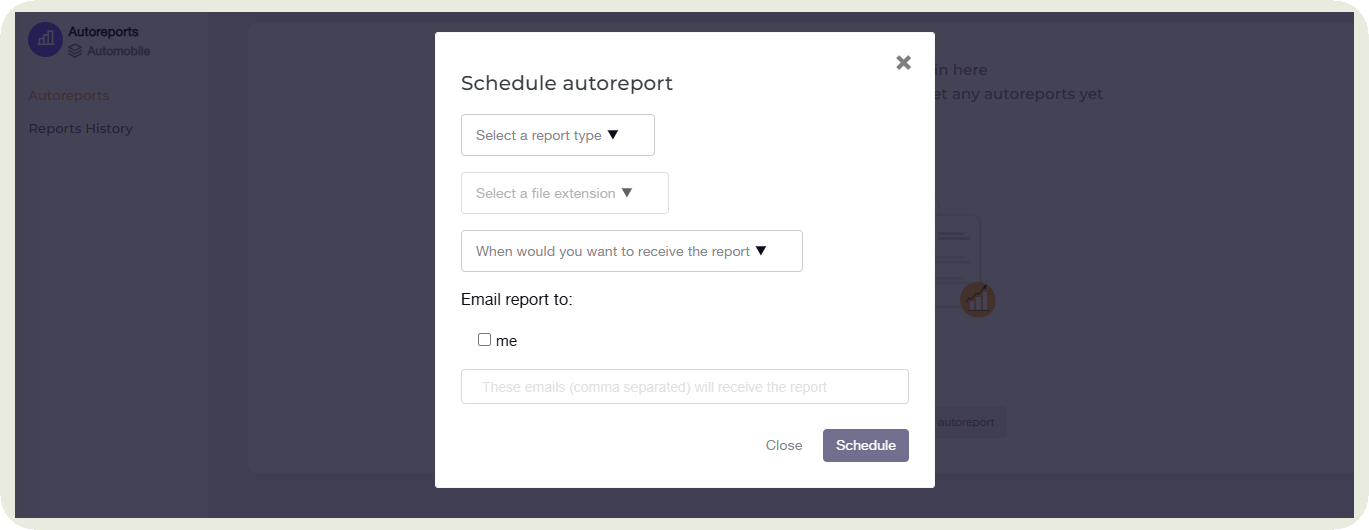
Pricing: Socialinsider offers a free trial of 14 days and the monthly plans start from $99.
Reviews: “It pulls my IG, TikTok, Facebook, and YouTube numbers into one clean place and makes benchmarking super easy. I can stack our pages against competitors, see what content type wins (reels vs. photos), and spot best posting times without guesswork. The reports are the real time saver, one click to share a live link or export a neat PDF/PPT for the team. I also like the breakdowns by post, hashtags, and ER so I can explain “why” a post worked, not just the numbers. Setup was quick, the UI is friendly, and the data feels reliable.” - Saleem E., Digital marketing, G2 Reviewer
#2. Buffer — best for automated scheduling across platforms
Buffer is one of those tools that doesn’t try to do everything, but it nails what it promises: clean, reliable scheduling across platforms.
After testing it for a few weeks, what stood out to me was how straightforward the workflow is. I could queue posts for multiple channels in one go, adjust timings with a simple drag-and-drop calendar, and reuse drafts without jumping between tabs.
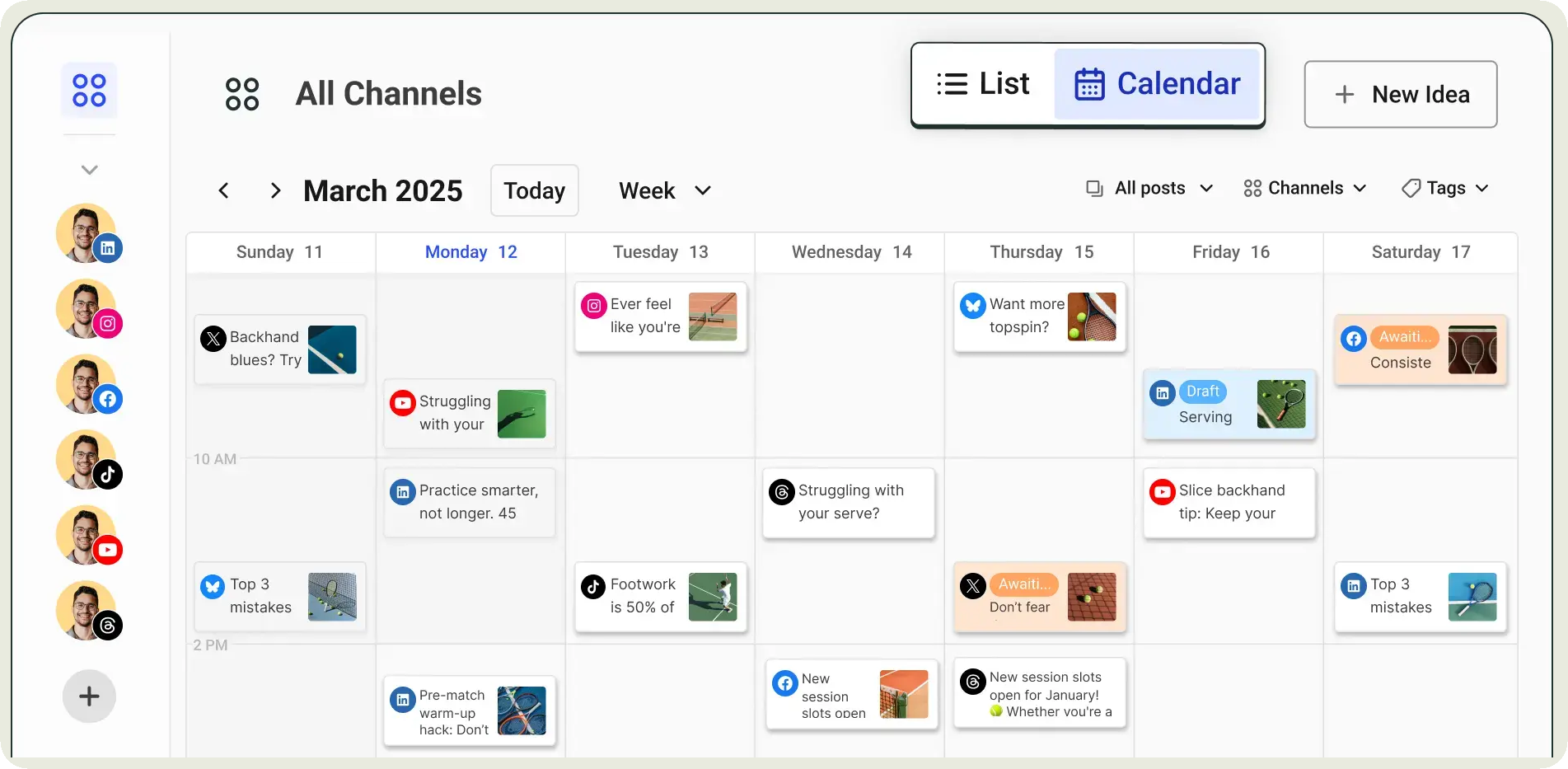
Their scheduling automation is genuinely useful. Once I set my preferred posting times, Buffer handled the rest, slotting content into the right windows.
The browser extension is another quiet win — I could save ideas or turn a live post into a scheduled one in seconds.
Key features:
- Cross-platform batch scheduling: You can group multiple social profiles together and draft a single post (or template) that you push to all of them at once, while still allowing customization per platform.
- Drag-and-drop calendar: Rearrange scheduled posts instantly by dragging them on the visual calendar, no need to rebuild posts or reset timings.
- Automated first-comment option & media support: For platforms like Instagram, Buffer supports scheduling posts along with first-comments or richer media types, helping with engagement and clean formatting.
- Best-time posting suggestions: Helps automate timing by recommending when your audience is most active.
Pricing: Provides a free plan and their paid plans start from $5 per month.
Reviews: “I appreciate how easy it was to set up Buffer as it seamlessly integrated with all my Facebook, Meta, LinkedIn, and Instagram profiles. I find the capability to schedule posts across multiple platforms at once extremely beneficial, saving me a lot of time and effort. Buffer allows for individual date and time settings for each post, which is very helpful for targeting specific audiences without having to manually manage each post. These features collectively enhance my productivity and provide a streamlined approach to managing social media content.” - Mahesh D.M., Video editor, G2 Reviewer
#3. ContentStudio — best for agencies managing multiple clients
Managing social media for multiple clients or brands gets messy fast. You've got content to find, posts to schedule, approvals to chase, and reports to send, usually across more tabs than anyone wants to count. ContentStudio is the tool that pulls most of that into one place.
It's built for agencies, freelancers, and social media teams that publish a lot and can't afford a slow, manual workflow. Over 14,500 teams use it, and after spending time with it, I get why.
The feature that clicked for me most was the automation recipes. You connect an RSS feed or a content source, set your preferences, hashtags, caption style, posting schedule, and ContentStudio just runs with it. Fresh content goes out on autopilot without you touching it each time. It's one of the more practical takes on "set it and forget it" I've seen in this category.
Key features:
- AI Studio: Type a quick prompt or drop in an image, and ContentStudio generates ready-to-post captions, hashtags, and copy variations for each platform, no staring at a blank screen.
- Automation recipes: Connect RSS feeds, blogs, or content sources and let ContentStudio publish to your social channels automatically on a schedule you define.
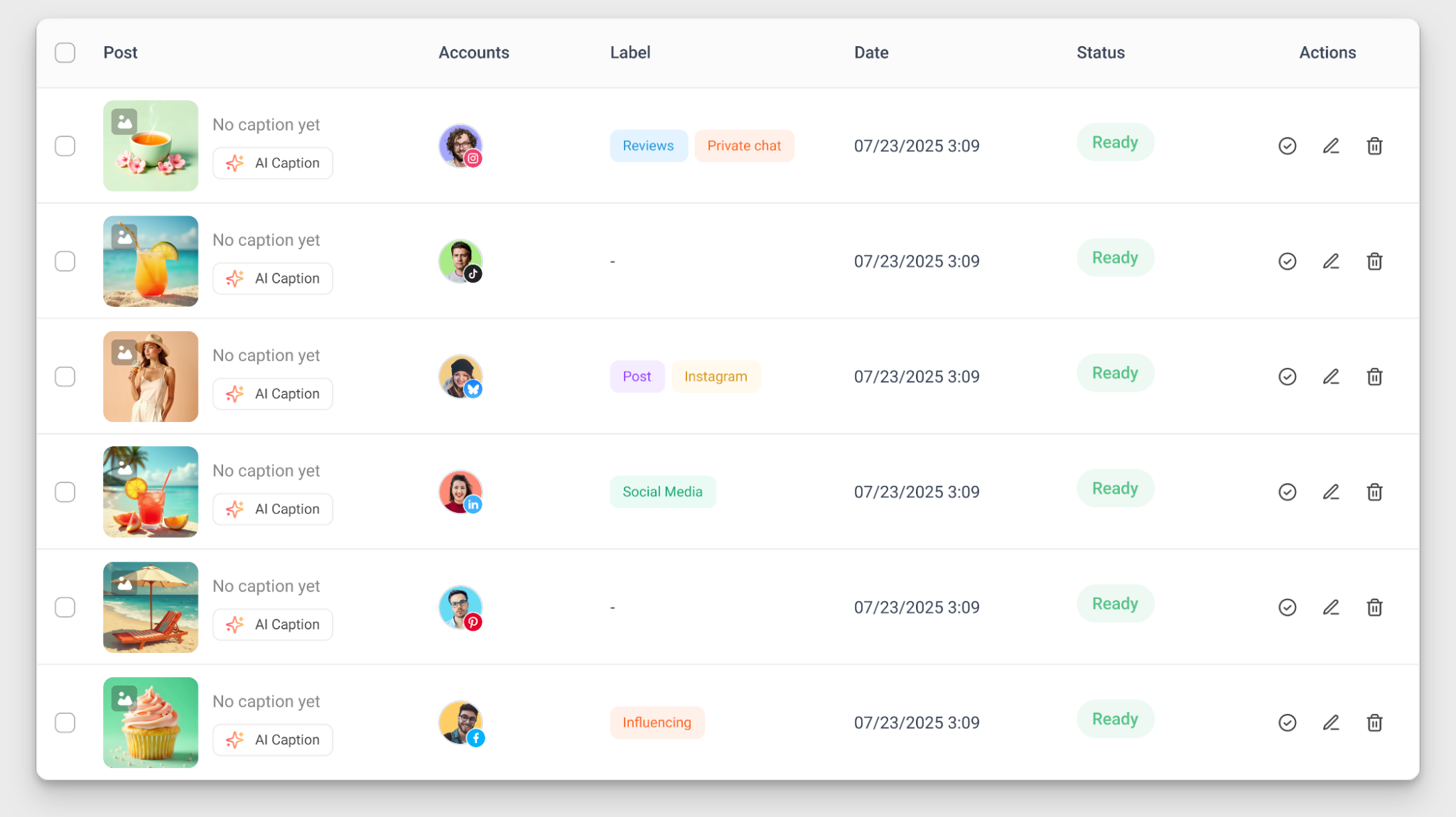
- Bulk scheduling via CSV: Upload months of posts at once, captions, media, post type, even first comments, and they slot straight into your calendar.
- Content calendar with multiple views: Weekly, monthly, or list view, easy to spot gaps and reshuffle things without rebuilding posts from scratch.
- Content calendar with multiple views: Weekly, monthly, or list view, easy to spot gaps and reshuffle things without rebuilding posts from scratch.
- White-label reporting: Agencies can send branded, automated reports to clients without any manual assembly.
Pricing: Plans start at $19/month for solo users, with agency plans from $99/month. A 14-day free trial is available on all plans, no credit card required.
Reviews: ContentStudio is user-friendly and streamlines managing multiple social media profiles with efficient scheduling and account linking. Its feature-rich platform and easy setup make it a valuable alternative to Buffer. - Nichole M, G2 Reviewer
#4. Tidio — for AI-powered customer interactions across channels
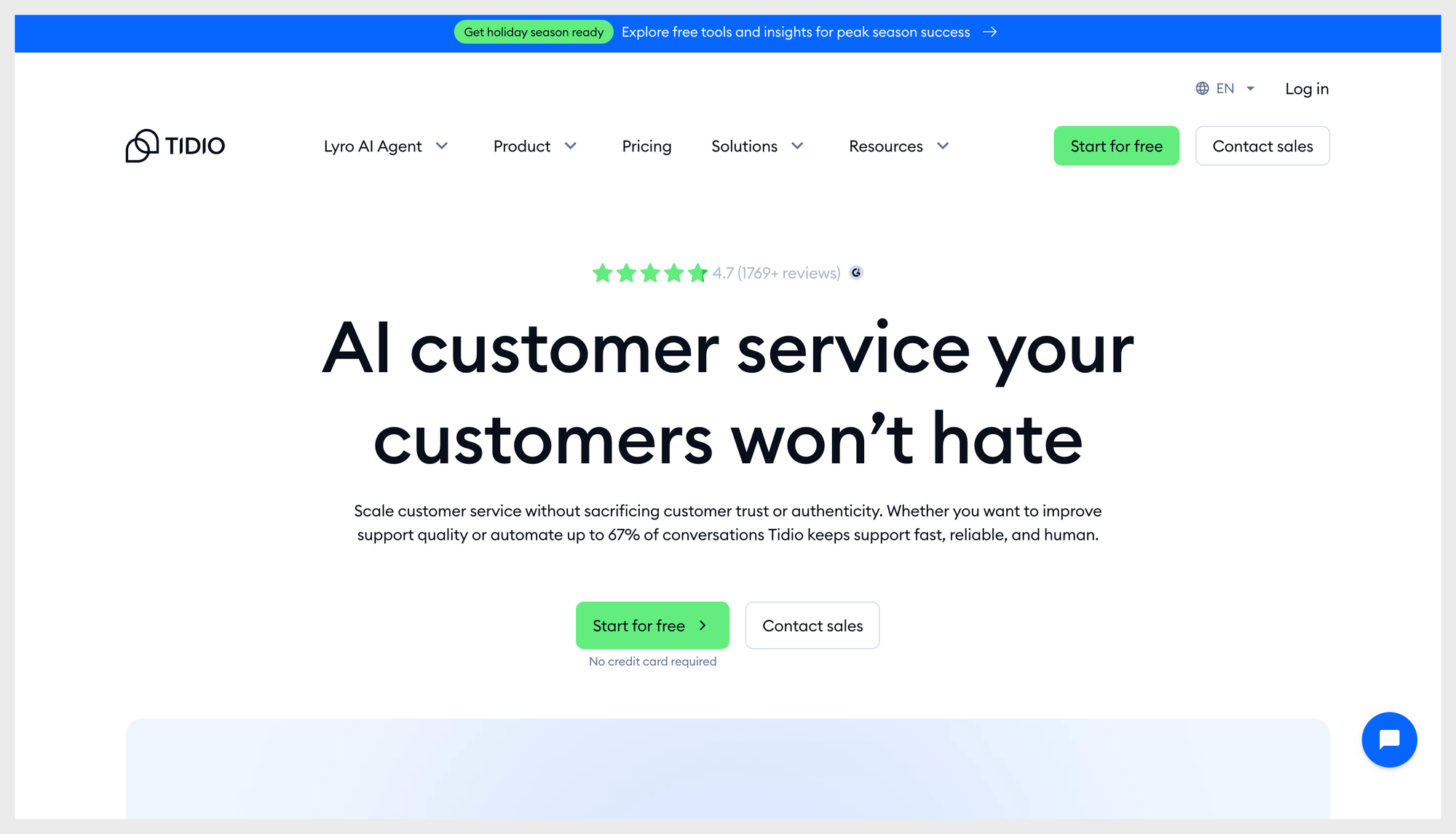
Tidio is an AI-driven customer communication platform that helps businesses automate support and boost engagement across website chat, email, and social media. Its strength lies in combining a unified inbox with powerful AI agents, so you can automate repetitive conversations without losing the human touch.
The platform makes it easy to manage customer messages in one place and automate workflows to improve the team’s efficiency. Plus, with Tidio’s ecommerce-focused tools like abandoned cart detection and product recommendations. It’s especially valuable for online stores looking to improve customer experience and conversions.
Key features:
- Unified inbox to manage live chat, email, and social messages in one place
- Lyro AI Agent that resolves repetitive questions using conversational AI
- Workflow automation for lead capture and FAQs
- E-commerce automations like abandoned cart recovery and product recommendations
- Customizable live chat and chatbot builder with templates.
Pricing: Tidio offers a free plan plus several paid tiers, including a 7-day free trial, and a premium, custom option.
Reviews: “The number one thing that has grown our business is offering that customer service experience the rest of the market has not been able to do.” - Daniel Reid, Co-founder and CEO of Suitor
#5. Later — best for visual planning
Is your content heavy on visuals or aesthetics? Later is that social media marketing automation tool that would make planning and scheduling easy for you.
The grid preview alone makes planning Instagram posts feel cleaner and more intentional. I could drag posts around to see how the feed would look, adjust spacing, and batch-plan content without jumping between drafts and folders.
Their media library is another practical win. Everything I uploaded stayed organized, tagged, and ready to be dropped into the calendar.
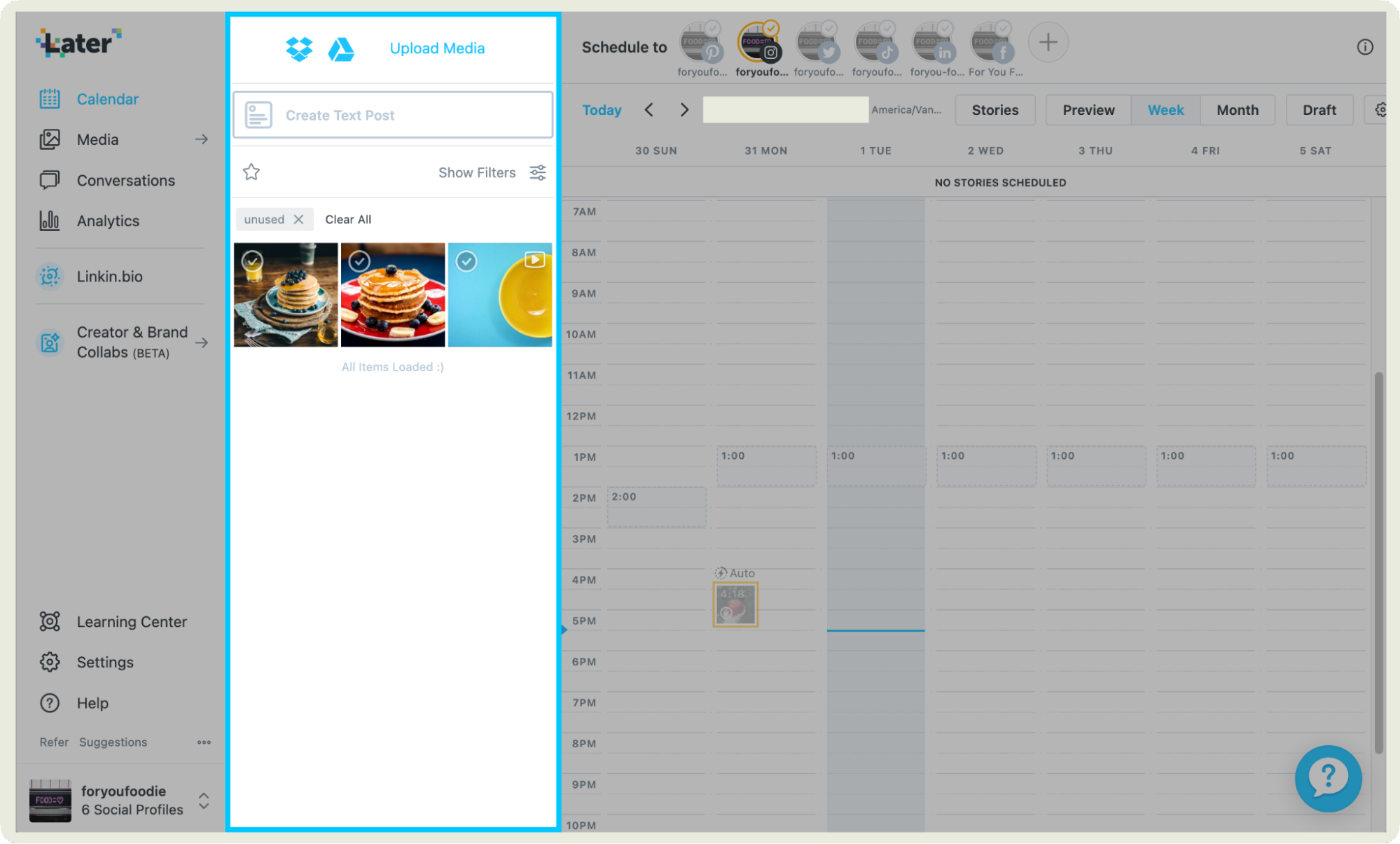
Scheduling feels smooth too. Once my time slots were set, Later automatically slotted content in, and the visual calendar made it easy to catch gaps or overlaps.
Key features:
- Multi-profile scheduling in one go: You can pick multiple social accounts and schedule a single post (or batch of posts) to go live across all. It’s a great feature if you manage several brands or channels.
- Drafts + saved captions + hashtag suggestions: Save drafts, reuse captions, and get hashtag suggestions, useful for prepping content ahead of time and reducing repetitive work.
- Media library management: Upload multiple images/videos at once, store them, and schedule or queue them in batches.
- Content calendar with flexible views: Weekly, monthly or list-style calendar views make it easy to plan ahead and see exactly what’s scheduled when.
Pricing: Later is free for 14 days after which their plans start from $25 per month.
Reviews: “I find Later Social to be incredibly beneficial for my workflow as it allows me to post content on multiple platforms seamlessly, all from within the same screen. This consolidation greatly enhances my organization and efficiency by eliminating the need to juggle multiple browsers and tabs. I particularly like that I can toggle between different captions for various posts across platforms, tailoring them as needed and even selecting a cover for videos. This feature helps make content specific to each platform. ” - Markie B, G2 Reviewer
#6. Sprout Social — best for enterprise automation and smart inbox
Sprout Social is one of those tools you turn to when your social workload is a lot. When I tested it across multiple brand accounts, the first thing that clicked was how smoothly it handles the busy stuff.
Scheduling feels almost hands-off: line up posts for every platform, map out campaigns on the calendar, and Sprout quietly takes care of the rollout.
But my favorite is by far its Smart Inbox. Instead of bouncing between tabs to reply to comments, DMs, and mentions, everything lands in one clean feed.
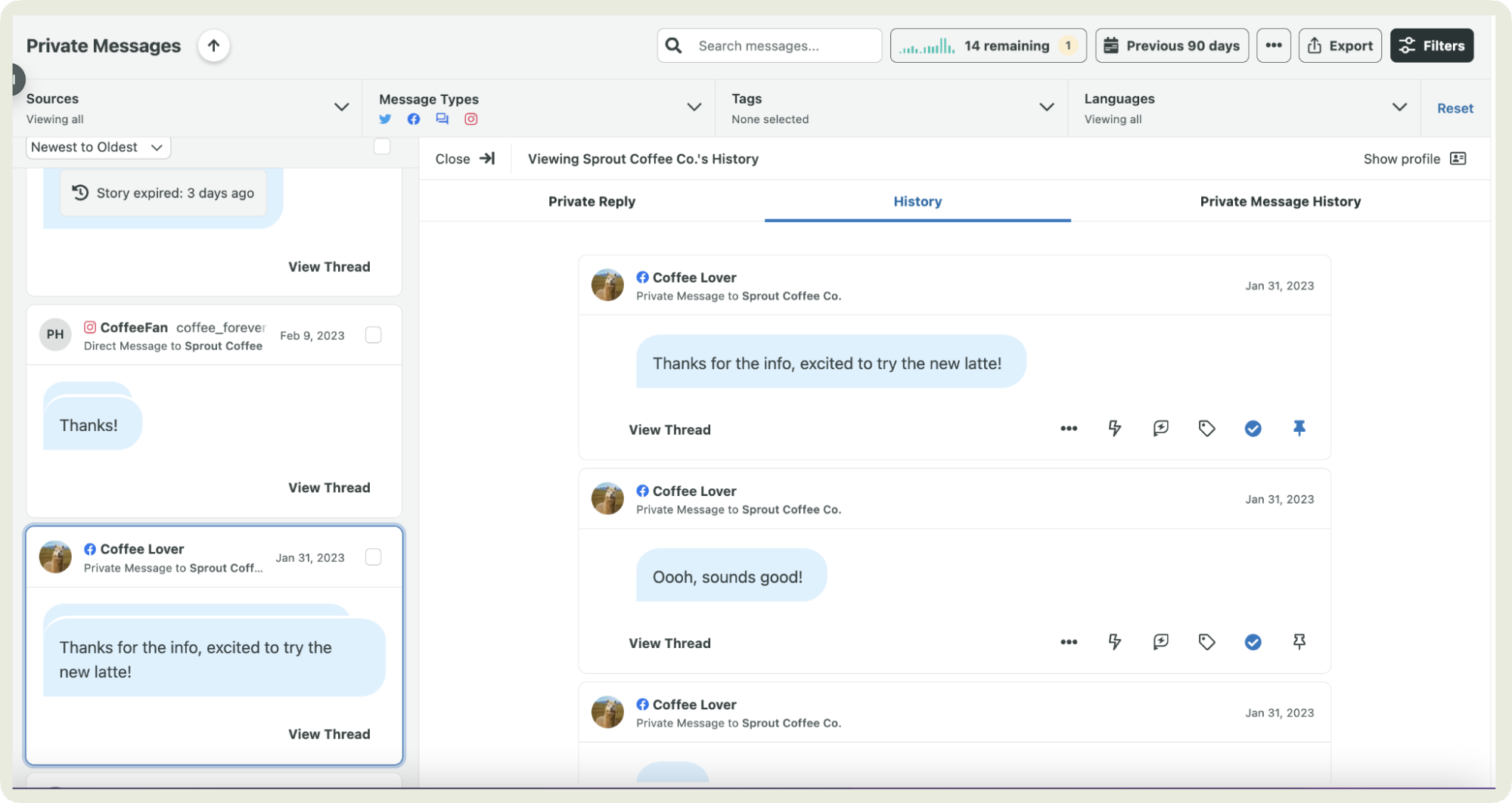
I could even filter by profile, tag, or keyword and get straight to what mattered without drowning in noise.
Key features:
- Automated social media posting with optimized timing: Sprout lets you use its ‘queue’ system plus a feature called ViralPost, which analyzes your audience’s engagement patterns to pick optimal send times.
- Automated inbox rules & message prioritization: Inbound comments, DMs, and mentions can be auto-categorized and filtered, so high-priority messages surface first and manual sorting becomes unnecessary.
- Bot builder for DMs/comments: This allows creation of automated conversational flows on platforms like Twitter and Facebook, which can handle routine requests or FAQs without human intervention.
- AI-powered post creation and content assistance: Using its integration with AI tools, Sprout can suggest post text, generate alt text for images, propose tone/style for messages.
Pricing: Offers a free trial of 30 days post which their plans start from $199 per month.
Reviews: “What surprised me the most about Sprout Social is how it quietly fixes problems I didn’t even realize were slowing down my team. The Smart Inbox feels less like a dashboard and more like a mission-control screen that keeps every conversation—from comments to DMs to mentions—exactly where it belongs. Instead of bouncing between tabs, we literally operate from one place..” - Jack R, Social media manager, G2 Reviewer
#7. Metricool — best for paid and organic scheduling with unified analytics
Ever wished your paid and organic scheduling lived in one place instead of two different dashboards? That’s exactly where Metricool shines.
I tested it across ads and regular posts and loved how unified the experience felt. I could plan content, schedule campaigns, and monitor performance for every platform without bouncing between tools.

The scheduler itself is straightforward: drag posts into the calendar, set recurring slots, and let Metricool handle publishing for both organic content and paid promotions.
But that’s not all. The analytics is great too. You get a single view that pulls in data from social, web, and ad platforms, making it much easier to compare what’s working without stitching reports together.
Key features:
- Autolists/recurring content automation: You can create ‘Autolists’ that automatically publish a series of posts on set days/times, keeping evergreen campaigns active without manual reposting.
- Drag-and-drop planner with auto-publish: Once posts are in your calendar, Metricool handles auto-publishing on supported platforms at your chosen times without further action.
- AI assistant for content and scheduling suggestions: Metricool’s AI can generate caption ideas and help tailor post content and scheduling suggestions.
- Recurring post templates and batch planning: Save content templates and batch-schedule multiple posts in one go.
Pricing: Offers a free plan with certain limits and their paid plans start from $22 per month.
Reviews: “I genuinely appreciate Metricool's capability to streamline social media management by allowing me to create a single post and effortlessly replicate it across various social media platforms. This feature saves me a significant amount of time and effort, as I do not need to individually post on each platform, enhancing my efficiency. Moreover, I find the analytics provided by Metricool to be highly valuable, giving me insightful data and metrics to better understand my social media performance.” - Yesica F, Executive project manager, G2 Reviewer
#8. Sendible — best for automated reporting
Imagine wrapping up a client call and realizing you don’t have to spend the next hour building a report from scratch. That’s pretty much what using Sendible feels like.
You choose the metrics, set the frequency, and Sendible handles the rest: PDF, email delivery, and neatly formatted dashboards that don’t need extra cleanup.
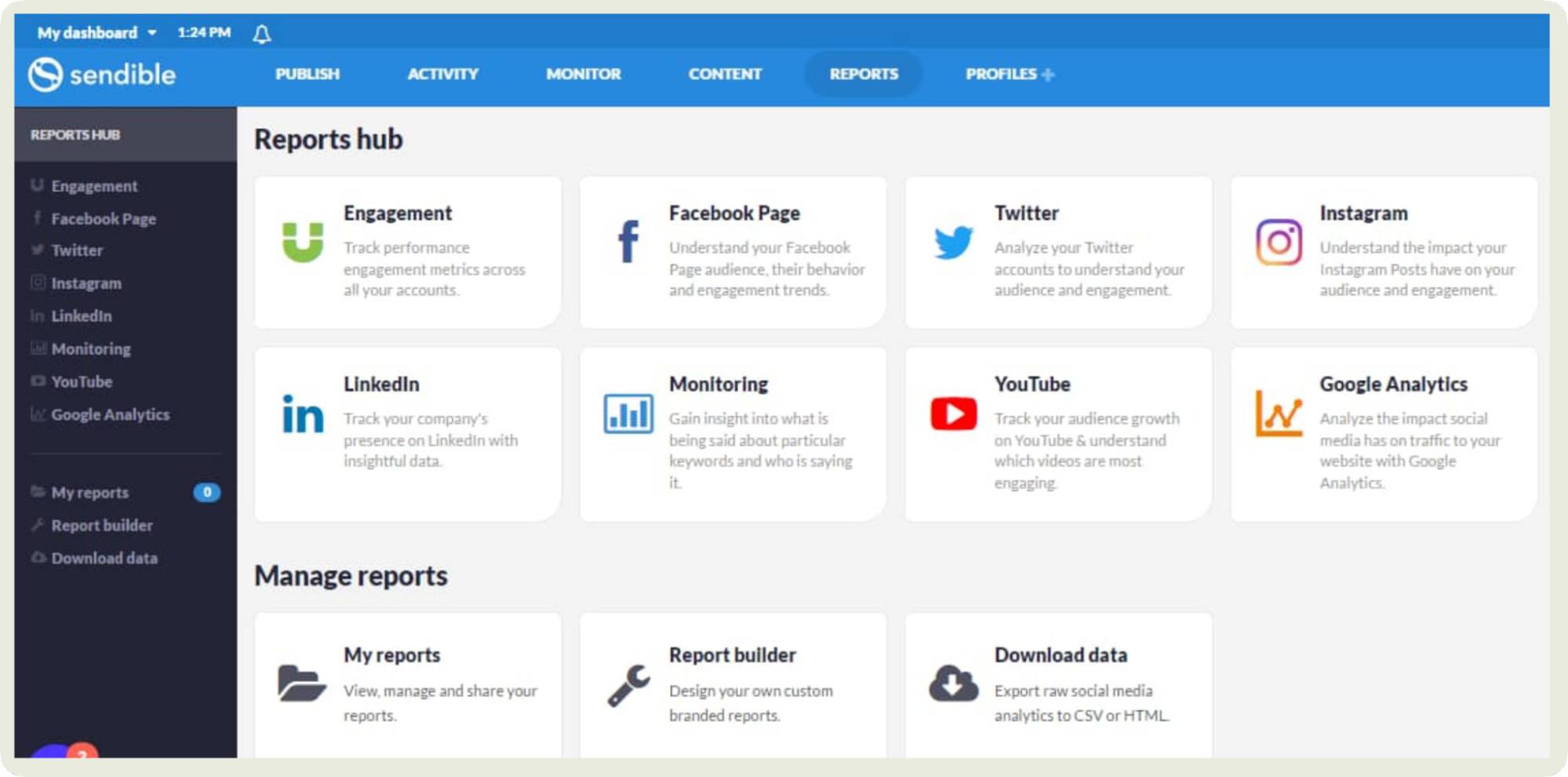
Scheduling is simple too. I could line up posts for different platforms, tweak them in the editor, and let Sendible push them out automatically.
But the real time saver is still the reporting: performance summaries, engagement trends, and audience insights delivered to your inbox without manual effort.
If you juggle clients or run recurring reports, Sendible takes a big chunk of repetitive work off your plate.
Key features:
- Queue categories and recurring posting: Set up content buckets promotions, tips, evergreen) and let Sendible automatically fill your publishing calendar from those categories.
- Automated approval workflows: For teams, you can set rules so content moves through review and approval automatically before it’s published.
- Integration with automation tools: Connect Sendible with external apps so actions in one tool (like a new blog post or RSS update) can trigger automated social scheduling.
- Bulk scheduling and CSV upload: Upload multiple posts at once via CSV and let Sendible auto-schedule them, which is great for large campaigns or batch content planning.
Pricing: Sendible offers a free 14-day trial and their paid plans start from $29 per month.
Reviews: “Sendible has been an excellent tool for managing our social media presence across multiple platforms. One of the standout features is the ability to collaborate as a team.” - Ashley H, VP of marketing and communications, G2 Reviewer
#9. Zoho Social — best for AI-driven content creation
Zoho Social is the social media content automation tool you should reach for if you often find yourself staring at a blank screen.
The AI writing assistant, Zia, is the real standout here. I can drop in a rough thought, a keyword, or even nothing at all, and it generates caption options in different tones: playful, professional, punchy, you name it.
It’s especially handy when I’m batch-scheduling and want fresh angles without rewriting the same caption five times.
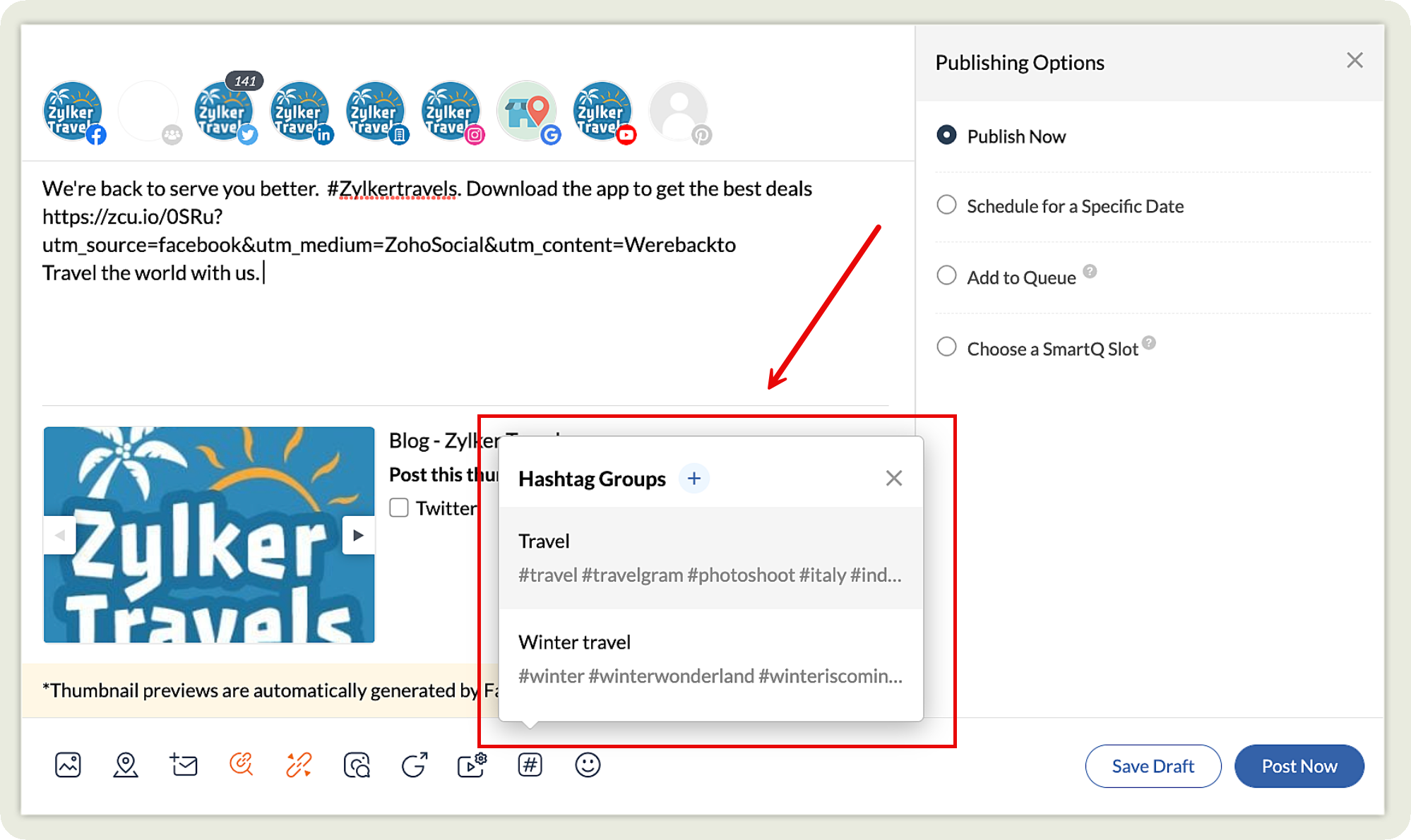
What really adds value is how well the AI ties into the rest of the workflow. For example, the hashtag and keyword suggestions also help refine posts to optimize them for visibility. You can even create hashtag groups to utilize the same hashtags for similar campaigns or content pillars.
Key features:
- AI-assisted content generation: Built-in AI helps you craft captions, generate variations, and refine messaging so you spend less time writing and more time publishing.
- Content plans and templates: Save and reuse content templates or post frameworks, letting you automate repeatable messaging.
- Best-time suggestions: Zoho analyzes your audience engagement patterns and highlights optimal posting times to improve reach without manual guesswork.
- Workflow automation via Zoho ecosystem: Connect with other Zoho apps (CRM, Campaigns, Analytics) so actions in one platform can trigger updates or workflows in Social, reducing manual transfer of data.
- Auto-monitoring and alerts: Set up keyword or brand mention alerts so Zoho notifies you automatically when something important pops up.
Pricing: Offers a free plan and their paid plans start from $15 per month.
Reviews: “What truly stands out about Zoho Social is its ability to provide a single, centralized dashboard for managing multiple social media accounts. This feature is especially valuable for a small team like ours, as we no longer need to switch between different tools or handle separate logins. I also appreciate how well Zoho Social integrates with the rest of the Zoho ecosystem. Since we already use other Zoho tools, adding Social was a smooth process and helped us keep everything coordinated, including CRM contacts and marketing lists.” - Shaisa D, G2 Reviewer
#10. SocialPilot — best for automated bulk scheduling
SocialPilot is a straightforward option when I need to handle a large batch of posts at once.
The bulk scheduling feature is its main strength. I can upload a CSV with multiple posts, review everything in one place, make quick edits, and assign posting times without rebuilding each post manually. It’s practical when I’m planning content for several platforms at the same time.
I also like that it supports repeating evergreen posts, which helps keep certain updates active without me having to recreate them.

The workflow isn’t fancy, but it’s efficient: upload, check, adjust, and let SocialPilot handle the rest.
Key features:
- Smart queue filling: Automatically fills open posting slots with content from your queue based on predefined time slots, so you don’t have to hand-place every item.
- Content re-queue automation: You can set rules for evergreen content to re-enter the queue on a defined cadence without manual reshuffling.
- Hashtag/caption templates: Save and reuse hashtag groups or caption structures so the tool can auto-insert them into posts to speed up recurring content types.
- Calendar sync and auto-updates: Sync SocialPilot with external calendars (like Google Calendar) so scheduled posts and deadlines update automatically across platforms.
Pricing: Offers a free 14-day trial after which their plans start from $30 per month.
Reviews: “It's super easy to connect our accounts and schedule our posts! It was easy to implement with our team and our users. We are posting to over 75 social accounts weekly so having a tool that is easy to use is extremely helpful.” - G2 Reviewer
#11. Revealbot — best for automated paid media optimization
Revealbot is a social media automation software built for people who want their paid ads to run smarter without constant manual tweaks.
What I loved best was its rule-based automation. You can set conditions for scaling budgets, pausing underperforming ads, duplicating winning ad sets, or adjusting bids.
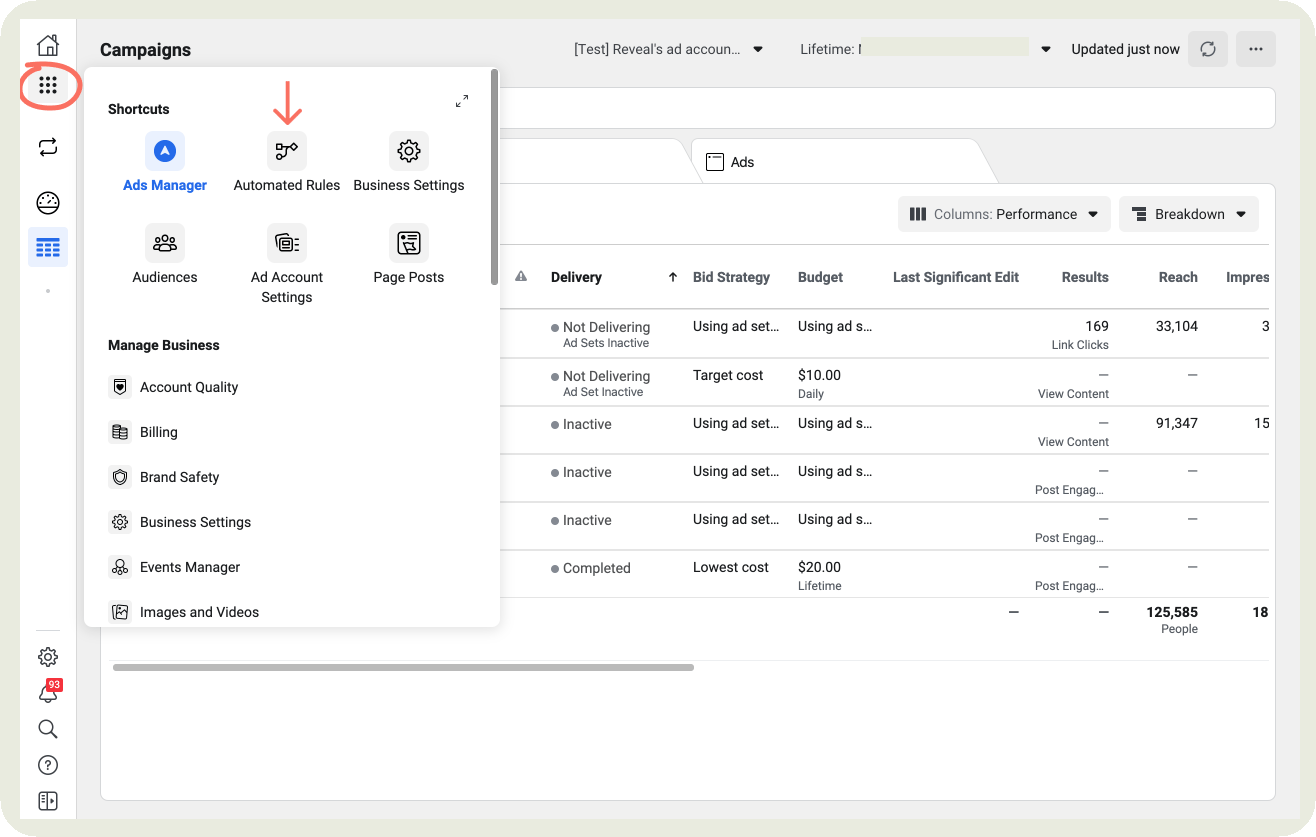
The custom logic builder is detailed enough that I could create rules based on ROAS, CPA, CTR, frequency, or any metric pulled directly from Meta, Google, or TikTok Ads.
Another great feature was the bulk creation feature. I could generate multiple ad variations at once and let Revealbot test them automatically using performance thresholds I set.
It’s undoubtedly a great tool for anyone running paid campaigns at scale.
Key features:
- Pre-built automation strategies: Choose from a library of ready-made automation templates so you don’t have to start from scratch when setting rules.
- Nested conditions and complex logic builder: Create advanced automation rules using AND/OR operators, letting you build sophisticated logic without coding.
- Metric comparison triggers: Set up automations that compare one metric against another (or across timeframes), not just fixed thresholds.
- Alerts and notifications: Get automated alerts via email or Slack when rules fire or performance falls outside expectations.
- Automation logs and reporting: Revealbot keeps logs of what rules ran and why, so you can audit or troubleshoot automated actions.
Pricing: You can try the tool for free. Their plans depend on your ad budget. For a budget of $10K, the plan starts from $49 per month.
Reviews: “I love how easy Bïrch makes managing ads across different platforms. The automation rules save me so much time and help me get better results without having to constantly check and adjust things manually.” - Michelangelo I, Media buyer, G2 Reviewer
#12. IFTTT — best for customizable automations
IFTTT is the social media automation tool I use when I want something ultra-custom without writing a line of code. Its strength is in creating ‘applets’: small automation chains that connect apps, devices, and social platforms in whatever way you need.
I can set triggers like “publish a tweet every time a blog post goes live,” “save every Instagram photo to a Google Drive folder,” or “post to LinkedIn when a YouTube video is uploaded.”
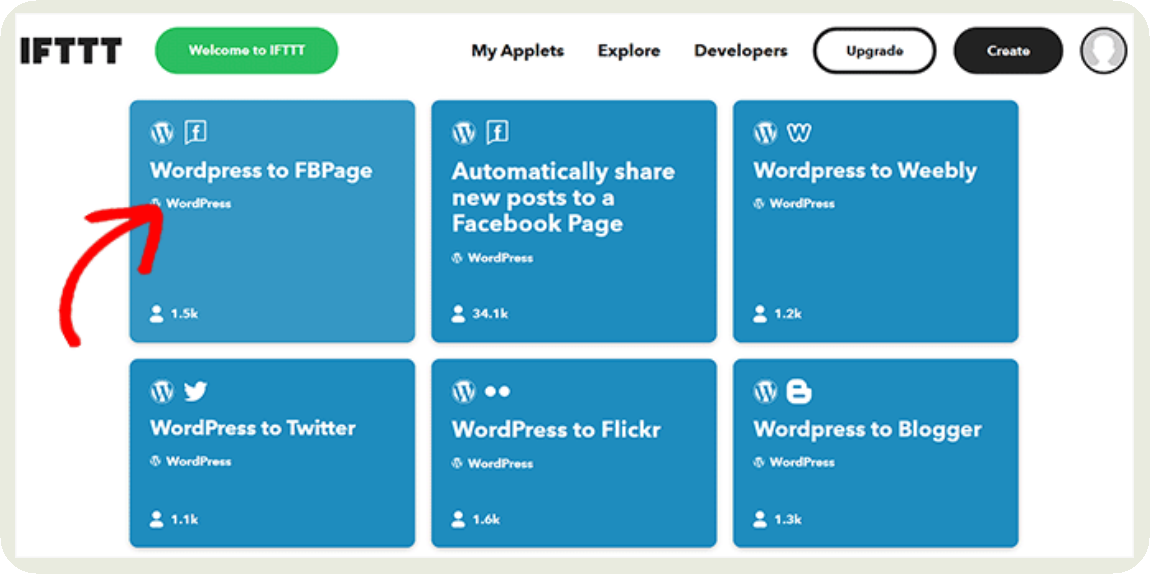
The real advantage is how flexible it gets. You can combine multiple conditions, stack different services, and build workflows that most traditional schedulers don’t support.
Whether it’s cross-posting, auto-archiving content, or syncing social activity with your CRM or notes app, IFTTT gives you the freedom to automate the niche tasks other tools don’t cover.
Key features:
- Multi-action applets: Create automations that automatically share content to multiple social platforms at once (for example, post on Twitter and LinkedIn when you publish on Instagram).
- AI Social Creator workflows: Use IFTTT’s AI Social Creator to automatically generate unique social content based on triggers like new blog posts or RSS updates.
- Conditional posting logic: Combine multiple trigger conditions (for example, only share when specific hashtags are used) to tailor automation for specific campaign needs.
- Trending topic or mention monitoring: Set up applets that notify you or trigger actions based on keywords, trends, or mentions in your social media feeds.
Pricing: Offers a free plan and their paid plans start from $3.99 per month.
Reviews: “I can almost automate anything easily I required to do without the knowledge of coding. It provides great, fast and useful automations option at such a low pricing.” - Harshit A, CEO, G2 Reviewer
#13. CampaignSwift — best for agentic approval operations
Most tools in this category automate the step you configure. CampaignSwift works the other way round: agents watch the approval pipeline and act on it — deciding when to chase an approver, when to escalate, when a trusted creator's post can skip a review stage, and when cleared content goes live.

That matters most on the part of agency work nobody automates: the stretch between a post being written and a post being approved. An agent notices a review has sat for a day, sends the reminder, escalates if there's still nothing, and pushes the post into the publishing queue the moment the last sign-off lands. Nobody on the team touches any of it. Clients never create an account either — they get a link, see the post as it will appear on the platform, and approve or comment in one click.
Key features:
- Agent-driven approval chasing: reminders and escalation alerts fire on their own when a review stalls, so nobody sends "just checking in" messages.
- Auto-advance for trusted steps: content from senior creators skips internal review and goes straight to the client, on rules you set once.
- One-click, no-login client sign-off: clients approve or request revisions from an email preview, with no account.
- Batch review: approve or reject a whole set of posts in one action rather than one at a time.
- Auto-publish on final approval: cleared content queues itself, and unapproved content can't go out.
- Bottleneck analytics: time-to-approval per stage, so you can see which reviewer is the constraint.
Pricing: Plans start at $29 per month, priced per plan rather than per seat. 30-day free trial, no credit card required.
Final thoughts
And that’s a wrap on the best social media automation tools worth exploring this year. The best choice really depends on what you want to simplify. Want unified analytics with automated reports? Socialinsider does the job. Running heavy ad campaigns? Revealbot is built for that level of optimization.
Remember, automation only works if it fits your workflow. A tool can look great on paper but still slow you down in practice. So take advantage of the free trials — set up a few automations, run content through your usual process, and see which platform actually lightens your workload.
And if you’re leaning toward Socialinsider for analytics + automation, go ahead and start the free trial to test it firsthand.
Nidhi Parikh
Nidhi Parikh is SaaS writer that believes scrolling through social media is research for work. When not working, find her binge watching the latest series or reading anything she can get her hands on.

Know what your competitors do — before your manager asks
Get instant social benchmarks & reports without manual work.