How to Use Socialinsider: Insights from the Team Itself
Learn how to use Socialinsider - from features and use cases leveraged by the Socialinsider team itself! Here's how we use the data and insights to make informed decisions!

Social media managers make hundreds of decisions every month.
Which content formats deserve more investment? Which platforms are actually driving engagement? Which competitors are setting the pace in your niche?
Without reliable data, most of those decisions turn into guesswork.
That’s exactly the challenge our senior social media manager, Miruna Vocheci, faced before using Socialinsider.
“Before Socialinsider, the hardest part was consolidating data from multiple platforms manually. I would lose a lot of time searching, then analyzing. The fact that I had to watch my competitors' performance without having a clue about the real numbers behind every post was also a major pain point. A lot of decisions were based on gut feeling rather than data.”
But it’s been years now that we have managed our workflow much more effectively with Socialinsider.
In this guide, we’ll break down exactly how our team uses Socialinsider across ideation, planning, reporting, competitor analysis, and strategy.
Key takeaways
- How competitor analysis directly shapes our social media strategy? Competitor analysis directly shapes our social media strategy by helping us identify high-performing formats, audience preferences, engagement gaps, and untapped content opportunities that guide both experimentation and long-term planning.
- How we compare our cross-platform performance? We compare our cross-platform performance through Socialinsider’s Brands feature, which gives us a unified view of how the same content performs differently across platforms like Instagram and LinkedInso we can tailor strategy to each channel’s native behavior.
- How we do reporting with Socialinsider? We use Socialinsider for reporting by combining monthly and quarterly performance analysis, competitor benchmarking, CSV/PDF exports, and automated reports to uncover strategic insights and align content performance with business goals.
What exactly does Socialinsider do?
Socialinsider is a social media analytics and competitor analysis platform designed to help marketing teams understand what’s working across their social channels.
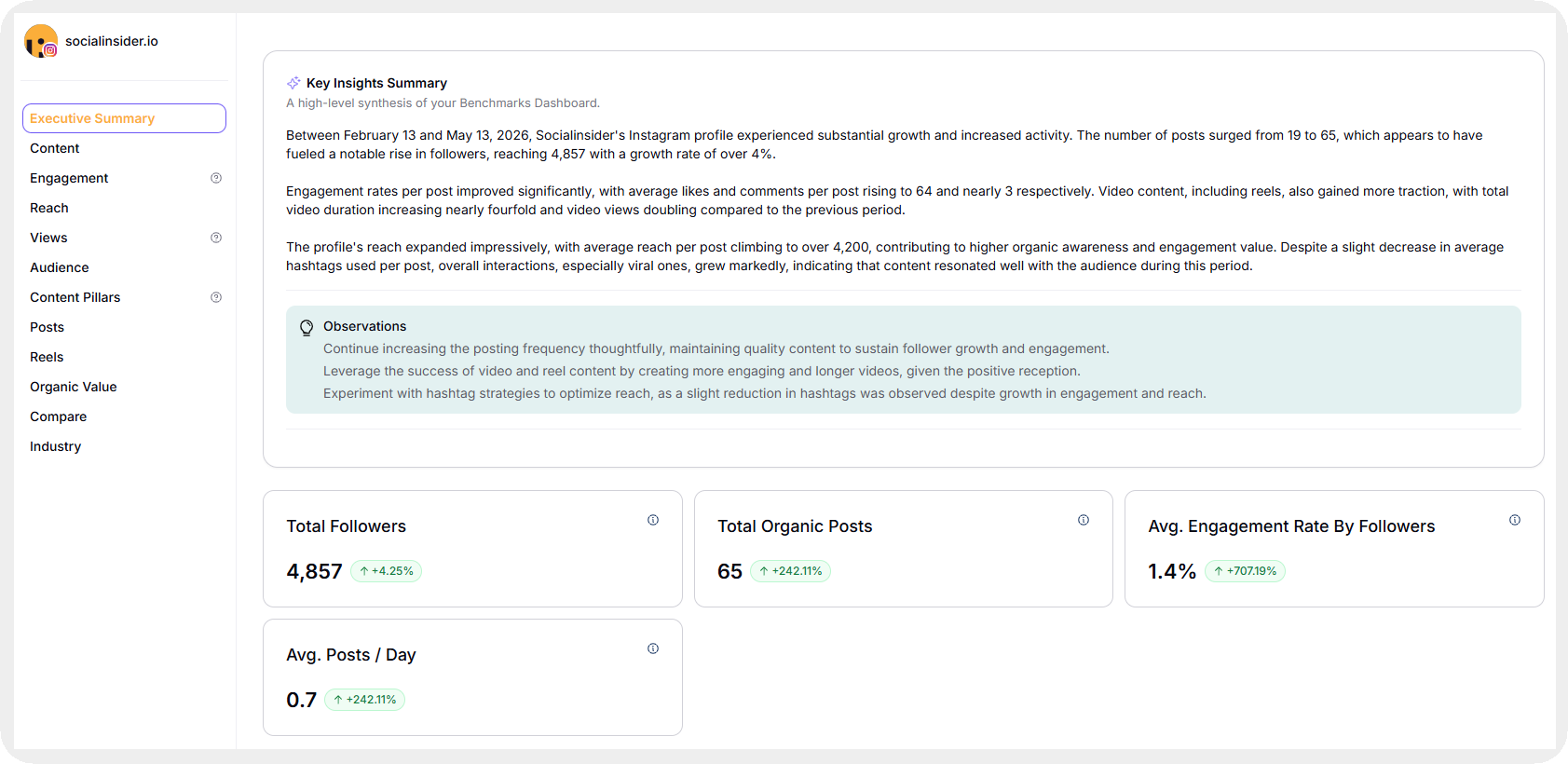
It combines:
- Social media metrics
- Cross-platform analysis
- Competitor benchmarking
- Content performance tracking
- Content pillar analysis
- Reporting
- AI-powered insights
Before using Socialinsider, a large part of Miruna’s workflow involved manually gathering information from multiple native analytics dashboards.
That process created two major problems:
- It consumed time that could have gone into strategy and execution.
- Lack of data made it difficult to evaluate competitors accurately.
Instead of checking platforms individually, our team can now analyze our own performance and competitor performance accurately.
How do we use Socialinsider for content ideation and planning?
Every planning cycle at Socialinsider starts with a performance analysis.
Miruna mentioned in our talk:
I start every content planning cycle by looking at what's performed best for our competitors and us over the past 90 days. Socialinsider's top posts view lets me filter by engagement rate, reach, or interactions, or content pillars, so I can quickly spot which content formats and themes are generating the most traction.
Here’s how Miruna does that in our platform.
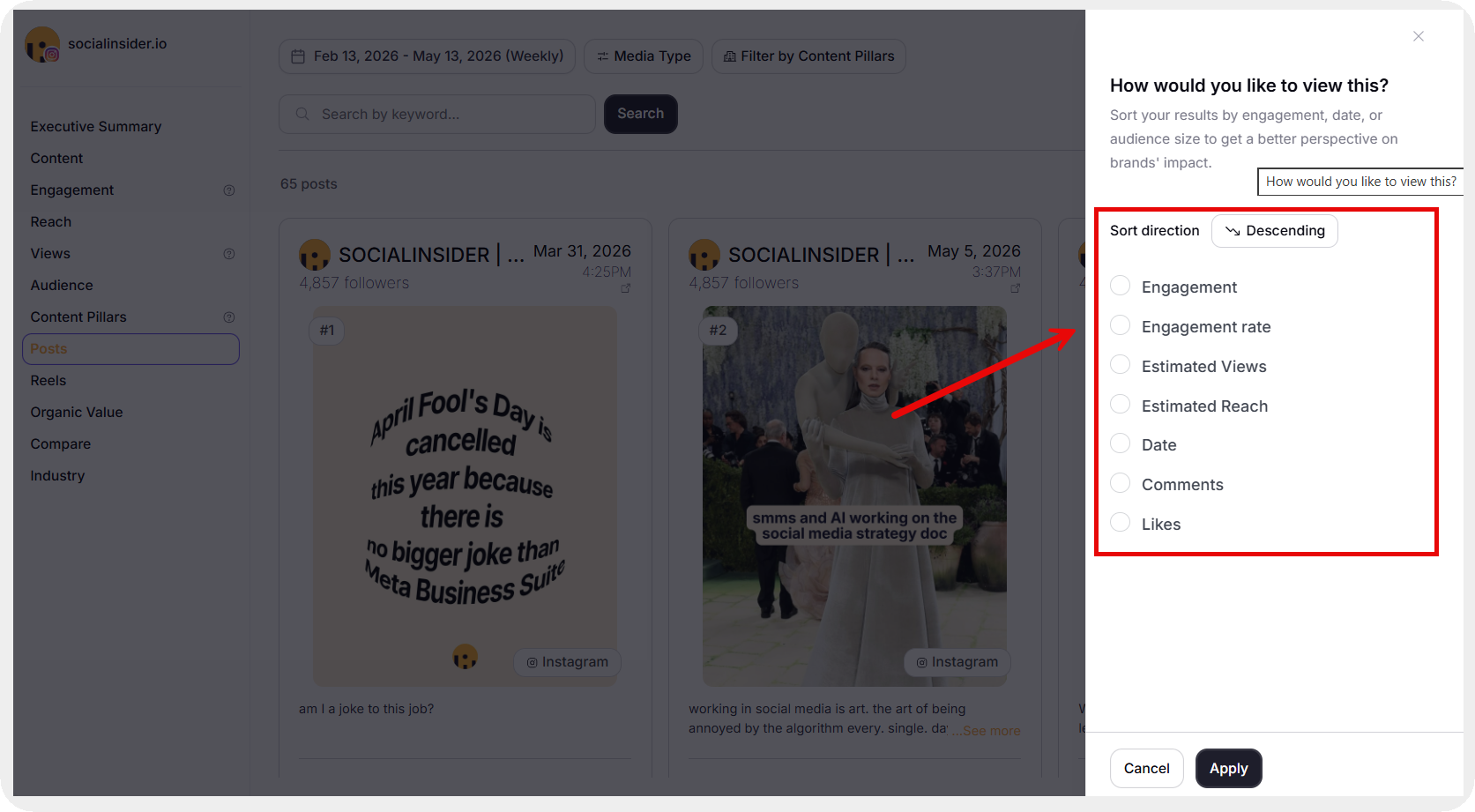
For post types, we can easily go to the Engagement tab and scroll down to find ‘Post types sorted by engagement.’
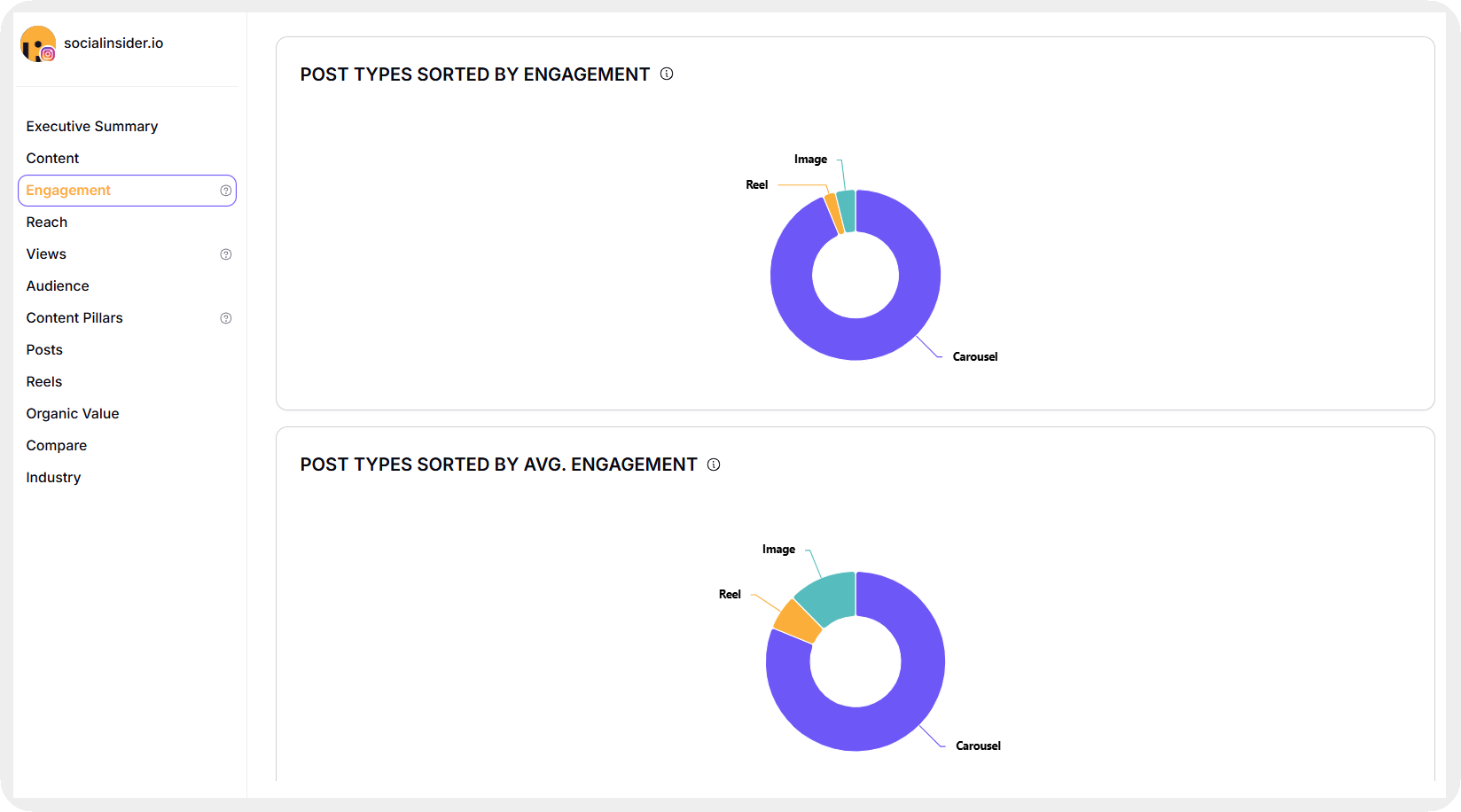
For example, we see here that carousels get the highest engagement for us, which even gets highlighted in the top posts by engagement analysis.
We repeat this same process for our competitors to see if there are any content themes, formats, or even topics we are underutilizing.
For Brand24 here, we can see that Reels are performing best for them in terms of engagement. This shows us that we can incorporate Reels using a different framework for us to get more engagement from them.
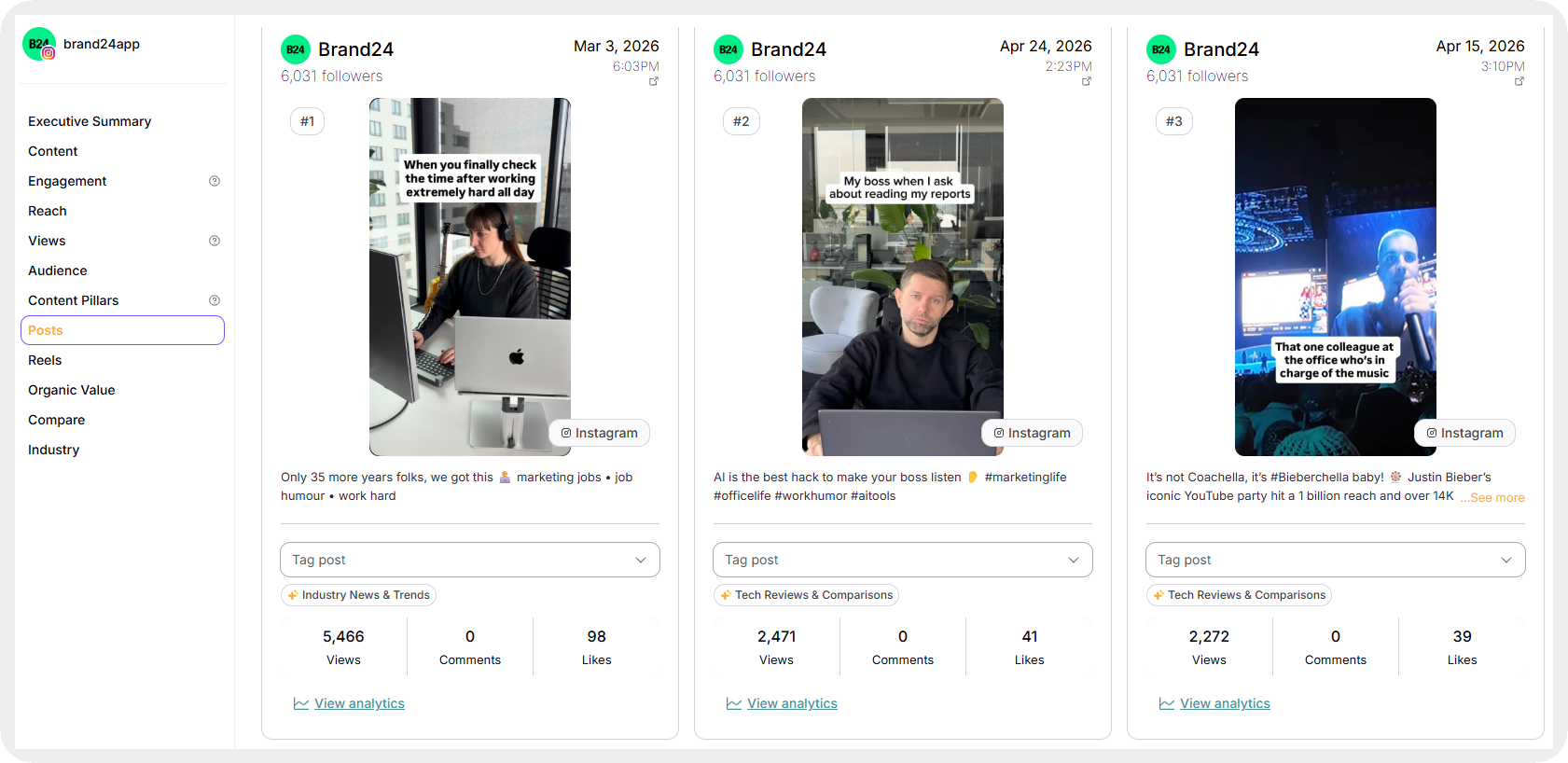
Based on this 90-day analysis, we then create a content plan that considers all insights drawn from our platform data.
How competitor analysis directly shapes our social media strategy?
Competitor analysis is one of the biggest parts of our workflow. Surprisingly, it’s not to copy competitors but to get a better understanding of our audience preferences.
And without benchmarks, it’s difficult to know whether our engagement rate is strong, average, or underperforming relative to the industry.
Miruna uses competitor analysis to understand:
- which formats competitors prioritize
- what topics generate traction
- where engagement spikes happen
- which experiments succeed
- where content opportunities exist
One competitor insight led directly to one of our top-performing posts.
I noticed a competitor was getting unusually high engagement on behind-the-scenes content and team content, significantly above their average. That's something we hadn't really experimented with at that time. We ran our own version, and it became one of our top-performing posts that quarter. Without Socialinsider surfacing that insight, I probably wouldn't have prioritized it.
To run this analysis, we simply add competitor profiles and go to the Benchmarks section.
What we get is a side-by-side comparison of key metrics and a Key Insights Summary that shares observations of what we can change moving further.
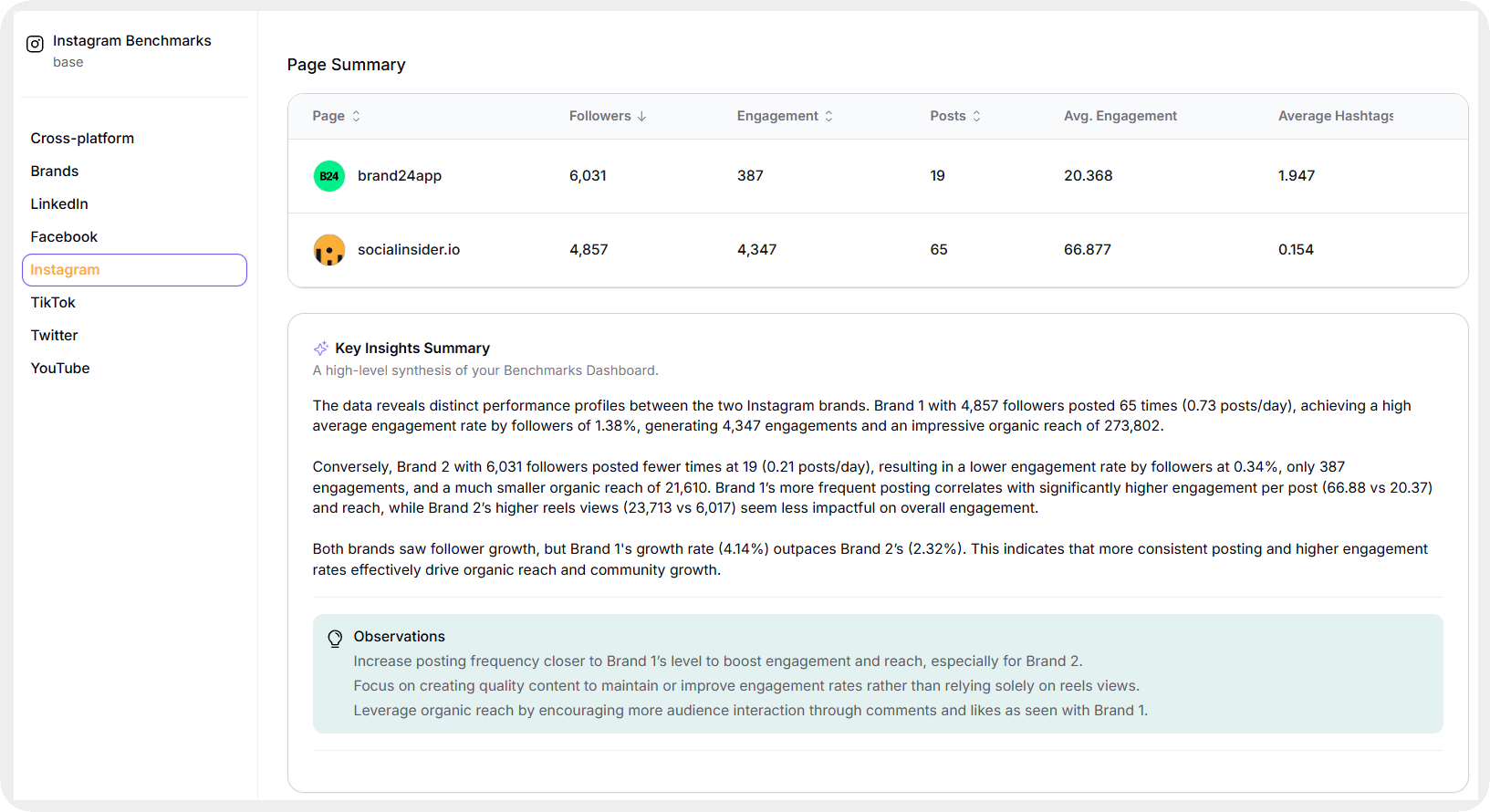
Here’s the exact process our team follows:
- Start with competitor benchmarks and top-performing posts: We first analyze the competitor landscape as a whole to establish a baseline and identify the content patterns driving the most engagement in our niche.
- Identify the competitors worth deep-diving into: Instead of spending time analyzing every competitor equally, we narrow the focus to the brands currently setting the pace in the industry.
- Analyze individual profiles by engagement and reach metrics: We review each competitor’s top-performing posts sorted by engagement rate, impressions, and views to understand which formats and topics consistently perform well.
- Look for content gaps and hidden opportunities: We identify formats we are underutilizing, while also studying underperforming competitor content to spot ideas with potential but weak execution.
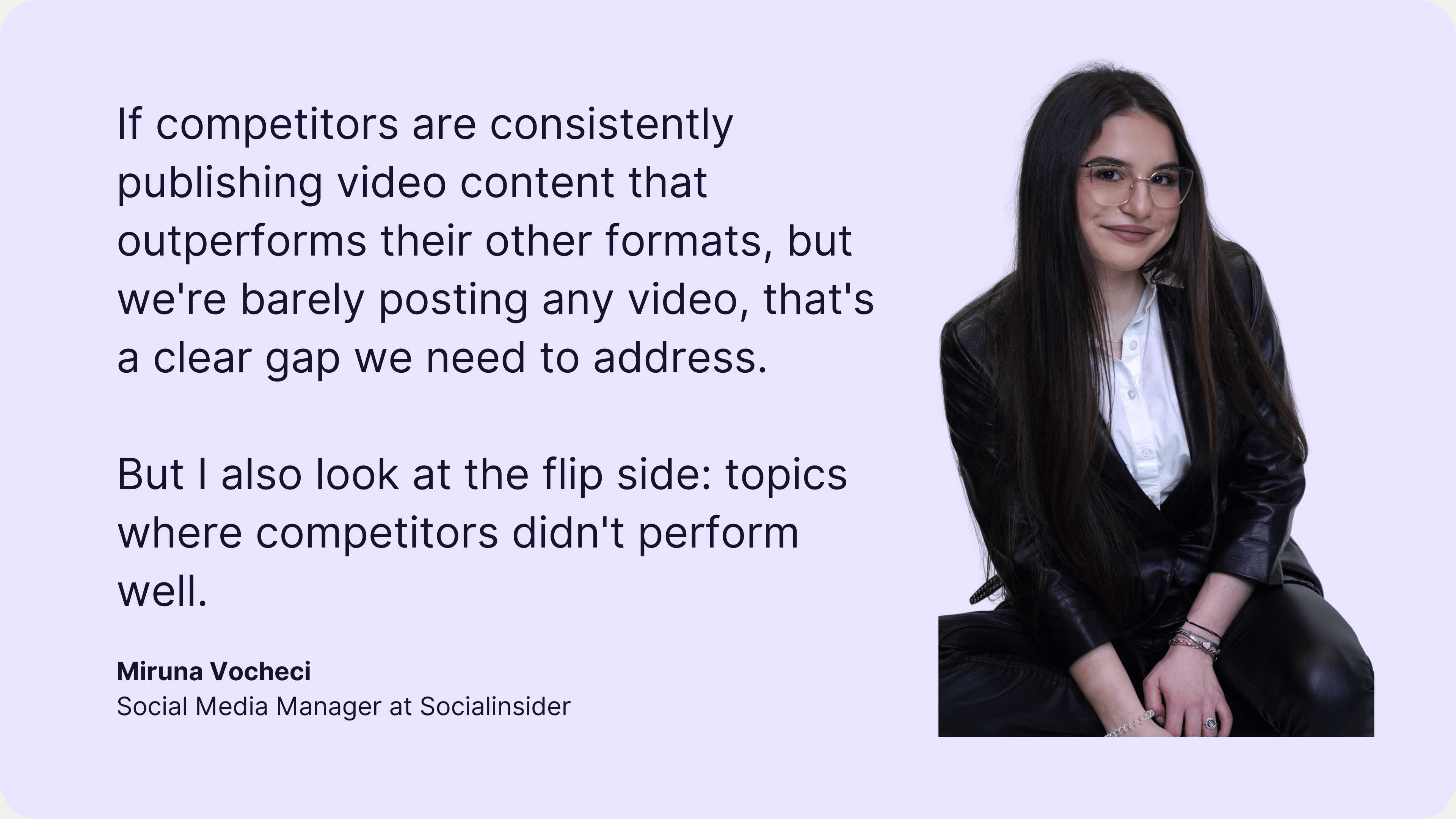
If competitors are consistently publishing video content that outperforms their other formats, but we're barely posting any video, that's a clear gap we need to address. But I also look at the flip side: topics where competitors didn't perform well. A lot of the time, the problem wasn't the topic itself, it was the format. That's actually an opportunity. It goes straight onto our ‘things to try’ list, because the content territory is valid, it just hasn't been executed the right way yet.
How we use content pillars for our strategic decisions?
Content pillars help us maintain consistency across our publishing strategy. Moreover, it helps us track performance in a better way.
Without a clear structure, social feeds naturally drift toward whatever is easiest to produce. And the result is brands over-publishing one category of content while neglecting others.
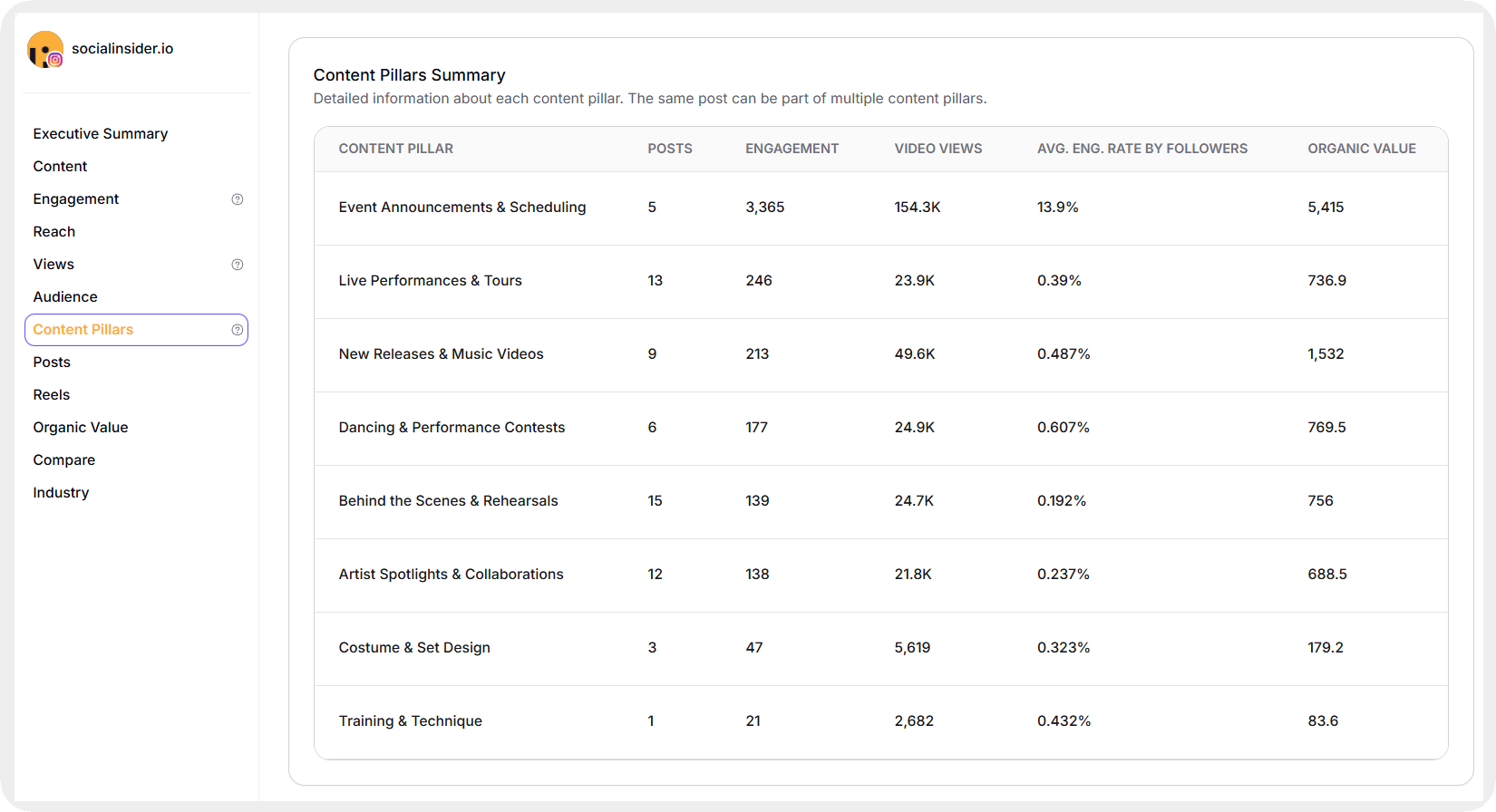
Miruna uses Content Pillars to organize posts into strategic themes.
Content Pillars help me make sure our strategy stays balanced and intentional. I tag our content by theme, things like educational, promotional, community-driven, and product-focused.
She also mentioned that campaigns are tagged individually. That allows us to evaluate long-term performance across launches and seasonal initiatives.
For example, if I have a campaign like Black Friday or a product release, I can track how each pillar performs over time.
This tagging structure makes it easier to answer important strategic questions:
- Which content pillars drive the highest engagement?
- Which pillars generate the most shares?
- Which themes consistently underperform?
- Is the content mix aligned with business goals?
Socialinsider has an auto-tagging feature that automatically segregates your content into different pillars. Here’s how it looks like.
Content pillars are also useful for experimentation. Miruna regularly uses tags to compare creative approaches.
If there is something specific, for example, I want to test posts featuring people as a hook versus a hook with big text, I'll tag the posts. And at the end of the test, I can see which version performs best over time.
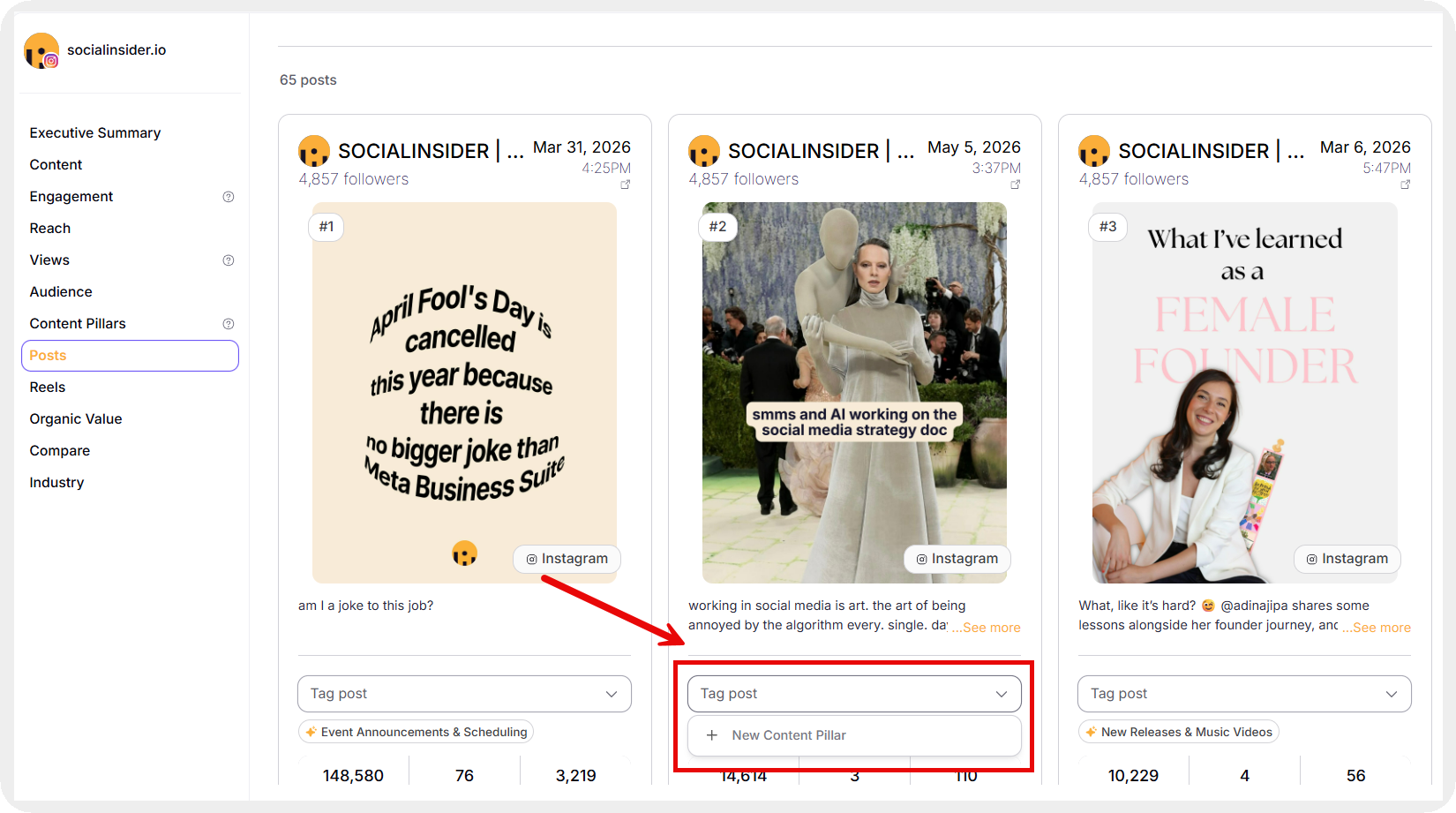
This turns creative testing into a measurable process. Instead of relying on memory or isolated examples, performance trends become easier to validate at scale.
How we compare our cross-platform performance?
One of the biggest mistakes brands make is treating every platform the same way. Content rarely behaves identically across Instagram, LinkedIn, Facebook, TikTok, and YouTube.
Everything from audience expectations and consumption patterns are different. Even platform algorithms prioritize different behaviors.
Miruna uses the Brands feature to evaluate cross-platform performance from a unified view.
I use the Brands feature to get a unified view of how our presence performs across Instagram, LinkedIn, and Facebook, all at the same time. The most surprising thing I've learned is how differently the same content can perform depending on the platform. We once posted essentially the same message on LinkedIn and Instagram. LinkedIn generated almost 3x the engagement rate, but Instagram had far more views. That taught us to stop trying to replicate content across platforms and instead tailor each piece to the platform's native behavior.
To utilize this feature, you simply have to go to ‘Home’ and add all your profiles in the Brands section.
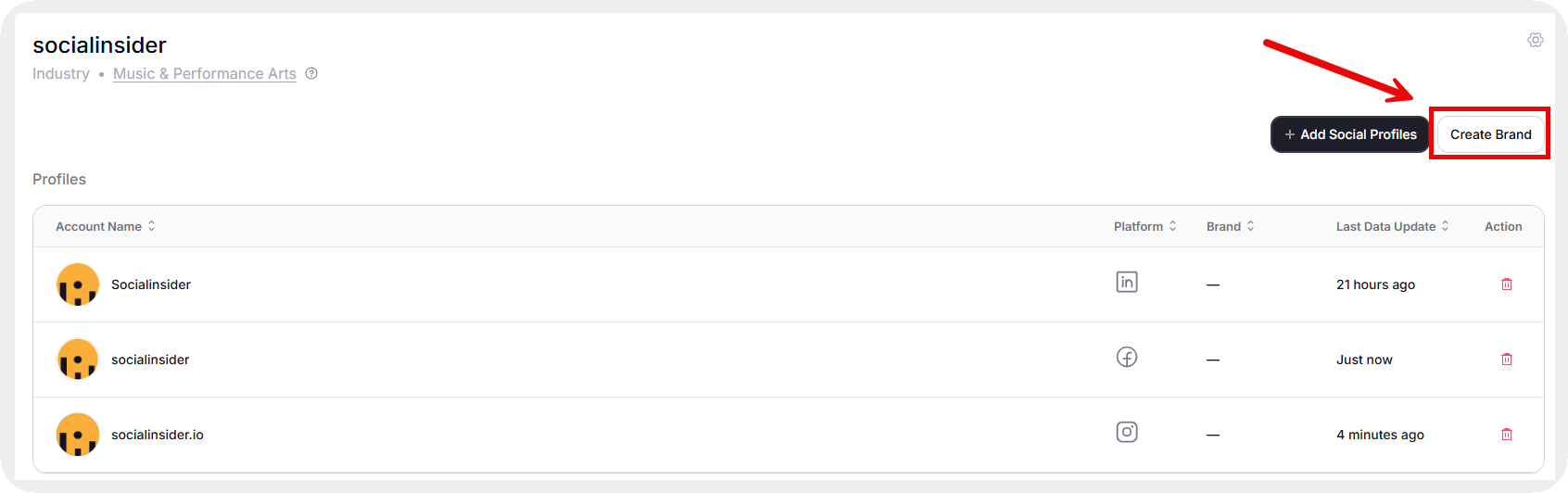
Simply head over to the Brands tab in the left side menu, select the name you have created and you get this screen.
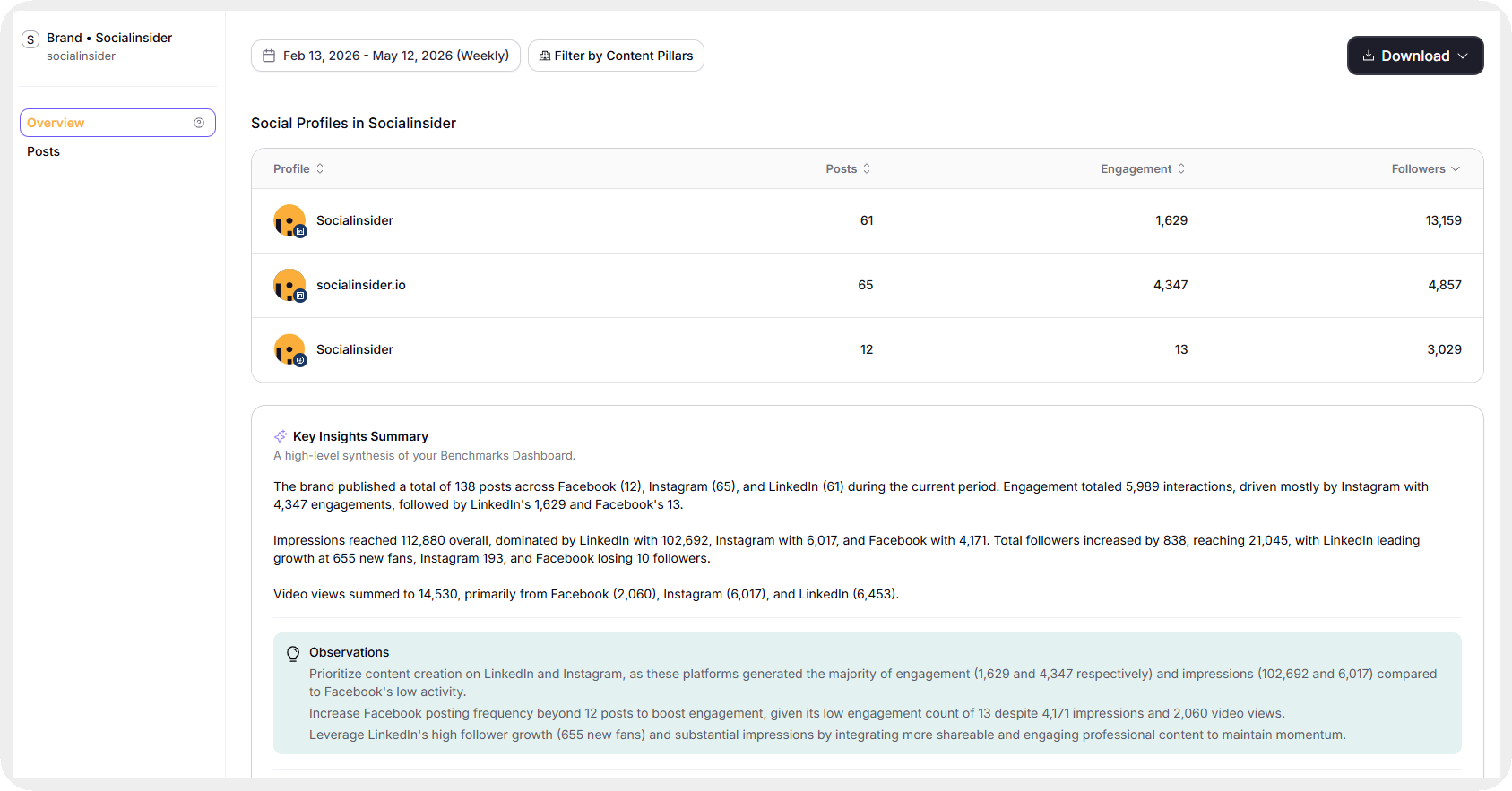
This analysis also helps us understand:
- where awareness is strongest
- where engagement is strongest
- which platforms amplify certain formats
- which audiences respond differently to the same message
The Key Insights summary is another feature Miruna relies on frequently.
What I also love about this feature is the Key Insights summary. It gives me a quick, digestible update on overall performance across all the platforms I work on, without having to dig through each one individually.
This Brands feature is not limited to owned accounts. Miruna also tracks competitors and inspiring brands using the same cross-platform view. She put the value of this in one sentence by saying, “That’s a great source of ideas and benchmarking in one place.”
The metrics we actually care about
Every platform offers dozens of metrics. Tracking all of them equally can be quite confusing and may lead to unwanted analysis.
Our team focuses on a smaller set of metrics tied closely to performance quality. Miruna talks about what those are —
My core set is engagement rate by reach (not just followers), impressions growth and distribution, follower growth rate, shares, and top-performing content by format or pillar.
We also spend a significant amount of time analyzing patterns across a period of time.
I found the distribution of metrics across multiple posts on the platform you are working with to be highly relevant for quarterly analysis.
This prevents us from evaluating performance based only on isolated viral posts. Instead, we analyze consistency across broader publishing periods.
And the best part? Socialinsider lets us click on any point in the graph to find out which posts led to sharp upticks or downfalls.
All of this analysis lets us answer questions like:
- Are strong results repeatable?
- Is engagement concentrated around a few outliers?
- Which formats produce stable performance over time?
These insights influence both short-term content planning and quarterly strategy shifts.
How we do reporting with Socialinsider?
Reporting plays a major role in any social media team’s workflow. Ours is no exception.
We use Socialinsider for both monthly and quarterly reporting. The scope changes depending on the objective.
I use Socialinsider to build both monthly and quarterly reports. The quarterly ones are more comprehensive since I include competitor analysis as well. For our internal monthly marketing team meetings, I like to download the CSV directly from Socialinsider for the metrics that matter most to us, and then build a presentation with clear explanations of the data.
For faster reporting cycles or even for specific campaign analysis, the PDF export option simplifies the process.
If you're in a hurry, downloading the PDF straight from the platform is a great option. It's quick and clean.
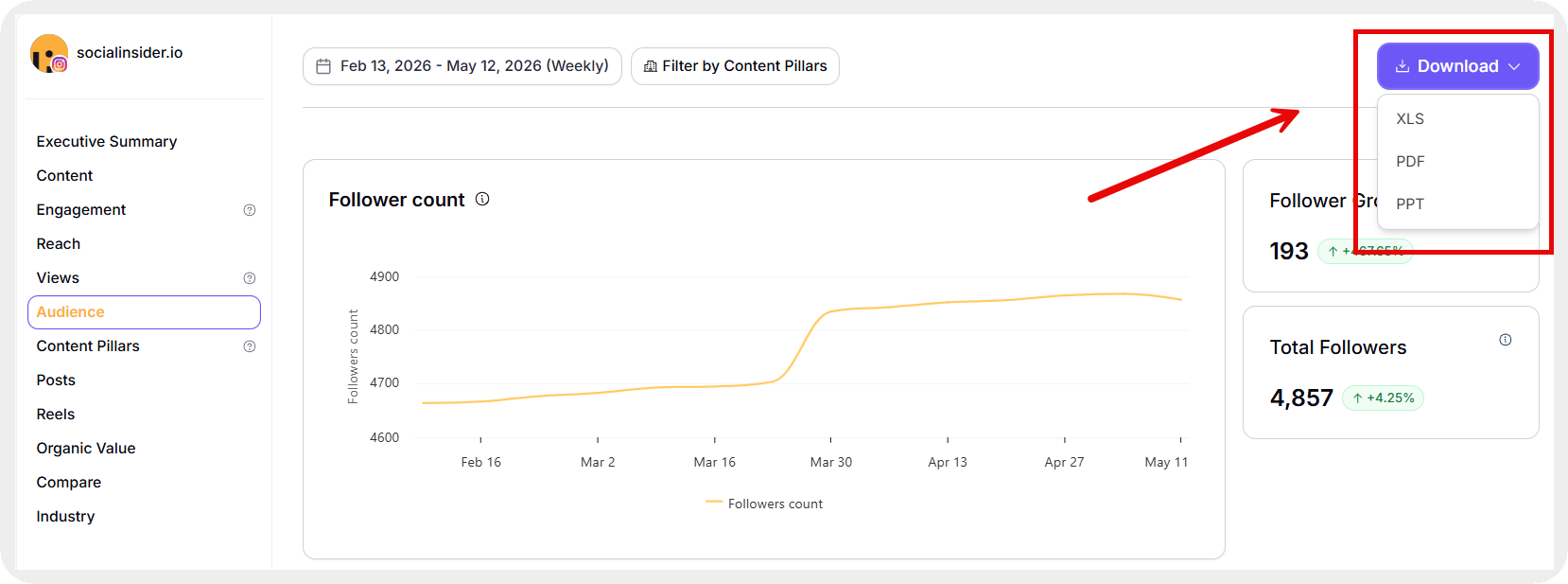
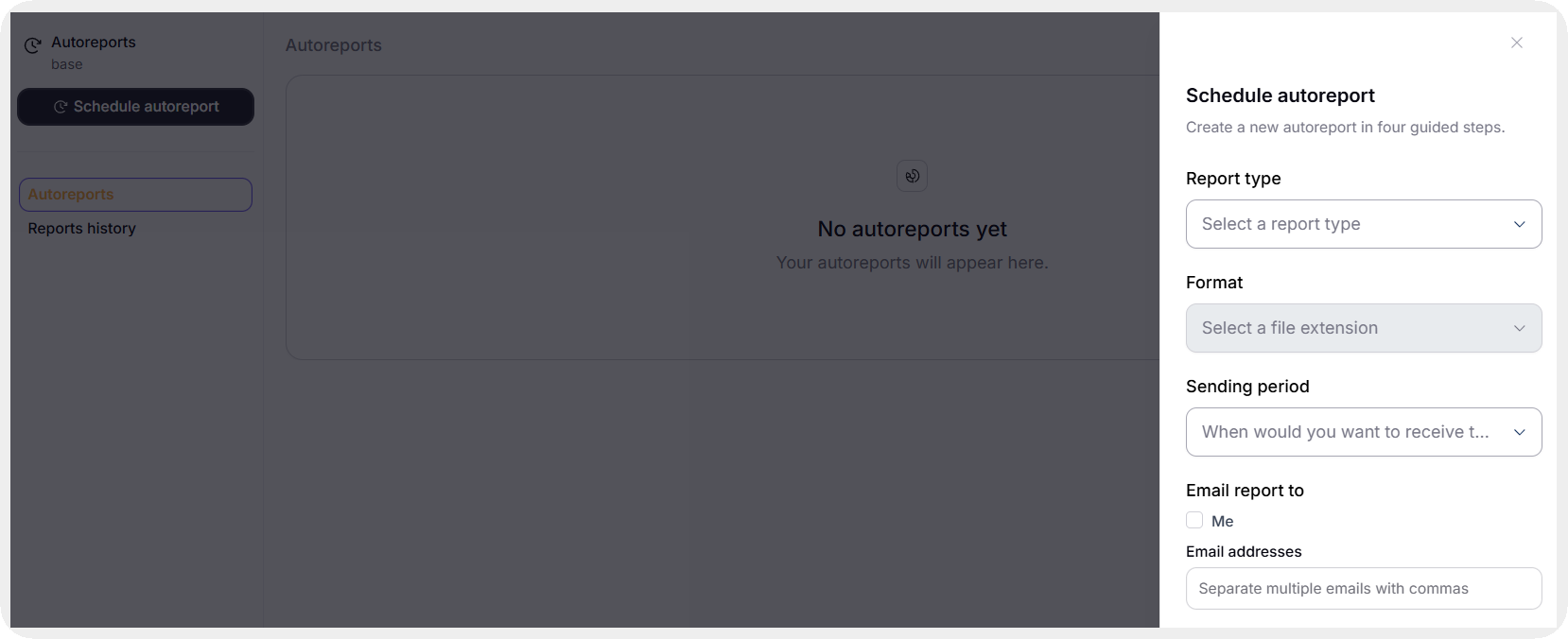
You can even choose to set up autoreporting with the Autoreports section in Socialinsider that delivers reports to you every day, week, month, or quarter, depending on your requirement.
One report led directly to a major strategic shift.
We noticed our engagement rate had been slowly declining over 3 months and was significantly below our expectations, while our follower count was still growing as planned.
At first, the numbers seemed contradictory. How was growth happening when engagement was weakening?
Deeper analysis revealed the underlying issue.
Digging into it made us realize that our follower growth at that point wasn't really being driven by our content at all. It was coming from our outbound engagement efforts and partnerships. It meant we needed to urgently rethink our content strategy, because the posts themselves weren't pulling their weight in terms of attracting new followers organically.
This is exactly why reporting matters. Good reporting does more than summarize metrics. It reveals whether strategy and performance are actually aligned.
Using Socialinsider AI to help us move faster
AI has become an important part of every field today. Social media managers have also started using it to get deeper insights and automate manual parts of their work processes.
Miruna does the same with Socialinsider AI.
The AI assistant is great for translating raw data into a narrative. Instead of spending time figuring out what a data pattern means, I can get a quick interpretation and then pressure-test it myself.
You can use this feature by going to Socialinsider AI in your left side menu and asking any profile or metrics-related questions. You can even ask the AI contextual questions.
Miruna shared an example where the AI assistant helped diagnose performance issues quickly.
I was very confused about our Instagram performance and couldn't find the right answer. I was in a rush to fix things before the next month started and didn't have time to perform a full audit. Instead of manually reviewing every dataset, she used a direct prompt inside Socialinsider AI. She entered the prompt — ‘Give me a 10-minute audit for our brand. Look at the last 28 days across Instagram, TikTok, and YouTube. Call out the biggest changes, top and lagging formats, posting rhythm gaps, and 3 fixes with expected impact.
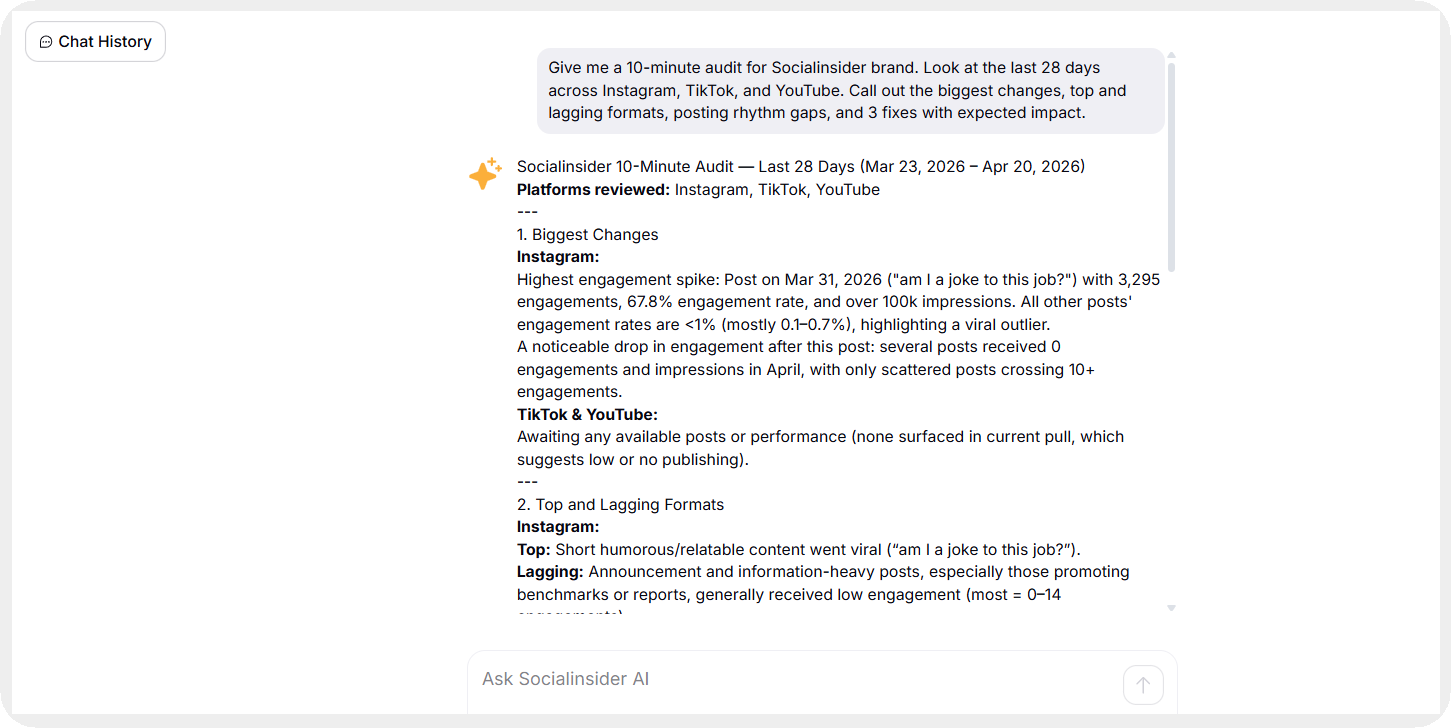
The AI surfaced three immediate recommendations:
- refocus on evergreen carousels
- remove ineffective content patterns
- experiment with publishing windows and proactive sharing
These recommendations shaped the next month’s strategy.
And Miruna was surprised by the results. She said:
I went back and asked more detailed questions on these recommendations and we executed exactly that the following month, and our engagement rate doubled.
The biggest value here is speed. Instead of spending hours identifying patterns manually, the AI assistant helps narrow the investigation faster. That allows the team to move from analysis to execution more efficiently.
Final thoughts
According to Miruna, these are the three things every social media manager should do after onboarding Socialinsider:
- Authenticate your profiles immediately: Authenticating your owned profiles unlocks a much deeper layer of metrics that you simply don't get otherwise.
- Set up a competitor benchmarking project on day one: Most social media managers don't have a reliable baseline for what ‘good’ looks like in their industry. Socialinsider gives you that context immediately.
- Audit your content pillars every month: Use the tagging and pillar features to track whether your content mix aligns with your strategy. It's very easy for a social feed to drift without you realizing it.
The biggest shift Socialinsider created for our team was better and quicker decision-making. Every part of our workflow became more intentional once we had centralized, actionable social media data in one place.
If you want to do the same for your team, try Socialinsider for free for 14 days.

Nidhi Parikh
Having worked with several brands in the social media space, Nidhi writes about all things social. With 13K followers on LinkedIn, she's always up for a chat about books or her next travel plan

Know what your competitors do — before your manager asks
Get instant social benchmarks & reports without manual work.