Instagram analytics per l'analisi della concorrenza
Monitora qualsiasi profilo Instagram aziendale insieme al tuo. Confronta i trend di engagement, i formati dei contenuti e la crescita nel tempo per sapere dove sei avanti e dove migliorare.






Fai benchmarking su qualsiasi account Instagram, tuo o dei tuoi concorrenti
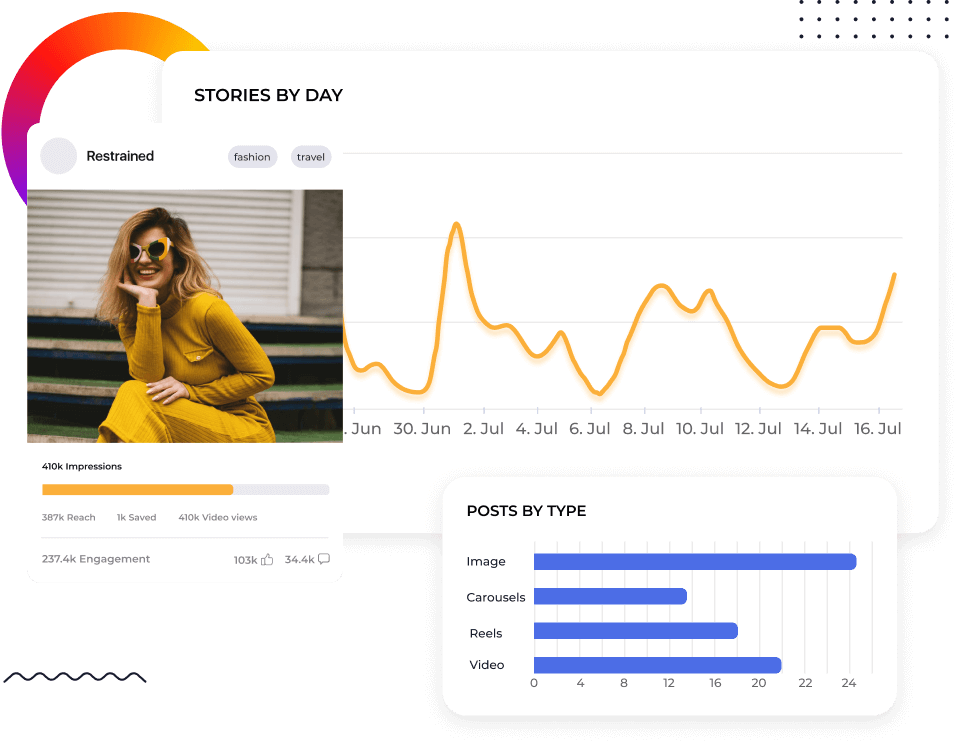
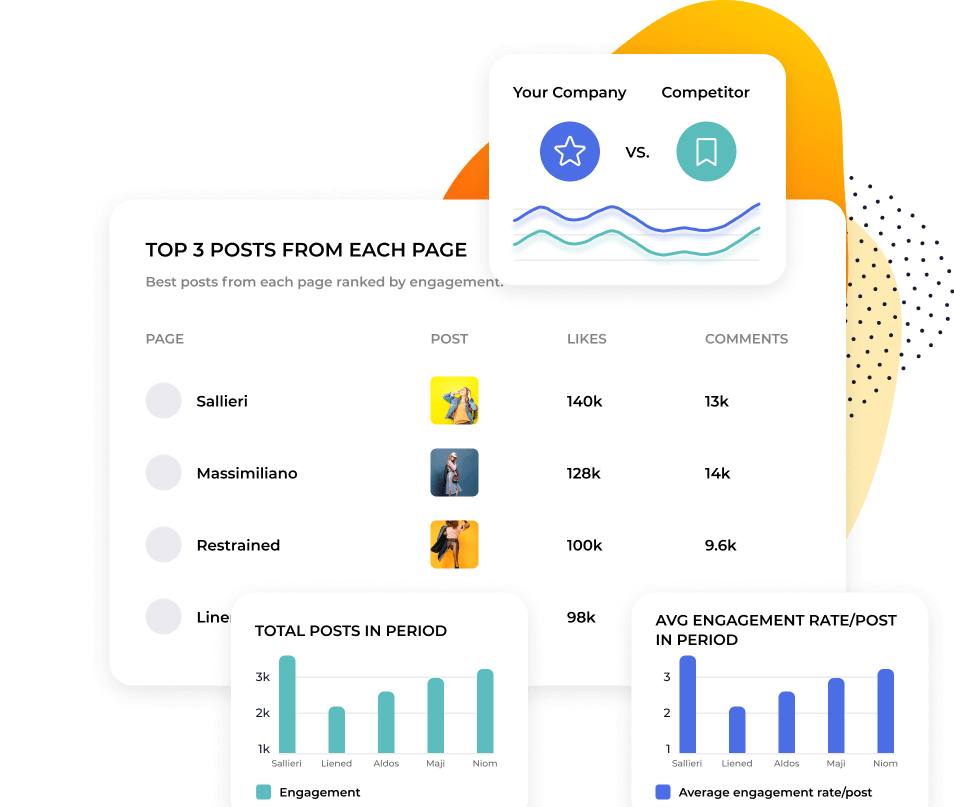
La maggior parte degli strumenti per le metriche di Instagram considera i dati competitivi una funzione secondaria. Socialinsider ne fa il punto di partenza. Aggiungi qualsiasi profilo Instagram pubblico e confrontalo direttamente con il tuo. Visualizza engagement rate, reach, impressions, Reels Views e comportamento di pubblicazione a confronto.
Poni qualsiasi domanda ai tuoi dati di Instagram analytics
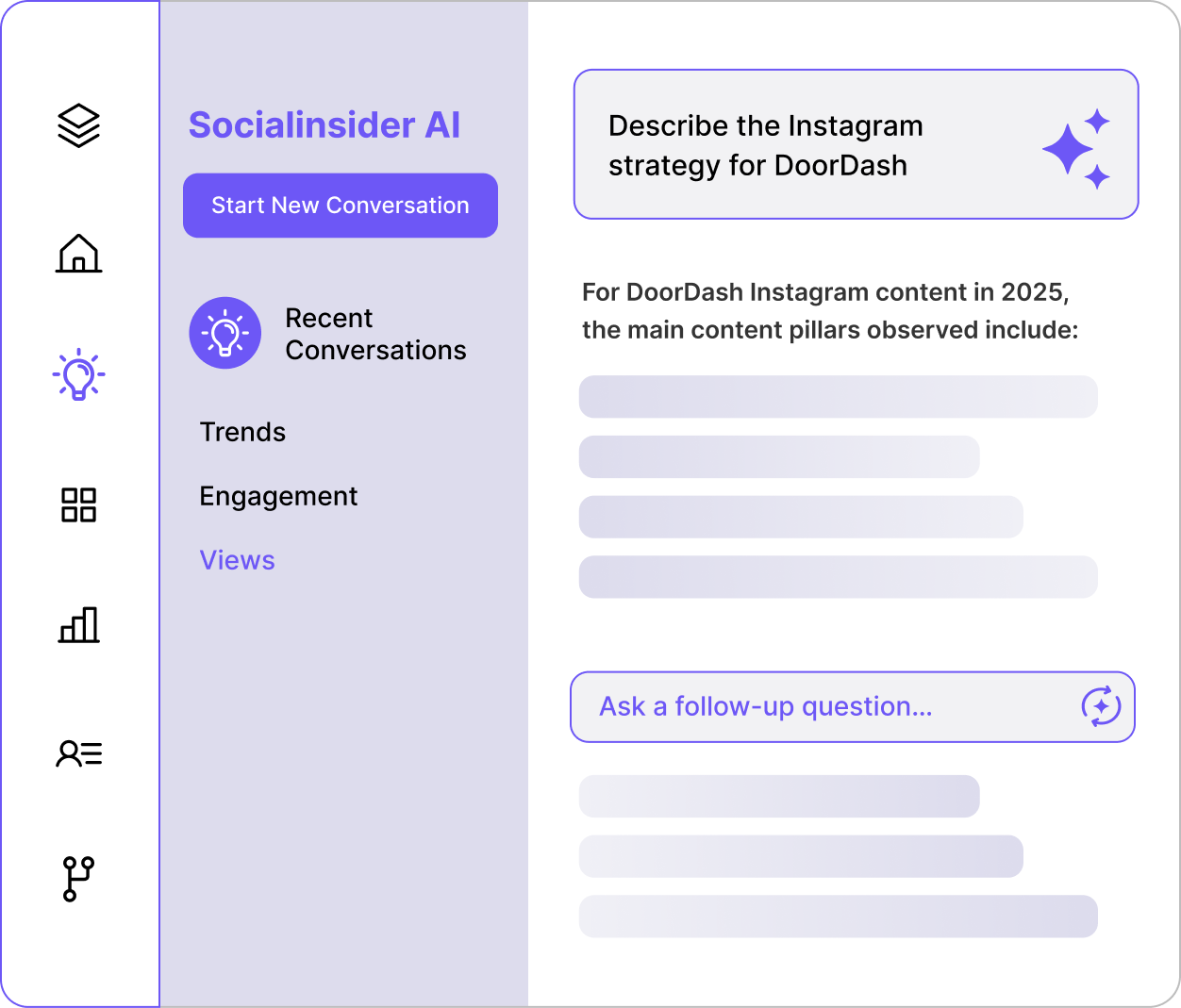
Socialinsider AI analizza il tuo account, i tuoi competitor e i benchmark del tuo settore in un’unica soluzione. Chiedi: Come si confronta il nostro engagement con quello di [competitor] in questo trimestre? E ottieni un’analisi scritta di cosa è cambiato, perché è importante e cosa dovresti fare dopo. Il contesto competitivo è già integrato.

"L’analisi dei competitor ci ha aiutato a capire meglio come stiamo performando sul mercato."

Vai oltre il confronto tra Reels e caroselli: scopri cosa funziona meglio
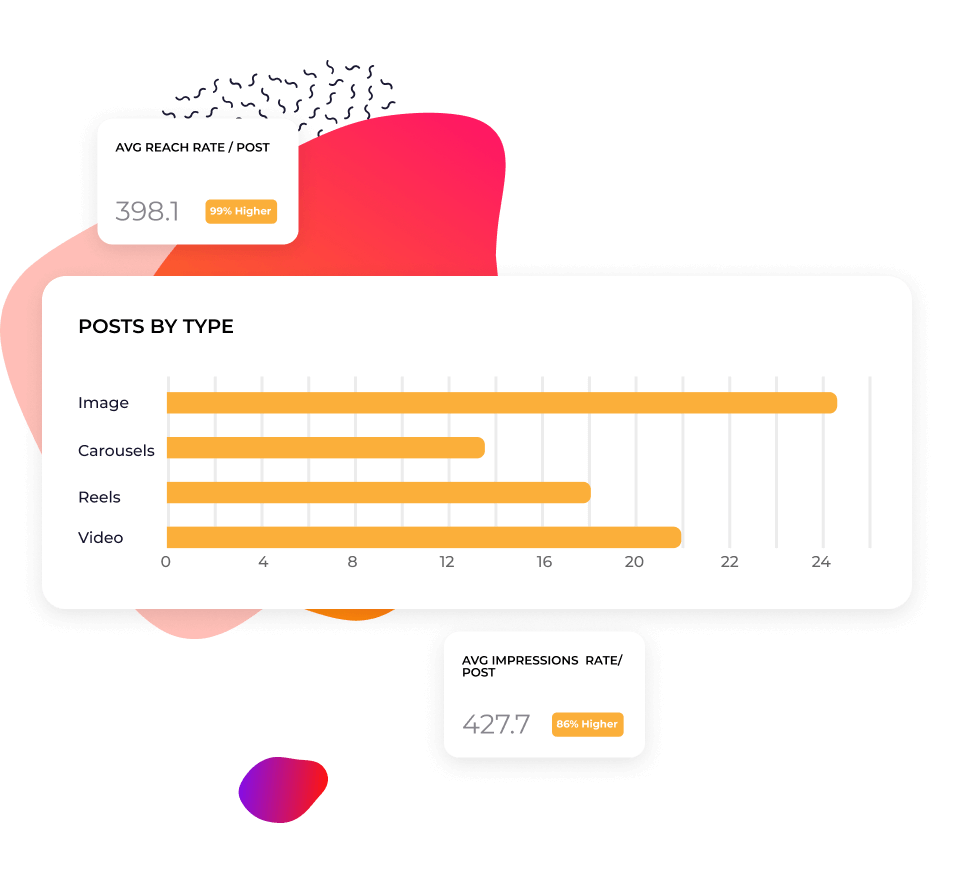
Socialinsider raggruppa i contenuti Instagram per temi usando l’AI, oppure puoi creare le tue categorie e taggare manualmente i post. Scopri quali contenuti generano engagement per i competitor, non solo per il tuo profilo. Individua pattern replicabili invece di inseguire post virali isolati.
Report sulle performance senza partire da zero
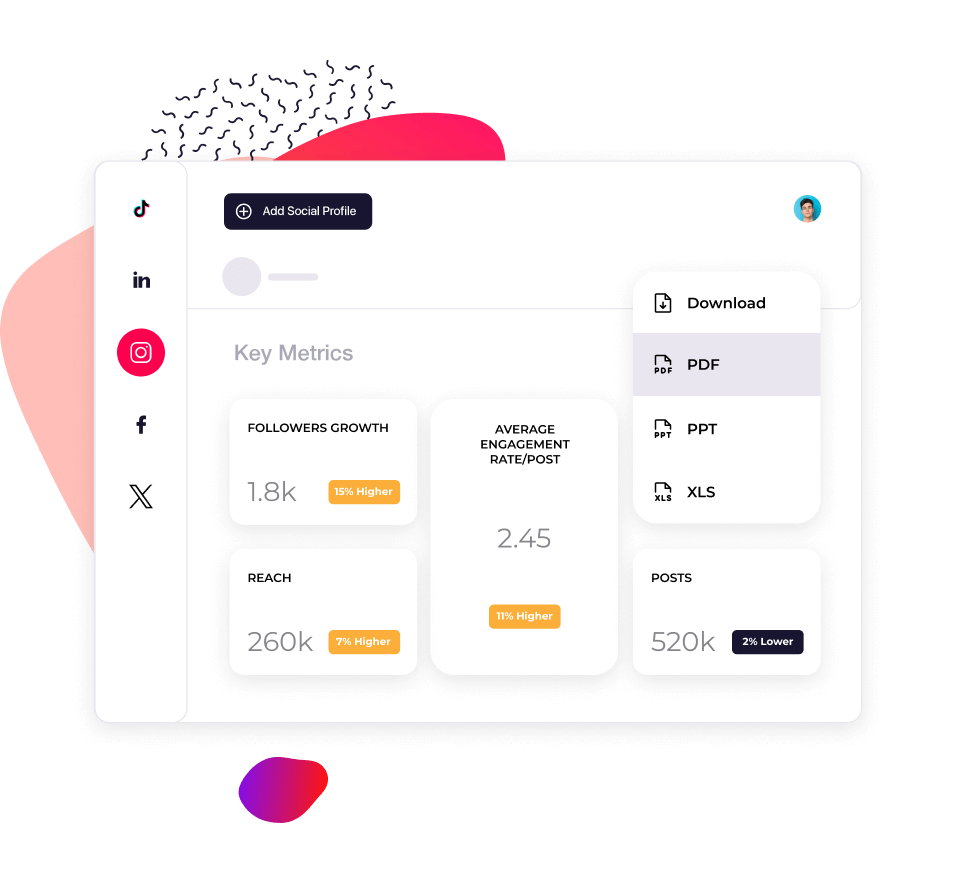
I dati storici ti permettono di rispondere alla domanda che torna sempre: questo calo riguarda solo noi o l’intero mercato? Monitora l’andamento nel tempo delle tue metriche e di quelle dei tuoi competitor. Esporta report in CSV, PDF o PPT con il tuo branding in pochi minuti, invece di passare una giornata a raccogliere screenshot.
Cosa dicono di noi
"Anche il servizio clienti è stato una delle mie funzionalità preferite. Sei semplicemente fenomenale. Il tuo team è sempre molto reattivo, cordiale e disponibile. Una cosa tutt’altro che scontata."

"Socialinsider ci ha aiutato a capire se stiamo migliorando o peggiorando, soprattutto rispetto agli altri account che seguiamo."

"Socialinsider consente di effettuare un'analisi della concorrenza che offre una panoramica delle performance rispetto al mercato."

"L'analisi del sentiment è straordinaria per gli Hashtags di Instagram. Questa nuova dashboard di social media listening mi ha aiutato nella pianificazione a lungo termine."

"Utilizziamo questa dashboard di social media analytics per tutti i nostri 40 clienti social media. Possiamo avere tutti i dati sulle performance in un unico posto."

"Con Socialinsider, il nostro team è diventato più efficiente. Non dobbiamo più dedicare tempo alla raccolta dei dati social media. Possiamo concentrarci su insights e analisi."

"Utilizziamo Socialinsider per gli insights quotidiani sui social media quando dobbiamo delineare semplici cambiamenti strategici o rivedere la performance di determinati post sui social"

"In media, un report social media per un brand richiede da 1 a 2 ore di lavoro con Socialinsider, mentre prima serviva un'intera giornata per raccogliere i dati."

"Socialinsider ci ha fatto risparmiare più di 16.000 $ all'anno. Ci ha permesso di risparmiare tempo sui report mensili e sulle analisi complesse a lungo termine."

Come monitorare l'Engagement Rate su Instagram con Socialinsider
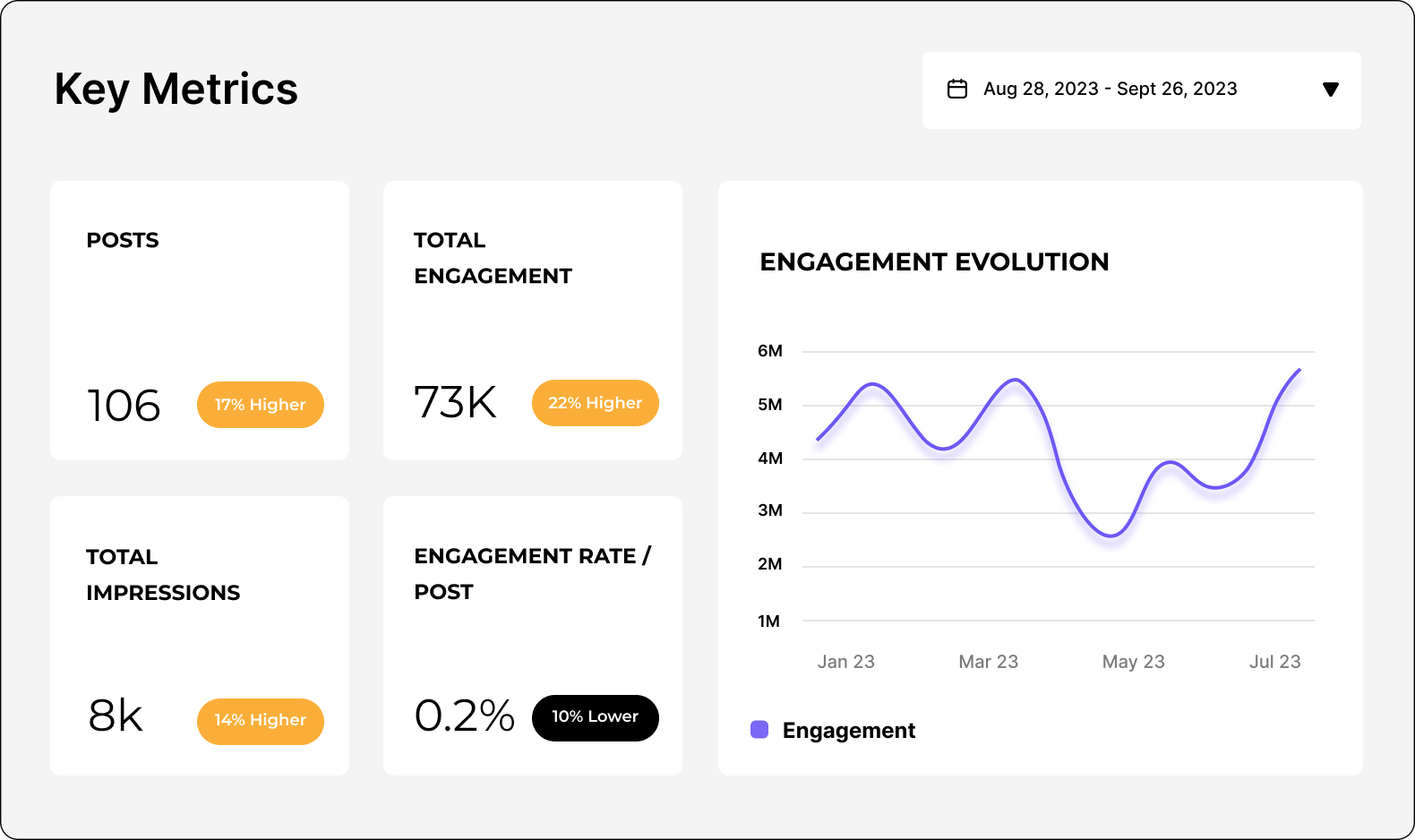
Gli strumenti di social media analytics e di analisi dei competitor di Socialinsider ti permettono di misurare le performance sui social media, eseguire audit e confrontare le performance.
Inizia creando un account di prova su Socialinsider.
Aggiungi i tuoi competitor e collega i profili che gestisci
Ottieni tutte le metriche di engagement per qualsiasi account business Instagram
Confronta le tue performance con quelle dei principali concorrenti.
Esegui un'analisi cross-channel per valutare le performance del tuo account Instagram.
Ottieni insights competitivi ed esplora
le metriche di social media analytics
Domande frequenti
Hai una domanda? Abbiamo le risposte.
Cosa sono gli analytics di Instagram?
Gli analytics di Instagram consistono nella raccolta e nell’analisi dei dati del tuo account Instagram per misurare le performance dei tuoi post e della tua pagina.
Questi dati includono metriche sulle performance e insights dell’account, come i Like ai post, il numero di visualizzazioni delle Stories, il numero di Followers e molto altro. Monitorando gli analytics di Instagram, ottieni informazioni preziose sul tuo pubblico, sulle sue attività e sui contenuti con cui interagisce. Puoi usare questi dati per ottimizzare la tua strategia di marketing.
Ad esempio, se il tuo report di analytics di Instagram mostra un engagement elevato sui Reel, potresti decidere di creare più contenuti video. Oppure, analizzando gli insights sul pubblico di Instagram, potresti notare un numero elevato di Followers in una città specifica e decidere di creare un account locale.
In definitiva, gli analytics di Instagram sono uno strumento aziendale potente. Che tu voglia aumentare le vendite, semplificare il servizio clienti o aumentare la brand awareness, ti mostrano se la tua strategia di social media marketing sta raggiungendo i tuoi obiettivi di social media.
Perché gli analytics di Instagram sono importanti?
Gli analytics di Instagram sono importanti perché ti aiutano a capire chi è il tuo pubblico, quali contenuti apprezza e quali sono le tendenze più ampie della piattaforma.
Questo è fondamentale per tre motivi:
Per fare buon marketing
Capire il tuo pubblico è il punto di partenza di qualsiasi piano di social media marketing efficace. Conoscere le sue preferenze e i suoi comportamenti ti permette di rispondere meglio alle sue esigenze, ai suoi interessi e alle sue preferenze.
Nessun canale di marketing è più reattivo o ricettivo dei social media.
Per stare al passo con i cambiamenti
Su Instagram, le tendenze cambiano rapidamente e l’algoritmo è in continua evoluzione. Questo crea sia sfide sia opportunità. Stare al passo può sembrare difficile, ma ricorda che Instagram ti avvicina anche al tuo pubblico.
Nessun canale di marketing è più reattivo o ricettivo dei social media.
Per mantenere la coerenza
Può sembrare che alcuni account ottengano risultati virali immediati, ma la realtà è che dietro le quinte c’è molto lavoro. Il successo su Instagram richiede impegno e costanza.
Monitorare gli analytics nel tempo ti permette di valutare i progressi e acquisire una visione d’insieme. Così puoi continuare a fare ciò che funziona e interrompere o modificare ciò che non funziona.
I vantaggi degli analytics di Instagram per il tuo business
Puoi usare gli analytics di Instagram per creare una strategia di Instagram marketing vincente, adattarti ai trend e distinguerti dalla concorrenza.
Scopri cosa coinvolge il tuo pubblico
Dai Reels in cui il pubblico si riconosce ai caroselli educativi, i brand possono usare Instagram in tanti modi. Se non sai cosa fa al caso tuo, gli analytics di Instagram possono indicarti la direzione giusta.
Capendo chi stai attirando, puoi adattare la tua strategia ai segmenti demografici più redditizi. Scoprendo cosa li spinge a interagire con il tuo brand, puoi concentrarti su contenuti e campagne con un ROI concreto.
Aggiorna la tua strategia in base ai trend
Dal comportamento dei consumatori agli aggiornamenti dell’algoritmo, chi fa marketing deve prestare molta attenzione ai trend.
Controllando gli analytics di Instagram in tempo reale, puoi individuare cali e picchi nella performance. Cerca le opportunità che possono aumentare reach, Followers ed engagement, come pubblicare più Stories o sperimentare una nuova funzionalità. Così potrai evolverti insieme all’algoritmo, invece di contrastarlo.
Ottieni un vantaggio competitivo
Oltre alla tua performance, i migliori strumenti di Instagram analytics ti mostrano come si posiziona il tuo account rispetto a quello dei competitor.
Hai notato che un competitor che pubblica più Stories sta superando il tuo numero di Followers? Oppure hai individuato una lacuna nella sua strategia: potrebbe essere il tuo momento per brillare? Confrontando i dati dei competitor con gli analytics di Instagram a tua disposizione, puoi fare scelte intelligenti e strategiche.
Come monitorare gli insights di Instagram analytics
Come vedere gli analytics di Instagram usando Instagram Insights
Se ti stai chiedendo come controllare gli analytics di Instagram, Instagram ha uno strumento integrato chiamato Instagram Insights.
Nota: per usare questa funzionalità, devi avere un account business o creator.
Per visualizzare lo strumento gratuito di native analytics di Instagram
- Apri il tuo profilo.
- Tocca il pulsante del menu ≡ in alto a destra.
- Tocca Insights.
- Vai alle metriche che vuoi vedere.
Puoi monitorare i KPI nella sezione Panoramica oppure consultare analytics più dettagliati.
In alternativa, puoi controllare la performance dei singoli post.
Posts: Vai alla tua griglia e seleziona il post, poi tocca Visualizza insights sotto l’immagine..
Reels: Apri la scheda Reels, scegli un Reel, poi tocca Visualizza insights sopra il nome del tuo profilo.
Stories: Apri la tua Story più recente toccando l’immagine del profilo. Scorri verso l’alto sulla Story per vedere gli analytics.
Se vuoi controllare una Story precedente, segui le istruzioni sopra per aprire Instagram Insights. Poi vai alla sezione Contenuti che hai condiviso.
Come vedere gli analytics di Instagram usando Socialinsider
Uno strumento di Instagram analytics di terze parti come Socialinsider offre dati più dettagliati e completi rispetto a Instagram Insights.
La funzionalità Instagram analytics di Socialinsider ti offre un’aggregazione dei dati più chiara, i principali trend dei contenuti per il tuo settore, insights più dettagliati sul pubblico, analisi della performance dei post e una misurazione social media avanzata.
Tutti questi dati utili sono accessibili in un unico dashboard, con metriche e analisi approfondite su:
- Performance a pagamento e organica - reach, impressions, Engagement Rate, Reels Views e altro.
- Analytics delle Stories di Instagram - Taps Forward, Exits, tasso di completamento, impressions, replies e momento migliore per pubblicare.
- Ricerca sui competitor - metriche complessive della performance, insights su campagne specifiche, trend del settore e altro.
- Analytics a livello di post - reactions, comments, shares, saves, evoluzione dell’engagement.
Usando questi dati in formati semplici e chiari, puoi migliorare la tua performance con gli analytics di Instagram.
Quali metriche di Instagram dovresti monitorare?
Esistono molte metriche Instagram fondamentali che ti aiutano a sfruttare al meglio gli analytics del tuo account. Ma con così tanti dati a disposizione, come fai a sapere quali metriche monitorare?
Se non conosci ancora il mondo dei dati e degli analytics, tutto dipende da ciò che è importante per il tuo business. Per alcuni, il marketing su Instagram è un’attività di top-of-funnel per raggiungere un pubblico più ampio. Per altri, è un canale di vendita diretto.
Prima di analizzare i tuoi analytics di Instagram, devi avere ben chiaro cosa stai cercando e perché.
Considerare le cinque aree principali degli analytics di Instagram semplifica tutto. Le metriche più importanti rientrano in una di queste categorie:
- Metriche di brand awareness
- Metriche di Engagement
- Metriche dei contenuti
- Metriche del pubblico
- Metriche di conversione
Vediamo ogni categoria più nel dettaglio.
Quali metriche di brand awareness dovresti monitorare?
Le metriche di brand awareness mostrano la reach e la visibilità dei tuoi post. Monitorando l’impatto dei tuoi contenuti, puoi capire come il tuo pubblico riconosce il tuo brand.
Total engagements - monitora con Socialinsider
La somma di tutte le interazioni (Like, Comments, Shares e Saves) sui tuoi post Instagram.
I Total engagements indicano a colpo d’occhio come le persone interagiscono con i tuoi contenuti. Molti engagement significano che i tuoi contenuti parlano al tuo pubblico. Un numero basso suggerisce l’opportunità di approfondire i desideri e le esigenze del tuo pubblico.
Reach - monitora con Socialinsider
Il numero totale di account unici che hanno visto i tuoi contenuti. Per i Reel, indica il numero di persone che hanno visto il tuo video, indipendentemente dal fatto che lo abbiano riprodotto.
Monitorare la reach assicura che i tuoi Followers e il tuo pubblico target vedano il maggior numero possibile di post e Stories. È una metrica fondamentale, perché le modifiche all’algoritmo di Instagram possono influire sulla visualizzazione dei tuoi post nei feed. In base a questa metrica, puoi ottimizzare i contenuti seguendo i trend dell’intera piattaforma.
Impressions - monitora con Socialinsider
Il numero totale di volte in cui i tuoi post e le tue Stories sono stati visualizzati.
Qual è la differenza tra monitorare reach e impressions? La reach conta semplicemente il numero di account che hanno visto i tuoi contenuti. Le impressions, invece, possono includere più visualizzazioni dallo stesso account.
È importante monitorare le impressions perché ti dicono con quale frequenza i tuoi contenuti appaiono nei feed delle persone. Ad esempio, un utente potrebbe vedere lo stesso post tre volte:
- Quando pubblichi il post e questo appare nel suo feed
- Quando un suo amico condivide il post nella sua Story
- Quando clicca sul tuo profilo e visualizza di nuovo il post nella tua griglia
Si tratta di informazioni preziose sulla viralità e sulla qualità dei tuoi contenuti.
Likes - monitora con Socialinsider
Il numero di volte in cui gli utenti hanno cliccato sul pulsante “Like” dei tuoi post. Un modo semplice e rapido per capire se le persone apprezzano i tuoi contenuti e ne vogliono ancora.
Comments - monitora con Socialinsider
Il numero di volte in cui gli utenti hanno condiviso una risposta al tuo post.
È un modo più attivo per interagire con i tuoi contenuti, quindi è un indicatore utile della qualità delle relazioni che stai costruendo. Il numero di commenti ti dirà se un argomento suscita interesse e conversazioni, o persino opinioni contrastanti. È un feedback diretto che puoi integrare nella tua strategia.
Saves - monitora con Socialinsider
Il numero di volte in cui gli utenti hanno salvato il tuo post per visualizzarlo in seguito.
I Saves ti dicono se i tuoi contenuti sono rilevanti e preziosi per il tuo pubblico. Nel caos dei social, le persone tengono abbastanza ai tuoi contenuti da dedicarvi tempo e attenzione. Oppure potrebbero essere una risorsa utile da consultare in futuro.
Ricorda: molte persone possono visualizzare e apprezzare i tuoi contenuti senza mettere pubblicamente Like, commentare o condividere. Perciò i Saves sono un forte indicatore di come le persone possano consumare i tuoi post in modo discreto.
Reels views - monitora con Socialinsider
Il numero di volte in cui i tuoi video Reels sono stati guardati, incluse più visualizzazioni dello stesso utente.
È un buon modo per misurare la reach e la popolarità dei tuoi contenuti video brevi.
Stories views - monitora con Socialinsider
Il numero di volte in cui le tue Stories sono state guardate, incluse più visualizzazioni dello stesso utente.
Gli analytics delle Instagram Stories ti aiutano a comprendere la reach e l’engagement dei tuoi contenuti effimeri.
Completion rate on Stories - monitora con Socialinsider
La percentuale di utenti che hanno guardato le tue Stories dall’inizio alla fine.
Con tanti contenuti nei feed, gli utenti possono scorrere le Stories di account diversi senza visualizzare ogni slide. Un Completion rate on Stories elevato indica quindi che le persone sono interessate e coinvolte dai tuoi contenuti.
Quali metriche di Engagement dovremmo monitorare?
Le metriche di Engagement monitorano il modo in cui gli utenti interagiscono con il tuo brand su Instagram. Offrono una visione generale di come le persone interagiscono attivamente con la tua pagina e i tuoi post, oltre a metriche più dettagliate sul tipo di contenuti che ottiene i risultati migliori. Puoi sfruttare questi insights per rafforzare la tua content strategy.
Engagement rate by reach or by followers - monitora con Socialinsider
La percentuale di utenti che interagiscono (mettono Like o commentano) con il tuo post rispetto al numero totale di account raggiunti o al totale dei tuoi Followers.
Ecco come vengono calcolati entrambi i tipi di Engagement Rate:
Engagement rate by followers - L’Engagement Rate medio per post by followers si calcola dividendo i Total engagements (Like e Comments) per il numero di post pubblicati dal profilo. Il risultato viene poi diviso per il numero di Followers e moltiplicato per 100 per ottenere una percentuale.
Quale conviene usare? Entrambi ti dicono se i tuoi contenuti risuonano davvero con il pubblico target. La differenza è che l’Engagement Rate by followers mostra come i tuoi contenuti vengono percepiti dal tuo pubblico esistente, mentre l’Engagement Rate by reach considera anche i non-Followers (cioè gli account che vuoi raggiungere).
L’Engagement Rate è un KPI fondamentale per analizzare e modificare la tua content strategy. Puoi usarlo anche per confrontare la tua performance con quella dei competitor tramite il benchmarking.
Scopri di più sull’Instagram Engagement Rate qui.
Accounts engaged - monitora con Instagram Insights
Il numero di utenti unici che hanno interagito con i tuoi contenuti.
Mostra la parte del tuo pubblico che interagisce attivamente con il tuo brand. Include i dati demografici del pubblico: genere, città principali, Paesi e fasce d’età.
Accounts reached - monitora con Instagram Insights
Il numero di utenti unici che hanno visto i tuoi contenuti.
Mostra le dimensioni del tuo pubblico potenziale: un’informazione fondamentale se vuoi ampliare la tua base di Followers. Come per gli Accounts engaged, include i dati demografici del pubblico: genere, città principali, Paesi e fasce d’età.
Most engaged hashtags - monitora con Socialinsider e Instagram Insights
Gli Hashtags che generano il maggior Engagement sui tuoi post.
Gli Hashtags incoraggiano l’Engagement e aumentano la scopribilità dei tuoi contenuti. Poiché Instagram SEO è sempre più importante per la performance, gli analytics degli Hashtags di Instagram possono aiutarti a ottenere un posizionamento migliore nei risultati di ricerca.
Engagement on content pillars - monitora con Socialinsider
Puoi usarlo per analizzare i tuoi contenuti o quelli dei competitor. Valutando quali content pillars ottengono i risultati migliori e confrontando la tua performance con quella di altri account, puoi ottimizzare la tua content strategy in base a ciò che genera più Engagement.
Quali metriche dei contenuti dovresti monitorare?
Le metriche dei contenuti sbloccano insights più approfonditi sulla performance dei singoli post. Identificando temi, argomenti e formati con le performance migliori, puoi creare contenuti con sicurezza.
Top-performing posts - monitora con Socialinsider
I post con gli Engagement Rate più elevati.
Oltre alle metriche di Engagement generali, gli insights a livello di post aiutano a garantire che i tuoi sforzi di creazione dei contenuti diano risultati.
Content formats by engagement - monitora con Socialinsider
Il modo in cui il tuo pubblico interagisce con diversi tipi di contenuti.
Ad esempio, Reels rispetto ai post con immagini. Questo ti aiuta a scoprire il formato di contenuto più efficace e a ottimizzare la tua strategia.
Quali metriche del pubblico dovresti monitorare?
Le metriche del pubblico forniscono informazioni dettagliate su chi ti segue. Quando comprendi i dati demografici e la crescita del tuo pubblico, puoi adattare ed evolvere la tua strategia per raggiungere le persone giuste.
Total followers - monitora con Socialinsider
Il numero di utenti che hanno scelto di seguire il tuo account Instagram.
Rappresenta le dimensioni del tuo pubblico esistente su Instagram, ma non comprende affatto tutte le persone che potresti raggiungere.
Followers growth rate - monitora con Socialinsider
L’aumento percentuale dei tuoi Followers in un determinato periodo di tempo, ad esempio nell’ultima settimana o nell’ultimo mese.
Monitorare la velocità con cui acquisisci Followers è un’informazione fondamentale per la tua strategia. Lo stesso vale per la perdita di Followers: non conta solo ciò che piace al tuo pubblico, ma anche ciò che non piace.
Puoi confrontare il Followers growth rate con altre metriche e attività chiave, come i post con le performance migliori o la performance delle campagne, per capire cosa favorisce la crescita della pagina.
Age group - monitora con Socialinsider
Suddivide le fasce d’età dei tuoi Followers (18-24, 25-34, ecc.).
Classificando le fasce d’età più comuni, puoi valutare se stai attirando il pubblico giusto e perfezionare o ottimizzare la tua strategia di conseguenza.
Gender group - monitora con Socialinsider
Categorizza i tuoi Followers in base al genere.
Avere un quadro chiaro della composizione del tuo pubblico può evidenziare opportunità di crescita o miglioramento.
Location - monitora con Socialinsider
Il luogo in cui si concentra il tuo pubblico.
Mappare la provenienza geografica dei tuoi Followers ti permette di adattare i contenuti a lingue o regioni diverse.
Quali metriche di conversione dovresti monitorare?
Le metriche di conversione monitorano le azioni dirette che gli utenti compiono in seguito alla tua attività su Instagram. Ad esempio, visitare il tuo sito web, condividere i propri dati in un modulo per lead o effettuare un acquisto. Le metriche di conversione sono il momento della verità: indicano se la tua strategia di marketing su Instagram sta contribuendo o meno agli obiettivi generali del tuo business.
Traffic - monitora con Google Analytics
Il volume di utenti che arrivano al tuo sito web o alla landing page da Instagram.
Qualunque sia la destinazione scelta per gli utenti, monitorare questa metrica ti aiuterà a identificare i contenuti o le attività che generano traffico.
Sales - monitora con Google Analytics
Il numero di acquisti effettuati dagli utenti provenienti da Instagram.
È la chiave per capire come Instagram può generare ricavi per il tuo business.
Leads - monitora con Google Analytics
Il numero di potenziali clienti che hanno mostrato interesse per il tuo prodotto o servizio tramite Instagram, ad esempio attraverso registrazioni, richieste o download.
Il marketing su Instagram può essere estremamente efficace per generare opportunità, anche quando non porta direttamente a vendite. Non tutti acquisteranno direttamente nell’app, quindi i Leads mostrano in che modo Instagram contribuisce alla tua strategia generale.
Cosa fare con gli insights degli analytics di Instagram?
Ti stai chiedendo cosa fare con tutti questi dati utili? Sfruttare al meglio gli analytics di Instagram può migliorare notevolmente il tuo social media reporting.
Se monitori e riporti regolarmente gli analytics di Instagram, puoi comunicare il ROI del marketing su Instagram agli stakeholder e prendere decisioni basate sui dati per ottimizzare la tua strategia.
Esistono diversi modi per usare gli analytics dei social media e ottenere insights utili per il tuo business.
Assicurati di raggiungere i KPI
La tua dashboard degli analytics di Instagram semplifica l’impostazione degli obiettivi e la misurazione dei progressi. Fare un audit delle tue metriche e monitorare la tua performance rispetto ad altri account ti offre obiettivi realistici da raggiungere. Una visualizzazione dei dati chiara e ordinata rende l’analisi della performance accessibile ai membri del team interessati.
Guida la creazione dei tuoi contenuti
Usare uno strumento di analytics per Instagram per monitorare la performance dei post può offrirti insights fondamentali su dove concentrare i tuoi sforzi di creazione dei contenuti. Se sai cosa risuona con il tuo pubblico e cosa no, puoi gestire budget, risorse e tempo in modo molto più efficiente.
Investi con criterio nelle attività paid
Il panorama dei social media può essere volatile, soprattutto per quanto riguarda le attività paid. Solidi analytics del pubblico Instagram e dati storici sui tuoi annunci paid e sui post organici possono guidarti nella direzione giusta.
Valuta gli aggiornamenti dell’algoritmo
È facile farsi prendere dal panico quando noti un calo della performance o Instagram annuncia un aggiornamento dell’algoritmo. Ma non tutti i cambiamenti sono permanenti.
Monitorare la tua performance con precisione e regolarità ti aiuterà a distinguere i cali temporanei dai cambiamenti più duraturi. In questo modo puoi restare un passo avanti e valutare se è il momento di cambiare rotta.
Come si possono esportare i dati degli analytics di Instagram?
Lo strumento Instagram Insights non ti permette di esportare i dati di analytics. Tuttavia, usando uno strumento di analytics come Socialinsider, puoi esportare i dati di Instagram in diversi formati: CSV, PPT, PDF, XLS. Puoi importare i dati anche in Looker Studio di Google.
In Socialinsider puoi anche programmare il download dei dati, così puoi automatizzare il tuo processo di reporting su Instagram. Personalizza facilmente i tuoi report di analytics su Instagram aggiungendo i colori del tuo brand e il logo della tua azienda.
Prova lo strumento di analytics di Instagram che ti offre un quadro completo
Inizia una prova gratuita di Socialinsider e visualizza in pochi minuti i dati di analisi della concorrenza su Instagram.