Análisis de Instagram diseñados para el análisis competitivo
Monitoriza cualquier perfil empresarial de Instagram junto al tuyo. Compara las tendencias de engagement, los formatos de contenido y el crecimiento a lo largo del tiempo para saber dónde vas por delante y dónde puedes mejorar.
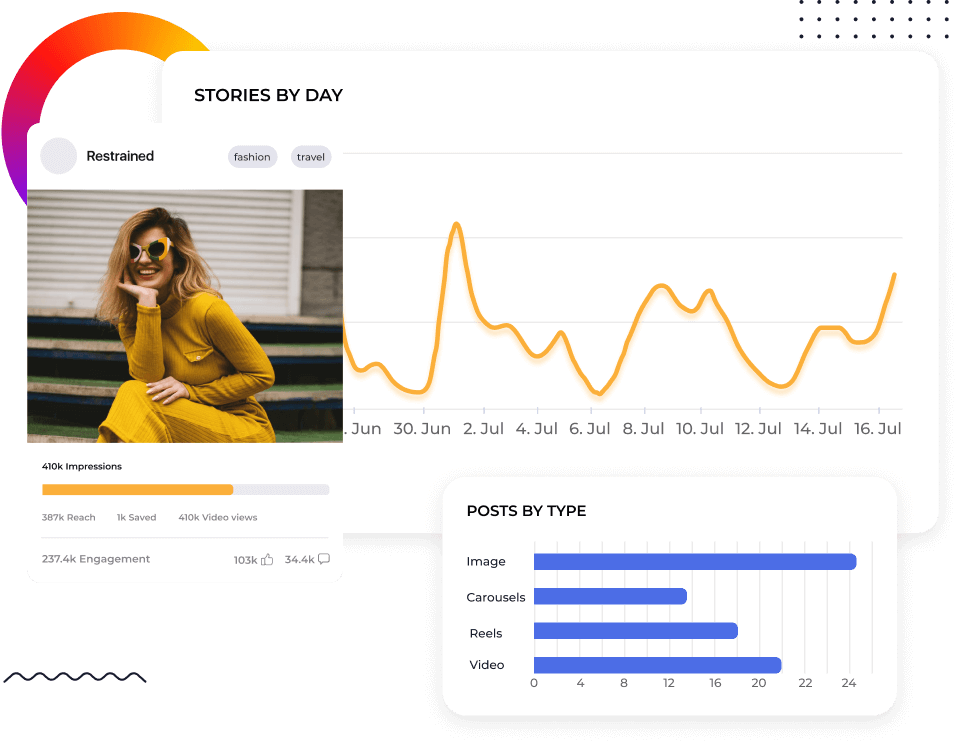






Benchmark cualquier cuenta de Instagram (tuya o de la competencia)
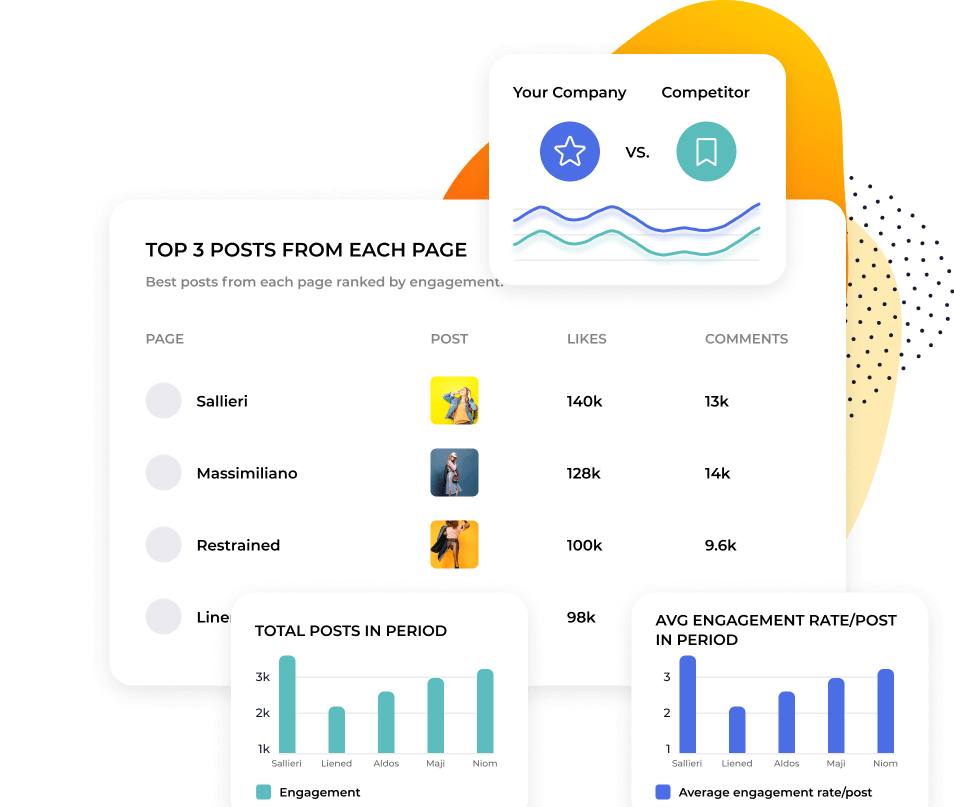
La mayoría de las herramientas de métricas de Instagram consideran los datos competitivos una función secundaria. Socialinsider los convierte en el punto de partida. Añade cualquier perfil público de Instagram y compáralo directamente con el tuyo. Consulta la tasa de engagement, Reach, Impressions, Reels Views y el comportamiento de publicación en paralelo.
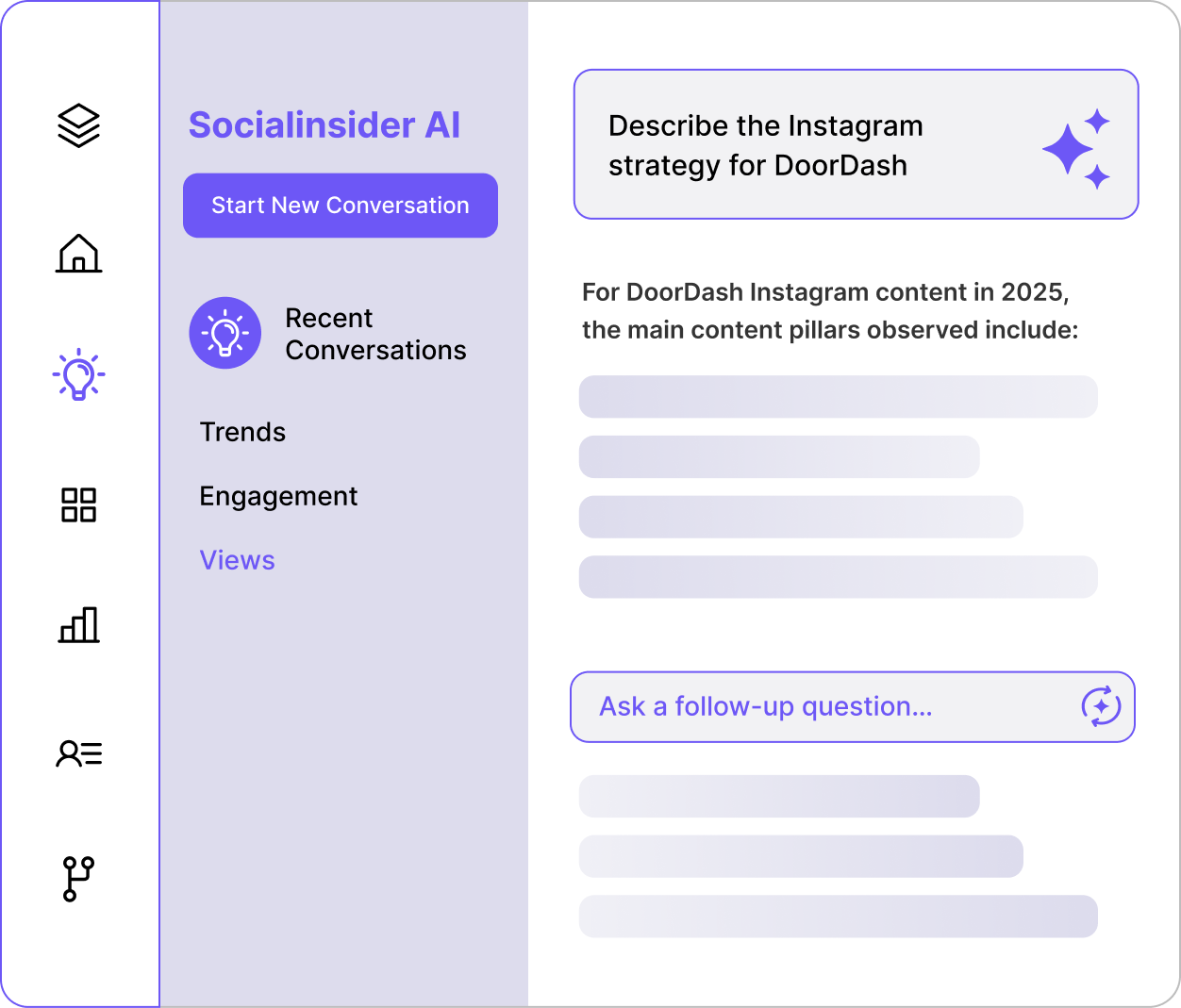
2. Haz cualquier pregunta sobre tus datos de análisis de Instagram
3. Socialinsider AI analiza tu cuenta, tus competidores y las referencias de tu sector al mismo tiempo. Pregunta: ¿Cómo se compara nuestro engagement con el de [competitor] este trimestre? y obtén un análisis escrito de qué ha cambiado, por qué es importante y qué deberías hacer a continuación. El contexto competitivo ya está integrado

"El análisis competitivo ayudó a obtener visibilidad sobre nuestro rendimiento en el mercado."

Ve más allá de Reels frente a carruseles: descubre qué funciona
Socialinsider agrupa el contenido de Instagram por temas mediante IA, o puedes crear tus propias categorías y etiquetar las publicaciones manualmente. Descubre qué contenido impulsa el engagement de tus competidores, no solo el de tu propio perfil. Encuentra patrones repetibles en lugar de perseguir publicaciones virales aisladas.
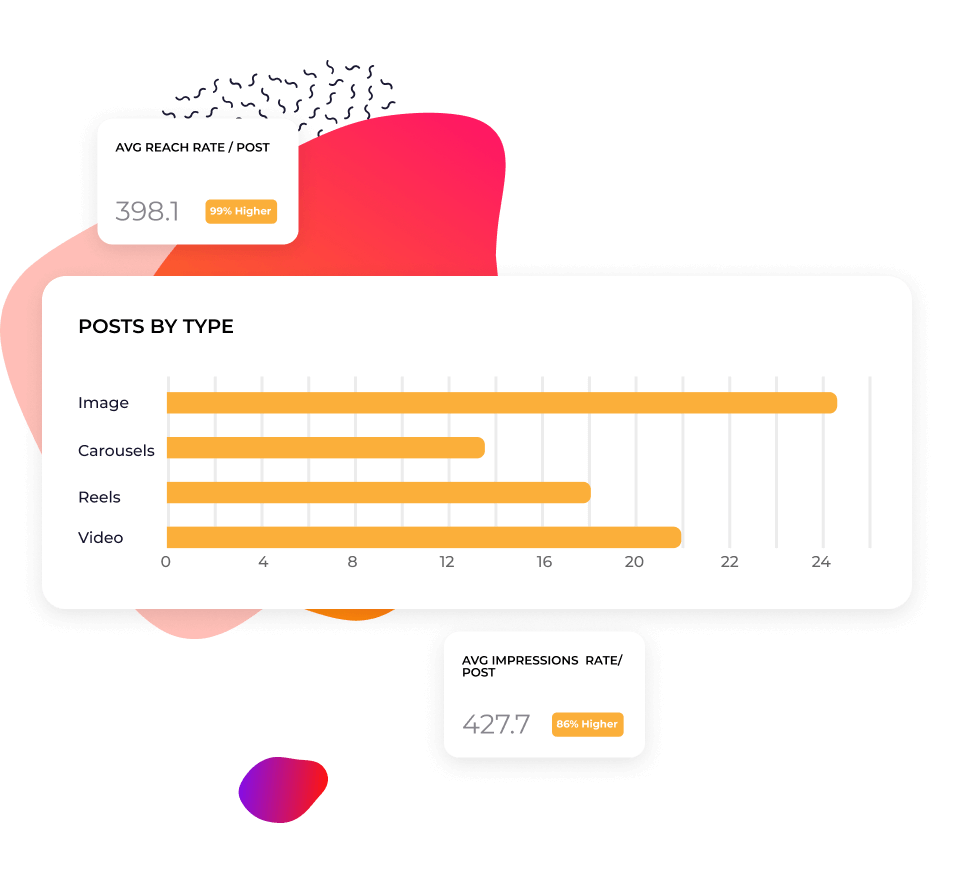
Informa sobre el rendimiento sin empezar desde cero
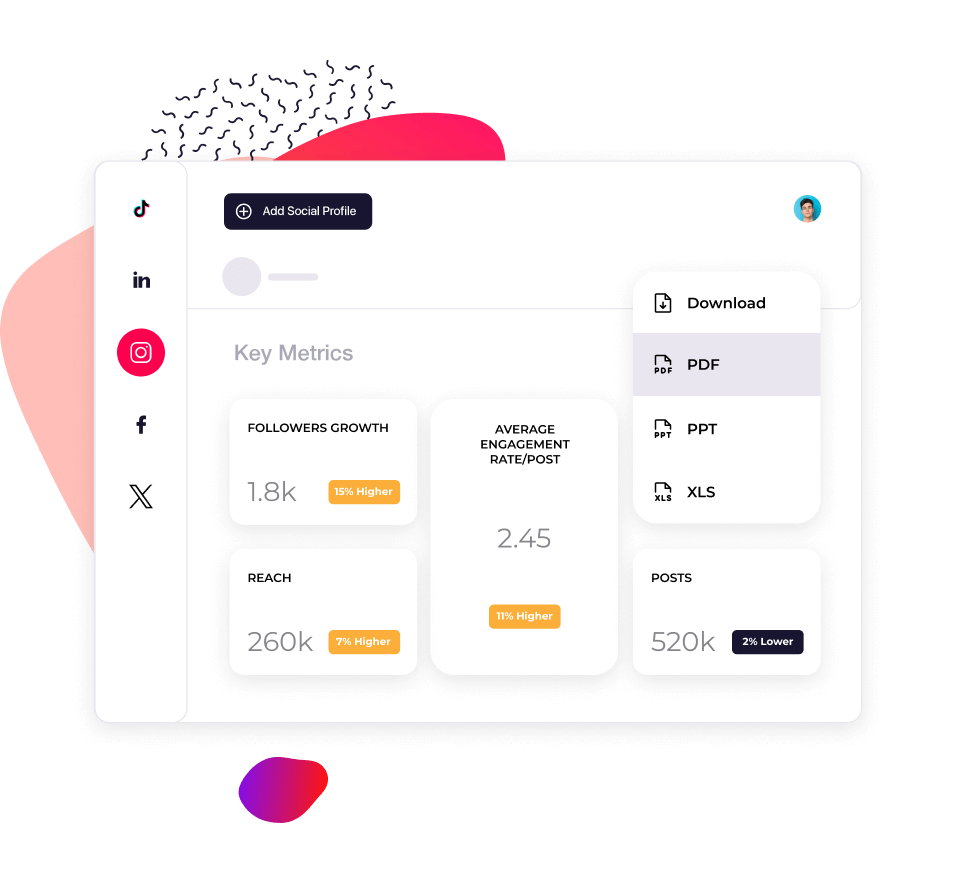
Los datos históricos te permiten responder a la pregunta que siempre surge: ¿esta caída nos afecta solo a nosotros o a todo el sector? Haz un seguimiento de cómo evolucionan tus métricas y las de tus competidores con el tiempo. Exporta informes en CSV, PDF o PPT con tu propia identidad de marca en minutos, en lugar de pasar un día recopilando capturas de pantalla.
Lo que dicen de nosotros
"El servicio de atención al cliente también ha sido una de mis funciones favoritas. Sois simplemente fenomenales. Tu equipo responde con mucha rapidez y es muy amable y servicial, algo que no es lo habitual."

"Socialinsider nos ayudó a entender si estamos mejorando o retrocediendo, especialmente en comparación con las otras cuentas que seguimos."

"Socialinsider permite realizar un análisis competitivo que ofrece una perspectiva del rendimiento en relación con el mercado."

"El análisis de sentimiento es increíble para los hashtags de Instagram. Este nuevo dashboard de escucha de redes sociales me ayudó en la planificación a largo plazo."

"Estamos utilizando este dashboard de análisis de redes sociales para nuestros 40 clientes de redes sociales. Podemos tener todos los datos de rendimiento en un solo lugar."

"Con Socialinsider, nuestro equipo se volvió más eficiente. No necesitamos dedicar tiempo a recopilar datos de redes sociales. En su lugar, podemos centrarnos en insights y análisis."

"1. Usamos Socialinsider para obtener insights diarios sobre redes sociales cuando necesitamos definir cambios estratégicos sencillos o revisar el rendimiento de determinadas publicaciones en redes sociales."

"De media, un informe de redes sociales para una marca requiere entre 1 y 2 horas de trabajo con Socialinsider, cuando antes se necesitaba un día entero para recopilar los datos."

"Socialinsider nos ha ahorrado más de 16.000 $ al año. Nos ha permitido ahorrar tiempo en informes mensuales y análisis complejos a largo plazo."

Cómo hacer un seguimiento de la tasa de engagement de Instagram en Socialinsider
Las analíticas de redes sociales y las herramientas de análisis competitivo de Socialinsider te permiten medir el rendimiento en redes sociales, realizar auditorías y comparar el rendimiento.
Empieza creando una cuenta de prueba en Socialinsider
Añade a tus competidores y conecta los perfiles que gestionas
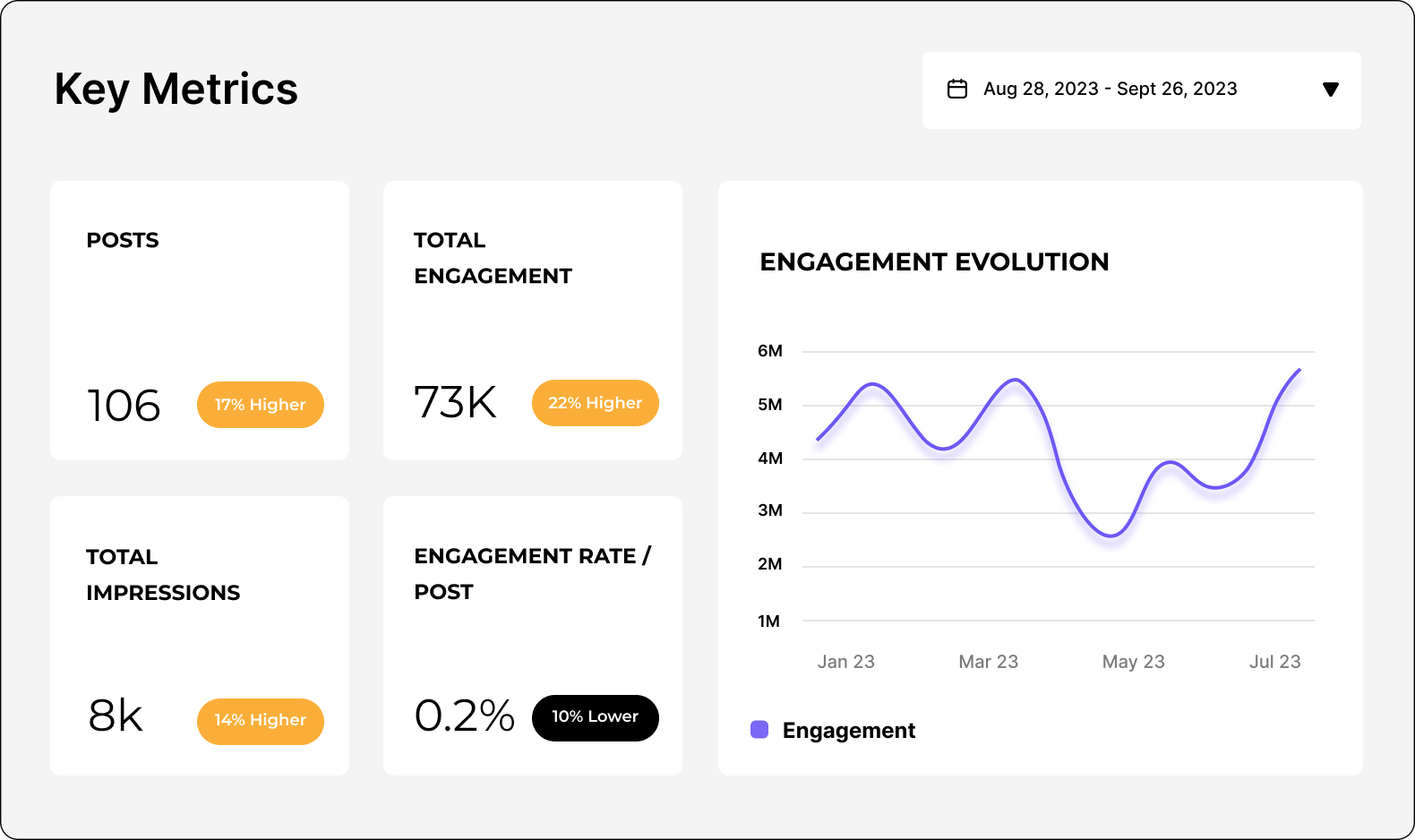
Obtén todas las métricas de engagement de cualquier cuenta empresarial de Instagram
Compara tu rendimiento con el de tus principales competidores
Realiza un análisis multicanal para evaluar el rendimiento de tu cuenta de Instagram.
Obtén insights competitivos y explora
las métricas de análisis de redes sociales
Preguntas frecuentes
¿Tienes alguna pregunta? Tenemos las respuestas.
¿Qué son las analíticas de Instagram?
Las analíticas de Instagram consisten en recopilar y analizar datos de tu cuenta de Instagram para medir el rendimiento de tus publicaciones y página.
Estos datos incluyen métricas de rendimiento e insights de la cuenta, como los Me gusta de las publicaciones, el número de visualizaciones de Stories, el número de Followers y mucho más. Al supervisar las analíticas de Instagram, obtendrás información valiosa sobre tu audiencia, su actividad y el tipo de contenido con el que interactúan, que puedes utilizar para optimizar tu estrategia de marketing.
Por ejemplo, si tu informe de analíticas de Instagram muestra un alto engagement con Reels, podrías decidir producir más contenido de vídeo. O profundizas en los insights de la audiencia de Instagram y observas un gran número de Followers en una ciudad concreta, lo que te lleva a crear una cuenta localizada.
En última instancia, las analíticas de Instagram son una potente herramienta empresarial. Ya sea para aumentar las ventas, agilizar la atención al cliente o desarrollar el reconocimiento de marca, te indican si tu estrategia de marketing en redes sociales está logrando tus objetivos en redes sociales.
¿Por qué son importantes las analíticas de Instagram?
Las analíticas de Instagram son importantes porque te ayudan a entender quién es tu audiencia, qué contenido le gusta y cuáles son las tendencias generales de la plataforma.
Esto es crucial por tres motivos:
Para hacer buen marketing
Entender a tu audiencia es la base de cualquier plan de marketing en redes sociales eficaz. Conocer sus preferencias y comportamiento significa que puedes responder mejor a sus necesidades, gustos y aversiones.
Y ningún canal de marketing es más reactivo o receptivo que las redes sociales.
Para mantenerte al día con los cambios
En Instagram, las tendencias aparecen y desaparecen de la noche a la mañana, y el algoritmo cambia constantemente. Esto crea desafíos y oportunidades. Mantenerte al día puede parecer abrumador, pero recuerda que Instagram también te acerca a tu audiencia.
Y ningún canal de marketing es más reactivo o receptivo que las redes sociales.
Para mantener la coherencia
Puede parecer que algunas cuentas obtienen resultados virales instantáneos, pero la realidad es que hay mucho trabajo detrás. El éxito en Instagram requiere compromiso y constancia.
Hacer un seguimiento de las analíticas a lo largo del tiempo te permite evaluar el progreso y obtener perspectiva, para que puedas seguir haciendo lo que funciona y detener o ajustar lo que no.
Los beneficios de las analíticas de Instagram para tu negocio
Puedes usar las analíticas de Instagram para diseñar una estrategia de marketing de Instagram ganadora, adaptarte a las tendencias y destacar frente a la competencia.
Identifica qué motiva a tu audiencia
Desde Reels cercanos hasta carruseles educativos, las marcas tienen muchas formas de usar Instagram. Si no tienes claro qué es lo adecuado para ti, las analíticas de Instagram pueden mostrarte el camino.
Al entender a quién estás atrayendo, puedes adaptar tu estrategia a datos demográficos rentables. Al descubrir qué hace que interactúen con tu marca, puedes centrarte en contenido y campañas con un ROI tangible.
Actualiza tu estrategia según las tendencias
Desde el comportamiento de los consumidores hasta las actualizaciones del algoritmo, los marketers deben prestar mucha atención a las tendencias.
Al revisar las analíticas de Instagram en tiempo real, puedes detectar caídas y picos de rendimiento. Presta atención a las oportunidades que podrían aumentar el alcance, Followers y engagement, como publicar más Stories o experimentar con una función recién lanzada. Esto te ayudará a evolucionar con el algoritmo, no a luchar contra él.
Obtén una ventaja competitiva
Más allá de tu propio rendimiento, las mejores herramientas de análisis de Instagram te mostrarán cómo se compara tu cuenta con la de tus competidores.
¿Te has dado cuenta de que un rival que publica más Stories está superando tu número de Followers? ¿O quizá has detectado una laguna en su estrategia? ¿Podría ser este tu momento para brillar? Al comparar los datos de la competencia con las analíticas de Instagram de tu cuenta, puedes tomar decisiones inteligentes y bien fundamentadas.
¿Cómo hacer un seguimiento de los insights de analytics de Instagram?
Cómo ver las analytics de Instagram con Instagram Insights
Si te preguntas cómo consultar las analytics de Instagram, Instagram tiene una herramienta integrada llamada Instagram Insights.
Nota: para usar esta función, necesitas tener una cuenta empresarial o de creador.
Para consultar la herramienta de analytics nativa y gratuita de Instagram
- Abre tu perfil.
- Toca el botón de menú ≡ en la esquina superior derecha.
- Toca Insights.
- Ve a las métricas que quieres consultar.
Puedes supervisar los indicadores clave de rendimiento (KPI) en la sección Descripción general o consultar analytics más detalladas.
También puedes consultar el rendimiento de publicaciones individuales.
Posts: Ve a tu cuadrícula y selecciona la publicación; después, toca Ver insights debajo de la imagen..
Reels: Abre la pestaña Reels, elige un Reel y toca Ver insights encima de tu nombre de perfil.
Stories: Abre tu Story más reciente tocando tu imagen de perfil. Desliza hacia arriba en la Story para ver las analytics.
Si quieres consultar una Story anterior, sigue las instrucciones anteriores para abrir Instagram Insights. Después, ve a la sección Contenido que has compartido.
Cómo ver las analytics de Instagram con Socialinsider
Una herramienta de analytics de Instagram de terceros como Socialinsider ofrece datos más detallados y completos que Instagram Insights.
La función de analytics de Instagram de Socialinsider te ofrece una agregación de datos más clara, tendencias clave de contenido para tu sector, insights más detallados de la audiencia, revisiones del rendimiento de las publicaciones y una medición avanzada de redes sociales.
Todos estos datos útiles están disponibles en un único dashboard, con métricas y análisis detallados sobre:
- Rendimiento orgánico y de pago - alcance, impresiones, tasa de engagement, visualizaciones de Reels y mucho más.
- Analytics de Instagram Stories - toques hacia delante, salidas, tasa de finalización, impresiones, respuestas y mejor hora para publicar.
- Investigación de competidores - métricas generales de rendimiento, insights de campañas específicas, tendencias del sector y mucho más.
- Analytics a nivel de publicación - reacciones, comentarios, compartidos, guardados y evolución del engagement.
Al aprovechar estos datos en formatos sencillos y claros, puedes usar las analytics de Instagram para mejorar tu rendimiento.
¿Qué métricas de Instagram deberías seguir?
Hay muchas métricas clave de Instagram que te ayudarán a aprovechar las analytics de tu cuenta. Pero con tantos datos a tu disposición, ¿cómo sabes qué métricas debes seguir?
Si eres nuevo en el mundo de los datos y el análisis, todo se reduce a lo que es importante para tu negocio. Para algunas personas, el marketing de Instagram es una actividad de la parte superior del embudo para llegar a una audiencia más amplia. Para otras, es un canal de ventas directo.
Antes de profundizar en tus analytics de Instagram, debes tener claro qué buscas y por qué.
Pensar en las cinco áreas principales de las analytics de Instagram simplifica las cosas. Las métricas más importantes pertenecen a una de estas categorías:
- Métricas de reconocimiento de marca
- Métricas de Engagement
- Métricas de contenido
- Métricas de audiencia
- Métricas de conversiones
Veamos cada categoría con más detalle.
¿Qué métricas de reconocimiento de marca deberías seguir?
Las métricas de reconocimiento de marca muestran el alcance y la visibilidad de tus Posts. Al seguir el impacto de tu contenido, puedes entender cómo reconoce tu audiencia tu marca.
Interacciones totales - realiza un seguimiento con Socialinsider
La suma de todas las interacciones (Likes, Comments, Shares y Saves) en tus Posts de Instagram.
Las interacciones totales indican de un vistazo cómo interactúan las personas con tu contenido. Muchas interacciones significan que tu contenido conecta con tu audiencia. Una cifra baja sugiere que existe una oportunidad para investigar más a fondo sus deseos y necesidades.
Reach - realiza un seguimiento con Socialinsider
El número total de cuentas únicas que han visto tu contenido. En el caso de los Reels, se refiere a la cantidad de personas que han visto tu vídeo, independientemente de si lo reproducen.
Supervisar el alcance garantiza que tus Followers y tu audiencia objetivo vean el mayor número posible de tus Posts y Stories. Es una métrica fundamental, ya que los cambios en el algoritmo de Instagram pueden afectar a cómo aparecen tus Posts en los feeds de las personas. Según esta métrica, puedes optimizar tu contenido para adaptarlo a las tendencias de toda la plataforma.
Impressions - realiza un seguimiento con Socialinsider
El número total de veces que se han visto tus Posts y Stories.
¿Cuál es la diferencia entre seguir el alcance y las impresiones? El alcance solo cuenta el número de cuentas que han visto tu contenido. En cambio, las impresiones pueden incluir varias visualizaciones de una misma cuenta.
Es importante seguir las impresiones porque te indican con qué frecuencia aparece tu contenido en los feeds de las personas. Por ejemplo, un usuario podría ver la misma publicación tres veces:
- Cuando publicas tu publicación y aparece en su feed.
- Cuando su amigo comparte la publicación en su Story.
- Cuando hace clic en tu perfil y vuelve a ver la publicación en tu cuadrícula.
Esta es información valiosa sobre la viralidad y la calidad de tu contenido.
Likes - realiza un seguimiento con Socialinsider
El número de veces que los usuarios han hecho clic en el botón «Like» de tus Posts. Una forma rápida y sencilla de saber si las personas disfrutan de tu contenido y quieren más.
Comments - realiza un seguimiento con Socialinsider
El número de veces que los usuarios han compartido una respuesta a tu publicación.
Esta es una forma más activa de interactuar con tu contenido, por lo que constituye un indicador útil de la calidad de las relaciones que estás construyendo. El número de comentarios te indicará si un tema despierta interés y conversación (o incluso divide opiniones). Este es un feedback directo que puedes incorporar a tu estrategia.
Saves - realiza un seguimiento con Socialinsider
El número de veces que los usuarios han guardado tu publicación para verla más tarde.
Los Saves te indican si tu contenido es relevante y valioso para tu audiencia. En medio del caos de las redes sociales, les importa lo suficiente como para dedicarle tiempo y atención. También puede ser un recurso útil al que puedan volver en el futuro.
Recuerda que muchas personas pueden ver y apreciar tu contenido sin darle Like, comentarlo o compartirlo públicamente. Por eso, los Saves son un indicador sólido de cómo las personas pueden consumir tus Posts discretamente.
Visualizaciones de Reels - realiza un seguimiento con Socialinsider
El número de veces que se han visto tus vídeos de Reels, incluidas varias visualizaciones del mismo usuario.
Es una buena forma de medir el alcance y la popularidad de tu contenido de vídeo de formato corto.
Visualizaciones de Stories - realiza un seguimiento con Socialinsider
El número de veces que se han visto tus Stories, lo que puede incluir varias visualizaciones del mismo usuario.
Las analytics de Instagram Story te ayudan a entender el alcance y el engagement de tu contenido efímero.
Tasa de finalización de Stories - realiza un seguimiento con Socialinsider
El porcentaje de usuarios que han visto tus Stories de principio a fin.
Al mostrarles mucho contenido en sus feeds, los usuarios pueden deslizarse por Stories de distintas cuentas sin ver cada diapositiva. Por tanto, una tasa de finalización alta en Stories indica que las personas están interesadas y comprometidas con tu contenido.
¿Qué métricas de engagement deberíamos seguir?
Las métricas de Engagement muestran cómo interactúan los usuarios con tu marca en Instagram. Incluyen una visión general de cómo interactúan activamente las personas con tu página y tus Posts, así como métricas más detalladas sobre el tipo de contenido que funciona bien. Puedes aprovechar estos insights para reforzar tu estrategia de contenido.
Tasa de engagement por alcance o por Followers - realiza un seguimiento con Socialinsider
El porcentaje de usuarios que interactúan (dan Like o comentan) con tu publicación, respecto al número total de cuentas alcanzadas o a tus Followers totales.
Así se calculan ambos tipos de tasa de engagement:
Tasa de engagement por Followers - La tasa de engagement promedio por publicación por Followers se calcula dividiendo las interacciones totales (Likes y Comments) entre el número de Posts que ha publicado el perfil. Después, el resultado se divide entre el número de Followers y se multiplica por 100 para obtener un porcentaje.
¿Cuál es mejor? Ambas te indican si tu contenido conecta realmente con tu audiencia objetivo. La diferencia es que la tasa de engagement por Followers te indica cómo recibe tu contenido tu audiencia actual, mientras que la tasa de engagement por alcance tiene en cuenta a los no Followers (es decir, las cuentas a las que intentas dirigirte).
La tasa de engagement es un KPI importante para analizar y ajustar tu estrategia de contenido. También puedes usarla para comparar tu rendimiento con el de tus competidores.
Obtén más información sobre la tasa de engagement de Instagram aquí.
Cuentas con engagement - realiza un seguimiento con Instagram Insights
El número de usuarios únicos que han interactuado con tu contenido.
Esto muestra la parte de tu audiencia que interactúa activamente con tu marca. Incluye datos sobre los datos demográficos de tu audiencia: género, principales ciudades, países y rangos de edad.
Cuentas alcanzadas - realiza un seguimiento con Instagram Insights
El número de usuarios únicos que han visto tu contenido.
Esto muestra el tamaño de tu audiencia potencial: información clave si quieres aumentar tu base de Followers. Al igual que las cuentas con engagement, incluye datos sobre los datos demográficos de tu audiencia: género, principales ciudades, países y rangos de edad.
Hashtags con más engagement - realiza un seguimiento con Socialinsider e Instagram Insights
Los Hashtags que generan el mayor engagement en tus Posts.
Los Hashtags fomentan el engagement y aumentan la visibilidad de tu contenido. Dado que el SEO de Instagram es cada vez más importante para el rendimiento, las analytics de Hashtags de Instagram pueden ayudarte a posicionarte mejor en los resultados de búsqueda.
Engagement en los pilares de contenido - realiza un seguimiento con Socialinsider
Puedes usarlo para analizar tu propio contenido o el de tus competidores. Al evaluar qué pilares funcionan mejor y cómo te comparas con otras cuentas, puedes optimizar tu estrategia de contenido según lo que genere más engagement.
¿Qué métricas de contenido deberías seguir?
Las métricas de contenido ofrecen insights más detallados sobre el rendimiento de cada publicación. Al identificar los temas, asuntos y formatos con mejor rendimiento, puedes crear contenido con confianza.
Posts con mejor rendimiento - realiza un seguimiento con Socialinsider
Los Posts con las tasas de engagement más altas.
Además de las métricas generales de engagement, los insights a nivel de publicación pueden garantizar que tus esfuerzos de creación de contenido den resultados.
Formatos de contenido por engagement - realiza un seguimiento con Socialinsider
Cómo interactúa tu audiencia con distintos tipos de contenido.
Por ejemplo, Reels frente a Posts de imágenes. Esto te ayuda a descubrir tu formato de contenido más eficaz y a optimizar tu estrategia.
¿Qué métricas de audiencia deberías seguir?
Las métricas de audiencia proporcionan información detallada sobre quién te sigue. Cuando comprendes los datos demográficos y el crecimiento de tu audiencia, puedes adaptar y desarrollar tu estrategia para dirigirte a las personas adecuadas.
Followers totales - realiza un seguimiento con Socialinsider
El número de usuarios que han decidido seguir tu cuenta de Instagram.
Esto representa el tamaño de tu audiencia actual en Instagram (pero ni mucho menos a todas las personas a las que podrías llegar).
Tasa de crecimiento de Followers - realiza un seguimiento con Socialinsider
El aumento porcentual de tus Followers durante un periodo determinado (por ejemplo, en la última semana o el último mes).
Supervisar la rapidez con la que consigues Followers es información esencial para tu estrategia. Lo mismo se aplica a la pérdida de Followers: no se trata solo de lo que le gusta a tu audiencia, sino también de lo que no le gusta.
Puedes comparar la tasa de crecimiento de tus Followers con otras métricas y actividades clave (por ejemplo, Posts con mejor rendimiento o rendimiento de campañas) para entender qué impulsa el crecimiento de la página.
Grupo de edad - realiza un seguimiento con Socialinsider
Desglosa los rangos de edad de tus Followers (18-24, 25-34, etc.).
Al clasificar tus grupos de edad más populares, puedes evaluar si estás atrayendo a la audiencia adecuada y ajustar u optimizar tu estrategia en consecuencia.
Grupo de género - realiza un seguimiento con Socialinsider
Clasifica a tus Followers por género.
Tener una imagen clara de la composición de tu audiencia puede revelar oportunidades de crecimiento o mejora.
Ubicación - realiza un seguimiento con Socialinsider
El lugar donde se encuentra principalmente tu audiencia.
Conocer la distribución geográfica de tus Followers te permite adaptar el contenido a distintos idiomas o regiones.
¿Qué métricas de conversiones deberías seguir?
Las métricas de conversiones registran las acciones directas que realizan los usuarios como resultado de tu actividad en Instagram. Por ejemplo, visitar tu sitio web, compartir sus datos en un formulario de clientes potenciales o hacer una compra. Las métricas de conversiones son la prueba definitiva: señales de que tu estrategia de marketing de Instagram está avanzando o no hacia tus objetivos empresariales generales.
Tráfico - realiza un seguimiento con Google Analytics
El volumen de usuarios que llegan a tu sitio web o página de destino desde Instagram.
Independientemente de dónde decidas dirigir a los usuarios, supervisar esta métrica te ayudará a identificar el contenido o la actividad que genera tráfico.
Ventas - realiza un seguimiento con Google Analytics
El número de compras realizadas por usuarios remitidos desde Instagram.
Esta es la clave para entender cómo Instagram puede generar ingresos para tu negocio.
Clientes potenciales - realiza un seguimiento con Google Analytics
El número de clientes potenciales que han mostrado interés en tu producto o servicios a través de Instagram. Por ejemplo, mediante registros, consultas o descargas.
El marketing de Instagram puede ser muy eficaz para generar oportunidades, aunque no se traduzcan en ventas. No todo el mundo comprará directamente en la aplicación, por lo que los clientes potenciales te muestran cómo contribuye Instagram a tu estrategia general.
¿Qué hacer con los insights del análisis de Instagram?
¿Te preguntas qué hacer con todos esos datos útiles? Aprovechar al máximo el análisis de Instagram puede mejorar considerablemente tus informes de redes sociales.
Si haces un seguimiento y elaboras informes sobre el análisis de Instagram con regularidad, puedes comunicar el ROI del marketing de Instagram a las partes interesadas y tomar decisiones basadas en datos para optimizar tu estrategia.
Hay varias formas de utilizar el análisis de redes sociales para descubrir insights para tu negocio.
Asegúrate de cumplir tus KPI
Tu dashboard de análisis de Instagram facilita la definición de objetivos y la medición del progreso. Auditar tus propias métricas y hacer un seguimiento de tu rendimiento en comparación con otras cuentas te proporciona objetivos realistas por los que trabajar. Una visualización de datos limpia y clara hace que el análisis del rendimiento sea accesible para los miembros pertinentes del equipo.
Guía tus esfuerzos de creación de contenido
Utilizar una herramienta de análisis de Instagram para hacer un seguimiento del rendimiento de las publicaciones puede revelar insights clave sobre dónde deberías centrar tus esfuerzos de creación de contenido. Si sabes qué le interesa a tu audiencia y qué no, puedes gestionar el presupuesto, los recursos y el tiempo de forma mucho más eficiente.
Invierte con criterio en publicidad de pago
El panorama de las redes sociales puede ser volátil, especialmente en lo que respecta a la publicidad de pago. Un análisis sólido de la audiencia de Instagram y los datos históricos de tus anuncios de pago y publicaciones orgánicas pueden orientarte en la dirección correcta.
Evalúa las actualizaciones del algoritmo
Es fácil entrar en pánico cuando notas una caída del rendimiento o Instagram anuncia una actualización del algoritmo. Pero no todos los cambios son permanentes.
Hacer un seguimiento preciso y regular de tu rendimiento te ayudará a distinguir las fluctuaciones temporales de los cambios más duraderos. Así podrás mantenerte un paso por delante y valorar si ha llegado el momento de cambiar de estrategia.
¿Cómo se pueden exportar los datos del análisis de Instagram?
La herramienta Instagram Insights no te permite exportar datos del análisis. Sin embargo, con una herramienta de análisis como Socialinsider, puedes exportar datos de Instagram en varios formatos: CSV, PPT, PDF, XLS. También puedes importar datos a Looker Studio de Google.
En Socialinsider, también existe la opción de programar las descargas de datos, para que puedas automatizar tu proceso de elaboración de informes de Instagram. Puedes personalizar fácilmente tus informes de análisis de Instagram añadiendo los colores de tu marca y el logotipo de tu empresa.
Prueba la herramienta de analíticas de Instagram que te ofrece una visión completa
Inicia una prueba gratuita de Socialinsider y consulta los datos del análisis competitivo de Instagram en cuestión de minutos.