Análisis de Twitter más allá de lo que te muestra la plataforma
Un dashboard, una visión competitiva completa. Socialinsider recopila los datos de engagement, crecimiento y contenido de cualquier perfil público de Twitter y los coloca junto a los tuyos.
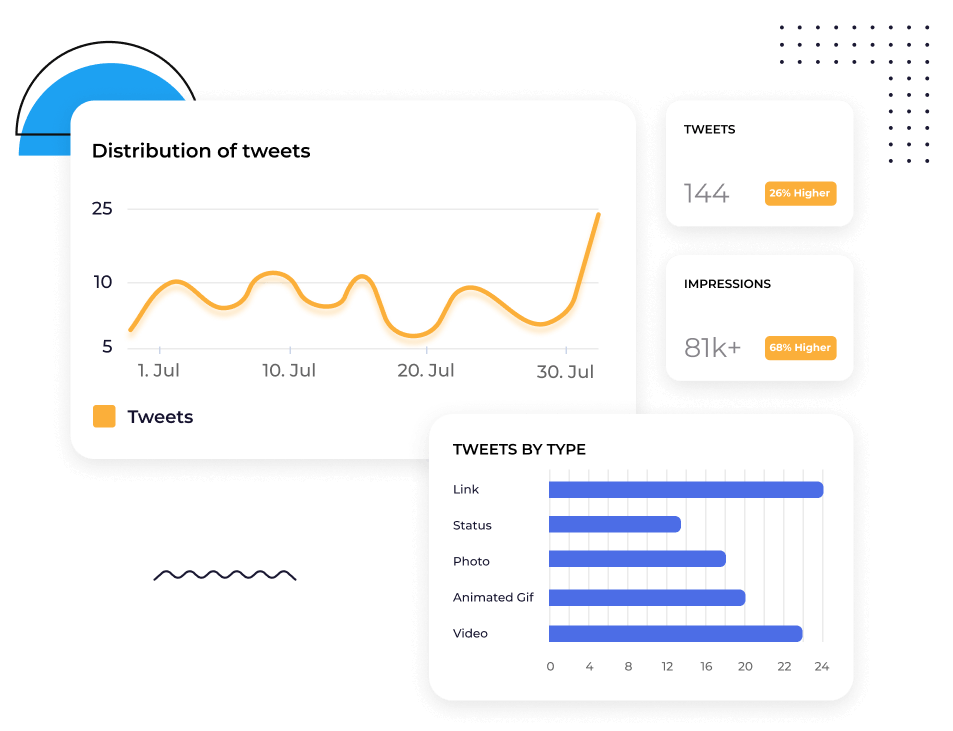






Compara tu perfil de Twitter con el de cualquier competidor
Añade cualquier perfil público de Twitter y consulta engagement, Impressions, Replies, retuits y Followers Growth junto al tuyo.
No necesitas alternar entre perfiles ni hacer 100 capturas de pantalla. Todo está en una sola vista para un análisis inmediato e insights.
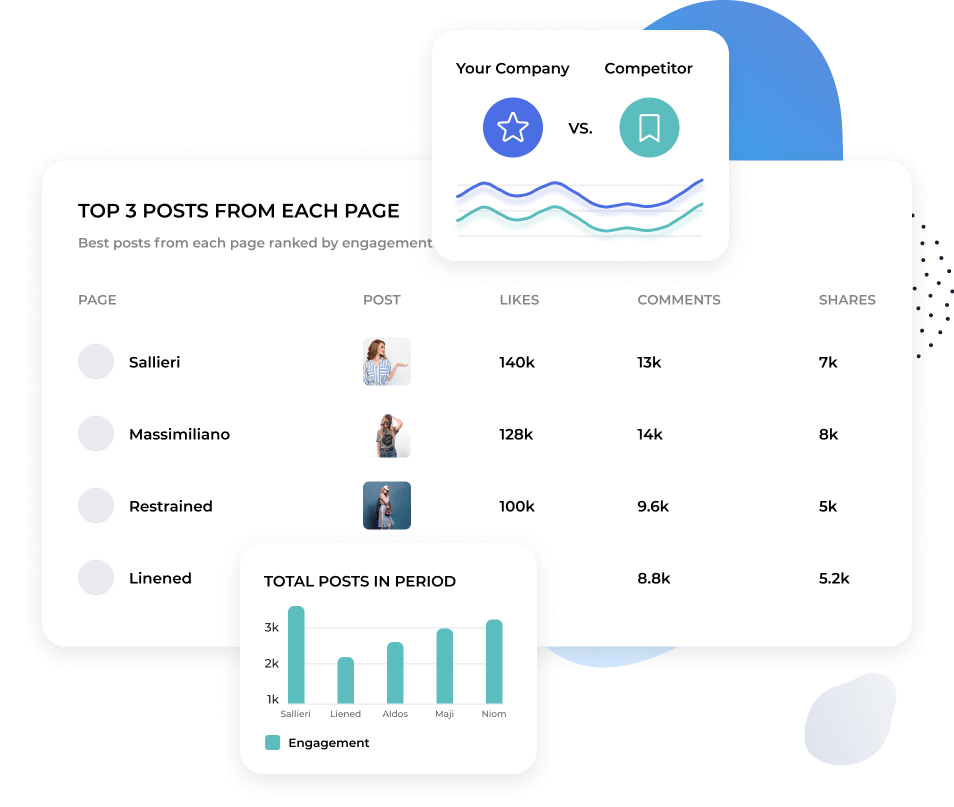
1. Comprende qué contenido está funcionando en Twitter
2. Twitter avanza rápido. Lo que hoy gana tracción puede no hacerlo mañana.
3. Socialinsider desglosa el rendimiento del contenido a nivel de publicación y lo agrupa por tema, para que veas qué temas y formatos consiguen engagement de forma constante, no solo qué publicaciones individuales se hicieron virales.
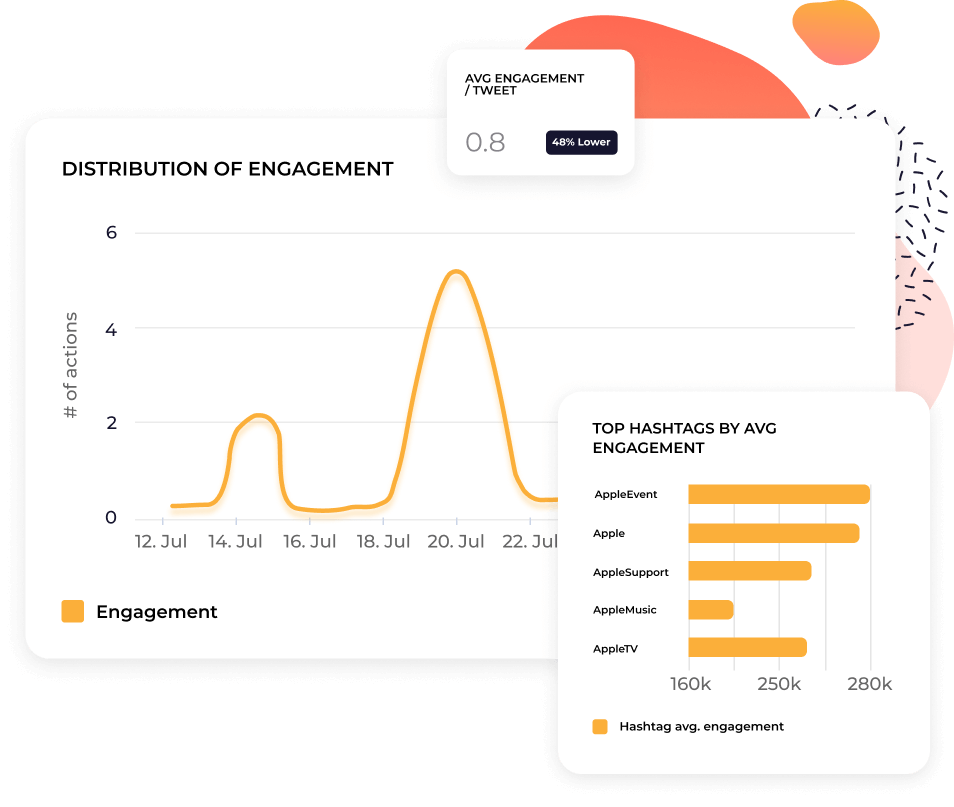

"Hemos empezado a utilizar Socialinsider para crear un análisis competitivo exhaustivo."

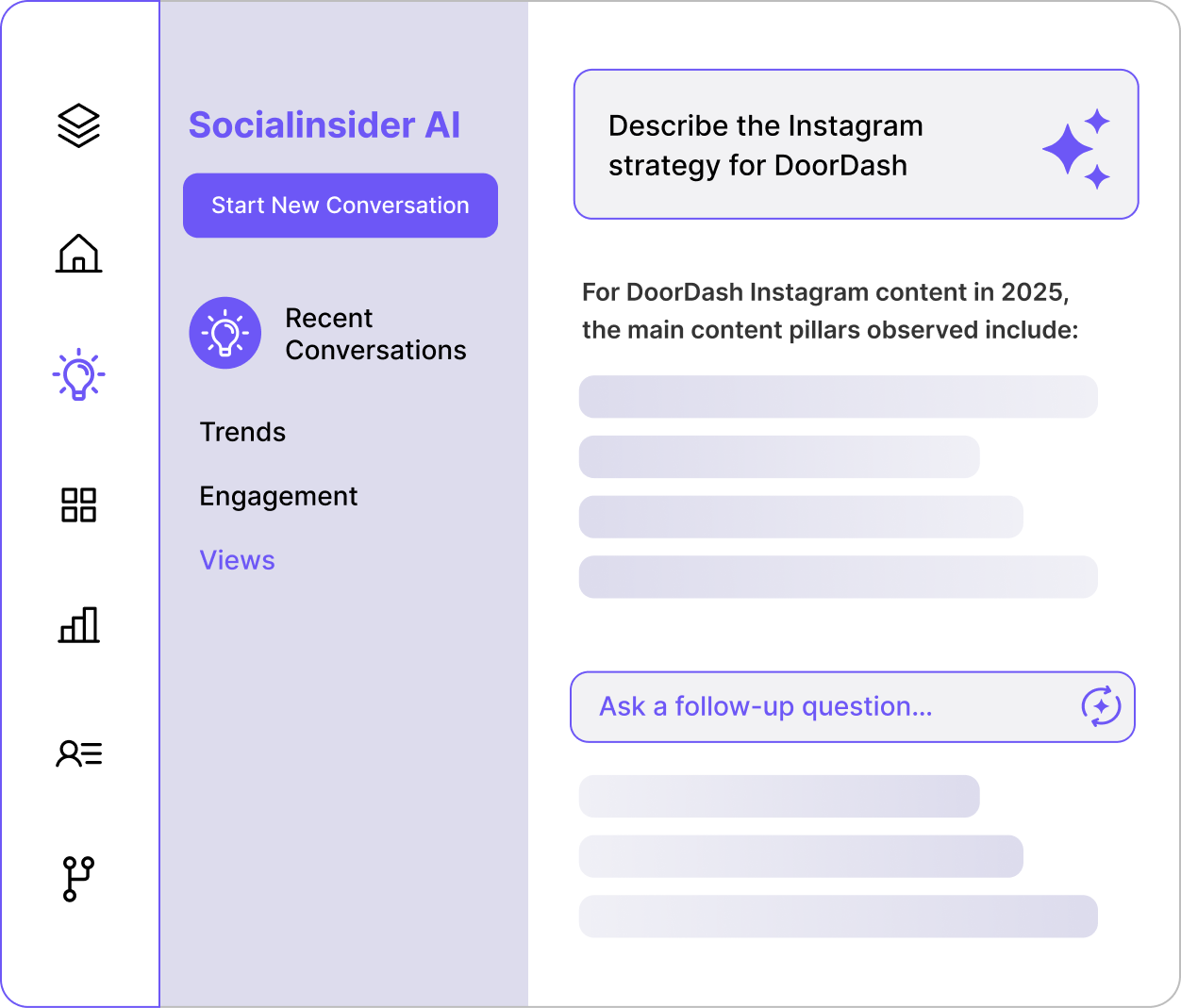
1. Pregunta a Socialinsider AI qué ocurre en tu perfil de Twitter
2. Haz una pregunta como: ¿Por qué se dispararon las Replies la semana pasada? o ¿Cómo se compara nuestra frecuencia de publicación con la de [competitor]?
3. Socialinsider AI utiliza tus datos de Twitter, los datos de tus competidores y los benchmarks del sector para darte una respuesta por escrito sobre la que puedes actuar.
Automatiza los informes de Twitter con informes listos para presentar
Exporta tus análisis de Twitter a CSV, Excel, PDF o PPT. Conecta con Looker Studio si tu equipo utiliza dashboards allí.
Los informes se generan con formato y marca para que no tengas que pasar una tarde reconstruyendo una presentación cada mes.
Lo que dicen de nosotros
"El servicio de atención al cliente también ha sido una de mis funciones favoritas. Sois simplemente fenomenales. Tu equipo responde con mucha rapidez y es muy amable y servicial, algo que no es lo habitual."

"Socialinsider nos ayudó a entender si estamos mejorando o retrocediendo, especialmente en comparación con las otras cuentas que seguimos."

"Socialinsider permite realizar un análisis competitivo que ofrece una perspectiva del rendimiento en relación con el mercado."

"El análisis de sentimiento es increíble para los hashtags de Instagram. Este nuevo dashboard de escucha de redes sociales me ayudó en la planificación a largo plazo."

"Estamos utilizando este dashboard de análisis de redes sociales para nuestros 40 clientes de redes sociales. Podemos tener todos los datos de rendimiento en un solo lugar."

"Con Socialinsider, nuestro equipo se volvió más eficiente. No necesitamos dedicar tiempo a recopilar datos de redes sociales. En su lugar, podemos centrarnos en insights y análisis."

"1. Usamos Socialinsider para obtener insights diarios sobre redes sociales cuando necesitamos definir cambios estratégicos sencillos o revisar el rendimiento de determinadas publicaciones en redes sociales."

"De media, un informe de redes sociales para una marca requiere entre 1 y 2 horas de trabajo con Socialinsider, cuando antes se necesitaba un día entero para recopilar los datos."

"Socialinsider nos ha ahorrado más de 16.000 $ al año. Nos ha permitido ahorrar tiempo en informes mensuales y análisis complejos a largo plazo."

Cómo realizar un seguimiento de la tasa de engagement de Twitter en Socialinsider
Las analíticas de redes sociales y las herramientas de análisis competitivo de Socialinsider te permiten medir el rendimiento en redes sociales, realizar auditorías y comparar el rendimiento.
Empieza creando una cuenta de prueba en Socialinsider
Añade a tus competidores y conecta los perfiles que gestionas
Obtén todas las métricas de engagement de cualquier cuenta empresarial de Twitter
Compara tu rendimiento con el de tus principales competidores
Realiza un análisis multicanal para evaluar el rendimiento de tu cuenta de Twitter.
Obtén insights competitivos y explora
las métricas de análisis de redes sociales
Preguntas frecuentes
¿Tienes alguna pregunta? Tenemos las respuestas.
1. ¿Qué son las analíticas de Twitter?
Las analíticas de X (Twitter) consisten en recopilar y analizar datos de tu cuenta de X para evaluar y optimizar tu estrategia y presencia en la plataforma.
Puedes obtener varias métricas de tus datos de Twitter, pero, en términos generales, se dividen en tres categorías:
- Audiencia: por ejemplo, crecimiento de Followers, datos demográficos y horarios de actividad.
- Contenido: por ejemplo, impresiones de Tweets, visualizaciones de vídeo, engagement, tasas de engagement y clics en enlaces.
- Rendimiento de la campaña: por ejemplo, coste por engagement, tasas de conversión y retorno de la inversión publicitaria (ROAS).
Puedes supervisar tu actividad de Twitter mediante las analíticas nativas de Twitter (pero ten en cuenta que solo están disponibles con un plan premium de X de pago) o con una herramienta de terceros, como Socialinsider.
Realizar un seguimiento e interpretar eficazmente tus datos de análisis es fundamental para cualquier estrategia de marketing exitosa en Twitter. Los insights de Twitter te ayudarán a:
- Realizar una auditoría de Twitter: con una visión general completa de toda tu actividad en Twitter, puedes identificar rápidamente qué funciona y qué no, sin perder tiempo ni presupuesto en tácticas que no contribuyen a tus objetivos empresariales.
- Medir el rendimiento del contenido: al comprender qué contenido obtiene más visualizaciones, impresiones, me gusta, respuestas o retuits, puedes adaptar tus futuras publicaciones para mejorar el rendimiento.
- Analizar el crecimiento del perfil: hacer un seguimiento de las visitas a tu perfil y de tus Followers te revelará si tu contenido está impulsando un crecimiento tangible de la página.
- Identificar tendencias: en tu audiencia, sector y plataforma en general, para que puedas mantenerte al día de las conversaciones dinámicas por las que Twitter es famoso.
- Exportar datos para elaborar informes y medir el ROI: controla de cerca cómo el gasto y los recursos se traducen en ROI. Exporta datos de las analíticas de Twitter para crear informes claros y prácticos para ti y las partes interesadas de tu empresa.
3. Por qué es importante hacer un seguimiento de las analíticas de X (Twitter)
Si utilizas las redes sociales en tu estrategia de marketing, debes familiarizarte con las analíticas de redes sociales. Esto es especialmente cierto en el caso de Twitter.
En primer lugar, la propia naturaleza de Twitter es… bueno, bastante abrumadora. Con más de 300 millones de usuarios, un gran volumen de Tweets y conversaciones que avanzan a toda velocidad, quizá te preguntes si es posible abrirse paso entre tanto ruido.
En segundo lugar, Twitter ha experimentado grandes cambios desde que Elon Musk lo adquirió en 2022, y no solo cambió su nombre a X:
- Funciones y funcionalidades - Musk ha compartido que imagina X como una «aplicación para todo». Esto significa que se añaden constantemente nuevas funciones y características a la plataforma: desde compras y cuentas X Premium hasta el reparto de ingresos publicitarios.
- Contenido más diverso - Antes conocida por sus concisos Tweets de 140 caracteres, X ha aumentado el límite de caracteres para que sus usuarios de pago puedan publicar actualizaciones de texto más largas, además de introducir más contenido multimedia.
- Crecimiento de la audiencia - En general, X ha perdido aproximadamente 32,7 millones de usuarios desde la adquisición. Pero si analizamos los datos demográficos en detalle, podemos observar un aumento de usuarios de la generación Z (el 45% de la generación Z utiliza X).
Cómo pueden usar las marcas el análisis de Twitter
Históricamente, las marcas han usado Twitter para divertirse y comunicarse en tiempo real con su audiencia (piensa en marcas de comida rápida como KFC o Wendy’s). Sin embargo, todos estos cambios podrían hacerte preguntarte si sigue valiendo la pena invertir en X.
Por eso, el análisis de Twitter es más importante que nunca: te ayudará a responder a esa pregunta. Podrás:
- Recopilar inteligencia competitiva - supervisar otros perfiles de Twitter y la actividad en Twitter de tu sector para encontrar tu ventaja competitiva: ¿otras marcas de tu nicho tienen éxito? ¿Cuáles son los temas de conversación más importantes? ¿Tu categoría está saturada o hay oportunidades que puedes aprovechar? Todo esto te indicará si merece la pena mantener una presencia en X.
- Ofrecer una mejor experiencia al cliente - toda buena estrategia de marketing comienza por comprender a tu audiencia. Tus analíticas de Followers de Twitter te mostrarán los datos demográficos que estás atrayendo (o que quieres atraer), para que puedas integrar sus necesidades y preferencias en cada Tweet y campaña. Y no se trata solo del contenido: recuerda que X también es un canal clave para la atención al cliente en tiempo real.
- Comprender las tendencias y los patrones - Twitter no solo está muy impulsado por las tendencias, sino que también es extremadamente rápido. Como las conversaciones sobre noticias o eventos tienen lugar en tiempo real, el análisis te ayuda a supervisar las conversaciones emergentes, seguir los patrones estacionales y profundizar en el comportamiento de la audiencia, para que puedas mantenerte relevante, adaptarte y aprovechar los momentos importantes para tu marca.
- Identifica el mejor contenido - los Tweets siguen limitados a 280 caracteres para los usuarios que no pagan, pero los usuarios de pago pueden publicar hasta 4.000 caracteres. Aun así, las viejas costumbres son difíciles de cambiar: el Tweet promedio tiene entre 240 y 259 caracteres, y se recomienda publicar entre 5 y 10 veces al día. Dado el espacio limitado y la alta frecuencia de publicación, necesitarás recursos, mensajes claros y una voz de marca distintiva para tener éxito. Hacer un seguimiento de tus esfuerzos en Twitter te ayudará a identificar las publicaciones y formatos con mejor rendimiento (por ejemplo, vídeo frente a texto), optimizar tu producción de contenido y mejorar el rendimiento.
- Consigue influencers y defensores de X (Twitter) - cuando se trata de aumentar la visibilidad, incrementar el engagement y generar confianza con tu audiencia, colaborar con influencers y defensores de X puede marcar la diferencia. El análisis de Twitter te ayudará a identificar a los Followers que interactúan frecuentemente con tu marca y a detectar a líderes de opinión y creadores populares de tu nicho. Tanto si organizas sorteos como si celebras AMAs o colaboras en Tweets promocionados, después podrás usar el análisis para informar sobre el éxito de la colaboración.
Cómo consultar el análisis de Twitter
Ahora que entiendes por qué es tan importante contar con un análisis sólido de Twitter, quizá te preguntes cómo consultar tus analíticas de Twitter.
Lo primero es que el análisis nativo de Twitter solo está disponible con una suscripción de pago a X Premium. Por tanto, si tienes una membresía gratuita o una suscripción X Basic, no podrás acceder al dashboard de análisis de la aplicación.
La buena noticia es que puedes usar una herramienta de terceros, como Socialinsider, para realizar análisis avanzados sin pagar una suscripción a X.
A continuación encontrarás una guía rápida sobre cómo acceder al análisis de Twitter desde X en móvil y ordenador, y a través de Socialinsider.
Cómo consultar el análisis de X (Twitter) en el móvil
- Abre la aplicación de X (Twitter) e inicia sesión en tu cuenta.
- Toca tu foto de perfil para ir a tu página.
- Busca el Tweet específico que quieres analizar.
- Toca el icono «•••» (Más) debajo del Tweet y selecciona «Ver análisis del Tweet» para consultar datos detallados de engagement, como impresiones, Likes y retweets.
La versión móvil del análisis de X (Twitter) es bastante útil para consultar el rendimiento de los Tweets sobre la marcha. Sin embargo, necesitarás usar la versión de escritorio para acceder al análisis completo de la cuenta.
Cómo consultar el análisis de X (Twitter) en el ordenador
- Ve a X.com o twitter.com e inicia sesión en tu cuenta.
- Haz clic en «Más y Creator Studio» en el menú de la izquierda, donde encontrarás tu dashboard de análisis de X.
- Podrás ver una descripción general del rendimiento de tu cuenta, que incluye:
- Un resumen de 28 días de impresiones, visitas al perfil, menciones y Followers
- Datos destacados, como los Tweets, las menciones y los Followers principales
- Actividad de Tweets y vídeos: métricas de contenido más detalladas, como impresiones, visualizaciones y engagement
- Seguimiento de conversiones para campañas publicitarias
También puedes explorar los datos demográficos de la audiencia (edad, ubicación, horarios de actividad, etc.) y las tendencias de contenido a lo largo del tiempo.
Cómo consultar el análisis de X (Twitter) con Socialinsider
Además del dashboard de análisis nativo, las herramientas de análisis de Twitter, como Socialinsider, pueden ofrecerte insights más potentes para mejorar realmente tu rendimiento en X.
Si quieres comprender el análisis a largo plazo, seguir los KPI relevantes en un dashboard de análisis de Twitter fácil de leer, acceder a datos competitivos y benchmarks del sector, y automatizar tus informes —todo sin pagar una suscripción a X—, merece la pena que lo consideres.
Así puedes consultar el análisis de Twitter con Socialinsider:
- Crea una cuenta de Socialinsider o inicia sesión.
- Crea un proyecto nuevo o ve a un proyecto existente. Haz clic en «Conectar cuentas de redes sociales».
- Conecta tu cuenta de X (Twitter) y, después, selecciona las páginas que quieres añadir.
- Desde tu dashboard, puedes seleccionar la plataforma y la página que quieres analizar.
- Aquí puedes acceder a una amplia variedad de análisis avanzados: desde las herramientas de análisis competitivo de Twitter de Socialinsider hasta datos históricos de análisis de tus Tweets.
1. Todas las métricas de X (Twitter) que debes conocer
X no solo es una plataforma de redes sociales muy particular, sino que también ha experimentado cambios importantes. Por eso, no puedes copiar y pegar simplemente tu estrategia de informes de Instagram o TikTok: necesitas comprender bien qué métricas de análisis de Twitter debes seguir.
Pero antes de empezar a hacer seguimiento, define primero tus objetivos. Tus KPI dependerán de tus objetivos empresariales, pero X suele ser especialmente útil para:
- Ampliar tu audiencia y aumentar el reconocimiento de marca
- Impulsar el engagement y cultivar una comunidad
- Generar tráfico hacia tu sitio web
- Ventas directas
- Liderazgo de opinión
- Investigación de clientes y escucha social
En términos generales, las métricas más importantes que debes seguir son las métricas generales, las métricas de audiencia y las métricas de contenido. Analicemos cada área para comprender cómo cada métrica contribuye al panorama general.
Métricas generales
El ritmo acelerado de X significa que debes hacer seguimiento del rendimiento en tiempo real. Aquí es donde entran en juego las métricas generales, ya que te permiten consultar todos tus KPI de un vistazo.
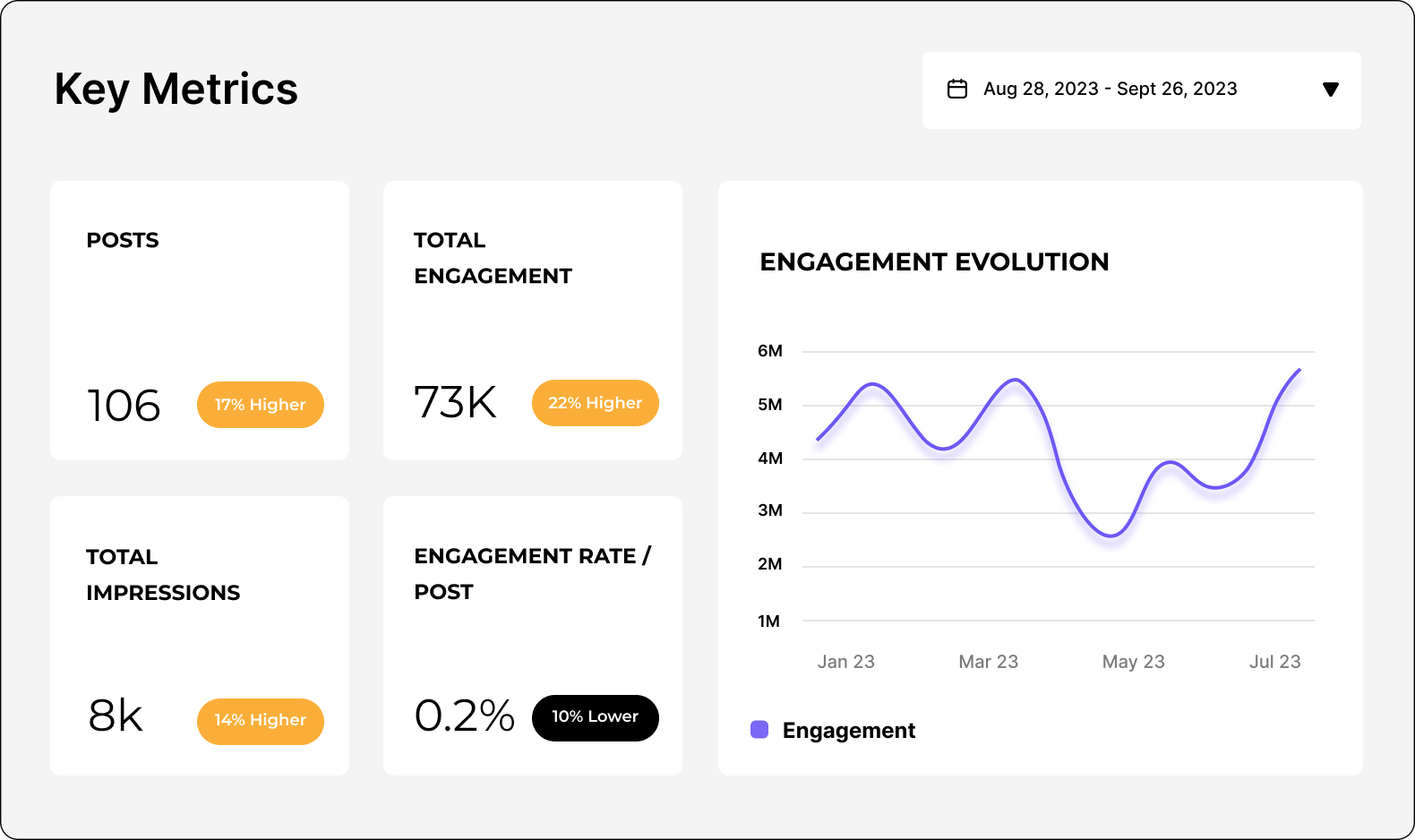
Con este resumen general de las analíticas de tu cuenta de Twitter, puedes determinar la efectividad general de tu estrategia y detectar rápidamente patrones de rendimiento.
Las métricas generales incluyen:
Impressions (track with Socialinsider): el número total de veces que se ha visto tu tweet, incluidas las visualizaciones múltiples del mismo usuario. Hacer seguimiento de las impresiones te ayuda a evaluar el alcance de tu contenido y la visibilidad de tu marca en X.
Engagement (track with Socialinsider): el número total de interacciones en un tweet, incluidos los Me gusta, las respuestas, los reposts y los clics en enlaces, hashtags o contenido multimedia. Esto te permite saber si tu contenido está conectando con tu audiencia. Además, un engagement alto aumenta la visibilidad en el algoritmo de X.
Engagement rate (track with Socialinsider): el porcentaje de usuarios que han interactuado con un Tweet respecto al total de usuarios que lo han visto. Puedes calcularlo sumando el total de interacciones de un Tweet, dividiendo esta cifra entre las impresiones del Tweet o el total de Followers y multiplicando el resultado por 100 para obtener un porcentaje. Como las fluctuaciones en la visibilidad pueden estar fuera de tu control, por ejemplo, debido a una actualización del algoritmo, la tasa de engagement es una forma útil de medir la calidad del engagement, no solo la cantidad.
Profile visits (track in the native app): el número de veces que los usuarios acceden a tu perfil. Supervisar las visitas al perfil es una forma útil de medir cómo tu contenido genera interés por tu marca y si las personas buscan activamente tu cuenta. En esencia, ¿quieren saber más sobre ti?
New followers (track with Socialinsider): el número de nuevos Followers que has obtenido durante un periodo específico. Esto te muestra si tu contenido y tus campañas están impulsando el crecimiento de la audiencia. Si estás ganando Followers, indica que las personas están interesadas en crear una relación continua con tu marca; quizá les ha gustado un Tweet y ahora quieren ver qué publicas después.
Replies (track with Socialinsider): el número de respuestas directas a tu tweet. Las respuestas indican que tu contenido está generando conversación, que, después de todo, es el verdadero propósito de Twitter. Son útiles para aumentar el engagement, ya que el algoritmo de X prioriza el contenido que genera mucha interacción, y para cultivar tu comunidad, por ejemplo, fomentando la conexión o recopilando feedback.
Likes (track with Socialinsider): el número de Likes que recibe un Tweet. Los Likes son la forma más sencilla de que tu audiencia interactúe con tu contenido, por lo que indican rápidamente si tu contenido ha recibido su aprobación.
Reposts (track with Socialinsider): el número de veces que tu tweet se publica de nuevo o se «retuitea». Si alguien te retuitea, significa que se identifica con tu contenido y lo considera lo bastante valioso como para compartirlo con sus Followers. Por tanto, al diseñar contenido que se pueda compartir, puedes amplificarlo para llegar a una audiencia más amplia.
Bookmarks (track in the native app): el número de veces que los usuarios han guardado tus tweets. De nuevo, los marcadores son una métrica de valor muy importante: aunque las personas no interactúen públicamente con tu contenido, los guardados muestran que lo consideran lo bastante interesante y relevante como para volver a consultarlo más adelante.
Shares (track with Socialinsider): el número de veces que se ha compartido tu contenido, tanto dentro como fuera de X. Esto incluye reposts o retweets, además de las veces que se comparte externamente, por ejemplo, mediante WhatsApp o correo electrónico. Esto te permite ver hasta dónde se extiende tu mensaje más allá de tu audiencia inmediata.
Quotes (track with Socialinsider): el número de veces que tu tweet se publica de nuevo con comentarios adicionales. Cuando los usuarios citan tu tweet, interactúan más profundamente con tu contenido al compartir sus propias ideas u opiniones. En otras palabras, tu contenido no solo es interesante o valioso, sino que también invita a la reflexión.
Follower growth (track with Socialinsider): el ritmo al que aumenta o disminuye el total de tus Followers con el tiempo. Es fundamental analizar tus Followers de Twitter para comprender la salud general de tu presencia en X y hacer seguimiento del impacto de tu contenido a largo plazo.
Métricas de audiencia
En última instancia, tu estrategia de X, desde el tipo de contenido que creas hasta los KPI que sigues, dependerá de tu audiencia única. ¿Prefieren los vídeos o los enlaces a artículos? ¿Los memes les entretienen o les desconciertan? ¿Cuándo es más probable que vean tu contenido? Hacer seguimiento de las métricas de audiencia puede ayudarte a responder a todo esto y mucho más.
Age (track in the native app): los rangos de edad predominantes de tus Followers. Si conoces los datos demográficos de edad de las personas a las que te diriges, puedes asegurarte de que coincidan con la audiencia objetivo de tu empresa, adaptar mejor tu contenido a sus intereses y preferencias, y perfeccionar tus mensajes para que lleguen a los grupos adecuados.
Gender (track in the native app): la distribución por género de tus Followers. De nuevo, esto te ayuda a evaluar si tu estrategia va por buen camino, tanto si buscas una representación equilibrada como si te diriges a un género específico, y a optimizar tus esfuerzos de contenido y publicidad en consecuencia.
Active times (track in the native app): los momentos del día o de la semana en los que tu audiencia está más activa en X. Como los Tweets son más efímeros que otros tipos de contenido de redes sociales, quieres publicar cuando tus Followers estén conectados; estos datos te ayudan a ajustar tu calendario.
Country (track in the native app): las principales ubicaciones geográficas de tus Followers. Saber dónde se encuentran tus Followers es esencial para la segmentación de anuncios, pero también para tener en cuenta las preferencias culturales y adaptar el contenido o las campañas a una audiencia global o local.
Métricas de contenido
Para algunas empresas, basta con utilizar X para la escucha social o la atención al cliente. Pero si quieres construir una presencia que pueda influir realmente en tus resultados, debes invertir en contenido. Y si vas a invertir en contenido, necesitarás comprender las métricas de contenido.
Estas son las métricas que debes seguir para desarrollar una estrategia de contenido ganadora en X:
AI Content Pillars (track with Socialinsider): mediante IA, Socialinsider puede identificar los temas o las categorías clave en torno a los cuales crear tu contenido. A estos los llamamos «pilares de contenido». Te ayudan a centrar y organizar tus esfuerzos de creación de contenido, para que puedas invertir en publicaciones que conecten más con tu audiencia. En Socialinsider puedes ver tanto el volumen de contenido como las tasas de engagement en distintas categorías.
Engagement for each content pillar (track with Socialinsider): mide el rendimiento de los distintos pilares de contenido mediante el seguimiento de Likes, Replies, retweets, Quotes, Shares, Clicks, etc. Al identificar los temas que generan más interacciones, puedes idear y crear contenido futuro con mayor confianza.
Impressions on a post level (track with Socialinsider): el número de veces que una publicación individual se ha mostrado en los feeds de los usuarios. Comparar las impresiones en las analíticas de tweets individuales te mostrará qué impulsa específicamente el alcance de tu página: los mensajes, el tipo de publicación, las promociones de pago, etc.
Likes on a post level (track with Socialinsider): el número de Likes de una publicación individual. Esto te ofrece una indicación clara de qué contenido funciona bien con tu audiencia.
Replies on a post level (track with Socialinsider): el número de respuestas directas o comentarios en una publicación individual. Esto revelará qué tipo de contenido genera un engagement más profundo al iniciar conversaciones.
Reposts on a post level (track with Socialinsider): el número de veces que una publicación se ha vuelto a publicar o retuitear; en otras palabras, lo fácil que es compartir tu contenido. Al supervisarlo con el tiempo, podrás hacerte una idea de qué impulsa exactamente a las personas a compartir.
Engagement rate on a post level (track with Socialinsider): el porcentaje de personas que interactuaron con una publicación individual respecto a las personas que la vieron, ya sean impresiones o Followers. Esto resulta útil para identificar tus publicaciones con mejor rendimiento. Por ejemplo, si dos publicaciones tienen el mismo engagement pero distintas impresiones, destacará la que tenga una tasa de engagement más alta.
Post types by engagement (track with Socialinsider): un desglose del engagement según el tipo de contenido: enlaces, publicaciones de texto, fotos, GIF animados o vídeos. Es muy útil para identificar fácilmente qué formatos funcionan mejor, de modo que puedas crear más contenido que realmente genere engagement en tu audiencia.
Top posts by engagement (track with Socialinsider): una clasificación de las publicaciones con los niveles más altos de engagement. Clasificar el rendimiento de las publicaciones te ayudará a reproducir y perfeccionar tácticas o tipos de contenido exitosos, para que puedas seguir alcanzando nuevos máximos de engagement.
Bottom posts by engagement (track with Socialinsider): las publicaciones con los niveles más bajos de engagement. Esto es tan importante como hacer seguimiento de las publicaciones con mejor rendimiento, ya que te permite saber qué debes dejar de hacer y evitar desperdiciar tiempo, recursos o presupuesto en contenido que no genera resultados significativos.
3. Cómo crear informes de análisis de X (Twitter).
Crear informes detallados de análisis de X (Twitter) es útil para ti, para el resto de tu equipo y para las partes interesadas de la empresa. Te ayudarán a:
- Hacer seguimiento del rendimiento para asegurarte de que tus publicaciones y actividad cumplen los KPI
- Identificar patrones y tendencias para perfeccionar tus esfuerzos de creación de contenido
- Recopilar información útil sobre tu audiencia y tus competidores
- Comunicar cómo tu marketing de Twitter contribuye a objetivos empresariales más amplios
Puedes crear informes de Twitter en distintos formatos siguiendo los pasos que se indican a continuación.
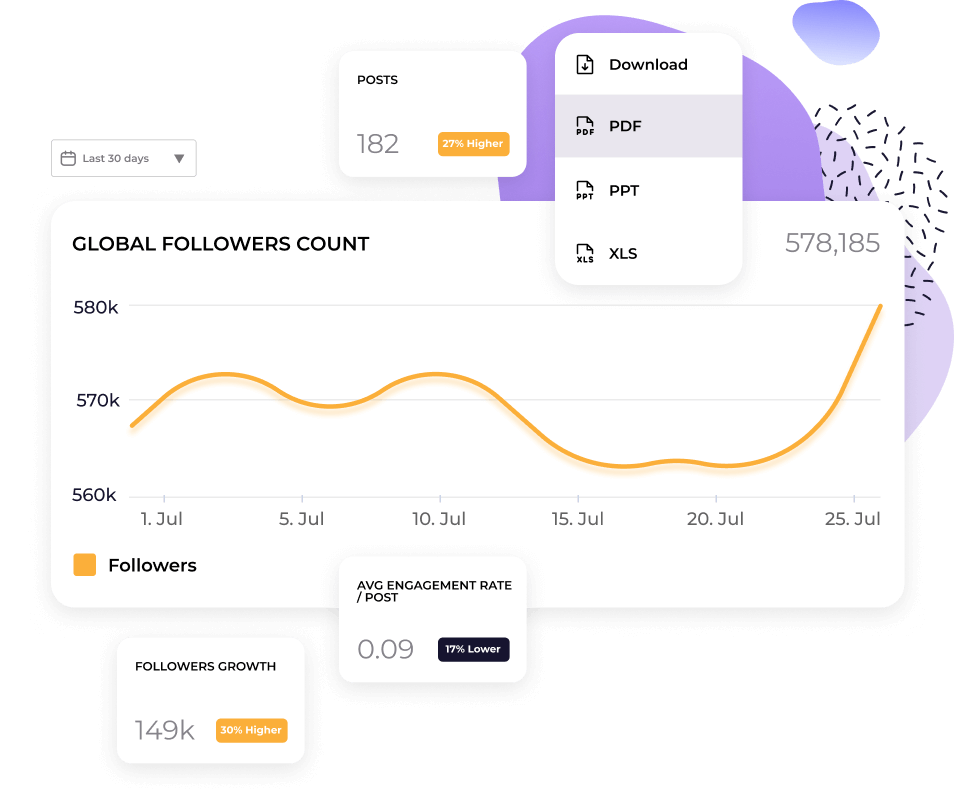
a) Informes CSV: créalos con SocialinsiderCon Socialinsider puedes exportar cualquier dato que veas en tu dashboard. Ya sea una descripción general del perfil o las publicaciones con mejor rendimiento, solo tienes que buscar el botón «Download» en la esquina superior derecha.
Al hacer clic, verás un menú desplegable con distintos formatos. Selecciona CSV para exportar tus datos y, después, importarlos en Microsoft Excel o Google Sheets. Ten en cuenta que solo determinados informes se pueden exportar como archivos CSV.
b) Informes PPT, PDF o Excel: créalos con SocialinsiderPara exportar tus datos de Socialinsider a informes PPT, PDF o Excel, sigue los mismos pasos anteriores, pero selecciona otro formato en el menú desplegable.
También puedes automatizar los informes para recibir tus informes favoritos directamente en tu bandeja de entrada. Solo tienes que ir a la sección «Autoreports» de la barra lateral izquierda y empezar a programarlos.
c) Looker studio: créalo con GoogleSi trabajas con muchos datos, por ejemplo, de varios perfiles, canales o marcas, quizá quieras utilizar Looker studio de Google, anteriormente Google Data Studio. Looker es una plataforma de visualización de datos que puede ayudarte a presentar y analizar tus datos de Twitter en un dashboard de marketing más amplio y sofisticado.
Para importar tus datos de Socialinsider, inicia sesión en Google Looker, ve a «Data sources» y conecta Socialinsider.
1. Cómo crear informes de análisis competitivo de X (Twitter)
Tu cuenta de Twitter puede ofrecer muchos datos, pero centrarte únicamente en tus propias métricas no te ayudará a triunfar en redes sociales. Para mejorar realmente tu estrategia de marketing en Twitter, debes mirar más allá y realizar análisis competitivo y benchmarking con regularidad para descubrir qué hacen (o qué dejan de hacer) tus competidores y los líderes del sector. Esto te ayudará a:
- Entender cómo rindes en comparación con tus competidores
- Establecer KPI y objetivos realistas
- Mantenerte al día de las conversaciones y tendencias de tu nicho
- Reproducir estrategias exitosas o aprovechar oportunidades que nadie más ha detectado
Por suerte, es fácil consultar el análisis de Twitter de otra cuenta usando las herramientas de análisis competitivo de Socialinsider. Para cada perfil de Twitter, puedes hacer un seguimiento de lo siguiente:
- ¿Qué temas conectan más con tu audiencia? - Destaca los temas y asuntos clave que impulsan el engagement de tus competidores para inspirarte en tus propias publicaciones.
- ¿Cómo funcionan las publicaciones con el tiempo? - Haz un seguimiento y compara el rendimiento de las publicaciones de tu cuenta y de las cuentas de tus competidores para detectar patrones y entender mejor las caídas o los picos, por ejemplo, si hay una actualización del algoritmo que afecta a las impresiones de todos.
- Followers growth - Supervisa el número de Followers y las tasas de crecimiento de tus competidores para controlar a qué velocidad crece su audiencia en comparación con la tuya. A partir de ahí, intenta evaluar los factores que desencadenan los patrones de crecimiento para obtener insights sobre cómo atraen (o incluso pierden) Followers y optimizar tu estrategia en consecuencia.
- Pilares de contenido de IA - El análisis basado en IA de Socialinsider puede agrupar las publicaciones de tus competidores en pilares específicos, como publicaciones educativas o noticias de entretenimiento. Al revelar qué impulsa el engagement de tus competidores (o simplemente de las marcas que admiras), puedes aplicar ingeniería inversa a su estrategia y perfeccionar tu propia combinación de contenido.
Al analizar todas estas métricas competitivas, puedes evaluar con precisión qué funciona y qué no en tu nicho para tomar decisiones basadas en datos y superar a tus competidores.
3. ¿Qué pasó con el análisis de X (Twitter)?
El análisis de X (antes Twitter) era gratuito para todos los usuarios de la plataforma. Tras los cambios recientes, la página de análisis nativa de Twitter ahora solo está disponible para usuarios con una suscripción Premium. Si te preguntas cómo consultar el análisis de Twitter ahora, tienes dos opciones:
a) Cambiar a un plan de pago en X (Premium o Premium+)
b) Registrarte en una herramienta de análisis de terceros, como Socialinsider
¿Dónde está ahora el análisis de X?
El análisis de X ahora está detrás de un muro de pago, lo que significa que necesitas una suscripción Premium para acceder a los datos de rendimiento. Como alternativa, puedes obtener informes avanzados e insights mediante una herramienta de terceros como Socialinsider, sin necesidad de cambiar a un plan de X de pago.
¿Por qué no puedo ver el análisis de mi Tweet?
Si no puedes ver el análisis de tus tweets, comprueba qué tipo de plan de X tienes. Si es gratuito o Basic, ya no puedes acceder al análisis de X: tendrás que cambiar a una suscripción Premium o utilizar una herramienta de terceros como Socialinsider.
1. ¿Dónde están ahora las analíticas de las publicaciones en Twitter?
Las analíticas de las publicaciones siguen disponibles, pero solo para usuarios Premium. Si ya no las ves, es porque X ha restringido el acceso a las analíticas sin un plan de pago. Como alternativa, puedes usar plataformas de analíticas de terceros como Socialinsider para obtener analíticas completas de Twitter sin tener que cambiar de plan.
3. Obtén una visión completa de los datos de analíticas de Twitter
4. Descubre cómo se compara tu rendimiento en Twitter con el de la competencia y toma decisiones estratégicas respaldadas por los datos.