競合分析に特化したインスタグラムアナリティクス
任意のInstagramビジネスプロフィールを自社アカウントと併せてトラッキングできます。エンゲージメントのトレンド、コンテンツフォーマット、成長を時系列で比較し、自社の強みと改善点を把握しましょう。
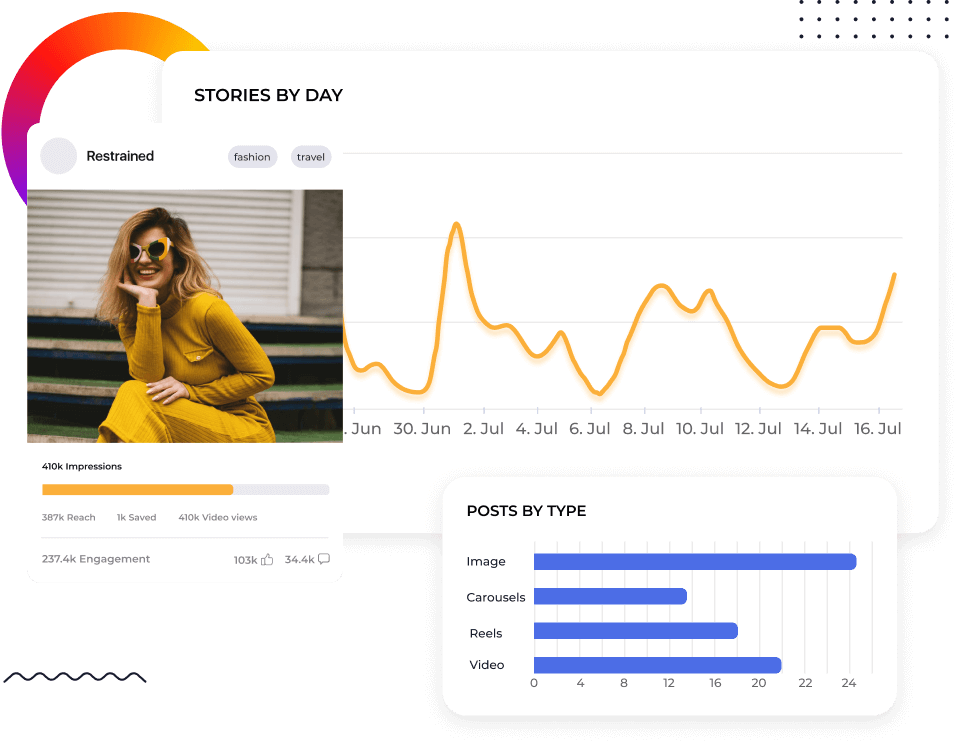






任意のInstagramアカウント(自社または競合)をベンチマーク
多くのインスタグラムのメトリクス用ツールは、競合データを副次的な機能としています。Socialinsiderは、それを出発点にしています。任意の公開インスタグラムプロフィールを追加し、自社アカウントと直接比較できます。エンゲージメント率、リーチ、インプレッション、リール視聴回数、投稿行動を並べて確認できます。
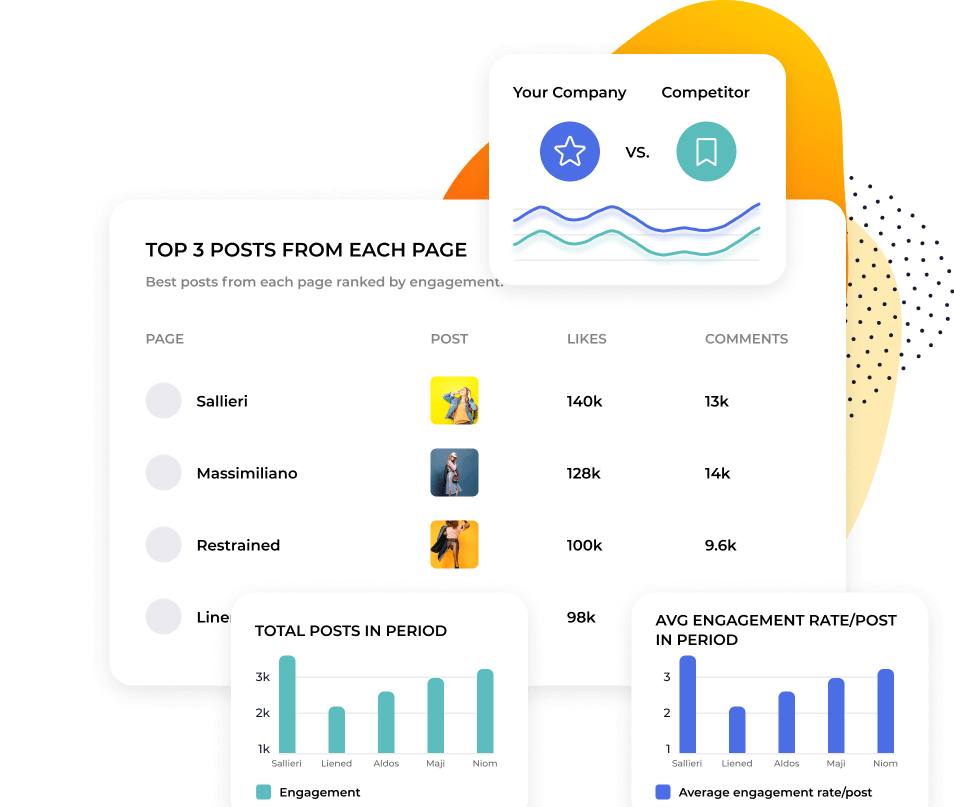
インスタグラムアナリティクスデータに質問できます
SocialinsiderのAIは、あなたのアカウント、競合、業界のベンチマークを同時に読み取ります。「今四半期、私たちのエンゲージメントは[competitor]と比べてどうですか?」と質問してください。何が変化したのか、その理由と重要性、次に取るべきアクションを分析レポートでご案内します。競合状況もすでに反映済みです。
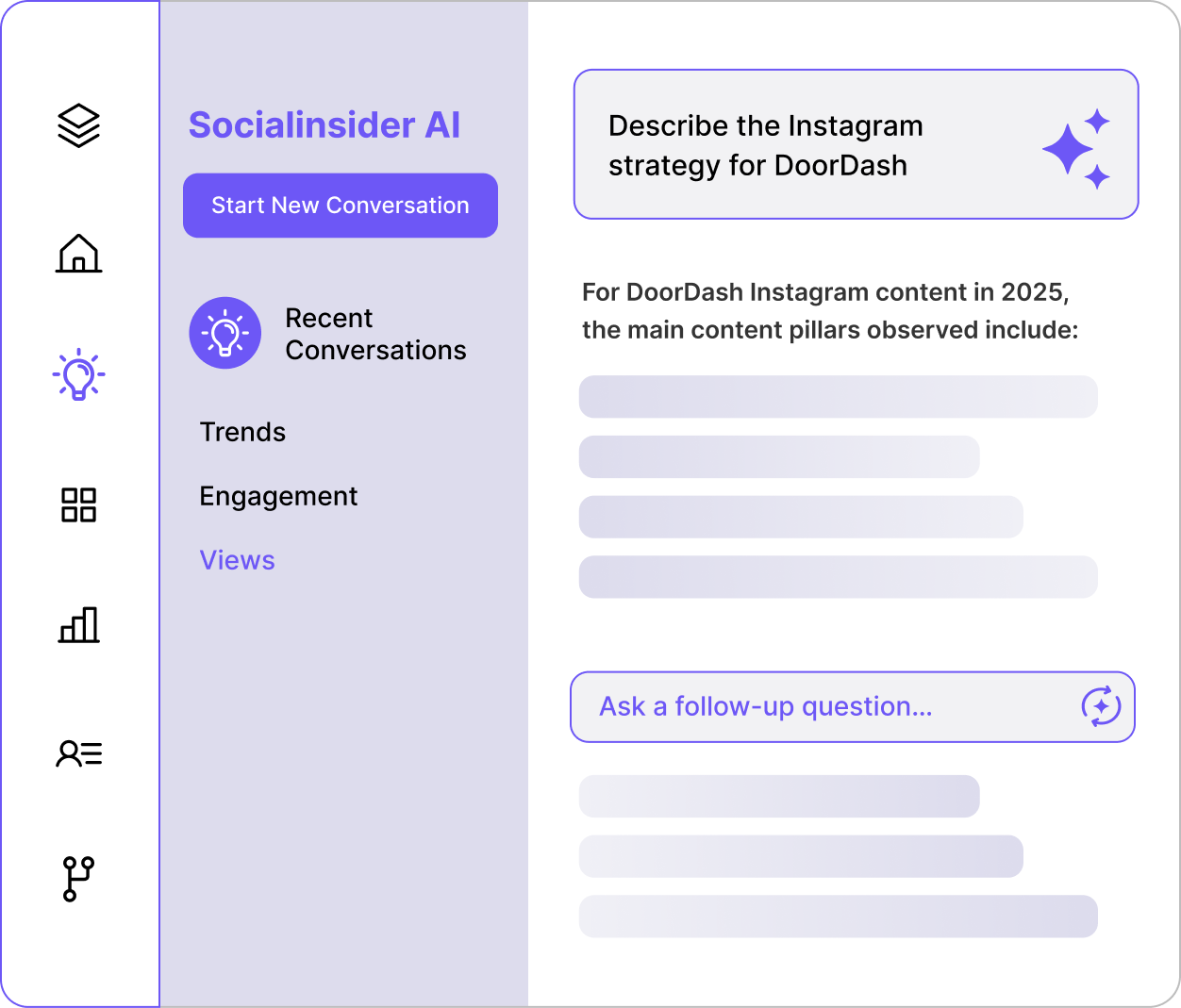

"競合分析によって、市場での自社のパフォーマンスが可視化されました。"

リールとカルーセルの比較を超えて、何が勝つかを見極めましょう。
SocialinsiderはAIでInstagramコンテンツをテーマごとに自動分類します。自分でカテゴリを作成し、投稿にタグを付けることも可能です。自社だけでなく、競合がエンゲージメントを獲得しているコンテンツも分析できます。一度だけのバズ投稿を追うのではなく、繰り返し再現できるパターンを発見しましょう。
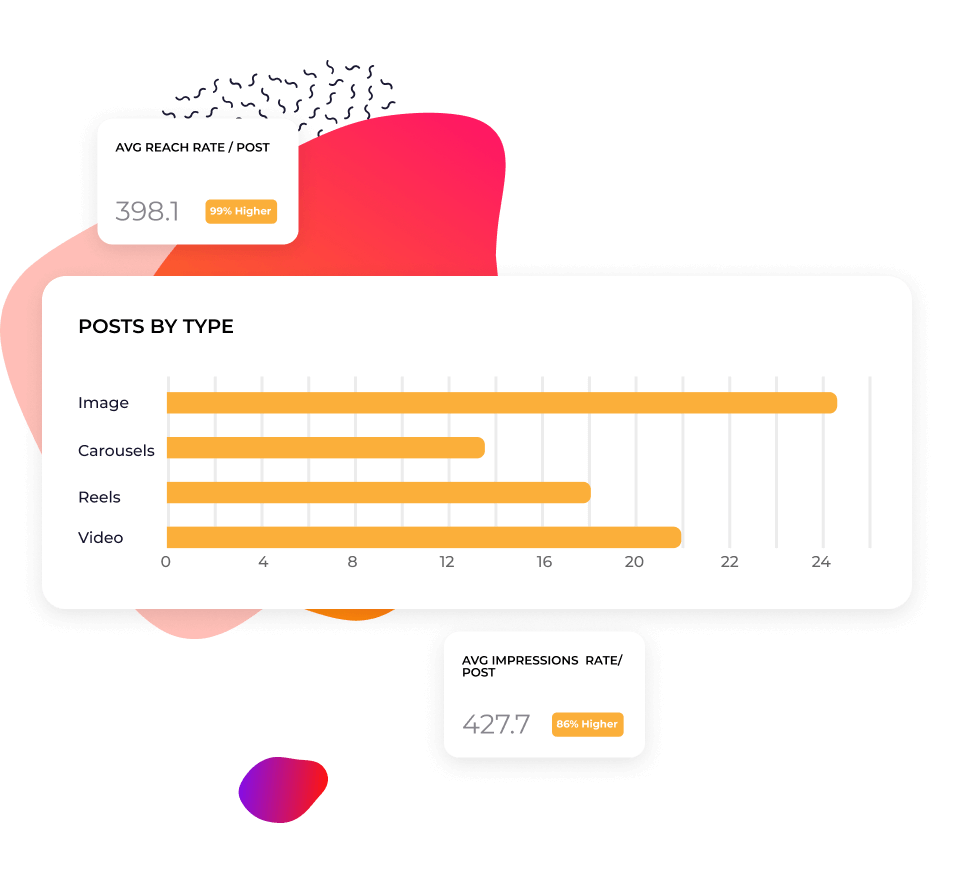
ゼロから始めずにパフォーマンスをレポートできます
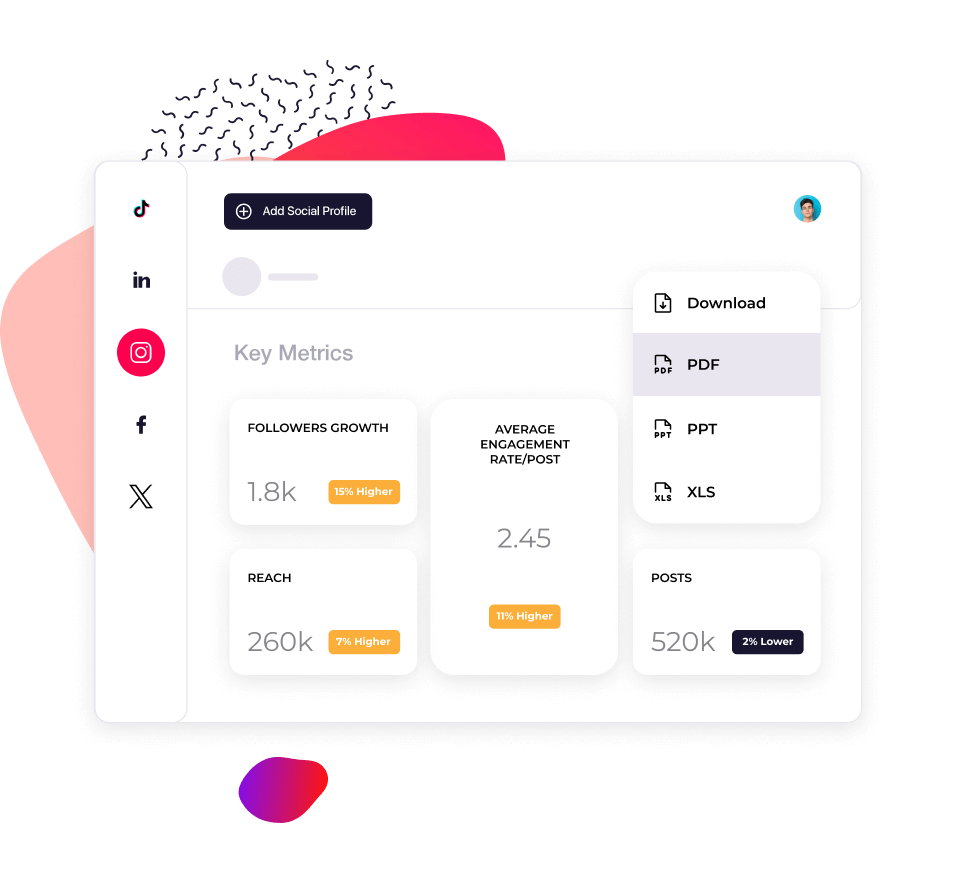
過去のデータにより「この低下は自社だけなのか、市場全体なのか?」という疑問に答えます。自社と競合のメトリクス推移を時系列で比較しましょう。レポートはCSV、PDF、PPTで、独自のブランディング付きで数分でエクスポートできます。スクリーンショットを集める手間は不要です。
お客様の声
"「カスタマーサービスも私のお気に入りの機能の一つです。皆さんは本当に素晴らしいです。御社のチームはとてもレスポンスが早く、親切で丁寧です。これは普通ではありません。」"

"Socialinsiderのおかげで、私たちが他のフォローしているアカウントと比較して、改善しているのか低下しているのかが明確に分かりました。"

"Socialinsiderでは、競合分析により市場に対するパフォーマンスのインサイトを得ることができます。"

"インスタグラムのハッシュタグに対するセンチメント分析は素晴らしいです。この新しいソーシャルメディアリスニングダッシュボードは、長期的なプランニングにとても役立ちました。"

"私たちは、すべての40社のソーシャルメディアクライアントにこのソーシャルメディアアナリティクスダッシュボードを活用しています。すべてのパフォーマンスデータを一括で管理できます。"

"Socialinsider導入により、チームの効率が向上しました。ソーシャルメディアのデータ収集に時間をかける必要がありません。代わりに、インサイトや分析に集中できます。"

"簡単な戦略変更の計画や特定のソーシャル投稿のパフォーマンスを確認する際、日々のソーシャルメディアインサイトにSocialinsiderを活用しています。"

"平均して、ブランド向けのソーシャルメディアレポート作成はSocialinsiderなら1~2時間で完了します。以前はデータ収集に丸一日かかっていました。"

"Socialinsiderは年間16,000ドル以上のコスト削減に貢献しています。月次レポートや複雑な長期分析にかかる時間も大幅に短縮できました。"

SocialinsiderでInstagramエンゲージメント率を追跡する方法
Socialinsiderのソーシャルメディアアナリティクスと競合分析ツールで、ソーシャルメディアのパフォーマンスを計測し、監査を実施、成果を比較できます。
まずはSocialinsiderの無料トライアルアカウントを作成してください。
競合他社を追加し、ご自身が管理するプロフィールを連携します
すべてのInstagramビジネスアカウントのエンゲージメントメトリクスを取得できます。
主要な競合他社と自社のパフォーマンスを比較します
クロスチャネル分析でInstagramのパフォーマンスを評価します。
競合のインサイトを取得し、
ソーシャルメディアアナリティクスのメトリクスを確認しましょう。
よくあるご質問
ご質問がありますか?私たちが答えます。
Instagramアナリティクスとは何ですか。
Instagramアナリティクスは、Instagramアカウントのデータを収集・分析し、投稿やページのパフォーマンスを測定することです。
このデータには、パフォーマンスメトリクスやアカウントインサイトが含まれます。たとえば、投稿のいいね、ストーリーズの視聴回数、フォロワー数などです。Instagramアナリティクスをモニタリングすることで、オーディエンスの情報や活動状況、エンゲージメントされているコンテンツの種類など、マーケティング戦略の最適化に役立つ貴重な情報が得られます。
例えば、Instagramアナリティクスのレポートでリールのエンゲージメントが高い場合は、動画コンテンツを増やすという判断ができます。また、Instagramのオーディエンスインサイトで特定の都市に多くのフォロワーがいると分かれば、ローカルアカウントの開設を検討できます。
最終的に、Instagramアナリティクスは強力なビジネスツールです。売上アップ、カスタマーサービスの効率化、ブランド認知度向上など、ソーシャルメディアマーケティング戦略がソーシャルメディアゴールを達成できているかどうかを示します。
Instagramアナリティクスはなぜ重要ですか
Instagramアナリティクスは、オーディエンスが誰で、どんなコンテンツを好み、さらにプラットフォーム全体のトレンドを理解するために重要です。
この重要性には、3つの理由があります。
効果的なマーケティングの実践
オーディエンスを理解することは、効果的なソーシャルメディアマーケティングプランの基盤です。ユーザーの好みや行動を把握することで、より的確にニーズや「いいね」、好み・嫌いに応えられます。
これほど即時性・反応性に優れたマーケティングチャネルはソーシャルメディア以外にありません。
変化に対応するため
Instagramでは、トレンドが一晩で変わることもあり、アルゴリズムは常に進化しています。これは新たな課題とチャンスを生み出します。変化についていくのは大変に感じるかもしれませんが、Instagramはオーディエンスとの距離を縮めてくれる存在です。
これほど即時性・反応性に優れたマーケティングチャネルはソーシャルメディア以外にありません。
一貫性を維持するため
一見ごく一部のアカウントが即座にバズって見えるかもしれませんが、実際は多くの地道な努力が裏で行われています。Instagramでの成功には、継続したコミットメントと一貫性が必要です。
アナリティクスを継続的に追跡すれば、進捗を確認し、今やっていることを続けるべきか、または止めたり調整したりするべきか、視点を持てます。
ビジネスにおけるInstagramアナリティクスのメリット
Instagramアナリティクスを活用すれば、勝てるInstagramマーケティング戦略を設計し、トレンドに適応し、競合から一歩抜きん出ることができます。
オーディエンスが反応するポイントを把握
親しみやすいリールや教育系カルーセル投稿など、ブランドがInstagramを活用する方法は多彩です。何が自分に最適か迷ったときは、Instagramアナリティクスが進むべき道を示します。
どんなユーザーを惹きつけているかを知ることで、収益につながる層に戦略を最適化できます。エンゲージメントを生む要素を理解すれば、確かなROIを持つコンテンツやキャンペーンに集中できます。
トレンドに合わせて戦略をアップデート
消費者行動からアルゴリズムのアップデートまで、マーケターはトレンドを見逃せません。
Instagramアナリティクスをリアルタイムで確認することで、パフォーマンスの変動をすばやくキャッチできます。リーチ、フォロワー数、エンゲージメントを伸ばすチャンスも見逃しません。たとえばストーリーズ投稿数を増やしたり、新機能を試したりしてみてください。アルゴリズムとともに進化でき、逆らう必要はありません。
競争優位性を獲得
自社パフォーマンスだけでなく、優れたInstagramアナリティクスツールを使えば、競合と自社アカウントを比較できます。
ストーリーズを多く投稿している競合がフォロワー数で上回っていませんか?それとも、相手に戦略の隙を見つけましたか?このタイミングを味方につけましょう。競合データをInstagramアナリティクスと照らし合わせ、賢く戦略的な意思決定が可能です。
Instagramアナリティクスのインサイトを追跡する方法
Instagramインサイトを使ったInstagramアナリティクスの確認方法
Instagramアナリティクスを確認したい場合、InstagramにはInstagramインサイトという内蔵ツールがあります。
注意: この機能を利用するにはビジネスアカウントまたはクリエイターアカウントが必要です。
Instagramの無料のネイティブアナリティクスツールを見るには
- プロフィールを開きます。
- 右上のメニュー ≡ をタップします。
- インサイトをタップします。
- 確認したいメトリクスに移動します。
概要セクションでKPIをモニタリングしたり、より詳細なアナリティクスを確認することができます。
また、個別の投稿ごとのパフォーマンスもチェック可能です。
投稿: グリッドから投稿を選び、画像下の「インサイトを見る」をタップします。
リール: リールタブを開き、リールを選択後、プロフィール名の上にある「インサイトを見る」をタップします。
ストーリーズ: プロフィール画像をタップして最新のストーリーを開き、ストーリー上で上にスワイプするとアナリティクスが確認できます。
過去のストーリーを確認したい場合は、上記の手順でInstagramインサイトを開き、「シェアしたコンテンツ」セクションに移動してください。
Socialinsiderを使ったInstagramアナリティクスの確認方法
SocialinsiderのようなサードパーティーのInstagramアナリティクスツールを使うと、Instagramインサイトよりも詳細かつ包括的なデータが得られます。
SocialinsiderのInstagramアナリティクス機能では、よりクリーンなデータ集約、業界の主要なコンテンツトレンド、さらに詳細なオーディエンスインサイト、投稿パフォーマンスレビュー、高度なソーシャルメディア測定が可能です。
これらの有用なデータは、ひとつのダッシュボードで、詳細なメトリクスと分析として確認できます。カバー領域は以下の通りです:
- 有料・オーガニックパフォーマンス - リーチ、インプレッション、エンゲージメント率、リール視聴回数など
- Instagramストーリーズアナリティクス - タップフォワード、退出、完了率、インプレッション、返信、投稿に最適な時間
- 競合調査 - 全体パフォーマンスメトリクス、特定のキャンペーンインサイト、業界トレンド など
- 投稿レベルのアナリティクス - リアクション、コメント、シェア、保存、エンゲージメントの変化
このデータをシンプルかつわかりやすい形式で活用し、Instagramアナリティクスを最大限にご活用ください。
追跡すべきInstagramメトリクスは?
Instagramには活用すべき重要なメトリクスが多数あります。しかし膨大なデータの中で、どのメトリクスを追跡すればよいのでしょうか?
データやアナリティクスに不慣れな場合でも、最終的には自社にとって何が重要かがポイントです。Instagramマーケティングは、幅広いオーディエンスへの認知拡大が目的のケースもあれば、ダイレクトな販売チャネルとしての役割を持つ場合もあります。
Instagramアナリティクスを詳しく分析する前に、何を見極めたいのか、目的を明確にしましょう。
Instagramアナリティクスの5つの主要分野に注目すれば、管理がシンプルになります。重要なメトリクスは下記のカテゴリに分類されます。
- ブランド認知メトリクス
- エンゲージメントメトリクス
- コンテンツメトリクス
- オーディエンスメトリクス
- コンバージョンメトリクス
それぞれのカテゴリを詳しく見ていきましょう。
追跡すべきブランド認知メトリクスは?
ブランド認知メトリクスは、投稿のリーチや可視性を示します。コンテンツの影響力を追跡することで、オーディエンスが貴社ブランドをどのように認識しているかが把握できます。
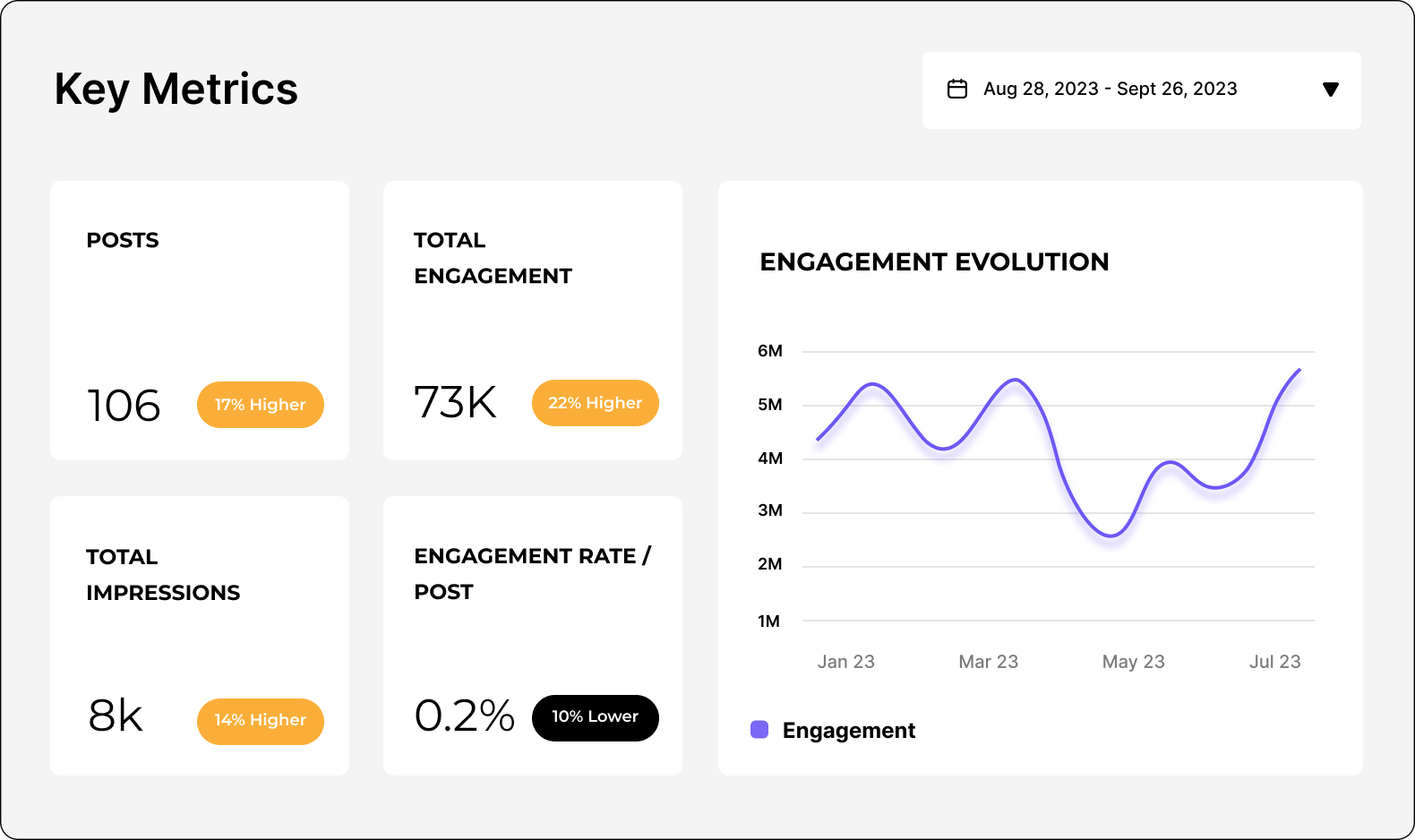
合計エンゲージメント(Socialinsiderで追跡)
Instagram投稿の「いいね」「コメント」「シェア」「保存」など全てのインタラクションの合計です。
合計エンゲージメントを見ると、ユーザーがどれだけ積極的にコンテンツと関わっているか一目で分かります。数が多ければ、コンテンツがオーディエンスに響いている証拠。少なければ、さらなる調査によってニーズの見直しが必要です。
リーチ(Socialinsiderで追跡)
コンテンツを閲覧したユニークアカウントの合計数です。リールの場合、動画を実際に再生しなくても、画面に表示された人数が対象となります。
リーチを追跡することで、フォロワーやターゲットに投稿やストーリーズをより多く届けられているか確認できます。Instagramのアルゴリズム変更で表示に影響が出るため重要な指標です。このメトリクスを基に、全体トレンドに最適化も可能です。
インプレッション(Socialinsiderで追跡)
投稿やストーリーズが表示された合計回数です。
リーチとインプレッションの違いはこちら。リーチは実際に閲覧したアカウント数、インプレッションは同じアカウントによる複数回の表示を含みます。
インプレッションを追跡することで、コンテンツがどれだけの頻度でフィードに表示されているか分かります。例えば、あるユーザーが同じ投稿を3回見ることもあります。
- 投稿が公開され、フィードに表示されたとき
- 友達がシェアしたストーリーズで表示されたとき
- プロフィールからグリッド経由で再度閲覧したとき
これはコンテンツのバイラル性や質の重要な情報です。
いいね(Socialinsiderで追跡)
投稿の「いいね」ボタンがクリックされた回数です。ユーザーがコンテンツを楽しんでいるか、人気度を簡単に把握できます。
コメント(Socialinsiderで追跡)
投稿に対してユーザーが反応した回数です。
より積極的なエンゲージメントの形なので、コミュニケーションの質の判断に役立ちます。コメント数は話題性や会話の盛り上がり(意見の分かれ目も含む)の指標です。直接的なフィードバックとして戦略に活かせます。
保存(Socialinsiderで追跡)
ユーザーが投稿をブックマークして後で見返した回数です。
保存数は、コンテンツがオーディエンスにとって価値があるか、関心度の高さを示します。ソーシャルメディアの喧騒の中でわざわざ保存するのは、それだけ集中してくれている証拠です。今後の参考や有益なリソースとして保存されることも。
多くの人が「いいね」やコメント、シェアをせずに閲覧・評価していることもあるため、保存数は静かな消費行動の重要な指標です。
リール視聴回数(Socialinsiderで追跡)
リール動画が再生された回数(同一ユーザーによる複数回も含みます)。
ショート動画コンテンツのリーチ・人気度計測に役立つ指標です。
ストーリーズ視聴回数(Socialinsiderで追跡)
ストーリーズが視聴された回数(同一ユーザーによる複数視聴も含みます)。
Instagramストーリーアナリティクスは、エフェメラル(短命な)コンテンツのリーチやエンゲージメント理解に役立ちます。
ストーリー完了率(Socialinsiderで追跡)
ストーリーズを最初から最後まで視聴したユーザーの割合です。多くの投稿がフィードで流れている中、ユーザーは全てを見ずにスワイプすることも。高い完了率は、コンテンツに強く関心を持ち、エンゲージしているサインです。
追跡すべきエンゲージメントメトリクスは?
エンゲージメントメトリクスは、Instagramでユーザーがブランドとどう関わっているかを記録します。ページ全体のエンゲージメントだけでなく、個々のコンテンツごとの詳細な成果も把握できます。インサイトを活用し、コンテンツ戦略を強化しましょう。
リーチまたはフォロワー別エンゲージメント率(Socialinsiderで追跡)
リーチしたアカウント数、またはフォロワー数に対し、「いいね」やコメントしたユーザーの割合です。
それぞれのエンゲージメント率の計算方法はこちら。
フォロワー別エンゲージメント率-投稿ごとの平均エンゲージメント率は、(エンゲージメント合計÷投稿数)÷フォロワー数×100(%)で算出します。
どちらを使うか? どちらもターゲットオーディエンスに刺さっているかが分かります。フォロワー別エンゲージメント率は既存ファンへの響き方、リーチ別は新規(ターゲット中)アカウントも含みます。
エンゲージメント率はコンテンツ戦略改善のKPIです。また、競合とのベンチマークにも使えます。
エンゲージしたアカウント数(Instagramインサイトで追跡)
コンテンツに対してアクションしたユニークユーザー数です。
実際にエンゲージしているオーディエンス割合が分かります。性別、都市、国、年齢別などの属性データも含まれます。
リーチしたアカウント数(Instagramインサイトで追跡)
コンテンツを閲覧したユニークユーザー数です。これはポテンシャルオーディエンスの規模を示す情報で、フォロワー獲得に役立ちます。エンゲージしたアカウント同様に、性別や都市、国、年齢層などのデータも取得可能です。
最もエンゲージメントの高いハッシュタグ(Socialinsider・Instagramインサイトで追跡)
投稿で最も多くのエンゲージメントを生むハッシュタグです。
ハッシュタグはエンゲージメント促進やコンテンツ発見性向上に貢献します。Instagram SEOがパフォーマンス向上にますます重要となる中、ハッシュタグのアナリティクスで検索順位アップも期待できます。
コンテンツピラー別エンゲージメント(Socialinsiderで追跡)
Instagram投稿をテーマやトピックで分類し、ユーザー反応を基にパフォーマンスを比較します。
自社・競合どちらにも活用可能。人気ピラーや競合との比較から、最もエンゲージメントを生みやすいテーマに戦略最適化できます。
追跡すべきコンテンツメトリクスは?
コンテンツメトリクスは、個々の投稿パフォーマンスを深く分析できる指標です。人気の高いテーマ、トピック、フォーマットを特定し、自信を持ってコンテンツ制作できます。
最もパフォーマンスの良い投稿(Socialinsiderで追跡)
エンゲージメント率が最も高い投稿です。
全体のエンゲージメントメトリクスに加え、投稿単位のインサイトでコンテンツ制作の成果を確実に確認できます。
コンテンツフォーマット別エンゲージメント(Socialinsiderで追跡)
さまざまなコンテンツタイプごとのユーザーの反応です。
例えばリールVS画像投稿の比較。最も成果の高いフォーマットを発見し、戦略に反映できます。
追跡すべきオーディエンスメトリクスは?
オーディエンスメトリクスは、誰がフォローしているかの詳細なデータです。フォロワーの属性や成長を理解し、狙うべきターゲットへ戦略を進化させられます。
総フォロワー数(Socialinsiderで追跡)
Instagramアカウントをフォローしているユーザーの数です。
現在のオーディエンス規模を示します(リーチできる全ユーザー数とは限りません)。
フォロワー増加率(Socialinsiderで追跡)
指定期間(例えば直近1週間や1か月)でのフォロワー増加率です。
フォロワー増加のスピードを追うのは、戦略設計の要です。減少傾向も同様に重要です。何が評価され、何が不人気なのかを把握できます。
他のメトリクスやKPI(トップ投稿やキャンペーン成果など)とも比較し、成長要因を特定しましょう。
年齢層(Socialinsiderで追跡)
フォロワーの年齢層(例:18-24歳、25-34歳…)を分解。
人気な年齢層ランキングを知ることで、ターゲットが正しいかを判断し、必要に応じて戦略を最適化できます。
性別(Socialinsiderで追跡)
フォロワーを性別ごとに分けて把握できます。
オーディエンス属性を明確にすれば、成長や改善の機会も見えてきます。
地域(Socialinsiderで追跡)
フォロワーの主な居住地域です。
地理情報を可視化することで、言語や地域ごとにコンテンツを最適化できます。
追跡すべきコンバージョンメトリクスは?
コンバージョンメトリクスは、Instagram経由でユーザーが実際に起こすアクションを記録します。例えば、ウェブサイト訪問、リードフォーム入力、購買などです。コンバージョンメトリクスは戦略がビジネス目標に直結しているかを示す「勝負の瞬間」です。
トラフィック(Google Analyticsで追跡)
Instagram経由で自社ウェブサイトやランディングページに到達したユーザー数です。
どのコンテンツや活動がトラフィックにつながっているか特定できます。
売上(Google Analyticsで追跡)
Instagramから流入したユーザーの購入件数です。
Instagramがビジネスの収益源となるかを把握できます。
リード(Google Analyticsで追跡)
Instagram経由で商品・サービスに関心を示した見込み顧客数(例:登録・問い合わせ・資料DLなど)。
Instagramマーケティングはリード獲得にも非常に効果的です。必ずしもアプリ内で直接購買せずとも、リード数でInstagram貢献度を可視化しましょう。
Instagramアナリティクスインサイトの活用方法は?
その貴重なデータ、どう活用しますか?Instagramのアナリティクスを最大限活用すれば、ソーシャルメディアレポーティングを大幅にレベルアップできます。
Instagramアナリティクスを定期的に追跡・レポートすれば、InstagramマーケティングのROIをステークホルダーへ伝えられ、データに基づく意思決定で戦略を最適化できます。
ソーシャルメディアアナリティクスを使って、ビジネスのインサイトを発見する方法はいくつかあります。
KPIを確実に達成
Instagramアナリティクスダッシュボードなら、目標の設定と進捗の把握が簡単です。自社メトリクスの監査や他アカウントとのパフォーマンス比較で、現実的なゴールを設定できます。クリーンでわかりやすいデータビジュアルで、成果分析がチームにも共有しやすくなります。
コンテンツ制作を最適化
Instagramアナリティクスツールで投稿のパフォーマンスを追跡すれば、どこにコンテンツ制作の力を入れるべきかがわかります。オーディエンスに響く内容・響かない内容が見極められ、予算やリソース、時間の管理が効率的に行えます。
広告投資を賢く
ソーシャルメディアの環境はとても変わりやすいです。特に有料施策は要注意です。堅牢なInstagramオーディエンスアナリティクスと過去の広告・オーガニック投稿データが、正しい意思決定をサポートします。
アルゴリズム変更を評価
パフォーマンスが落ちたり、Instagramのアルゴリズム変更が発表された時、焦ることもあるでしょう。しかし変化は永続的ではありません。
定期的かつ正確にパフォーマンスを追跡すれば、一時的な変動と長期的な変化を見極められます。常に一歩先を行き、方向転換が必要かどうかを見極められます。
Instagramアナリティクスデータはどのようにエクスポートできますか?
Instagramインサイトツールではアナリティクスデータのエクスポートはできません。しかし、Socialinsiderのようなアナリティクスツールを使えば、InstagramデータをCSV、PPT、PDF、XLSなど複数の形式でエクスポートできます。データはGoogleのLooker Studioにもインポート可能です。
Socialinsiderなら、データのダウンロードをスケジュールすることもでき、Instagramレポート業務を自動化できます。ブランドカラーや会社ロゴを追加し、Instagramアナリティクスレポートを簡単にカスタマイズできます。
全体像が把握できるInstagramアナリティクスツールをお試しください
Socialinsiderの無料トライアルを開始して、数分でInstagram競合分析データをご確認ください。