Twitter Analytics além do que a plataforma te mostra
Um dashboard, uma visão competitiva completa. O Socialinsider reúne dados de engajamento, crescimento e conteúdo de qualquer perfil público do Twitter e coloca tudo lado a lado com os teus dados.
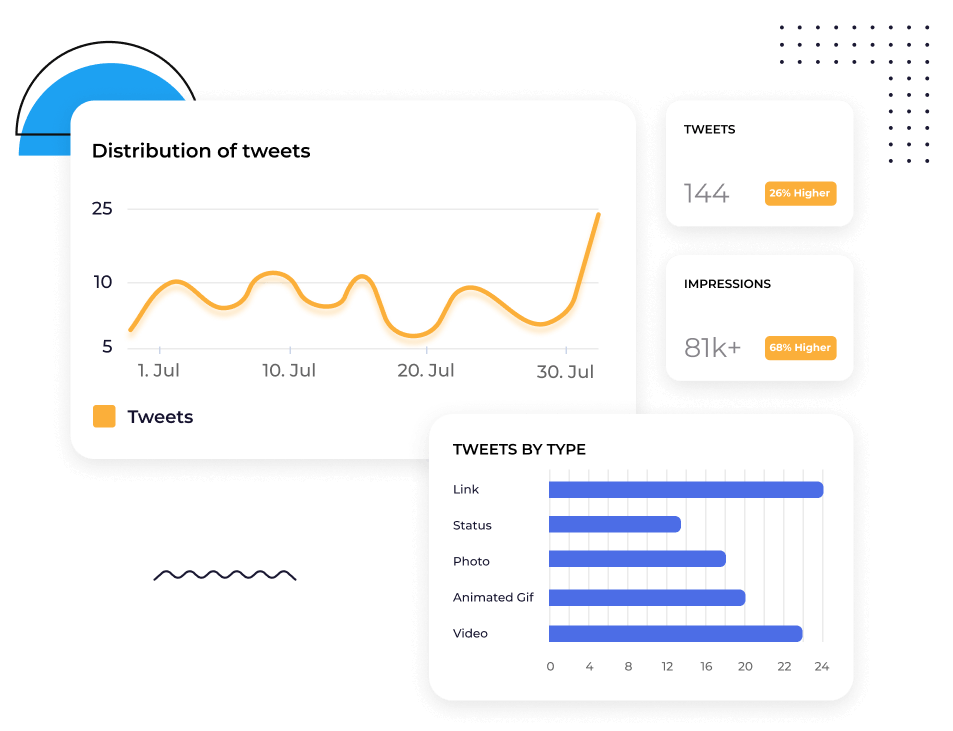






Compare o teu perfil do Twitter com qualquer concorrente
Adicione qualquer perfil público do Twitter e veja o engajamento, as Impressions, as Replies, os Retweets e o Followers Growth lado a lado com os seus.
Não precisa alternar entre perfis nem tirar 100 capturas de tela. Está tudo em uma única visualização para análises e Insights imediatos.
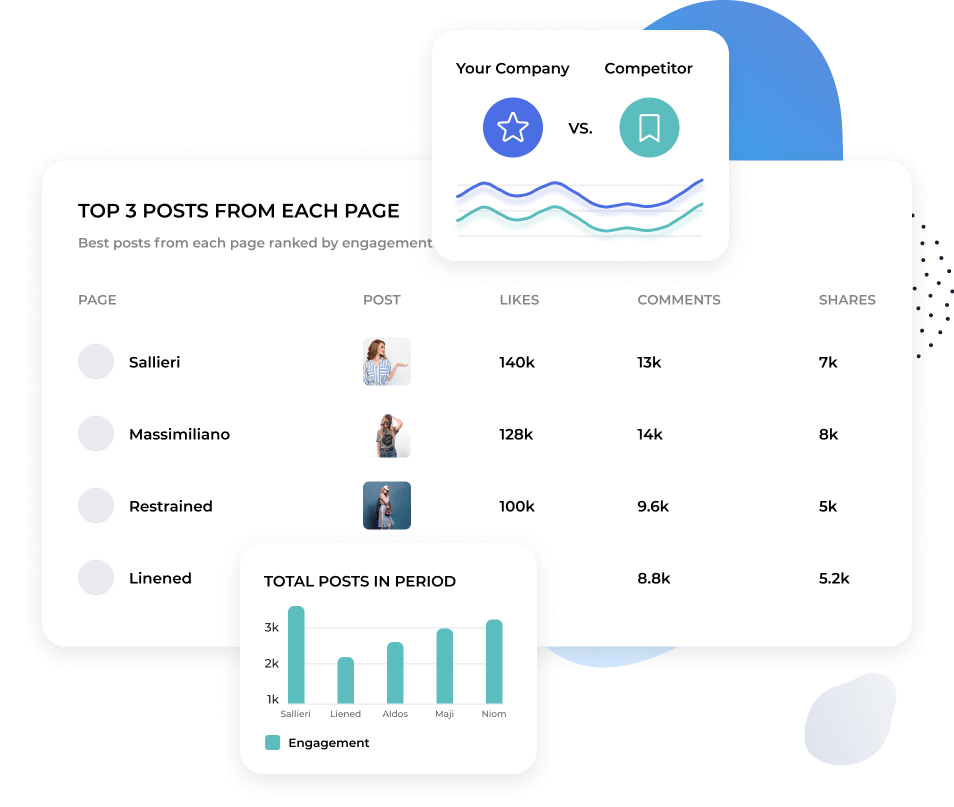
Entenda quais conteúdos estão repercutindo no Twitter
O Twitter é dinâmico. O que ganha tração hoje pode não ganhar amanhã.
A Socialinsider detalha a performance do conteúdo no nível das postagens e agrupa tudo por tema. Assim, você vê quais tópicos e formatos geram engajamento de forma consistente — não apenas quais postagens viralizaram.
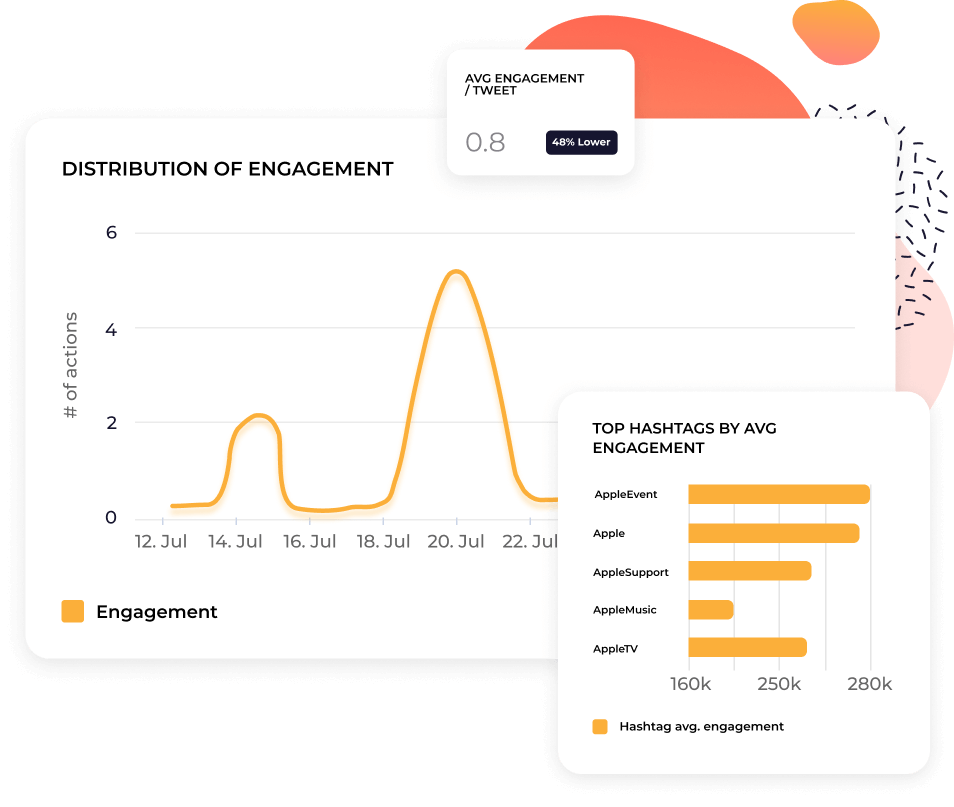

"Começámos a usar a Socialinsider para criar uma análise abrangente da concorrência."

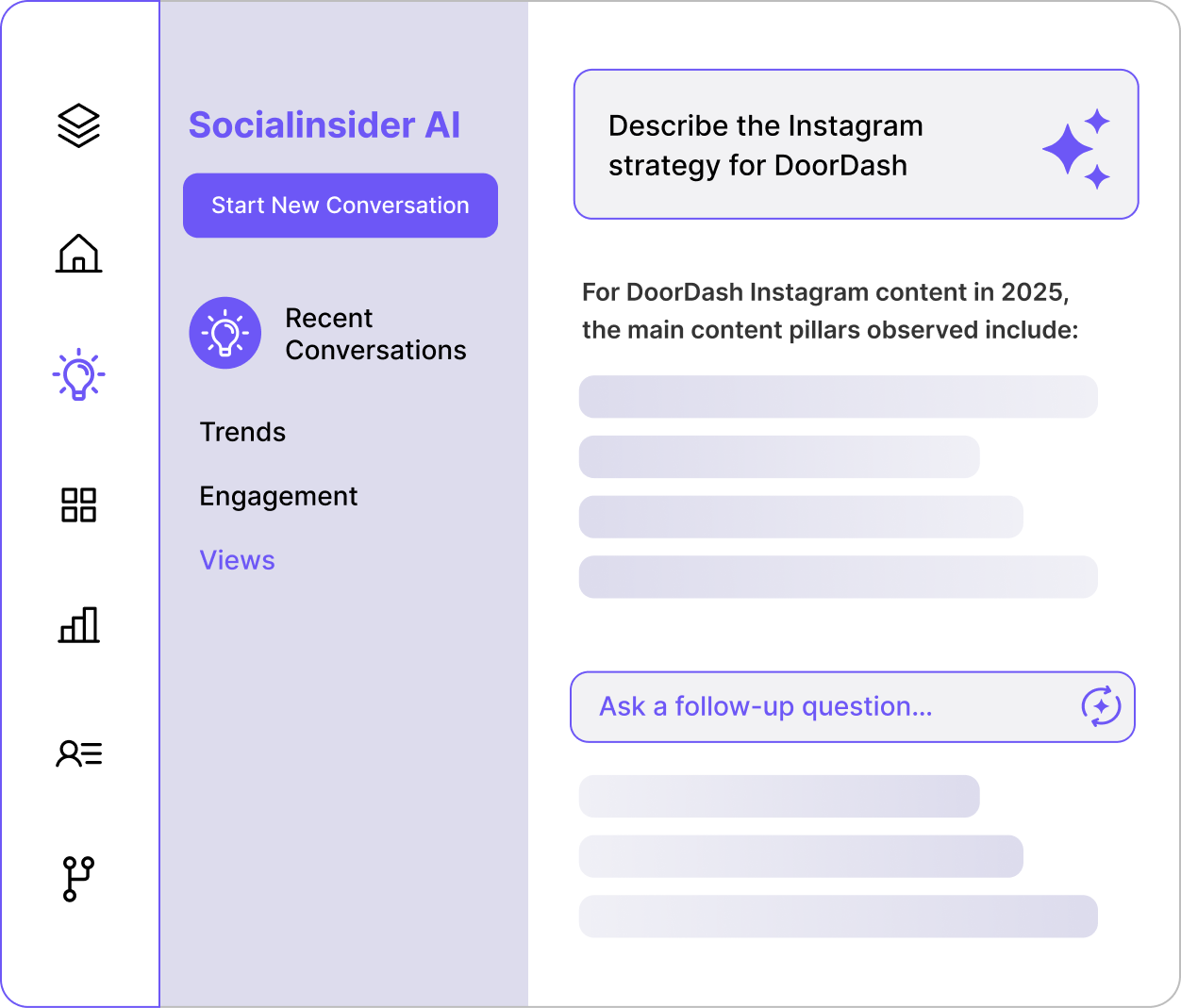
Pergunte ao Socialinsider AI o que está acontecendo no seu perfil do Twitter
Faça uma pergunta como: Por que as respostas dispararam na semana passada? Ou como nossa frequência de postagens se compara à de [competitor]?
O Socialinsider AI usa seus dados do Twitter, os dados dos seus concorrentes e benchmarks do setor para oferecer uma resposta por escrito que você pode colocar em prática.
Automatize os relatórios do Twitter com relatórios prontos para apresentar
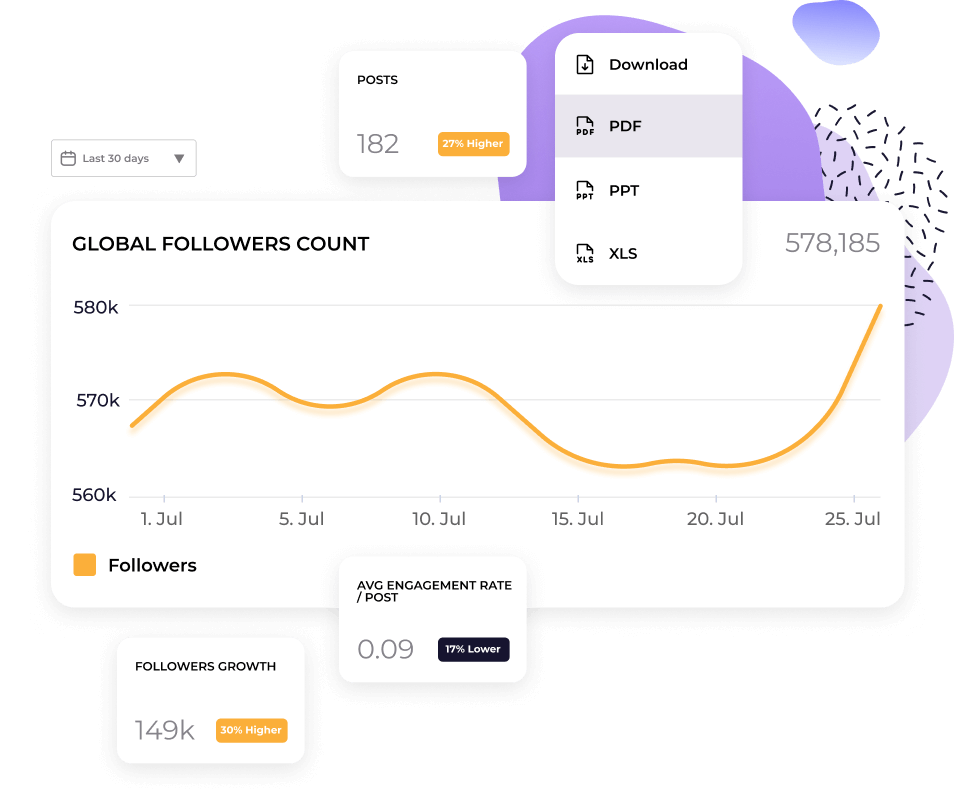
Exporte seus dados de Analytics do Twitter para CSV, Excel, PDF ou PPT. Conecte-se ao Looker Studio se sua equipe usa dashboards lá.
Os relatórios já vêm formatados e com sua marca, para você não passar uma tarde reconstruindo uma apresentação todo mês.
O que dizem sobre nós
"O atendimento ao cliente também tem sido uma das minhas funcionalidades favoritas. Você é simplesmente fenomenal. Sua equipe responde rapidamente e é muito simpática e prestativa. O que não é comum."

"A Socialinsider nos ajudou a entender se estamos melhorando ou piorando, especialmente em comparação com as outras contas que seguimos."

"O Socialinsider permite fazer uma análise da concorrência e obter insights sobre o desempenho em relação ao mercado."

"A análise de sentimento é incrível para hashtags do Instagram. Este novo dashboard de monitoramento de mídias sociais ajudou-me no planejamento de longo prazo."

"Estamos usando este Dashboard de Social Media Analytics para todos os nossos 40 clientes de mídias sociais. Podemos ter todos os dados de performance em um único lugar."

"Com a Socialinsider, nossa equipe se tornou mais eficiente. Não precisamos perder tempo coletando dados de mídia social. Assim, podemos focar em Insights e análises."

"Usamos o Socialinsider no dia a dia para obter Insights sobre mídias sociais quando precisamos definir mudanças estratégicas simples ou analisar a performance de determinados posts nas redes sociais."

"Em média, um relatório de mídia social para uma marca exige de 1 a 2 horas de trabalho com a Socialinsider, quando antes era necessário um dia inteiro para reunir os dados."

"A Socialinsider nos fez economizar mais de US$ 16 mil por ano. Isso nos permitiu economizar tempo em relatórios mensais e análises complexas de longo prazo."

Como acompanhar o Twitter Engagement Rate no Socialinsider
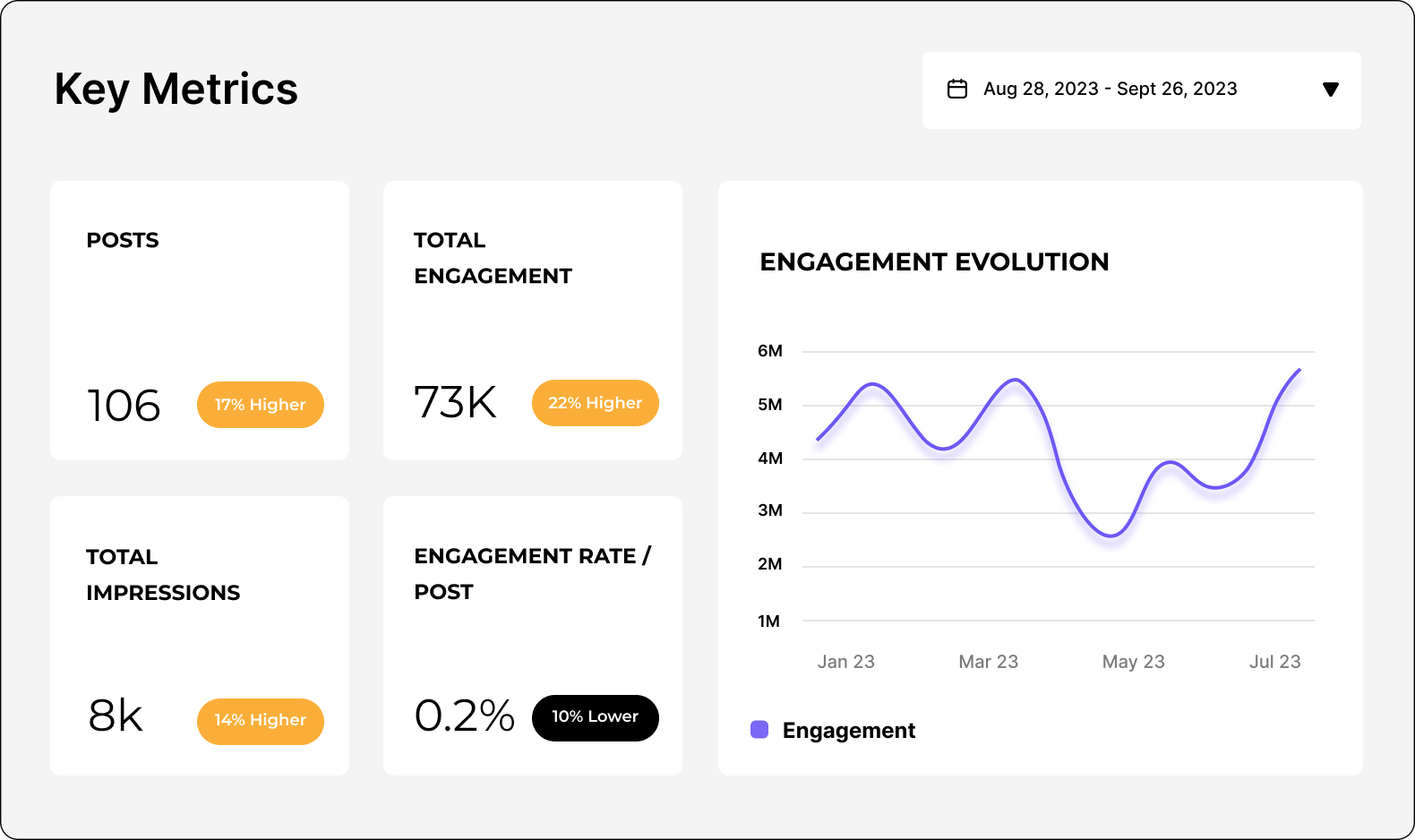
As ferramentas de Social Media Analytics e análise de concorrentes da Socialinsider permitem medir a performance nas mídias sociais, realizar auditorias e comparar resultados.
Comece criando uma conta de teste na Socialinsider
Adicione seus concorrentes e conecte os perfis que você gerencia
Obtém todas as métricas de engajamento de qualquer conta empresarial do Twitter
Compare sua performance com a dos seus principais concorrentes
Faz uma análise entre canais para avaliar o teu desempenho no Twitter.
Tenha Insights competitivos e explore
métricas de Social Media Analytics
Perguntas frequentes
Tem alguma dúvida? Temos as respostas.
O que é o Twitter Analytics?
O Twitter Analytics envolve coletar e analisar dados da sua conta no X para avaliar e otimizar sua estratégia e presença na plataforma.
Você pode extrair várias métricas dos seus dados do Twitter, mas elas se dividem, de modo geral, em três categorias:
- Público: por exemplo, crescimento de seguidores, dados demográficos e horários de maior atividade.
- Conteúdo: por exemplo, impressões de Tweets, visualizações de vídeos, engajamentos, Engagement Rate e Link Clicks.
- Performance da campanha: por exemplo, custo por engajamento, taxas de conversão e retorno sobre o investimento em anúncios (ROAS).
Você pode monitorar sua atividade no Twitter usando o Twitter Analytics nativo (mas atenção: ele só está disponível em um plano X Premium pago) ou uma ferramenta de terceiros, como a Socialinsider.
Acompanhar e interpretar seus dados do Analytics com eficiência é essencial para qualquer estratégia de marketing no Twitter bem-sucedida. Os Insights do Twitter ajudam você a:
- Fazer uma auditoria do Twitter: com uma visão abrangente de toda a sua atividade no Twitter, você pode identificar rapidamente o que está e o que não está funcionando, sem desperdiçar tempo ou orçamento com táticas que não contribuem para os objetivos do seu negócio.
- Medir a performance do conteúdo: ao entender qual conteúdo recebe mais visualizações, impressões, Likes, Replies ou retweets, você pode adaptar suas próximas postagens para melhorar a performance.
- Analisar o crescimento do perfil: acompanhar as visitas ao seu perfil e seus seguidores revela se o seu conteúdo está gerando crescimento concreto da página.
- Identificar tendências: no seu público, no seu setor e na plataforma como um todo, para acompanhar as conversas aceleradas pelas quais o Twitter é conhecido.
- Exportar dados para Reporting e medir o ROI: acompanhe de perto como seus gastos e recursos estão se convertendo em ROI. Exporte dados do Twitter Analytics para criar relatórios claros e acionáveis para você e as partes interessadas da empresa.
Por que acompanhar o X (Twitter) Analytics é importante
Se você usa mídias sociais na sua estratégia de marketing, precisa conhecer muito bem o Social Media Analytics. Isso é especialmente importante no Twitter.
Primeiro, a própria natureza do Twitter é… bem, um pouco avassaladora. Com mais de 300 milhões de usuários, um grande volume de Tweets e conversas que avançam em velocidade impressionante, você pode se perguntar se é possível mesmo se destacar em meio a todo esse ruído.
Segundo, o Twitter passou por grandes mudanças desde que foi adquirido por Elon Musk em 2022 — e não foi apenas a mudança de nome para X:
- Recursos e funcionalidades - Musk afirmou que imagina o X como um “aplicativo para tudo”. Isso significa que novas funções e recursos são adicionados à plataforma o tempo todo — de compras a contas X Premium e compartilhamento de receita de anúncios.
- Conteúdo mais diversificado - Antes conhecido pelos seus Tweets rápidos de 140 caracteres, o X aumentou o limite de caracteres para que usuários pagantes possam publicar atualizações de texto mais longas. A plataforma também passou a oferecer mais conteúdo multimídia.
- Crescimento do público - No geral, o X perdeu cerca de 32,7 milhões de usuários desde a aquisição. Mas, quando analisamos os dados demográficos em mais detalhes, vemos um aumento de usuários da Geração Z (45% da Geração Z usa o X).
Como as marcas podem usar o Twitter Analytics
Historicamente, as marcas usam o Twitter para se divertir e se comunicar em tempo real com o público (pense em marcas de fast-food como KFC ou Wendy’s). No entanto, todas essas mudanças podem fazer você questionar se ainda vale a pena investir no X.
É por isso que o Twitter Analytics é mais importante do que nunca: ele ajudará você a responder a essa pergunta. Você poderá:
- Reunir informações sobre a concorrência - monitore outros perfis do Twitter e a atividade no Twitter do seu setor para encontrar sua vantagem competitiva: outras marcas do seu nicho estão tendo sucesso? Quais são os tópicos de conversa mais importantes? Sua categoria está saturada ou existem lacunas que você pode preencher? Tudo isso mostrará se vale a pena manter uma presença no X.
- Oferecer uma melhor experiência ao cliente - toda boa estratégia de marketing começa com o entendimento do seu público. O Twitter Analytics dos seus Followers mostrará os dados demográficos que você está atraindo (ou deseja atrair). Assim, você poderá incorporar as necessidades e preferências deles a cada Tweet e campanha. E não se trata apenas de conteúdo: lembre-se de que o X também é um canal importante para o suporte ao cliente em tempo real.
- Entender tendências e padrões - o Twitter não é apenas extremamente orientado por tendências. Ele também é extremamente rápido. Como as discussões sobre notícias ou eventos acontecem em tempo real, o Analytics ajuda você a monitorar conversas emergentes, acompanhar padrões sazonais e analisar o comportamento do público. Assim, você pode continuar relevante, adaptar-se e aproveitar momentos importantes para a sua marca.
- Identificar o melhor conteúdo - os Tweets continuam limitados a 280 caracteres para usuários que não pagam, mas usuários pagantes podem publicar até 4.000 caracteres. Ainda assim, velhos hábitos custam a mudar: o Tweet médio tem entre 240 e 259 caracteres, e recomenda-se publicar de 5 a 10 vezes por dia. Com espaço limitado e alta frequência de publicação, você precisará de recursos, mensagens objetivas e uma voz de marca marcante para ter sucesso. Acompanhar seus esforços no Twitter ajudará você a identificar os Posts e formatos de melhor desempenho (por exemplo, vídeo versus texto), otimizar sua produção de conteúdo e melhorar a performance.
- Encontrar influenciadores e defensores no X (Twitter) - quando o assunto é aumentar a visibilidade, elevar o engajamento e construir confiança com o público, fazer parcerias com influenciadores e defensores no X pode mudar o jogo. O Twitter Analytics ajudará você a identificar Followers que interagem frequentemente com sua marca e encontrar líderes de opinião e criadores populares no seu nicho. Seja realizando sorteios, organizando AMAs ou colaborando em Tweets promovidos, você poderá usar o Analytics para relatar o sucesso da parceria.
Como consultar o Twitter Analytics
Agora que você entende por que é tão importante ter um Twitter Analytics robusto, talvez esteja se perguntando como consultar seu Twitter Analytics.
Antes de tudo, o Twitter Analytics nativo só está disponível com uma assinatura paga do X Premium. Portanto, se você tiver uma conta gratuita ou uma assinatura Basic do X, não poderá acessar o Dashboard do Analytics no aplicativo.
A boa notícia é que você pode usar uma ferramenta de terceiros, como o Socialinsider, para realizar análises avançadas sem pagar por uma assinatura do X.
Aqui está um guia rápido para acessar o Twitter Analytics no X para dispositivos móveis e desktop, além do Socialinsider.
Como consultar o X (Twitter) Analytics no celular
- Abra o aplicativo X (Twitter) e faça login na sua conta.
- Toque na sua foto de perfil para acessar sua página.
- Encontre o Tweet específico que deseja analisar.
- Toque no ícone "•••" (Mais) abaixo do Tweet e selecione "Ver análise do Tweet" para consultar dados detalhados de engajamento, como impressões, Likes e retweets.
A versão móvel do X (Twitter) Analytics é bastante útil para verificar a performance dos Tweets rapidamente. No entanto, você precisará usar a versão desktop para acessar o Analytics completo da conta.
Como consultar o X (Twitter) Analytics no desktop
- Acesse X.com ou twitter.com e faça login na sua conta.
- Clique em “Mais e Creator Studio” no menu à esquerda. Lá, você encontrará o Dashboard do X Analytics.
- Você poderá ver uma visão geral da performance da sua conta, incluindo:
- Um resumo de 28 dias de impressões, visitas ao perfil, menções e Followers
- Destaques como Tweets principais, principais menções e principais Followers
- Atividade de Tweets e vídeos: métricas de conteúdo mais detalhadas, como impressões, Views e Engagement
- Rastreamento de conversões para campanhas de anúncios
Você também pode explorar os dados demográficos do público (idade, localização, horários de atividade etc.) e as tendências de conteúdo ao longo do tempo.
Como consultar o X (Twitter) Analytics com o Socialinsider
Além do Dashboard do Analytics nativo, ferramentas de Twitter Analytics como o Socialinsider podem oferecer Insights mais poderosos para elevar sua performance no X.
Se você quer entender o Analytics de longo prazo, acompanhar KPIs relevantes em um Dashboard de Twitter Analytics fácil de ler, acessar dados da concorrência e Benchmarks do setor e automatizar seu Reporting — tudo isso sem pagar por uma assinatura do X — vale a pena conhecer a ferramenta.
Veja como consultar o Twitter Analytics com o Socialinsider:
- Crie ou faça login na sua conta do Socialinsider.
- Crie um novo projeto ou acesse um projeto existente. Clique em “Conectar contas sociais”.
- Conecte sua conta do X (Twitter) e, em seguida, selecione a(s) página(s) que deseja adicionar.
- No seu Dashboard, você pode selecionar a plataforma e a página que deseja analisar.
- Aqui, você pode acessar uma ampla variedade de Analytics avançados — desde as ferramentas de análise de concorrentes do Twitter do Socialinsider até dados históricos de Analytics dos seus Tweets.
Todas as métricas de Analytics do X (Twitter) que você precisa conhecer
O X não é apenas uma plataforma de Social Media muito particular. Ele também passou por grandes mudanças. Por isso, você não pode simplesmente copiar e colar sua estratégia de Reporting do Instagram ou TikTok. É essencial entender quais métricas de Analytics do Twitter acompanhar.
Antes de começar, defina claramente seus objetivos. Seus KPIs dependerão das metas do seu negócio, mas o X costuma ser ideal para:
- Aumentar sua audiência e o reconhecimento da marca
- Impulsionar o Engagement e cultivar uma comunidade
- Gerar tráfego para o site
- Vendas diretas
- Liderança de pensamento
- Pesquisa com clientes e social listening
De modo geral, as métricas mais importantes são métricas gerais, métricas de audiência e métricas de conteúdo. Vamos analisar cada área e entender como cada métrica contribui para o panorama geral.
Métricas gerais
O ritmo acelerado do X exige que você acompanhe a performance em tempo real. É aí que entram as métricas gerais. Elas permitem verificar todos os seus KPIs rapidamente.
Com este resumo de alto nível do Analytics da sua conta do Twitter, você pode determinar a eficácia geral da sua estratégia e identificar rapidamente padrões de performance.
As métricas gerais incluem:
Impressions (acompanhe com o Socialinsider) - o número total de vezes que seu tweet foi visto, incluindo várias visualizações do mesmo usuário. Acompanhar Impressions ajuda você a avaliar o alcance do seu conteúdo e a visibilidade da marca no X.
Engagement (acompanhe com o Socialinsider) - o número total de interações em um tweet, incluindo Likes, Replies, retweets e cliques em links, Hashtags ou mídia. Isso mostra se seu conteúdo está repercutindo com sua audiência. Além disso, um alto Engagement aumenta a visibilidade no algoritmo do X.
Engagement Rate (acompanhe com o Socialinsider) - a porcentagem de usuários que interagiram com um Tweet em relação ao total de usuários que o viram. Para calcular, some o total de Engagements em um Tweet, divida esse número por Impressions do Tweet OU pelo total de Followers e multiplique por 100 para obter uma porcentagem. Como as variações de visibilidade podem estar fora do seu controle, por exemplo, após uma atualização do algoritmo, a Engagement Rate é uma forma útil de medir a qualidade do Engagement, não apenas a quantidade.
Profile Views (acompanhe no aplicativo nativo) - quantas vezes os usuários acessam seu perfil. Monitorar Profile Views ajuda a medir como seu conteúdo desperta interesse pela marca e se as pessoas estão procurando ativamente sua conta. Em essência, as pessoas querem saber mais sobre você?
Novos Followers (acompanhe com o Socialinsider) - quantos novos Followers você conquistou em um período específico. Isso mostra se seu conteúdo e suas campanhas estão aumentando sua audiência. Se você está ganhando Followers, é sinal de que as pessoas querem construir um relacionamento contínuo com sua marca. Talvez tenham curtido um Tweet e agora queiram ver o que você publicará em seguida.
Replies (acompanhe com o Socialinsider) - o número de respostas diretas ao seu tweet. Replies indicam que seu conteúdo está gerando conversas, que são, afinal, o verdadeiro propósito do Twitter. Elas ajudam a aumentar o Engagement, já que o algoritmo do X prioriza conteúdos com bastante repercussão, e a cultivar sua comunidade, por exemplo, fortalecendo conexões ou coletando feedback.
Likes (acompanhe com o Socialinsider) - o número de Likes recebidos por um Tweet. Likes são a forma mais fácil de sua audiência interagir com seu conteúdo, funcionando como um indicador rápido de aprovação.
Reposts (acompanhe com o Socialinsider) - o número de vezes que seu tweet foi republicado ou “retweetado”. Quando alguém retweeta você, significa que se identifica com seu conteúdo e o considera valioso o bastante para compartilhá-lo com seus Followers. Ao criar conteúdo compartilhável, você pode ampliá-lo para uma audiência maior.
Bookmarks (acompanhe no aplicativo nativo) - quantas vezes os usuários salvaram seus tweets. Novamente, Bookmarks são uma métrica de valor muito importante. Mesmo que as pessoas não interajam publicamente com seu conteúdo, os salvamentos mostram que elas o consideraram interessante e relevante o bastante para revisitar mais tarde.
Shares (acompanhe com o Socialinsider) - o número de vezes que seu conteúdo foi compartilhado, dentro e fora do X. Isso inclui Reposts ou retweets, além de compartilhamentos externos, como via WhatsApp ou e-mail. Assim, você vê até onde sua mensagem está chegando além da sua audiência imediata.
Quotes (acompanhe com o Socialinsider) - o número de vezes que seu tweet foi republicado com comentários adicionais. Ao citar seu tweet, os usuários se envolvem mais profundamente com seu conteúdo, compartilhando suas próprias ideias ou opiniões. Em outras palavras, seu conteúdo não é apenas interessante ou valioso. Ele também estimula a reflexão.
Followers Growth (acompanhe com o Socialinsider) - a velocidade com que o total de Followers aumenta ou diminui ao longo do tempo. É essencial analisar seus Followers do Twitter para entender a saúde geral da sua presença no X e acompanhar o impacto de longo prazo do seu conteúdo.
Métricas de audiência
Em última análise, sua estratégia no X, desde o tipo de conteúdo que você cria até os KPIs que acompanha, dependerá da sua audiência única. Ela prefere vídeos ou links de artigos? Os memes divertem ou confundem? Quando é mais provável que ela veja seu conteúdo? Acompanhar métricas de audiência ajuda você a responder a tudo isso e muito mais.
Idade (acompanhe no aplicativo nativo) - as faixas etárias predominantes dos seus Followers. Ao conhecer os dados demográficos de idade da sua audiência, você pode garantir o alinhamento com o público-alvo da sua empresa, adaptar o conteúdo aos interesses e preferências dela e aprimorar sua mensagem para alcançar os grupos certos.
Gênero (acompanhe no aplicativo nativo) - a distribuição de gênero dos seus Followers. Isso ajuda você a avaliar se sua estratégia está no caminho certo, seja buscando uma representação equilibrada ou direcionando-se a um gênero específico, e a otimizar seu conteúdo e seus esforços de publicidade.
Horários de atividade (acompanhe no aplicativo nativo) - os horários de pico do dia ou da semana em que sua audiência está mais ativa no X. Como os Tweets são mais efêmeros que outros tipos de conteúdo de Social Media, publique quando seus Followers estiverem online. Esses dados ajudam você a alinhar sua programação.
País (acompanhe no aplicativo nativo) - as principais localizações geográficas dos seus Followers. Saber onde eles estão é essencial para segmentar anúncios, respeitar preferências culturais e adaptar conteúdos ou campanhas para uma audiência global ou local.
Métricas de conteúdo
Para algumas empresas, basta usar o X para social listening ou suporte ao cliente. Mas, se você quer construir uma presença capaz de impactar de verdade seus resultados, precisa investir em conteúdo. E, se vai investir em conteúdo, precisa entender as métricas de conteúdo.
Estas são as métricas que você precisa acompanhar para desenvolver uma Content Strategy vencedora no X:
AI Content Pillars (acompanhe com o Socialinsider) - usando IA, o Socialinsider identifica os principais temas ou categorias em torno dos quais você pode criar conteúdo. Nós os chamamos de “Content Pillars”. Eles ajudam você a concentrar e organizar seus esforços de criação de conteúdo, para investir em Posts que mais repercutem com sua audiência. No Socialinsider, você pode ver tanto o volume de conteúdo quanto as Engagement Rates em diferentes categorias.
Engagement de cada Content Pillar (acompanhe com o Socialinsider) - mede o desempenho de diferentes Content Pillars acompanhando Likes, Replies, retweets, Quotes, Shares, Clicks etc. Ao identificar os temas que geram mais interações, você ganha mais confiança para idealizar e criar conteúdos futuros.
Impressions no nível do post (acompanhe com o Socialinsider) - o número de vezes que um post individual foi exibido nos feeds dos usuários. Comparar Impressions no Analytics de tweets individuais mostra o que especificamente gera Reach para sua página, como mensagem, tipo de post ou promoções pagas.
Likes no nível do post (acompanhe com o Socialinsider) - o número de Likes em um post individual. Isso indica claramente quais conteúdos repercutem bem com sua audiência.
Replies no nível do post (acompanhe com o Socialinsider) - o número de respostas diretas ou comentários em um post individual. Isso revela que tipo de conteúdo gera um Engagement mais profundo ao estimular conversas.
Reposts no nível do post (acompanhe com o Socialinsider) - o número de vezes que um post foi republicado ou retweetado. Em outras palavras, mostra o quanto seu conteúdo é compartilhável. Ao monitorar isso ao longo do tempo, você entende o que leva as pessoas a compartilhar.
Engagement Rate no nível do post (acompanhe com o Socialinsider) - a porcentagem de pessoas que interagiram com um post individual em relação às pessoas que o viram, por Impressions ou Followers. Isso ajuda a identificar seus Posts de melhor performance. Por exemplo, se dois Posts têm o mesmo Engagement, mas diferentes Impressions, aquele com maior Engagement Rate se destaca.
Tipos de post por Engagement (acompanhe com o Socialinsider) - a divisão do Engagement com base no tipo de conteúdo: links, Posts de texto, fotos, GIFs animados ou vídeos. É muito útil para identificar facilmente quais formatos têm melhor performance e criar mais conteúdo que realmente envolve sua audiência.
Top Posts por Engagement (acompanhe com o Socialinsider) - um ranking dos Posts com os maiores níveis de Engagement. Classificar a performance dos Posts ajuda você a reproduzir e aprimorar táticas ou tipos de conteúdo bem-sucedidos, para continuar alcançando novos recordes de Engagement.
Posts com menor Engagement (acompanhe com o Socialinsider) - os Posts com os menores níveis de Engagement. Isso é tão importante quanto acompanhar os melhores desempenhos. Assim, você aprende o que deve deixar de fazer e evita desperdiçar tempo, recursos ou orçamento em conteúdos que não geram resultados relevantes.
Como criar relatórios de Analytics do X (Twitter)
Criar relatórios detalhados de Analytics do X (Twitter) é útil para você, sua equipe e os stakeholders da empresa. Eles ajudam você a:
- Acompanhar a performance para garantir que seus Posts e atividades estejam atingindo os KPIs
- Identificar padrões e tendências para aprimorar seus esforços de criação de conteúdo
- Coletar informações úteis sobre sua audiência e seus concorrentes
- Comunicar como seu marketing no Twitter apoia objetivos mais amplos do negócio
Você pode criar relatórios do Twitter em vários formatos seguindo as etapas abaixo.
a) Relatórios CSV - crie com o SocialinsiderCom o Socialinsider, você pode exportar qualquer dado exibido no seu Dashboard. Seja uma visão geral do perfil ou os Posts de melhor performance, procure o botão “Download” no canto superior direito.
Ao clicar nele, você verá um menu suspenso com diferentes formatos. Selecione CSV para exportar seus dados e depois importá-los para o Microsoft Excel ou o Google Sheets. Observe que apenas alguns relatórios podem ser exportados como CSV.
b) Relatórios em PPT, PDF ou Excel - crie com o SocialinsiderPara exportar seus dados do Socialinsider em relatórios PPT, PDF ou Excel, siga os mesmos passos acima, mas selecione outro formato no menu suspenso.
Você também pode automatizar o Reporting para receber seus relatórios favoritos diretamente na caixa de entrada. Acesse a seção “Autoreports” na barra lateral esquerda e comece a programar.
c) Looker studio - crie com o GoogleSe você trabalha com muitos dados, por exemplo, de vários perfis, canais ou marcas, pode usar o Looker studio do Google, anteriormente chamado Google Data Studio. O Looker é uma plataforma de visualização de dados que ajuda você a apresentar e analisar seus dados do Twitter em um Dashboard de marketing mais amplo e sofisticado.
Para importar seus dados do Socialinsider, faça login no Google Looker, acesse “Data sources” e conecte o Socialinsider.
Como criar relatórios de concorrentes no Analytics do X (Twitter))
A tua conta do Twitter pode oferecer muitos dados, mas focar apenas nas tuas próprias métricas não garante sucesso nas mídias sociais. Para elevar de verdade a tua estratégia de marketing no Twitter, precisas olhar para fora, fazendo análises regulares de concorrentes e Benchmarking para descobrir o que os concorrentes e líderes do setor estão fazendo (ou deixando de fazer). Isso vai ajudar-te a:
- Entender como é a tua performance em comparação com a dos concorrentes
- Definir KPIs e objetivos realistas
- Acompanhar as conversas e tendências do teu nicho
- Reproduzir estratégias bem-sucedidas ou aproveitar oportunidades que ninguém mais percebeu
Felizmente, é fácil consultar o Analytics do Twitter de outra conta usando as ferramentas de análise de concorrentes da Socialinsider. Para cada perfil do Twitter, podes acompanhar:
- Quais temas geram mais identificação com o teu público? - Destaca os principais temas e assuntos que geram engajamento para os concorrentes, para encontrares inspiração para as tuas próprias postagens.
- Como as postagens evoluem ao longo do tempo? - Acompanha e compara a performance das postagens da tua conta com a das contas dos teus concorrentes, para identificares padrões e entenderes melhor quedas ou picos — por exemplo, quando uma atualização do algoritmo afeta as impressões de todos.
- Followers growth - Monitora a quantidade de Followers e as taxas de crescimento dos teus concorrentes para acompanhares a velocidade de expansão do público deles em relação ao teu. A partir daí, tenta identificar os fatores por trás dos padrões de crescimento, para entenderes como eles estão atraindo (ou até perdendo) Followers e otimizares a tua estratégia de acordo.
- Pilares de conteúdo com IA - A análise com IA da Socialinsider pode agrupar as postagens dos concorrentes em pilares específicos, como postagens educativas ou notícias de entretenimento. Ao revelar o que gera engajamento para os concorrentes (ou simplesmente para marcas que admiras), podes decodificar a estratégia deles e refinar o teu mix de conteúdo.
Ao analisar todas essas métricas de concorrentes, podes avaliar com precisão o que funciona e o que não funciona no teu nicho, tomar decisões baseadas em dados e superar os teus concorrentes.
O que aconteceu com o Analytics do X (Twitter)?
O Analytics do X (antigo Twitter) costumava ser gratuito para todos os utilizadores da plataforma. Após mudanças recentes, a página nativa do Analytics do Twitter agora está disponível apenas para utilizadores com uma assinatura Premium. Se estás a perguntar como ver o Analytics do Twitter agora, tens duas opções:
a) Fazer upgrade para um plano pago no X (Premium ou Premium+)
b) Inscrever-te numa ferramenta de Analytics de terceiros, como a Socialinsider
Onde está o X Analytics agora?
O X Analytics agora está disponível apenas por assinatura, o que significa que precisas de uma subscrição Premium para aceder aos dados de performance. Como alternativa, podes obter Reporting avançado e Insights através de uma ferramenta de terceiros, como a Socialinsider, sem precisares de fazer upgrade para um plano pago do X.
Porque não consigo ver o Analytics do meu Tweet?
Se não consegues ver o Analytics dos teus Tweets, verifica que tipo de plano do X tens. Se for o plano gratuito ou Basic, já não podes aceder ao X Analytics. Terás de fazer upgrade para uma subscrição Premium ou usar uma ferramenta de terceiros, como a Socialinsider.
Onde estão agora os Analytics dos Posts no Twitter?
Os Analytics dos Posts continuam disponíveis, mas apenas para usuários Premium. Se você não os vê mais, é porque o X restringiu o acesso aos Analytics sem um plano pago. Como alternativa, você pode usar plataformas de Analytics de terceiros, como a Socialinsider, para obter Analytics robustos do Twitter sem precisar mudar de plano.
Tenha uma visão completa dos dados do Twitter Analytics
Veja como sua performance no Twitter se compara à da concorrência e tome decisões estratégicas com dados para fundamentá-las.