無料YouTubeエンゲージメントレート計算ツール
YouTubeエンゲージメントレート計算ツールをお試しください。どのYouTubeチャンネルでも動画ごとのエンゲージメント率を算出できます。

HBO
3.0M フォロワー


投稿ごとのエンゲージメント率(フォロワー単位)は、「いいね」と「コメント」の合計を、直近30日間の投稿数で割り、さらにフォロワー数で割って計算します。
最後に、その結果に100を掛けてエンゲージメントパーセンテージを算出します。
計測したいYouTubeハンドルを検索するだけで、YouTubeのエンゲージメント率が確認できます。
※この分析は直近30日間のデータのみを対象としています。
YouTubeのパフォーマンスをリアルデータで証明しませんか?無料の14日間トライアルをお試しください。YouTubeアナリティクスデータでベンチマークや比較、レポートも安心して行えます。
YouTubeアナリティクスデータにアクセス無料のソーシャルメディアエンゲージメント率計算ツール


SocialinsiderでYouTubeエンゲージメント率を追跡する方法
Socialinsiderのソーシャルメディアアナリティクスと競合分析ツールで、ソーシャルメディアのパフォーマンスを測定、監査、比較できます。
まずはSocialinsiderの無料トライアルアカウントを作成してください。
競合他社を追加し、ご自身が管理するプロフィールを連携します
任意のYouTubeプロフィールのエンゲージメントメトリクスをすべて取得します
主要な競合他社と自社のパフォーマンスを比較します
クロスチャネル分析を実施して、YouTubeのパフォーマンスを評価しましょう。
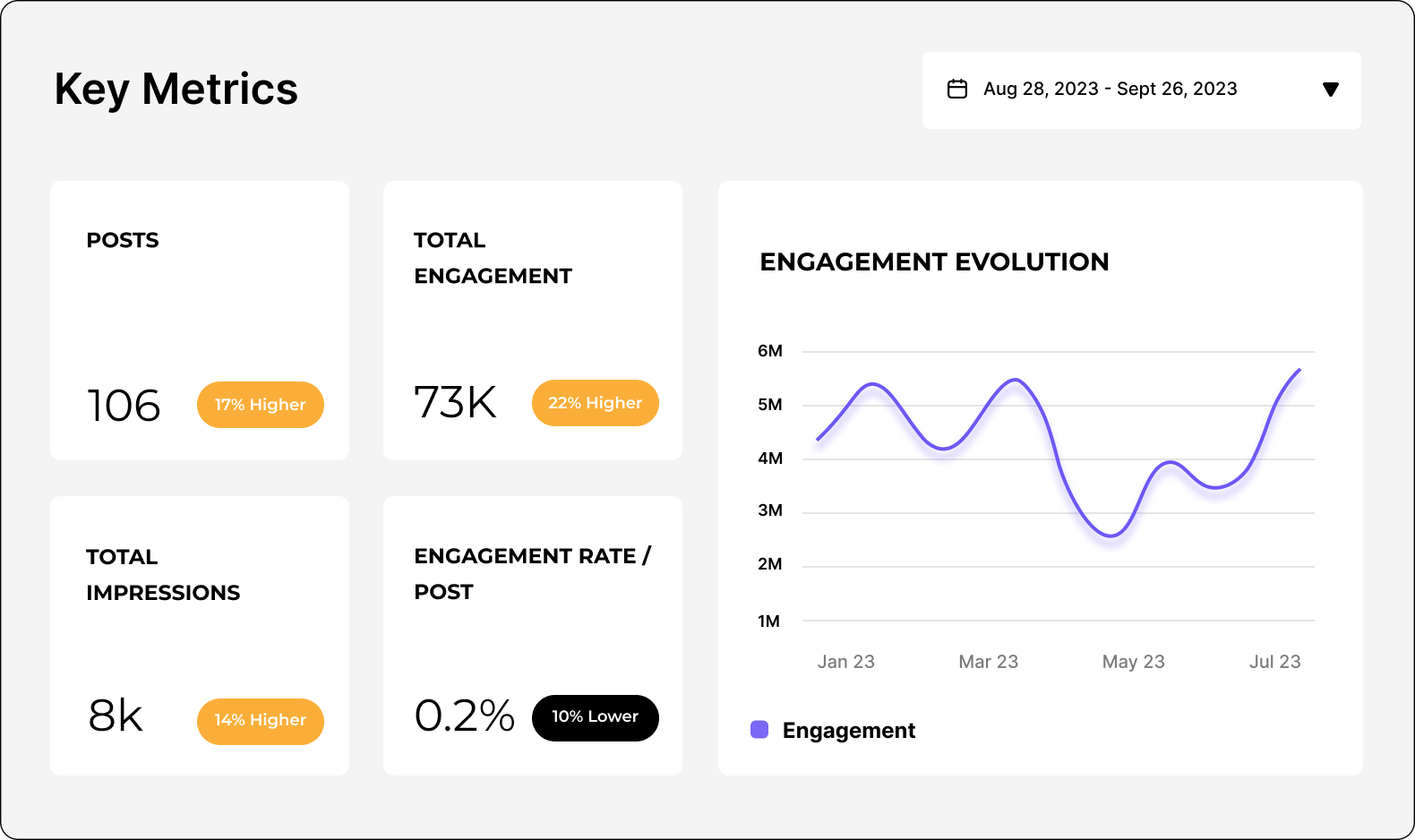
YouTubeのパフォーマンスを分析します
SocialinsiderでYouTubeのメトリクスを簡単に分析・トラッキングできます。監査やYouTube競合の分析も可能です。
14日間の無料トライアルを開始YouTubeエンゲージメント計算ツールに関するFAQ
ご質問がありますか?私たちが答えます。
YouTubeエンゲージメント率計算ツールとは
YouTubeエンゲージメント率計算ツールは、YouTubeチャンネルと視聴者のインタラクションレベルを自動的に測定できるツールです。エンゲージメント率は、いいね、コメント、シェアの合計を総登録者数で割って算出されます。このメトリクスはパーセンテージで表示されます。
この無料YouTubeエンゲージメント率計算ツールは、登録者数を基準とした式でエンゲージメントを算出します。
ツールによっては、視聴回数やリーチ(登録者以外も含めて、どれだけの人が動画を見たか)を元に計算する場合もあります。
チャンネル運営者やマーケティング担当者は、YouTubeエンゲージメント率計算ツールを使って以下のことを行います:
- 動画パフォーマンスを時系列で追跡する
- 異なるコンテンツタイプのエンゲージメントを比較する
- 視聴者の反応をもとにコンテンツ戦略を最適化する
- 競合チャンネルとベンチマークする
YouTubeエンゲージメントとは、選択した期間内にチャンネルが公開した動画全体で得られたエンゲージメントの総量を示すメトリクスです。YouTubeでのエンゲージメントは、いいね、コメント、シェアの合計で計算されます。YouTube動画とYouTubeショートの両方のエンゲージメントが含まれます。
このYouTubeエンゲージメント計算ツールにより、データドリブンなインサイトを活用してコンテンツ戦略を最適化し、視聴者行動を把握し、チャンネル成果を向上させる判断ができます。手動計算の手間を省き、オーディエンスに響く魅力的なコンテンツ作りに集中しましょう!
なぜYouTubeエンゲージメント率計算ツールが必要なのですか?
YouTubeエンゲージメント率計算ツールは、コンテンツ制作者、マーケター、ビジネスがYouTubeを活用し成長する上で欠かせません。その理由をご紹介します。
- コンテンツのパフォーマンス測定:このツールは、動画がどれほどオーディエンスに響いているかを数値化します。エンゲージメント率が高いほど、コンテンツが視聴者の好みに合い、影響力が強い証拠です。
- オーディエンスの反応を評価:エンゲージメントのメトリクス(いいね、コメント、シェア)で、視聴者がどれだけ積極的に参加しているかを把握できます。受動的な視聴者か、熱心なサポーターかを見極めるのに役立ちます。
- YouTube戦略の最適化:エンゲージメント率を分析し、どんなコンテンツが最も反応を得られるのか判断できます。エンゲージメントが高い動画に集中し、戦略を洗練できます。
- ブランドパートナー獲得:ブランドはエンゲージメント率の高いクリエイターを重視します。アクティブなオーディエンスへのリーチが求められ、特にインフルエンサーマーケティングでは登録者数以上にエンゲージメント率が重要です。
- ベンチマーク:競合や業界標準とパフォーマンス比較ができます。強みや改善点を見つけ、自分の領域で目立つ存在になれます。
- オーディエンスの好みを把握:エンゲージメント率で視聴者の行動や関心が分かります。ファンのロイヤルティやチャンネルの成長に役立つコンテンツが作れます。
YouTubeエンゲージメント率計算ツールを使えば、自分のYouTube状況を明確に把握できます。パーソナルブランディング、ビジネス成長、クリエイティブ向上のため、データに基づいた判断が可能になります。
YouTubeエンゲージメント率計算ツールはどのように機能しますか?
YouTubeエンゲージメント率計算ツールは、YouTube APIに自動的に接続し、動画へのユーザーの反応を測定します。流れは次のとおりです。
- API接続:計算ツールはYouTube APIを使い、あなたのYouTubeアカウントに接続します。手動入力なしで安全に動画データへアクセスできます。
- データ取得:接続後、計算ツールがいいね、コメント、低評価、動画数、登録者数など、関連するエンゲージメントメトリクスを自動で取得します。リアルタイムで最新の情報を集めるので、常に最新データを確認できます。
- エンゲージメント率の計算式:このツールは確立された計算式を使ってエンゲージメント率を算出します。
- 自動計算:データ取得後、計算ツールが選択した式でエンゲージメントメトリクスを瞬時に処理し、分かりやすいエンゲージメント率(%)を表示します。手動計算は不要です。
- 高度なアナリティクス:さらに高度なソーシャルメディアアナリティクスが必要な場合、Socialinsiderは複数ネットワークにわたるアナリティクスダッシュボードを提供します。競合と結果の比較、長期的なトレンド分析、ブランドに最も効果的な方法の特定が簡単にできます。
登録者数の多さはエンゲージメント率に影響しますか?
はい、登録者数はエンゲージメント率に影響する場合があります。特に登録者数をもとに計算する場合はなおさらです。ただし、重要なのはコンテンツの質と、視聴者との共感度です。これはエンゲージメントに大きく影響します。視聴者とつながる価値あるエンゲージメントの高い動画を作成し、エンゲージメント率を向上させましょう。
YouTubeのエンゲージメント率を手動で計算する方法
計算式については、YouTubeのエンゲージメントを調べ回る必要はありません。私たちがサポートします。
YouTubeのエンゲージメント率を簡単にチェックしたいですか?Socialinsiderにおまかせください。忙しい現代では計算に時間をかけていられません。
YouTubeのエンゲージメントをすぐに確認したいときは、オンライン計算機を使えば即座に結果が出ます。
とはいえ、手動で計算したい方のために手順を紹介します。
まず、エンゲージメント率の計算式を選びます。視聴回数重視か、チャンネル登録者重視かで方法が異なります。
一般的なのは、登録者ごとのエンゲージメント率(ER)です。計算方法は以下のとおりです:
- 動画のエンゲージメント(いいね、コメント、低評価)の合計を出します。
- その数字を動画の総数で割ります。
- さらに、その結果をチャンネル登録者数で割ります。
- 最後に100を掛けます。
これでYouTubeのエンゲージメント率が算出できます!
リアルタイムのインサイトでソーシャルメディア戦略を強化しませんか?
戦略的なインサイトを獲得し、全チャネルのソーシャルパフォーマンスを分析します。異なる期間のメトリクスを比較し、レポートを数秒でダウンロードできます。