무료 Facebook 인게이지먼트율 계산기
Facebook 인게이지먼트율 계산기로 모든 Facebook 페이지의 게시물당 인게이지먼트율을 확인해 보세요.

HBO
13K 팔로워


게시물당 인게이지먼트율(팔로워 기준)은 최근 30일 동안의 좋아요와 댓글 합계를 게시물 수로 나눈 뒤, 그 결과를 팔로워 수로 나누어 계산합니다.
마지막으로 결과에 100을 곱하면 인게이지먼트 비율이 계산됩니다.
측정하려는 Facebook 페이지를 검색하면 Facebook 인게이지먼트율을 확인할 수 있습니다.
*이 분석은 최근 30일간의 데이터만 고려합니다.
실제 데이터로 Facebook 성과를 입증해야 하나요? 무료 14일 체험을 이용해 Facebook 분석 데이터에 액세스하세요. 자신 있게 벤치마크하고 비교하며 보고서를 작성할 수 있습니다
Facebook 분석 데이터에 액세스무료 소셜 미디어 인게이지먼트율 계산기


Facebook 인게이지먼트율을 Socialinsider에서 추적하는 방법
Socialinsider의 소셜 미디어 분석 및 경쟁사 분석 도구를 사용하면 소셜 미디어 성과를 측정하고 감사를 실행하며 성과를 비교할 수 있습니다.
Socialinsider에서 체험 계정을 생성하여 시작하세요
경쟁사를 추가하고 관리 중인 프로필을 연결하세요
모든 Facebook 비즈니스 페이지의 인게이지먼트 지표를 확인하세요
주요 경쟁사와 성과 비교
채널 간 분석을 수행하여 Facebook 성과를 평가합니다.
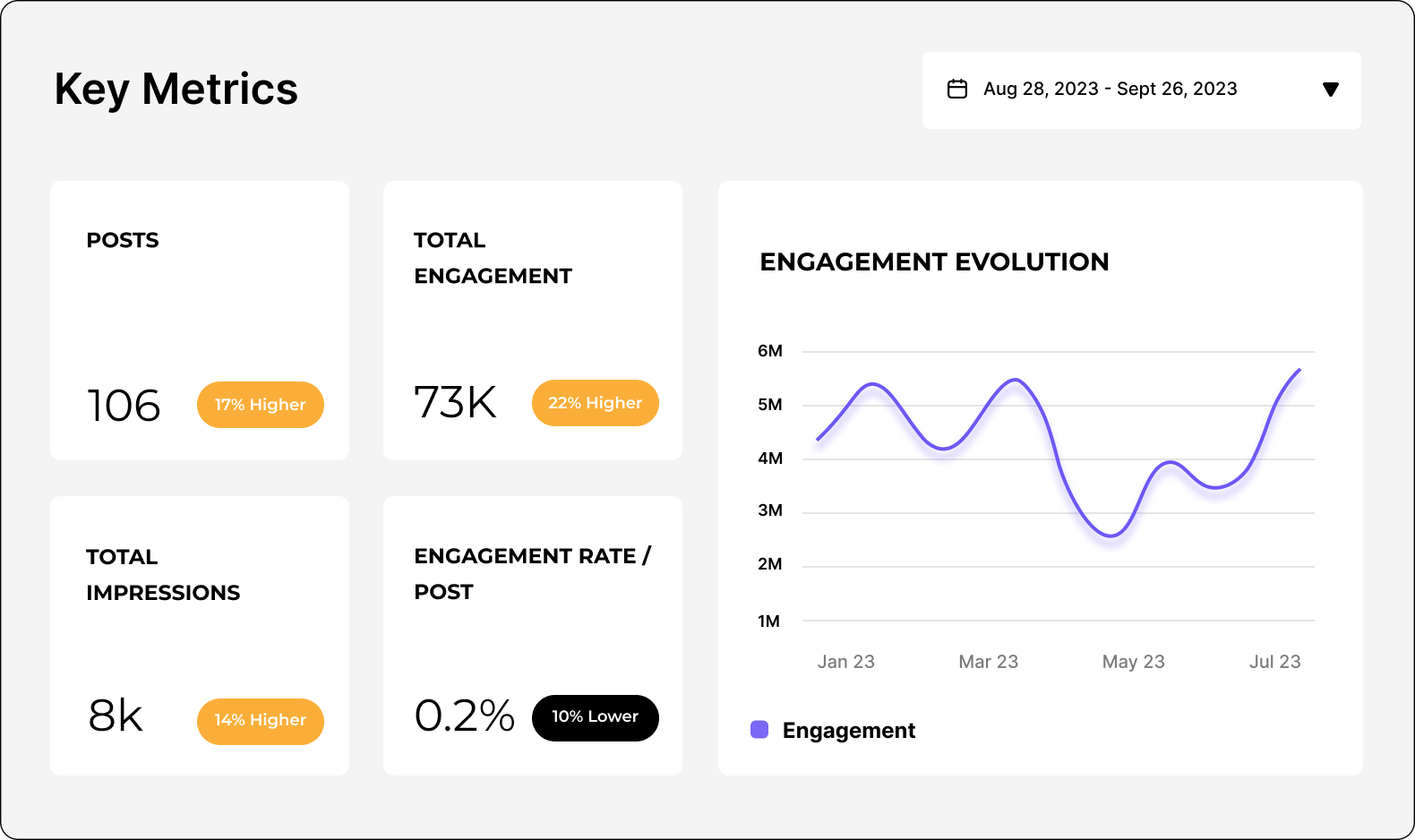
Facebook 성과를 분석하세요
Socialinsider로 페이스북 지표를 간편하게 분석하고 추적하세요. 감사를 진행하고 페이스북 경쟁사 분석도 수행할 수 있습니다.
14일 무료 체험 시작하기페이스북 인게이지먼트 계산기에 관한 자주 묻는 질문
질문이 있으신가요? 답변해 드립니다.
페이스북 인게이지먼트율 계산기란 무엇인가요?
Facebook 인게이지먼트율 계산기는 수동 입력이나 복잡한 계산 없이 인게이지먼트 지표를 측정하는 과정을 간소화하는 온라인 소셜 미디어 도구 또는 소프트웨어입니다. 이러한 자동 계산기는 일반적으로 API 또는 통합 기능을 통해 Facebook 계정에 직접 연결되어 실시간으로 데이터를 가져옵니다.
인게이지먼트율은 콘텐츠가 오디언스의 공감을 얼마나 잘 이끌어내는지 평가하는 데 사용하는 핵심 지표입니다. 반응, 댓글, 공유를 비롯해 팔로워나 게시물과 같은 기타 지표를 기준으로 계산합니다.
이 무료 Facebook 인게이지먼트율 계산기는 팔로워 기준 공식으로 인게이지먼트를 계산합니다.
일부 도구는 이 공식의 변형을 사용할 수 있습니다. 예를 들어 팔로워 수가 아닌 임프레션 또는 리치, 즉 게시물을 보는 사람 수를 기준으로 인게이지먼트를 계산할 수 있습니다.
이 Facebook 인게이지먼트율 계산기를 사용하면 데이터를 바탕으로 의사 결정을 내리고 콘텐츠 전략을 최적화하며 플랫폼에서 인게이지먼트를 효과적으로 높일 수 있습니다. 경쟁에서 앞서가세요. 수동 추적에 시간을 낭비하지 말고 자동화를 활용해 Facebook 성과를 높이세요!
Facebook 인게이지먼트율 계산기가 필요한 이유는 무엇인가요?
소셜 미디어 성과를 한 단계 높이는 데 진지하다면 Facebook 인게이지먼트율 계산기는 꼭 필요한 도구입니다. 이유는 다음과 같습니다.
- 성과 측정: 이 도구를 사용하면 콘텐츠가 오디언스와 얼마나 잘 연결되는지 확인할 수 있습니다. 인게이지먼트율을 알면 어떤 게시물이 반응이 좋고 어떤 게시물의 성과가 낮은지 파악할 수 있습니다.
- 시간 절약: 복잡한 계산에 시간을 쓸 여유가 있나요? 자동 계산기가 번거로운 작업을 모두 처리하므로 가장 중요한 일인 훌륭한 콘텐츠 제작에 집중할 수 있습니다.
- 콘텐츠 전략 최적화: 인게이지먼트 인사이트를 바탕으로 전문가처럼 콘텐츠 전략을 조정할 수 있습니다. 팔로워가 어떤 게시물을 좋아하는지 파악하고 변화를 주어 인게이지먼트를 꾸준히 이어가세요.
- 벤치마킹: 경쟁사와 비교해 어느 수준인지 확인하고 싶으신가요? 이 계산기를 사용하면 같은 분야의 다른 계정과 성과를 비교할 수 있습니다. 현재 위치와 개선할 부분을 정확히 파악할 수 있습니다.
- 실시간 인사이트: 많은 계산기가 실시간 데이터를 제공하므로 현재 게시물 성과를 바탕으로 전략을 즉시 전환할 수 있습니다.
인게이지먼트를 크게 높이고 콘텐츠를 돋보이게 만드는 데 필요한 데이터를 확보하세요!
좋은 Facebook 인게이지먼트율이란 무엇인가요?
최근 Facebook 인게이지먼트 데이터에 따르면 평균 Facebook 인게이지먼트율은 0.23%입니다(팔로워 기준 계산). 따라서 이보다 높으면 Facebook에서 좋은 인게이지먼트율로 간주됩니다.
일반적으로 소셜 미디어 벤치마크 데이터를 정기적으로 확인하는 것이 좋습니다. 결과가 평균보다 낮거나 높은지, 얼마나 차이가 나는지 확인할 수 있습니다.
Facebook 인게이지먼트율 계산기는 어떻게 작동하나요?
Facebook API에 자동으로 연결되는 Facebook 인게이지먼트율 계산기는 콘텐츠에 대한 사용자 상호작용을 측정하는 과정을 간소화합니다.
작동 방식은 다음과 같습니다:
- API 연결: 계산기는 Facebook API를 사용해 Facebook 계정에 연결합니다. 이 연결을 통해 수동으로 입력하지 않아도 페이지 데이터에 안전하게 액세스할 수 있습니다.
- 데이터 검색: 연결되면 계산기가 반응, 댓글, 공유, 게시물 수, 팔로워 수와 같은 관련 인게이지먼트 지표를 자동으로 검색합니다. 실시간으로 데이터를 수집하므로 항상 최신 정보를 확인할 수 있습니다.
- 인게이지먼트율 공식: 도구는 검증된 공식을 사용해 인게이지먼트율을 계산합니다.
- 자동 계산: 계산기는 데이터를 바탕으로 선택한 공식을 사용해 인게이지먼트 지표를 즉시 처리합니다. 수동 계산 없이 명확한 인게이지먼트율을 백분율로 확인할 수 있습니다.
- 고급 분석: 더욱 강력한 소셜 미디어 분석이 필요하다면 Socialinsider가 여러 네트워크를 아우르는 분석 대시보드를 제공합니다. 경쟁사와 결과를 쉽게 비교하고, 시간에 따른 트렌드를 분석하며, 브랜드에 가장 효과적인 요소를 파악할 수 있습니다.
팔로워 규모가 인게이지먼트율에 영향을 주나요?
네, 팔로워 수는 인게이지먼트율에 영향을 줍니다. 특히 팔로워 기준 공식을 사용할 때 그렇습니다.
하지만 사람들이 반응하게 만드는 핵심은 오디언스의 분위기와 콘텐츠의 관련성입니다. 따라서 팔로워와 진정한 관계를 구축해 인게이지먼트를 높이는 데 집중하세요. 팔로워가 몇 명이든 수량보다 품질이 중요합니다!
Facebook 인게이지먼트율을 수동으로 계산하는 방법
공식 이야기로 돌아가면, Facebook 인게이지먼트를 계산하기 위해 웹에서 완벽한 공식을 찾느라 애쓸 필요가 없습니다. 더 쉽게 해결해 드리겠습니다.
Facebook에서 인게이지먼트율을 추적하는 가장 쉬운 방법은 무엇일까요? Socialinsider에 맡기세요. 빠르게 돌아가는 세상에서 누가 수학 계산을 할 시간이 있을까요?
Facebook 인게이지먼트율을 빠르게 확인하고 싶다면 위의 계산기를 사용해 즉시 게시물별 인게이지먼트율을 확인하세요.
하지만 추억을 되살리며 수동으로 계산하고 싶다면 방법은 다음과 같습니다! 먼저 인게이지먼트율 공식을 선택하세요. 리치, 게시물, 임프레션 등에 따라 선택할 수 있는 공식이 몇 가지 있습니다.
많이 선택하는 방법은 팔로워 기준 인게이지먼트율(ER)입니다. 계산하려면 게시물의 총 인게이지먼트 수(반응, 댓글, 공유)를 게시물 수로 나눕니다. 그 결과를 팔로워 수로 다시 나눈 다음 100을 곱하세요.
Facebook 인게이지먼트는 다른 지표에 영향을 미치나요?
예를 들어 Facebook 인게이지먼트가 감소하면 리치에 영향을 줄 수 있습니다. Facebook 알고리즘은 의미 있는 상호작용과 대화를 유도하는 게시물을 우선시하기 때문입니다.
실시간 인사이트로 소셜 미디어 전략을 개선할 준비가 되셨나요?
전략적 인사이트를 확보하고, 모든 채널의 소셜 미디어 성과를 분석하며, 기간별 지표를 비교하고, 몇 초 만에 보고서를 다운로드하세요.